


Company-Wide Migration · Zoho Workplace · Updated 29 October 2026
How to Migrate to Zoho Workplace: The Ultimate Guide for Moving Your Whole Company
To migrate to Zoho Workplace well, treat it as a company move, not a mailbox copy: people, mail, calendars, contacts, files, chat and meetings all need a plan. This guide is for owners and IT leads in India moving from your current email or office suite. It maps every workload to the right Zoho tool, gives a readiness check, nine steps, verified INR prices and a training plan. For mailbox-only moves, we link to our dedicated mail guides along the way.
Short answer
Add and verify your domain, create users, groups and aliases, then run a small test migration before moving everyone. Zoho's own migration guide lists exactly that order: add the domain, verify it, create all users and groups, and run a sample migration for a few users. Move shared files into WorkDrive team folders, launch Cliq with planned channels, switch MX when mail is ready, and train each team on its own daily tasks.
What Actually Moves When You Migrate to Zoho Workplace
In short: Zoho Workplace is more than email: plan for mail, calendars, contacts, files, chat, meetings and people together.
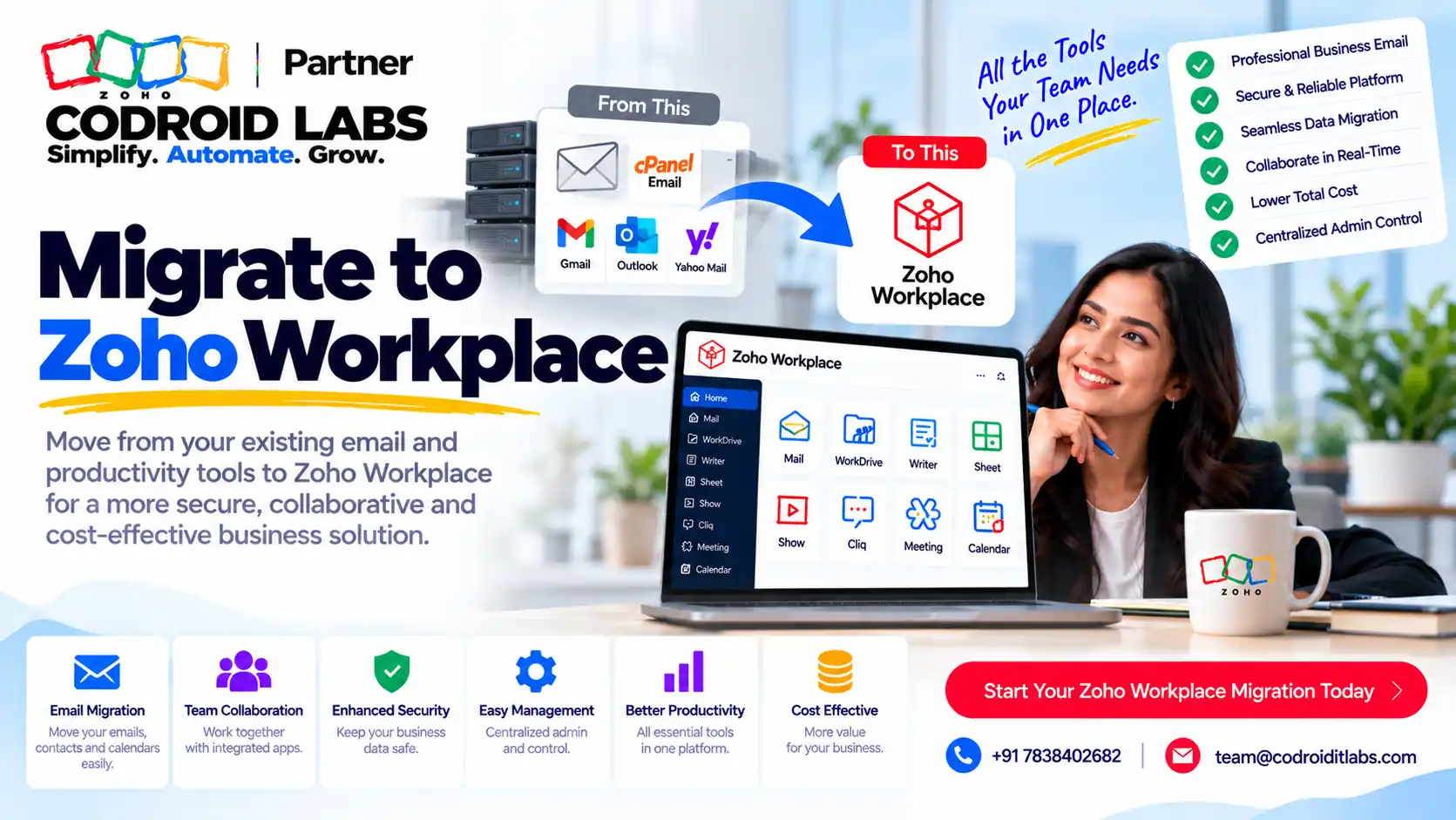
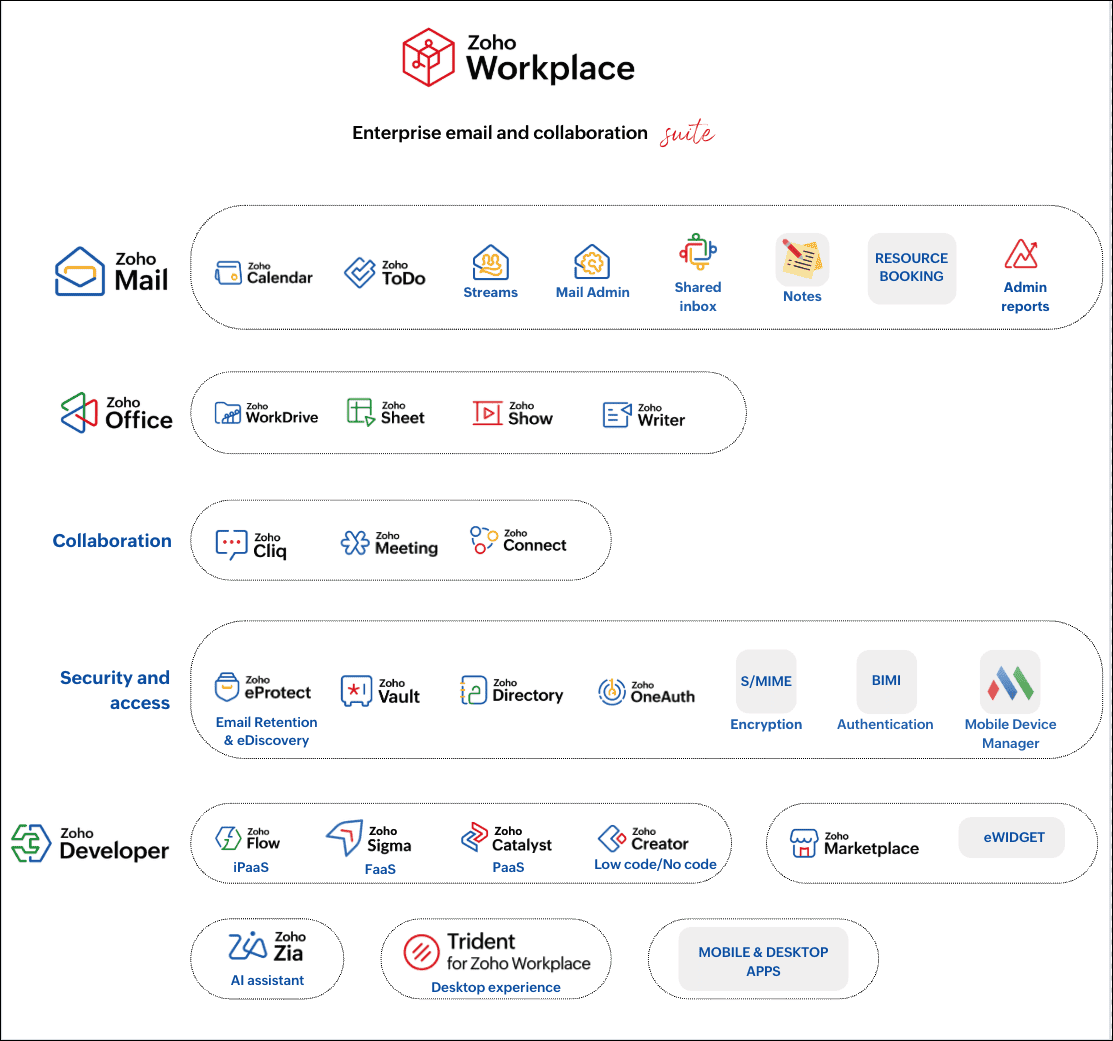
Most guides stop at email. A company that decides to migrate to Zoho Workplace is moving much more: the way people find files, plan meetings, chat with colleagues and sign in every morning. According to Zoho's Workplace pricing page, Workplace Standard and Professional include Mail, Calendar, WorkDrive, Writer, Sheet, Show, Cliq, Meeting, ToDo, Vault and Directory, among others. Each of those replaces something in your current email or office suite, so when you migrate to Zoho Workplace every one of them needs an owner and a plan.
Zoho also says that your Zoho Mail user list serves as the master user list across the apps in the Workplace bundle. That is why people and domain setup come first: everything else hangs off them. If you only need to move mailboxes, our Zoho Mail migration guide is the shorter read.
Workload-to-Tool Map for a Zoho Workplace Migration
In short: Every workload has its own Zoho tool or approach; match them before you move anything.
| What you have today | Where it goes | How it moves (per Zoho) |
|---|---|---|
| Mailboxes | Zoho Mail | One-click migration for two major suites, IMAP or POP for others, or offline PST and EML files via Zoho's desktop migration wizard |
| Calendars and contacts | Zoho Calendar and Mail contacts | Included in one-click migration; PST and EML imports can carry contacts and calendar too |
| Shared and personal files | Zoho WorkDrive team folders | WorkDrive's in-house migration tool for several cloud storage services |
| User accounts | Zoho Mail admin console | Manual, CSV (up to 200 at a time), import from cloud services, or directory sync |
| Distribution lists | Mail groups | Created as groups before migration |
| Team chat | Zoho Cliq | Plan channels fresh; bulk import users into teams |
| Video calls | Zoho Meeting | Recreate recurring meetings and links |
Sources: Zoho Mail migration, adding users, WorkDrive help and the Workplace plan comparison. Zoho's migration page notes that its on-premise server option migrates emails only, while PST and EML imports can include contacts, calendar, tasks and notes, so pick the method per workload.
Readiness Check Before You Migrate to Zoho Workplace
In short: If you cannot answer these ten questions, you are not ready to set a cutover date.
Answer these ten questions in writing. Any “not sure” is a task to finish before you set a date. Companies that migrate to Zoho Workplace with these answers ready usually have a quieter first week.
- Who has admin access to your domain's DNS settings?
- How many users, shared mailboxes and distribution lists do you have?
- Which addresses are aliases rather than real people?
- Where do shared files live today, and who owns each folder?
- Which files are personal and which belong to a team?
- Which chat groups are still active, and which can be retired?
- Which recurring meetings have links that external people use?
- Which apps or devices send mail through your current server?
- Who will answer staff questions in the first week?
- When does your current suite's subscription end?
If many answers are unclear, a short review with our Zoho Workplace migration plan helps you put dates and owners against each phase.
9 Steps to Migrate to Zoho Workplace
In short: Set up the domain and people first, move data in tested batches, then switch MX and train.
- Add and verify your domain. Zoho supports several verification methods. Nothing else works until this is done, so it is always the first step when you migrate to Zoho Workplace.
- Create users, groups and aliases. Use CSV or a cloud import for larger teams (details below). Set roles and departments as you go; it is far easier than fixing them after you migrate to Zoho Workplace.
- Set security basics. Decide sign-in rules and multi-factor authentication before people log in for the first time.
- Run a test migration. Zoho recommends a sample migration for a few users first, to learn your source server's limits and speed.
- Move mail, calendars and contacts in batches. Zoho lets you set a priority per user so key people move first.
- Move files to WorkDrive. Create team folders, assign owners, then migrate. Check permissions after each batch, because file access is what staff notice first after you migrate to Zoho Workplace.
- Launch Cliq and Meeting. Create default channels, add people to teams, and recreate recurring meeting links.
- Switch MX and finish mail. Point MX to Zoho using the email delivery settings, then run a final pass for mail delivered during the switch.
- Train, support and sign off. Role-based training, a help channel, and a written sign-off before the old suite is cancelled.
Zoho's migration page also suggests a weekend for the MX change, telling users about the change in advance, and using email routing to avoid losing mail. Avoid the usual traps listed in our common Zoho implementation mistakes guide. For DNS records beyond MX, our SPF, DKIM and DMARC setup guide walks through each record.
Users, Groups and Aliases: The People Side of the Move
In short: Users, groups and aliases are the skeleton of the new setup, and Zoho gives several ways to create them in bulk.
When you migrate to Zoho Workplace, the user list is the foundation. Zoho's adding users guide describes several ways to build it:
| Method | Suits (Example only) | Notes from Zoho |
|---|---|---|
| Add manually | Very small teams | Set role, groups, aliases and email policy per user |
| CSV import | Most small and mid-sized firms | Up to 200 users at a time; paid plans only |
| Import from cloud services | Moving from a major suite | Can bring user aliases and phone numbers; paid plans only |
| Directory sync | Firms with an on-premise directory | Handled through Zoho Directory |
| Invite users | People with existing addresses | Paid plans only |
Zoho also lets you set an auto-expire date for contract staff, between 30 and 720 days or on a fixed date, and to force a password change on first login. One useful detail: users can send mail as soon as they are created, but they will not receive mail until MX points to Zoho. Our Zoho Mail admin console guide covers the day-to-day settings after the move.
Files, Chat and Meetings: Beyond the Mailbox
In short: Move shared files into team folders with clear owners, and treat chat as a fresh start with well-named channels.
WorkDrive files
Zoho says WorkDrive has an in-house migration tool for moving from other cloud storage services. Before you use it, design team folders around how people work, give each folder an owner, and decide which personal files stay personal. The pricing page lists 100 GB of shared team storage for 3 to 10 users on Standard, plus 10 GB for each extra user, and 1 TB on Professional, plus 100 GB per extra user.
Cliq chat
Treat chat as a fresh start. When teams migrate to Zoho Workplace, chat is the one workload where a clean slate usually works better than copying history. Zoho's Workplace comparison lists admin options to set default channels users join automatically and to bulk import users into teams. Create a short list of channels by team and topic, plus one help channel for the migration. See Cliq help for setup.
Meetings and calendars
Recurring meetings often carry links that clients and partners have saved. List them early, recreate them in Zoho Meeting, and send the new links before go-live. This small task is the one most often forgotten when companies migrate to Zoho Workplace. Shared calendars and resource booking are part of Zoho Calendar, so rooms and equipment can be added too.
If your team also runs approvals in chat, our guide to a Zoho People and Cliq approval system shows what is possible after the move.
Zoho Workplace INR Prices When You Migrate
In short: Workplace Standard is ₹99 and Professional ₹399 per user a month on annual billing, before GST.
Checked on Zoho's Workplace pricing page on 29 October 2026, per user per month, before GST:
| Plan | Annual billing | Monthly billing | Includes |
|---|---|---|---|
| Mail Lite (5 GB) | ₹59 | Yearly only | Mail, Calendar, ToDo, Cliq (Free) |
| Mail Premium | ₹199 | Yearly only | Mail with retention and compliance tools |
| Workplace Standard | ₹99 | ₹129 | Mail (30 GB), WorkDrive, Writer, Sheet, Show, Cliq, Meeting and more |
| Workplace Professional | ₹399 | ₹489 | Mail (100 GB), larger WorkDrive storage, eProtect, Connect and more |
Zoho allows mixing Mail-only and Workplace plans in one organisation on yearly subscriptions, which helps you migrate to Zoho Workplace without paying for apps some staff will never open, and suits companies where some staff only need email (Example only: field staff on Mail Lite, office staff on Workplace Standard). The page also lists migration assistance from a dedicated technical agent for companies with more than 50 users. For buying options in India, see Zoho Workplace partner in India.
Training, Support and Sign-Off After You Migrate to Zoho Workplace
In short: Train by role, keep a help channel open, and retire the old suite only after a checked sign-off.
| Role | Train on | Check after go-live |
|---|---|---|
| All staff | Sign-in, mail, calendar, finding files, Cliq basics | Everyone can send, receive and open shared files |
| Team leads | Team folders, channel admin, shared calendars | Folder owners confirmed |
| Admins | Users, groups, policies, storage | User list matches the company list |
| Front office | Meeting rooms and resource booking | Recurring links updated |
Do not cancel anything on the day you migrate to Zoho Workplace. Keep the old suite running in parallel until a written sign-off confirms that mail, files and calendars have all arrived. Zoho's Workplace help centre is a good self-service link to share with staff. Moving from a hosting control panel? Read our cPanel to Zoho Mail migration guide. Moving data between Zoho regions instead? See Zoho Mail data centre migration.
How Codroid Labs Helps You Migrate to Zoho Workplace
Codroid Labs is a Zoho Partner and a Zoho AI Enabled Partner, recognised by Zoho after the AI Accelerator Series 2026. Based in New Delhi, we help companies across India remotely. We run the readiness check, set up the domain, users, groups and aliases, plan WorkDrive team folders and Cliq channels, run test and final migrations, switch MX, and train each role. Learn more about us as a Zoho partner in India, call +91 7838402682 or email team@codroiditlabs.com.
Quick Answers
Can I move files as well as mail?
Yes. WorkDrive has an in-house migration tool for other cloud storage services, per Zoho.
How many users can I import at once?
Up to 200 per CSV file, on paid plans.
Do calendars and contacts move?
Yes with one-click migration, and via PST or EML imports.
What does Workplace cost in India?
₹99 (Standard) or ₹399 (Professional) per user a month, billed annually, before GST.
Migrate to Zoho Workplace: FAQs
How long does it take to migrate to Zoho Workplace?
It depends on users, mailbox sizes and your current server's limits. That is why Zoho recommends a sample migration first: it shows your real speed.
Will we lose email during the switch?
Not if you plan it. Zoho suggests telling users in advance, changing MX at a quiet time, using email routing, and re-running migration for mail delivered before the MX change.
Can some staff stay on mail only?
Yes. Zoho allows mixing Mail and Workplace plans in one organisation on yearly subscriptions.
Do users need new passwords?
Imported users get a password you set, and Zoho lets you force a change on first login.
Should we move old chat history?
Most teams start Cliq fresh with planned channels and keep the old chat export for reference.
Does Zoho help with large migrations?
Zoho's pricing page lists migration assistance from a dedicated technical agent for companies with more than 50 users.
Is this different from your mail migration guides?
Yes. Those cover mailboxes only. This guide is for when you migrate to Zoho Workplace as a whole company: people, files, chat, meetings and training.
Planning a company-wide move?
Tell us your user count and what you use today. We will send back a workload map and a step plan, in writing.