


Zoho Automation 2026
Build in 60 Minutes
Deluge Code Included
Codroid Labs — Certified Zoho Partner
Build in 60 Minutes
Deluge Code Included
Codroid Labs — Certified Zoho Partner
Zoho People Cliq Approval System:
Build a Powerful Workflow
Automation in 1 Hour
By Codroid Labs — Certified Zoho Implementation Partner
April 2026
Includes Working Deluge Code — Copy and Adapt for Your Organisation
April 2026
Includes Working Deluge Code — Copy and Adapt for Your Organisation
Every Indian business with more than 10 employees hits the same wall: leave requests drown in email threads, managers miss WhatsApp messages, and employees spend days chasing a simple approval. Building a Zoho People Cliq approval system solves this permanently. When an employee submits a leave request in Zoho People, their manager instantly gets an interactive Zoho Cliq message with Approve and Reject buttons. One click. Done. No email thread, no missed message, no manual HR portal update. This guide shows you exactly how to build a complete Zoho People Cliq approval system in 60 minutes — with actual Deluge code to copy and adapt, a 5-step process anyone can follow, and extensions to expense, purchase, and WFH approvals that scale as your Indian business grows.
Without a Zoho People Cliq Approval System
- → Leave requests disappear into email inboxes for days
- → Managers approve verbally — forget to update HR system
- → Employees chase approvers via WhatsApp — no audit trail
- → Leave balances wrong — payroll errors every month
- → Expense reimbursements take 2-3 weeks to be approved
With Zoho People Cliq Approval System
- ✓ Manager gets Cliq message instantly with all details
- ✓ One-click Approve or Reject — no HR portal login needed
- ✓ Employee gets instant Cliq confirmation — zero chasing
- ✓ Leave balance auto-updated in Zoho People — accurate payroll
- ✓ Full audit trail — approver, timestamp, reason logged
1. How the Zoho People Cliq Approval System Works
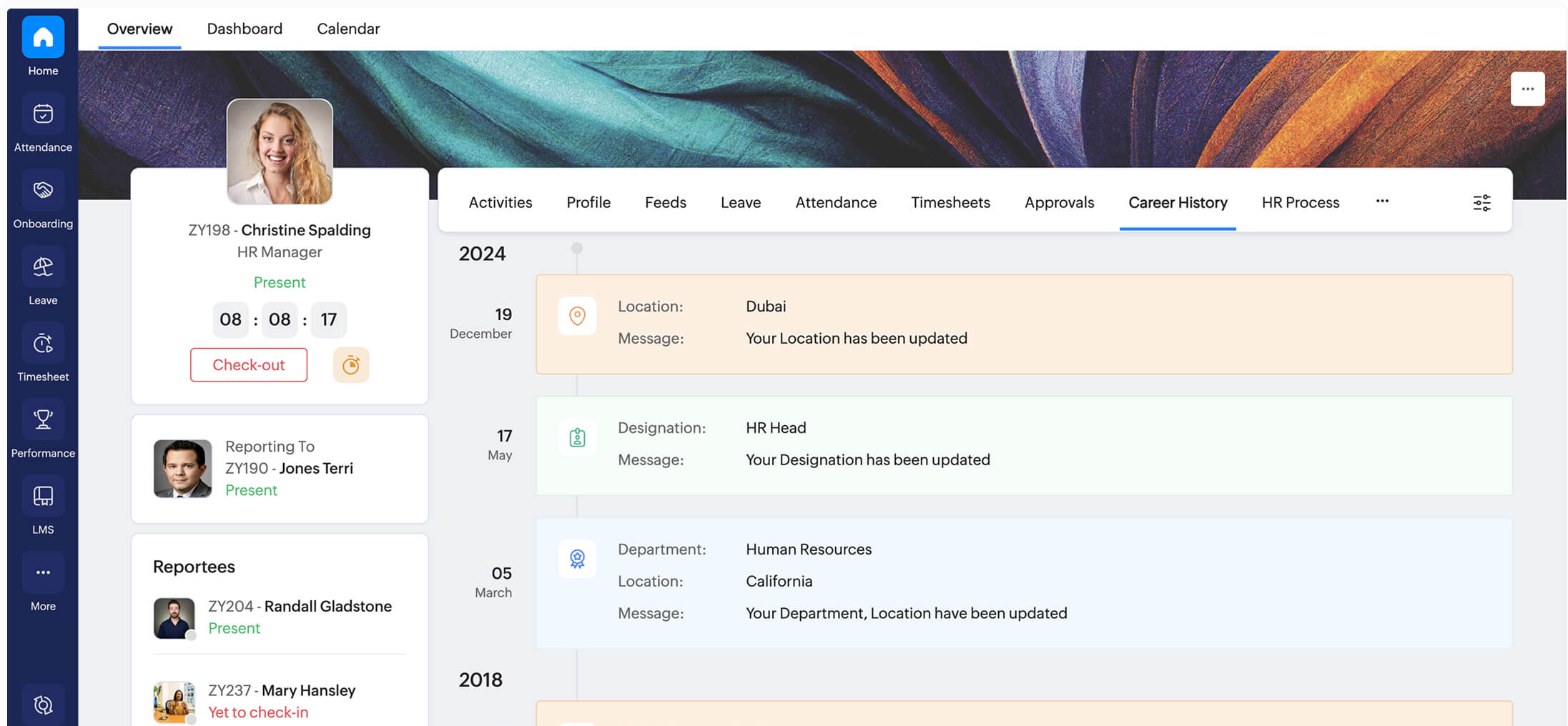
The Zoho People Cliq approval system connects three native Zoho components — Zoho People (HR), Zoho Cliq (team chat), and Deluge (scripting). Each plays a distinct role:
Zoho People
The Trigger Source
When an employee submits a leave request, Zoho People fires a workflow that calls your Deluge custom function.
Deluge
The Logic Layer
Reads request details, finds the approver’s Cliq ID, and calls the Zoho Cliq API to send an interactive card with Approve and Reject buttons.
Zoho Cliq Bot
The Notification Layer
Delivers the approval card to the manager, listens for button clicks, and triggers the update back to Zoho People via Deluge.
Complete Approval Flow
Employee submits leave in Zoho People
→
Workflow fires Deluge function
→
Manager gets Cliq card with buttons
→
Manager clicks Approve or Reject
→
Zoho People updates + employee notified
2. Prerequisites Before Building the Zoho People Cliq Approval System
Required Setup
- ✓ Zoho People Professional plan (₹96/user/month) or above
- ✓ Zoho Cliq enabled for your organisation
- ✓ Admin access to Zoho People and Zoho Cliq
- ✓ Reporting manager configured per employee
- ✓ All employees on Zoho Cliq workspace
Good to Know Before Starting
- → Basic Deluge scripting (variables, if-else, API calls)
- → Zoho People workflow setup navigation
- → Zoho Cliq bot creation basics
- → Not technical? Codroid Labs builds this in 1 day — fixed INR price
Plan Note: The Custom Function action in Zoho People workflows requires Professional plan (₹96/user/month) or above. The Essential HR plan (₹48/user/month) does not support custom Deluge scripting. You need Professional plan to build the complete Zoho People Cliq approval system as described in this guide.
3. Step 1 — Set Up the Zoho Cliq Bot (15 Minutes)
The Cliq bot is the notification interface for your Zoho People Cliq approval system — it sends approval requests to managers and handles their responses. Setup takes 15 minutes.
Cliq Bot Setup — Step by Step
1.
Zoho Cliq → Settings → Bots → New Bot → Name:
ApprovalBot2.
Enable: Message Handler and Message Action Handler — both required
3.
Save and copy the Bot Token — you will paste this in the Deluge functions
4.
Set Bot Availability to Entire Organisation so all managers receive approval messages
5.
In Zoho People → Setup → Connections → Add Zoho Cliq connection for your bot token — or store token as a Deluge constant
4. Step 2 — Create the Zoho People Workflow (10 Minutes)
The Zoho People workflow is the trigger that starts the Zoho People Cliq approval system. Navigate to Zoho People → Setup → Automation → Workflow Rules and create a new rule with these settings:
Module
Leave — Leave Request
Trigger
Record is Created (when employee submits leave)
Condition
Leave Status equals Pending Approval (optional filter)
Action
Custom Function → Create new function → Name:
sendCliqApprovalRequest
5. Step 3 — The Deluge Notification Function (20 Minutes)
This is the heart of the Zoho People Cliq approval system. This Deluge function reads the leave request, finds the approver’s Cliq ID, and sends an interactive card. Copy this code and paste it in Zoho People → Setup → Automation → Custom Functions:
Deluge — sendCliqApprovalRequest (Zoho People Custom Function)
// Zoho People Cliq Approval System - Notification Function
// Paste in: Zoho People > Setup > Automation > Custom Functions

string CLIQ_BOT_TOKEN = "your-bot-token-here";

// Read leave request details from triggered record
string employee_id   = input.get("Employee_ID");
string leave_type    = input.get("Leave_Type");
string from_date     = input.get("From_Date").toString();
string to_date       = input.get("To_Date").toString();
string reason        = input.get("Reason");
string leave_id      = input.get("Leave_ID");

// Get employee name and manager ID from Zoho People
map emp_data         = zoho.people.getRecordById("P_Employee", employee_id);
string emp_name      = emp_data.get("FirstName") + " " + emp_data.get("LastName");
string manager_id    = emp_data.get("Zoho_ID_of_Reporting_Manager");

// Build Cliq interactive card payload
list rows = list();
rows.add({"Field": "Employee",   "Value": emp_name});
rows.add({"Field": "Leave Type", "Value": leave_type});
rows.add({"Field": "From",       "Value": from_date});
rows.add({"Field": "To",         "Value": to_date});
rows.add({"Field": "Reason",     "Value": reason});

map slide = {"type": "table", "title": "Leave Request — Action Required", "data": rows};

// Approve button
map approve_btn = {
  "label": "Approve",
  "name":  "approve_leave",
  "type":  "+",
  "action": {"type": "invoke.function", "name": "handleLeaveAction",
    "data": {"leave_id": leave_id, "action": "approve", "emp_id": employee_id, "emp_name": emp_name}}
};

// Reject button
map reject_btn = {
  "label": "Reject",
  "name":  "reject_leave",
  "type":  "-",
  "action": {"type": "invoke.function", "name": "handleLeaveAction",
    "data": {"leave_id": leave_id, "action": "reject", "emp_id": employee_id, "emp_name": emp_name}}
};

slide.put("buttons", list([approve_btn, reject_btn]));

map cliq_payload = {
  "text":   "Leave Approval Request from " + emp_name,
  "slides": list([slide])
};

// Send to manager via Cliq bot
map headers = {"Authorization": "Zoho-oauthtoken " + CLIQ_BOT_TOKEN, "Content-Type": "application/json"};
string api_url = "https://cliq.zoho.in/api/v2/bots/ApprovalBot/message?unique_name=" + manager_id;
response = invokeurl[url: api_url; type: POST; parameters: cliq_payload.toString(); headers: headers];
info response;
Replace
your-bot-token-here with your actual Cliq bot token. The field name Zoho_ID_of_Reporting_Manager may vary — check your Zoho People employee form field labels.
6. Step 4 — Handle Approve and Reject Actions (15 Minutes)
When the manager clicks Approve or Reject, the Cliq bot calls this second Deluge function. Configure it in Zoho Cliq → Your Bot → Message Action Handler. It updates Zoho People and notifies both manager and employee:
Deluge — handleLeaveAction (Zoho Cliq Bot Message Action Handler)
// Zoho People Cliq Approval System - Action Handler
// Configure in: Zoho Cliq > Bot > Message Action Handler

string CLIQ_BOT_TOKEN = "your-bot-token-here";

// Read button click payload
string leave_id      = payload.get("leave_id");
string action_type   = payload.get("action");
string emp_id        = payload.get("emp_id");
string emp_name      = payload.get("emp_name");
string approver_name = payload.get("user").get("name");

// Determine new status and employee message
string new_status    = (action_type == "approve") ? "Approved" : "Rejected";
string emp_msg_text  = "Your leave request has been " + new_status + " by " + approver_name + ".";

if(action_type == "approve")
{
  emp_msg_text = emp_msg_text + " Your leave balance has been updated in Zoho People.";
}
else
{
  emp_msg_text = emp_msg_text + " Please speak to your manager for further details.";
}

// Update leave status in Zoho People
map update_data = {"Status": new_status, "Approved_By": approver_name};
zoho.people.update("P_ApplyLeave", leave_id, update_data);

// Get employee Cliq ID and send confirmation
map emp_data         = zoho.people.getRecordById("P_Employee", emp_id);
string emp_cliq_id   = emp_data.get("Zoho_ID");

map headers = {"Authorization": "Zoho-oauthtoken " + CLIQ_BOT_TOKEN, "Content-Type": "application/json"};
string emp_api = "https://cliq.zoho.in/api/v2/bots/ApprovalBot/message?unique_name=" + emp_cliq_id;
invokeurl[url: emp_api; type: POST; parameters: {"text": emp_msg_text}.toString(); headers: headers];

// Return confirmation to the approver in Cliq
return {"text": "Leave request for " + emp_name + " has been " + new_status + ". Employee has been notified."};
7. Step 5 — Test the Zoho People Cliq Approval System and Extend It

Testing Checklist
Submit test leave as a test employee
Verify Cliq message reaches reporting manager
Check all leave details are correct in the card
Click Approve — verify Zoho People status updates
Verify employee gets Cliq confirmation message
Test Reject flow on a second leave request
Common Issues and Quick Fixes
Message not delivered: Check bot token — tokens expire and need refreshing
Buttons missing: Slides array must be correctly structured — table type needs data as list of maps
Status not updating: Check Zoho People leave status field name — may be “Approval_Status” in your setup
Wrong manager: Confirm Reporting Manager field is set for each employee in Zoho People
8. All Approval Types You Can Automate with Zoho People Cliq
| Approval Type | Trigger | Key Cliq Card Fields | Time Saved |
|---|---|---|---|
| Leave Request | Zoho People Leave module | Employee, type, dates, balance remaining | 2 days → 5 mins |
| Expense Reimbursement | Zoho People Expense module | Amount, category, date, receipt | 2 weeks → 1 day |
| Work From Home | Zoho People Attendance | Date range, WFH reason, task plan | 1 day → instant |
| Overtime Request | Zoho People Attendance | OT date, hours, project code | 2 days → 30 mins |
| Purchase Order | Zoho Creator custom form | Vendor, amount, items, GL code | 3 days → 4 hours |
| IT Asset Request | Zoho Creator asset form | Employee, asset type, justification | 1 week → 1 day |
9. Multi-Level Approval in Zoho People Cliq — How to Chain Approvers
Most Indian companies need multi-level approval for high-value requests. The Zoho People Cliq approval system handles multi-level chains by sequencing Cliq messages at each approval stage.
01
Configure multi-level in Zoho People Leave Settings
Go to Zoho People → Setup → Leave → Leave Type → Approval Settings. Configure Level 1 (Reporting Manager), Level 2 (Department Head), Level 3 (HR Manager). Zoho People natively supports this and fires a separate workflow trigger at each level change.
02
Create separate workflows for each approval level transition
Create a workflow triggered when leave Status changes to “Pending L2 Approval” — this fires a Cliq notification to the Level 2 approver. Create another for “Pending L3 Approval” targeting the Level 3 approver. Each Cliq card includes the Level 1 approver name and timestamp for context.
03
Add escalation reminders for pending approvals older than 24 hours
Add a scheduled Zoho People workflow that checks for leaves pending approval for more than 24 hours and sends a Cliq reminder to the approver: “Leave from [Employee Name] has been pending your approval for 24 hours.” Codroid Labs configures complete escalation chains for Indian businesses.
Related Guides from Codroid Labs
Codroid Labs — Certified Zoho Implementation Partner India
Want Codroid Labs to Build Your Complete
Zoho People Cliq Approval System in 1 Day?
We build complete Zoho People Cliq approval systems for Indian businesses — leave, expense, purchase, WFH, OT, and asset approvals — with multi-level chains, 24-hour escalation reminders, audit logs, and training. Fixed INR price. 90-day warranty.
GSTIN: 07AAWFC0815B1ZP | team@codroiditlabs.com | +91 78384 02682
10. FAQs — Zoho People Cliq Approval System
What Zoho People plan is needed for the Cliq approval system?
The Zoho People Cliq approval system requires the Professional plan at ₹96/user/month. The Custom Function workflow action — which calls the Deluge scripting — is only available from Professional plan and above. The Essential HR plan at ₹48/user/month supports basic email workflow actions but not custom Deluge functions needed for Cliq integration. Zoho People Professional gives you unlimited workflow rules, custom functions, and integration with Zoho Cliq via Deluge API calls.
Can the Zoho People Cliq approval system add a rejection reason?
Yes. When the manager clicks Reject in the Cliq card, instead of immediately updating the status, your bot can respond with a Cliq input form asking for the rejection reason. The manager types the reason and submits it. The Deluge action handler captures the reason, stores it in the leave record’s Notes field in Zoho People, and includes it in the rejection message sent to the employee. This creates a complete rejection audit trail — useful during appraisal season when leave history is reviewed.
Can Codroid Labs build the complete Zoho People Cliq approval system for our company?
Yes. Codroid Labs implements complete Zoho People Cliq approval systems for Indian businesses in 1-2 days — including Cliq bot creation, Deluge function development and testing for each approval type (leave, expense, WFH, OT, purchase), multi-level approval chain configuration in Zoho People, 24-hour escalation reminder workflows, audit log setup, and team training. All implementations include a 90-day warranty and fixed INR project price. Contact team@codroiditlabs.com or call +91 78384 02682 for a proposal.
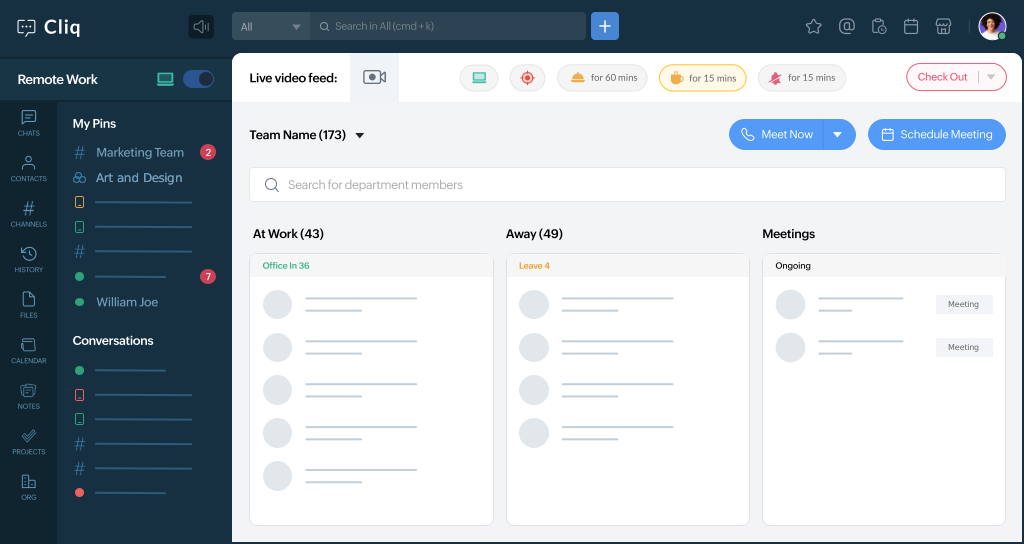
Does this Zoho People Cliq approval system work on mobile?
Yes. Zoho Cliq has a mobile app for Android and iOS. The interactive approval card with Approve and Reject buttons displays correctly on the Cliq mobile app. Managers can approve or reject leave requests from their phone — the Deluge action handler fires exactly the same way as on desktop. This is one of the biggest practical advantages of the Zoho People Cliq approval system for Indian businesses where managers are frequently on site visits or travel.