


India · Zoho CRM · 26 November 2026
Zoho CRM for Insurance: 6 Practical Tools for Confident Agents
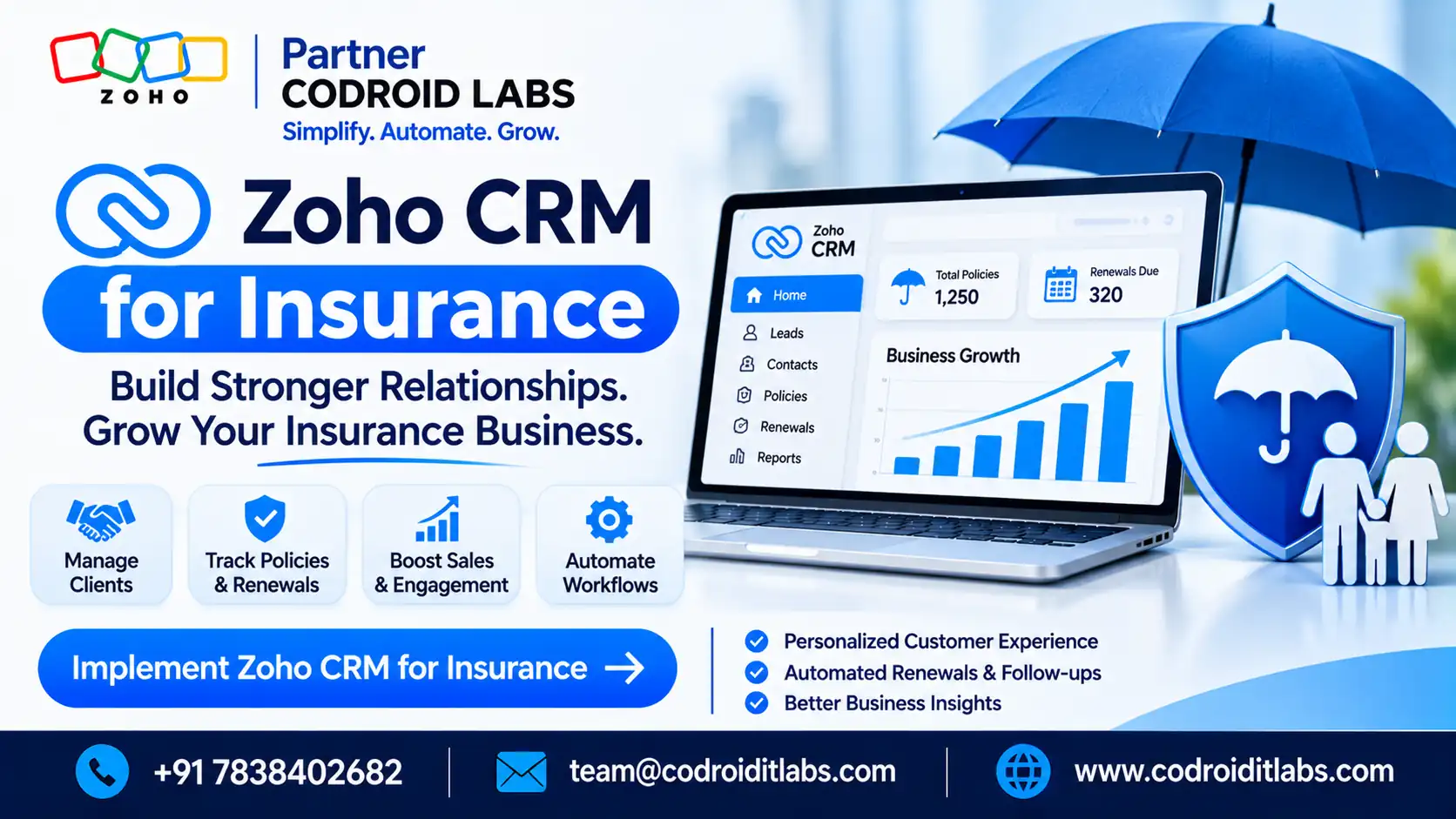
Zoho CRM for Insurance is Zoho CRM set up for brokers, agents and insurers: leads, policies, renewals, claims routing and a shared view of each policyholder.
Our team wrote this for Indian agencies and for people looking at Zoho CRM for Insurance Agents. Zoho is clear that this is not a boxed insurance edition. It is an industry-agnostic CRM you configure. Open an official Zoho CRM trial, or book a free call if you want help mapping your process.
Short answers first
- Zoho CRM for Insurance uses six official capabilities from Zoho’s insurance page: multi-channel communication, renewal workflows, multi-page layouts for policies, assignment rules, approval processes and Blueprint.
- Zoho’s own disclaimer is that Zoho CRM is not an out-of-the-box vertical CRM. The insurance demo Zoho shows is a customisation of the Enterprise edition, for demonstration only.
- Official India list prices, checked on 26 November 2026, IST, are per user per month: Standard ₹800, Professional ₹1,400, Enterprise ₹2,400 and Ultimate ₹2,600 on yearly billing. Month-to-month rates are higher. A Free plan is listed for 3 users. Zoho’s tax line is: “Local taxes (VAT, GST, etc.) will be charged in addition to the prices mentioned.”
- Codroid Labs is a Zoho Partner, Partner ID: PI1471004. We serve businesses across India. Our setup fees are quoted after a free call. We do not invent timelines or package rates here.
The notes below were checked on 26 November 2026, IST, against Zoho’s insurance CRM page, the edition comparison and Zoho CRM pricing. Confirm those pages before you pay, because list prices and limits can change.
What Zoho CRM for Insurance is, and what it is not
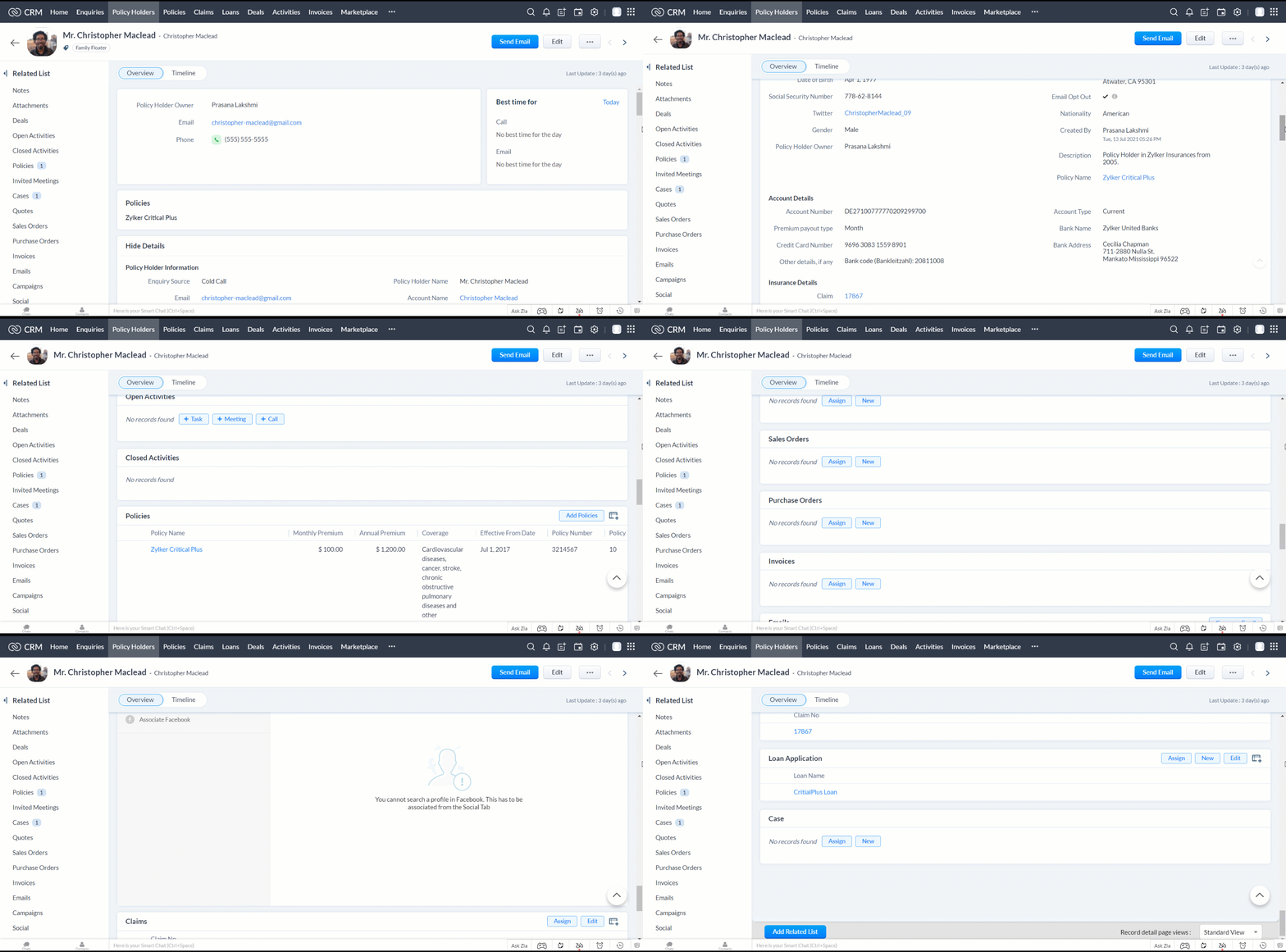
On its insurance page, Zoho describes a CRM that helps brokers and providers organise leads and claims, assign work, and manage more than one policy in a single system. Agents can work on the desktop or on the Zoho CRM mobile app. That is the official starting point for Zoho CRM for Insurance.
Zoho also prints a disclaimer you should read before you buy: Zoho CRM is not an out-of-the-box vertical CRM. It is an industry-agnostic platform that can be customised. The insurance demo Zoho shows is customised on the Enterprise edition, for demonstration only. Fields, stages and approvals have to be designed around your products. Two agencies can both run Zoho CRM for Insurance and still end up with different modules. For the wider banking and advice picture, see Zoho’s financial services vertical page and our guide to Zoho CRM for financial services.
Six official capabilities
These six items are the ones Zoho itself lists on the insurance page. We have not added unofficial modules or reminder-day counts that Zoho does not publish.
| Official capability | What Zoho says it is for |
|---|---|
| Multi-channel communication | Reach people by email, phone, live chat and social media, with a combined view of past interactions. |
| Renewal workflows | Workflow automation can send reminders when a renewal is due. Zoho does not fix a 60 or 30 day default on that page, so you set the dates to match your book. |
| Multiple policies in one CRM | Multi-page layouts and conditional fields let you set up layouts for policy offerings and keep a complete view of the policies a customer holds. |
| Assignment rules for claims | When a claim request is raised, assignment rules can send it to the right person. |
| Approval processes | Approvals help a claim move through a proper review before it is agreed. |
| Blueprint | Blueprint standardises the process: SLAs, checklists and required steps, so the team follows the same path. |
Zoho also mentions a mobile app for field agents, an AI-based sales assistant, built-in analytics (charts, KPIs and forecasts), and open REST APIs plus the wider Zoho suite. Those sit beside the six capabilities above. See Zoho’s Blueprint help, our Zoho CRM Blueprint tutorial and our workflow automation guide. For API work, Zoho publishes CRM developer docs and a CRM help centre.
A lead-to-renewal path you can configure
The path below is a planning model for Zoho CRM for Insurance, not a mandatory Zoho template. Each stage maps to a capability Zoho already documents. Your stages may differ. We quote a written scope after a free call, not a fixed number of weeks.
| Stage | What the team does | Official tool to map |
|---|---|---|
| Enquiry | Capture the lead from email, phone, chat or another listed channel and keep the history in one record. | Multi-channel communication; assignment rules if more than one person should take new leads. |
| Quote and proposal | Record product interest, missing papers and the next action. Use a layout that matches the line of cover. | Page layouts and conditional fields; Blueprint checklists if you need mandatory steps. |
| Issue the policy | Store the issued policy against the same customer, even when they later add a second policy. | Multi-page layouts for more than one policy on one customer. |
| Service and claims | Route a claim to the right person and hold it until the right approval is given. | Assignment rules and approval processes. |
| Renewal | Send a reminder before expiry and give the agent a task if there is no reply. Choose your own lead times. | Workflow automation for renewal reminders. |
Zoho CRM for Insurance Agents and agencies
Zoho CRM for Insurance Agents is the same product, used at a smaller scale. A single producer needs a clean book, timely renewals and a phone-friendly record. An agency adds assignment, shared layouts and a process that every desk can follow. The table is a starting point, not a package list.
| Need | A typical agent view | A typical agency view |
|---|---|---|
| Daily work | One pipeline of enquiries, quotes and follow-ups, often from a phone. | Leads assigned to the right producer, with a manager view if nobody follows up. |
| Policies | See every policy a client holds without opening a second spreadsheet. | Layouts per line of cover, so motor, health or term fields stay tidy. |
| Renewals and claims | Workflow reminders before expiry, plus a simple place to log a claim. | Shared renewal work, assignment to a claims owner, and approvals where the edition allows. |
| Process control | A short, consistent path from enquiry to issued policy. | Blueprint stages, checklists and, where needed, a sandbox before changes go live. |
Which edition carries which tools
This is where many Zoho CRM for Insurance pages stay vague. The limits below come from Zoho’s official feature comparison, last marked 12 May 2026 on that page, and re-checked on 26 November 2026, IST. Confirm the live table before you choose.
| Tool | From which paid edition, as listed |
|---|---|
| Workflow rules | Listed on Free and all paid plans, with tighter active-rule limits on lower editions. Useful for renewal reminders. |
| Assignment rules | From Standard (10 rules per module). Higher counts on Professional, Enterprise and Ultimate. |
| Page layouts | From Professional: 1 layout per module. Enterprise: 3 per module. Ultimate: 6 per module. If you need several policy layouts, check this count. |
| Blueprint | From Professional: 3 Blueprints (including the default). Enterprise: 50. Ultimate: 100. |
| Layout rules | From Enterprise and Ultimate: 10 per layout. |
| Approval processes | From Enterprise (up to 10 active processes per module) and Ultimate (up to 50). |
| Sandbox | From Enterprise and Ultimate, with more sandboxes on Ultimate. |
Zoho’s insurance demo is built on Enterprise. That does not mean every firm must buy Enterprise, but it does mean approval processes and extra layouts are not on every plan. If you are choosing between Professional and Enterprise, our Enterprise vs Professional India guide is a useful companion. Commission calculations, carrier connections and custom policy modules are not listed as a ready-made insurance pack on Zoho’s insurance page. If you need those, we scope them as configuration or custom work after a free call.
Official INR plans and tax
The India-path pricing URL zoho.com/in/crm/zohocrm-pricing.html returned 404 on 26 November 2026, IST. The figures below are the official INR prices rendered on Zoho’s complete feature list, billed per user per month. The tax wording is taken from the live Zoho CRM pricing page: “Local taxes (VAT, GST, etc.) will be charged in addition to the prices mentioned.” We do not add a GST rate or a worked tax-inclusive total. For a fuller India price walk-through, see our Zoho CRM Pricing India page.
| Plan | Yearly billing, per user per month | Monthly billing, per user per month |
|---|---|---|
| Free | Free for 3 users | Free for 3 users |
| Standard | ₹800 | ₹1,300 |
| Professional | ₹1,400 | ₹2,100 |
| Enterprise | ₹2,400 | ₹3,000 |
| Ultimate | ₹2,600 | ₹3,200 |
Licence cost for Zoho CRM for Insurance is separate from our work. Confirm the live total, including tax, before you pay. Our implementation and configuration fees are quoted after a free call. A lighter rollout for a small team is described in Zoho CRM implementation for small business. If you later add service apps around CRM, see Zoho CRM Plus implementation.
How Codroid Labs helps
Codroid Labs is a Zoho Partner, Partner ID: PI1471004. GST 07AAWFC0815B1ZP. Codroid Labs serves businesses across India. We do not claim an office location on this page. You can start with the official trial link above, or book a free call and talk through Zoho CRM for Insurance with us.
Our team usually helps with Zoho CRM for Insurance in this order: map your enquiry-to-renewal path; match it to an edition that actually includes the tools you need; configure layouts, workflows, assignment and, where the edition allows, Blueprint and approvals; then train the people who will live in the file. You keep ownership of the Zoho organisation. We work in roles you control.
Before you appoint any partner, ask who owns the account, how renewals of the licence are handled, and what is in the setup scope. A calm set of hiring questions is on our Zoho Partner India selection guide. A wider list of service types is on Zoho CRM services India. Fees for our work are quoted after a free call. We do not publish a packaged rupee fee or a fixed number of days here.
Quick answers
| Question | Short answer |
|---|---|
| Is Zoho CRM for Insurance a separate boxed product? | No. Zoho says it is not an out-of-the-box vertical CRM. You configure the standard product. Zoho’s insurance demo is on Enterprise, for demonstration only. |
| Can Zoho CRM for Insurance Agents run on a smaller plan? | Often yes for leads, workflows and assignment. Several policy layouts, layout rules and approval processes sit on higher editions. Check the comparison table. |
| Do the listed prices include GST? | No. Zoho says local taxes (VAT, GST, etc.) will be charged in addition to the prices mentioned. We do not add a rate on this page. |
| Will Codroid Labs set this up for us? | Yes. We map the process, match the edition, configure the official tools you need, and train your team. Fees are quoted after a free call. |
Zoho CRM for Insurance FAQs
What is Zoho CRM for Insurance?
It is Zoho CRM configured for insurance work: organising leads and claims, assigning work, holding more than one policy on a customer, sending renewal reminders, and standardising steps with Blueprint. It is not a separate boxed edition.
How does Zoho CRM for Insurance Agents differ from an agency setup?
The product is the same. An agent usually needs a personal book, renewals and mobile access. An agency adds assignment, shared layouts and a Blueprint everyone can follow. Edition choice depends on those tools, not on the job title alone.
Which official India prices apply in 2026?
On yearly billing, Standard is ₹800, Professional ₹1,400, Enterprise ₹2,400 and Ultimate ₹2,600 per user per month, with a Free plan for 3 users. Month-to-month rates are ₹1,300, ₹2,100, ₹3,000 and ₹3,200. Re-check Zoho’s pages before you pay.
Can we automate policy renewals?
Yes. Zoho says workflow automations can send reminders when a renewal is due. You choose the lead time. This page does not invent a 60-30-7 day default, because Zoho’s insurance page does not publish one.
How are claims handled?
Zoho describes assignment rules to send a claim to the right person, and approval processes to review it. Approvals are listed from the Enterprise plan upwards on the official feature list.
Does Zoho CRM calculate insurer commissions out of the box?
Zoho’s insurance page does not list a ready-made commission engine. If you need commission tracking, that is configuration or custom work, scoped after a free call.
Is Zoho CRM enough, or do we also need other Zoho apps?
Many teams start with CRM alone. Signing, support tickets or deeper reports may later involve other Zoho apps. We only add those when the process needs them, and we quote after a call.
How do we start with Codroid Labs?
Book a free call and bring your product lines, user count and how renewals and claims work today. We will map that to Zoho CRM for Insurance and quote our fees after the conversation.
Next step
Want Zoho CRM for Insurance mapped to your book?
Open the official Zoho CRM trial if you need an account, or book a free call with Codroid Labs. Bring your product lines and how renewals work today. We will map them to the official tools and quote our fees after the call.
Codroid Labs is a Zoho Partner, Partner ID: PI1471004. GST 07AAWFC0815B1ZP. Codroid Labs serves businesses across India. Phone: +91 7838402682. Email: team@codroiditlabs.com. Zoho sets licence prices. For Zoho CRM for Insurance work, fees quoted after a free call.