


Any Source System · Checked 19 October 2026
Migration to Zoho Books From Any System: Data, Cutover, Invoices and Reconciliation
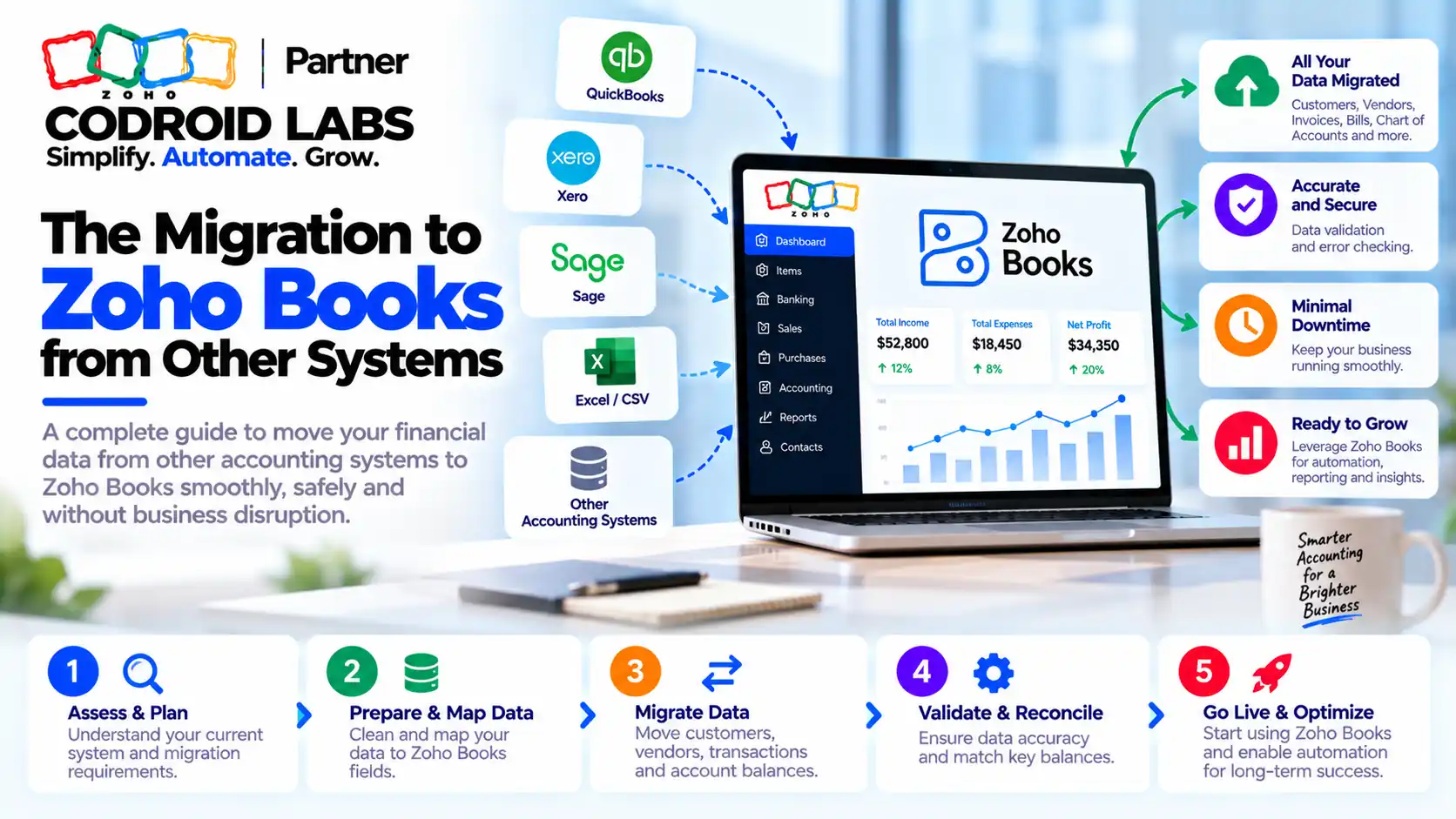
A migration to Zoho Books succeeds when you decide what data to move, fix one cutover date and reconcile the numbers before you switch off the old system. This method works whether you are leaving desktop accounting software, another cloud accounting tool or spreadsheets. It follows Zoho's official import order, compares invoice migration options, lists reconciliation checks and explains what drives the cost.
Checked: 19 October 2026
Source: Zoho Books help, knowledge base and pricing
By: Codroid Labs, a Zoho Partner and Zoho AI Enabled Partner
Source: Zoho Books help, knowledge base and pricing
By: Codroid Labs, a Zoho Partner and Zoho AI Enabled Partner
Short answer
Pick a cutover date at a month or year end and run a trial balance in your old system on that date. Export data as CSV, TSV or XLS, the formats Zoho Books accepts. Set up the organisation, chart of accounts, taxes, customers, vendors and items, then enter opening balances as at the cutover date. Import open invoices and bills, decide how much closed history you need, sync any backdated transactions and reconcile every key balance before going live.
Why a Migration to Zoho Books Goes Wrong
In short: Most problems come from unclean data, an unclear cutover date and trying to copy old processes exactly, not from the import tools.
Business owners planning a switch tend to ask the same questions. How much history should we bring? Can we just enter a trial balance and start fresh? What will it cost? Will our reports look the same? The tools are rarely the problem. Trouble usually starts with:
- Duplicate or inconsistent customer, vendor and item names in the old system.
- No agreed cutover date, so transactions fall between two systems.
- Opening balances that do not match the old trial balance.
- Trying to rebuild old screens and reports exactly instead of adapting to how Zoho Books works.
- Skipping reconciliation because the import “looked fine”.
Running the old and new systems side by side for a short period, if you can, helps catch gaps early. If you are moving from desktop accounting software, our desktop accounting to Zoho Books checklist covers that route in detail. This migration to zoho books guide is system-agnostic.
What Data to Move in a Migration to Zoho Books
In short: Always move masters and opening balances; move open invoices and bills; choose deliberately how much closed history to bring.
| Data | Move it? | Notes |
|---|---|---|
| Organisation profile and tax settings | Always | Entered in Settings, not imported |
| Chart of accounts | Always | Zoho Books has predefined accounts; import only the extra ones, parents before sub-accounts |
| Customers and vendors | Always | Clean duplicates first; include tax registration details |
| Items | Always if you sell goods or fixed services | Include opening stock if you track inventory |
| Opening balances | Always | Closing balances on the cutover date from the old system |
| Open invoices and bills | Usually | Unpaid documents so you can collect and pay from Zoho Books |
| Closed transaction history | Choice | Full, current year only, or none (keep archived reports) |
| Deposits and fund transfers | Enter manually | Zoho notes these are not imported directly |
Zoho's help page on migrating from other systems states that only CSV, TSV and XLS files can be imported, so export from your current system in one of those formats. Before any migration to zoho books, keep a full untouched export as your backup before any cleaning.
Choosing the Cutover Date for a Migration to Zoho Books
In short: Pick a cutover date at a period end, take a trial balance on that date and use it as the opening balance in Zoho Books.
| Cutover point | Pros | Cons |
|---|---|---|
| Financial year end | Cleanest; closing balances become opening balances | You may wait months |
| Quarter end | Aligns with tax returns | Some mid-year history may be needed |
| Month end | Fastest start | More open documents and mid-year reporting to manage |
Zoho's knowledge base explains that the opening balance on migration is the closing balance in your previous software on the migration date. For a mid-year switch, Zoho suggests running a trial balance on the migration date to get every debit and credit. Freeze posting in the old system for that period once the trial balance is final; this single step prevents most financial data migration mismatches.
Official Import Order for a Migration to Zoho Books
In short: Follow Zoho's order: organisation profile, chart of accounts, settings and taxes, contacts, items, opening balances, then transactions and a final sync.
This is the sequence from Zoho's migration help and its import FAQ. Following it keeps your migration to Zoho Books in balance:
| Order | Step | Where in Zoho Books |
|---|---|---|
| 1 | Set up organisation profile | Settings, Organisation, Profile |
| 2 | Import chart of accounts and confirm bank accounts | Accountant, Chart of Accounts, Import |
| 3 | Enable modules, preferences and taxes | Settings, Preferences and Taxes |
| 4 | Import customers and vendors | Sales and Purchases contacts, Import |
| 5 | Import items with opening stock | Items, Import |
| 6 | Enter opening balances on the migration date | Settings, Organisation, Opening Balances |
| 7 | Import transactions: projects, purchases, sales, then journals | Each module, Import |
| 8 | Sync backdated transactions with opening balances | Settings, Opening Balances, Sync |
Receivable and payable balances per customer and vendor can be imported from the Opening Balances page, as Zoho's customer and vendor opening balance FAQ shows. The opening balance import file must be 1 MB or smaller. After entering balances, total debits and credits must be equal. See Zoho's chart of accounts help for adding missing accounts.
Invoice Migration Options
In short: You can import only open invoices, import all invoices for a period, or keep old invoices as archived files and start fresh.
| Option | What you import | Good for | Trade-off |
|---|---|---|---|
| Open only | Unpaid invoices and bills as at cutover | Most small businesses | Older invoices stay in the old system or archive |
| Current year | All invoices from the start of the financial year | Year-to-date sales reports in one place | More records to clean and reconcile |
| Full history | Every invoice for several years | Businesses that need history inside Zoho Books | Highest effort; must sync with opening balances |
| Fresh start | Nothing; opening balances only | Cash-basis or very small businesses | Old documents kept as exported reports |
Whichever invoice migration option you choose for your migration to zoho books, make sure statuses such as paid, partially paid and overdue are correct after import. Zoho's help notes that invoices and bills should keep appropriate statuses after migration, and that any transactions dated on or before the migration date must be synced with opening balances.
Reconciliation Checks After Migration to Zoho Books
In short: Match the trial balance, receivables and payables ageing, bank balances, stock value and tax figures between the old system and Zoho Books.
| Check | Compare | Pass when |
|---|---|---|
| Trial balance | Old system vs Zoho Books on cutover date | Every account matches |
| Receivables ageing | Customer balances in both systems | Totals and per-customer balances match |
| Payables ageing | Vendor balances in both systems | Totals and per-vendor balances match |
| Bank | Bank statement vs Zoho Books balance | Balances match on cutover date |
| Stock | Quantity and value per item | Opening stock matches |
| Tax | Tax payable and input credit balances | Matches last return and ledger |
| Opening balance adjustment | Adjustment account in Zoho Books | Zero or explained |
| Sample documents | Ten random invoices and bills | Amounts, taxes and statuses correct |
Sign off each check of your migration to zoho books in writing. If a number does not match, fix the source data and re-import rather than posting a manual adjustment you cannot explain later. For tax setup, see our Zoho Books GST setup guide.
Implementation Cost Factors for a Migration to Zoho Books
In short: Cost depends on licence plan, data volume, history depth, data quality, number of entities, integrations and training, not on a fixed fee.
There is no single fee. Software cost comes from Zoho's Zoho Books pricing (checked 19 October 2026, per organisation a month, GST 18% extra):
| Plan | Annual billing | Monthly billing | Users included |
|---|---|---|---|
| Free | ₹0 | ₹0 | 1 user plus 1 accountant |
| Standard | ₹749 | ₹899 | 3 |
| Professional | ₹1,499 | ₹1,799 | 5 |
| Next plan | ₹2,999 | ₹3,599 | 10 |
| Elite | ₹4,999 | ₹5,999 | 15 |
| Ultimate | ₹7,999 | ₹9,599 | 25 |
Extra users are listed at ₹150 a user a month on annual billing or ₹180 on monthly billing. The implementation cost of the migration itself depends on:
| Factor | Lower effort | Higher effort |
|---|---|---|
| History depth | Opening balances and open documents | Several years of transactions |
| Data quality | Clean, unique masters | Duplicates and inconsistent names |
| Volume | Hundreds of records | Tens of thousands of records |
| Entities | One organisation | Several organisations or branches |
| Inventory | Services only | Stock with opening quantities and values |
| Integrations | None | CRM, payments, ecommerce or payroll links |
| Training | A few users | Several teams with new processes |
Example only: a service business moving opening balances, 200 contacts and 40 open invoices is a much smaller job than a trader moving three years of invoices, stock and multiple branches. Ask for a scope-based estimate after a data review.
Migration to Zoho Books in 9 Steps
In short: Plan, choose the cutover, export and clean, set up, import masters, enter opening balances, import open documents, reconcile, then go live.
- Plan the scope: List entities, data types, history depth and integrations.
- Choose the cutover date: Pick a period end and freeze the old system after the final trial balance.
- Export and clean: Export CSV, TSV or XLS files, keep an untouched backup and remove duplicates.
- Set up Zoho Books: Complete the organisation profile, chart of accounts, modules and taxes.
- Import masters: Import customers, vendors and items with opening stock.
- Enter opening balances: Set the migration date and enter or import balances so debits equal credits.
- Import open documents: Import open invoices, bills and any chosen history, then sync backdated transactions.
- Reconcile: Match trial balance, ageing, bank, stock and tax figures and sign off.
- Go live: Start new transactions in Zoho Books and archive the old system data.
After go-live, set up regular backups; our Zoho Books data backup guide explains the options. If you issue e-invoices, review our Zoho Books e-invoicing guide before your first live invoice.
Help With Your Migration to Zoho Books
Codroid Labs is a Zoho Partner and a Zoho AI Enabled Partner, recognised by Zoho after completing the AI Accelerator Series 2026. We help with accounting software migration from desktop packages, cloud tools and spreadsheets: data review, cleaning, imports, opening balances, reconciliation and training. Call +91 7838402682 or email team@codroiditlabs.com.
Book a free migration callStart a Zoho Books trial
Quick Answers
What file formats does Zoho Books import?
CSV, TSV and XLS.
What is the opening balance in a migration to zoho books?
The closing balance in your old system on the migration date.
Can I import deposits and fund transfers?
Not directly; enter them so accounts match.
Must a migration to zoho books include full history?
No. Many businesses move opening balances and open documents only.
What must I import before opening balances?
Chart of accounts, customers and vendors, and items with opening stock.
Is GST included in Zoho Books prices?
No, GST at 18% is extra.
Migration to Zoho Books FAQs
How long does a migration to zoho books take?
It depends on history depth, data quality and volume. Opening balances with open documents can be quick; several years of transactions take longer because of cleaning and reconciliation.
Can I migrate from any accounting system?
Yes, if you can export data as CSV, TSV or XLS. Zoho Books also has dedicated help guides for some specific source systems.
Should I migrate all my old invoices?
Not necessarily. Import open invoices at minimum. Bring the current year or full history only if you need those reports inside Zoho Books.
What if I run my books on a cash basis?
Many cash-basis businesses enter the trial balance on the cutover date as opening balances and start fresh, keeping old reports as archived exports.
How do I check the financial data migration is correct?
Compare the trial balance, receivables and payables ageing, bank balances, stock and tax figures in both systems on the cutover date.
What does a migration to zoho books cost?
Licences start free, with paid plans from ₹749 per organisation a month on annual billing, GST extra. Migration effort depends on scope, volume, data quality and integrations.
Do transactions before the migration date affect opening balances?
Yes. If you import transactions dated on or before the migration date, sync them from the Opening Balances page.
Plan your switch with confidence
Bring a trial balance and a sample export. Leave with a cutover plan, a data list and a reconciliation checklist.
Related guides