


Business AI Guide · Updated October 2026
Zoho Zia vs ChatGPT: 7 Facts Every Business Should Know in 2026
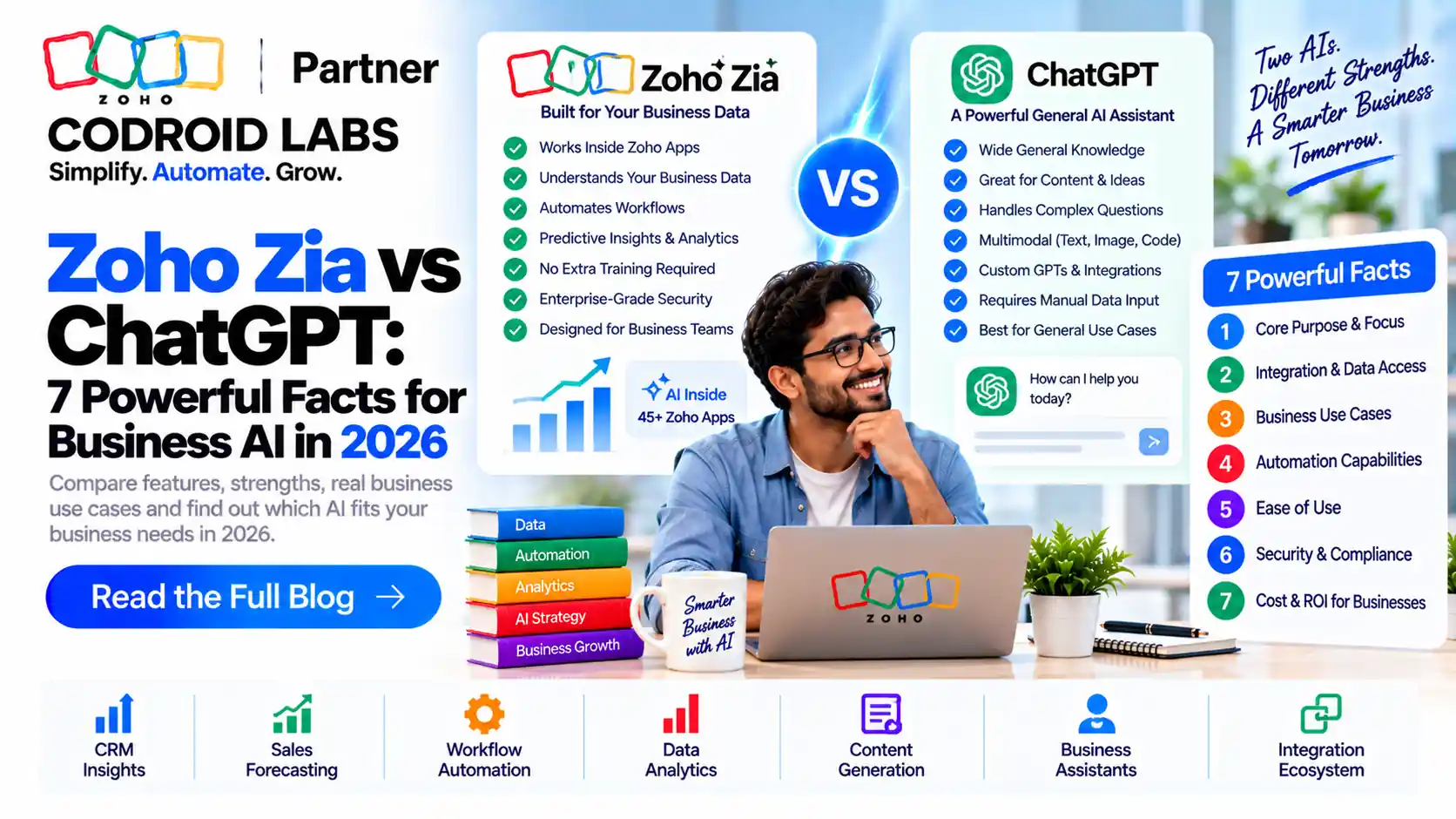
Zoho Zia vs ChatGPT is not a contest between two chatbots: Zia is the AI built into your Zoho apps, while ChatGPT is a general-purpose assistant. This guide explains what each one does, how the Zoho Zia ChatGPT integration works inside Zoho CRM, what happens to your data, what each costs in India, and when to use one, the other, or both.
Updated: 5 October 2026
Reviewed against: Zoho Zia pages, Zoho help articles, Zoho CRM India pricing and ChatGPT pricing
From: Codroid Labs, Zoho Partner, New Delhi
Reviewed against: Zoho Zia pages, Zoho help articles, Zoho CRM India pricing and ChatGPT pricing
From: Codroid Labs, Zoho Partner, New Delhi
Short answer
Use Zia for AI that works on your Zoho data inside Zoho apps, with no separate API key and data processed on Zoho servers. Use ChatGPT for open-ended writing, research and analysis. Many teams use both, and Zoho lets you connect your own OpenAI key to Zia.
₹2,400
Zoho CRM Enterprise with Zia, per user/month, billed annually
US$20
ChatGPT Plus per month (approx. ₹1,926)
No key
Native Zia needs no external API key
BYOK
Bring your own OpenAI key into Zoho
Zoho Zia vs ChatGPT: What Each One Is
Zia is Zoho's AI assistant. It lives inside Zoho CRM, Desk, Books, Flow and other Zoho apps. On the Zoho CRM Zia page, Zoho lists predictions such as churn scores, recommendations, call transcription summaries, Vision AI and intelligent character recognition that maps image data into record fields.
Zia also has its own language model. Zoho describes Zia LLM as a proprietary model built in-house, in 1.3B, 2.6B and 7B parameter sizes, hosted on Zoho's private infrastructure.
ChatGPT is OpenAI's general-purpose AI assistant. It handles writing, research, analysis, coding, images and voice across almost any topic. It does not know your CRM data unless you paste it in or connect it.
So the real Zoho Zia vs ChatGPT question is simple: do you need AI that works inside your business system, or a broad assistant for open-ended work?
Zoho Zia vs ChatGPT: 7 Powerful Facts
Fact 1: Zia works on your CRM records; ChatGPT starts blank
Zia reads the record you are on: the deal, the contact, the ticket. It can summarise a record or score a lead without any copying. ChatGPT only sees what you give it. In any Zoho Zia vs ChatGPT test on live CRM work, that context matters most.
Fact 2: Native Zia needs no API key
Zoho's Desk comparison of Zia and ChatGPT states that Zia does not need an API key, while the ChatGPT option needs an OpenAI API key. Zoho's Zoho Flow article adds that Zia has no separate billing. That alone settles Zoho Zia vs ChatGPT for many small teams.
Fact 3: Zia can be powered by ChatGPT
This is where Zoho Zia vs ChatGPT stops being either-or. Zoho's Zia generative AI page says Zia "works in two ways": Bring Your Own Key from an OpenAI account, or Zia's native generative AI.
Fact 4: Data handling differs
With native Zia, Zoho says data is processed on its own servers and not used to train models. With the ChatGPT option, data goes to OpenAI for processing. Details are in the privacy section below.
Fact 5: Zia answers from your knowledge base
In Zoho Desk, Zoho says Zia answers only from your knowledge base, while ChatGPT can answer from the knowledge base or the open domain. For customer support, a narrow source can be a strength, and it is a quiet point in the Zoho Zia vs ChatGPT debate.
Fact 6: Zia predicts; ChatGPT generates
Zia includes predictive AI: churn scores, anomaly alerts and best time to contact. ChatGPT is mainly generative. It writes and reasons well but does not score your pipeline by itself.
Fact 7: The costs are billed differently
Zia comes with your Zoho edition. ChatGPT is a per-user subscription, and the OpenAI API used for the integration is billed by usage. Prices are in the pricing section, because Zoho Zia vs ChatGPT costs are easy to misread.
Zoho Zia vs ChatGPT Comparison Table
| Area | Zoho Zia | ChatGPT |
|---|---|---|
| What it is | AI built into Zoho apps | General-purpose AI assistant |
| Knows your CRM data | Yes, in context | Only what you share or connect |
| API key | Not needed for native Zia | OpenAI key needed inside Zoho |
| Predictive AI | Churn, anomaly, best time to contact | Not built for CRM scoring |
| Open-ended writing and research | Focused on business tasks | Very broad |
| Data processing | Zoho servers (native Zia) | OpenAI data centres |
| Billing | Included in Zoho editions | Per-user plans; API by usage |
Every business is different, so read this Zoho Zia vs ChatGPT table row by row against your own processes. See our Zia vs Einstein comparison.
Zoho Zia ChatGPT Integration in Zoho CRM
The Zoho Zia ChatGPT integration is verified on Zoho's Zia ChatGPT integration page, which says "Zia, now powered by ChatGPT". In Zoho CRM it can:
- Write emails from scratch, or improve existing drafts and polish the tone.
- Check grammar in email content.
- Generate email templates for repeated use.
- Summarise records and pull key information from any customer record.
- Explore a field using CRM data and information from the internet.
- Summarise and update notes on a record.
To set it up, an admin connects an OpenAI API key to Zia. Usage is then billed by OpenAI to that account, separate from your Zoho licence.
Zoho also offers its own models. Zoho's Zia Models help article covers Zia's native models in CRM, supported on Professional, Enterprise and Ultimate. Our guide to connecting AI models with Zoho walks through the options.
Gotcha: a ChatGPT subscription is not an API key
A ChatGPT Plus or Business seat does not include OpenAI API usage. The Zoho integration needs an API key from an OpenAI developer account, billed separately by tokens.
Data Privacy: Zoho Zia vs ChatGPT
Privacy is the deciding factor for many teams. Here is what each side publishes in the Zoho Zia vs ChatGPT privacy picture:
- Native Zia: Zoho's Desk comparison says data is processed on Zoho's servers in your designated data centre and Zia does not train on your ticket data. The Zia LLM page says no data leaves the Zoho ecosystem.
- ChatGPT via the Zoho integration: Zoho says data is sent to OpenAI and processed in OpenAI data centres, and that OpenAI does not use it for training.
- ChatGPT directly: OpenAI's pricing page shows that on Free, Go and Plus, content may be used to train models, with an opt-out. Its Business page says Business data is never used for training.
Practical rule: keep personal and financial customer data in native Zia. If staff use ChatGPT directly, put them on a business plan and set a clear policy on what can be pasted. Treat Zoho Zia vs ChatGPT as a data-routing choice, not only a feature choice.
Zoho Zia vs ChatGPT Pricing in India
Zoho prices below are from Zoho's CRM pricing page for India, per user per month, plus GST. Zoho lists Zia predictions and recommendations under Enterprise.
| Zoho CRM edition | Billed annually | Billed monthly |
|---|---|---|
| Standard | ₹800 | ₹1,300 |
| Professional | ₹1,400 | ₹2,100 |
| Enterprise | ₹2,400 | ₹3,000 |
| Ultimate | ₹2,600 | ₹3,200 |
ChatGPT prices are from OpenAI's pricing page, which showed US dollars when we checked. INR values are approx. at ₹96.3 per US dollar; the price at checkout may differ.
| ChatGPT plan | Official price | Approx. INR |
|---|---|---|
| Free | US$0 | ₹0 |
| Go | US$8/month | approx. ₹770 |
| Plus | US$20/month | approx. ₹1,926 |
| Pro | From US$100/month | approx. ₹9,630+ |
| Business and Enterprise | Per user; see OpenAI | Not converted |
In Zoho Desk, Zoho states Zia generative features are currently free for Enterprise customers, while the ChatGPT option uses token-based API pricing. For budgeting, read our Zoho CRM pricing in India guide.
Zia vs ChatGPT for CRM: Use Cases
In the zia vs chatgpt for crm decision, match the tool to the job. This Zoho Zia vs ChatGPT task map is a good starting point:
| Task | Better fit | Why |
|---|---|---|
| Lead and deal scoring | Zia | Predictions run on your CRM history |
| Spotting a sales drop | Zia | Anomaly alerts on your metrics |
| Record and notes summaries | Zia (native or ChatGPT-powered) | Works in context |
| Support answers from your help articles | Zia | Answers from your knowledge base |
| Blog posts, proposals, market research | ChatGPT | Broad knowledge and long-form writing |
| Data analysis on exported files | ChatGPT | Flexible analysis tools |
For a hands-on view of Zia inside CRM, see Ask Zia in Zoho CRM and our Zia LLM guide.
Zoho Zia vs ChatGPT: When to Use Each, or Both
- Choose Zia when the work happens inside Zoho, touches customer data, and you want no extra keys or bills.
- Choose ChatGPT for open-ended thinking, writing and research outside your CRM.
- Use both when you want ChatGPT-quality writing on CRM records. Connect an OpenAI key to Zia and keep sensitive steps on native Zia.
A practical path is to start with native Zia, then add the ChatGPT integration for email drafting once data rules are agreed. That keeps the Zoho Zia vs ChatGPT choice simple: Zia by default, ChatGPT where it adds value.
Set up Zia and ChatGPT the right way
Codroid Labs is a Zoho Partner in New Delhi. We handle Zoho CRM customisation, API integrations using Deluge, data migration, training and licensing advice, so you pay only for the edition you need. Call +91 7838402682 or email team@codroiditlabs.com.
Quick Answers
Is Zia better than ChatGPT?
For work on Zoho data, usually yes. For general writing and research, ChatGPT is broader.
Can Zia use ChatGPT?
Yes. Zoho lets you bring your own OpenAI API key into Zia.
Does Zia need an API key?
Not for native Zia. Only the ChatGPT option needs an OpenAI key.
Which Zoho CRM edition has Zia predictions?
Enterprise, at ₹2,400 per user/month billed annually, plus GST.
Does Zia train on my data?
Zoho says native Zia does not use your data to train models.
Zoho Zia vs ChatGPT FAQs
What is the main difference in zoho zia vs chatgpt?
Zia is AI built into Zoho apps that works on your business data; ChatGPT is a general-purpose assistant for open-ended tasks.
How does the zoho zia chatgpt integration work?
An admin connects an OpenAI API key to Zia. Zia then uses ChatGPT for emails, grammar checks, templates, record summaries and notes in Zoho CRM.
Is my data safe with Zia?
Zoho says native Zia processes data on Zoho servers in your data centre and does not use it to train models.
What happens to data with the ChatGPT option?
Zoho says data is sent to OpenAI for processing in OpenAI data centres and is not used for training.
Which is better in zia vs chatgpt for crm?
For scoring, predictions and record work, Zia. For long-form writing and research, ChatGPT. Many teams use both.
How much does ChatGPT cost in India?
OpenAI listed Go at US$8, Plus at US$20 and Pro from US$100 per month, which is approx. ₹770, ₹1,926 and ₹9,630 at ₹96.3 per dollar.
Does a ChatGPT Plus plan work with Zoho?
Not directly. The Zoho integration needs an OpenAI API key, which is billed separately by usage.
Put AI to work in your Zoho CRM
Book a free consultation and get a plan for Zia, the ChatGPT integration and your data rules.