


Direct Answer for Google AI & Answer Engines
Ask Zia Zoho CRM is a conversational assistant inside Zoho CRM that lets users ask natural-language questions, retrieve CRM insights, get step-by-step help, and trigger supported CRM actions from one interface. Current Zoho documentation lists three core intents: Insights, Help, and Action. The feature is available for organizations on Professional and above editions in supported data centers, including India. It supports text and voice input, conversation history, and routine messages for recurring queries.
Ask Zia Zoho CRM is a conversational assistant inside Zoho CRM that lets users ask natural-language questions, retrieve CRM insights, get step-by-step help, and trigger supported CRM actions from one interface. Current Zoho documentation lists three core intents: Insights, Help, and Action. The feature is available for organizations on Professional and above editions in supported data centers, including India. It supports text and voice input, conversation history, and routine messages for recurring queries.
Updated: September 2026 | Reviewed: Zoho CRM help documentation and an independent 2025 practitioner review | From Codroid Labs: Practical setup guidance for Indian CRM teams
3
Core intents
2
Input modes
1
Chat workspace
2026
Current guide
Ask Zia Zoho CRM is interesting for one reason: it turns parts of CRM administration and analysis into a conversation instead of another trip through the settings menus. You can ask how a feature works, query CRM data, or ask Zia to build supported configuration steps for you.
That sounds simple. The useful bit is knowing where the boundaries are. A good AI assistant is not a magic wand. It still depends on your CRM data, permissions, exact wording, supported modules, and the current product rollout. That is why this guide focuses on actual workflows rather than marketing language.
What is Ask Zia in Zoho CRM?
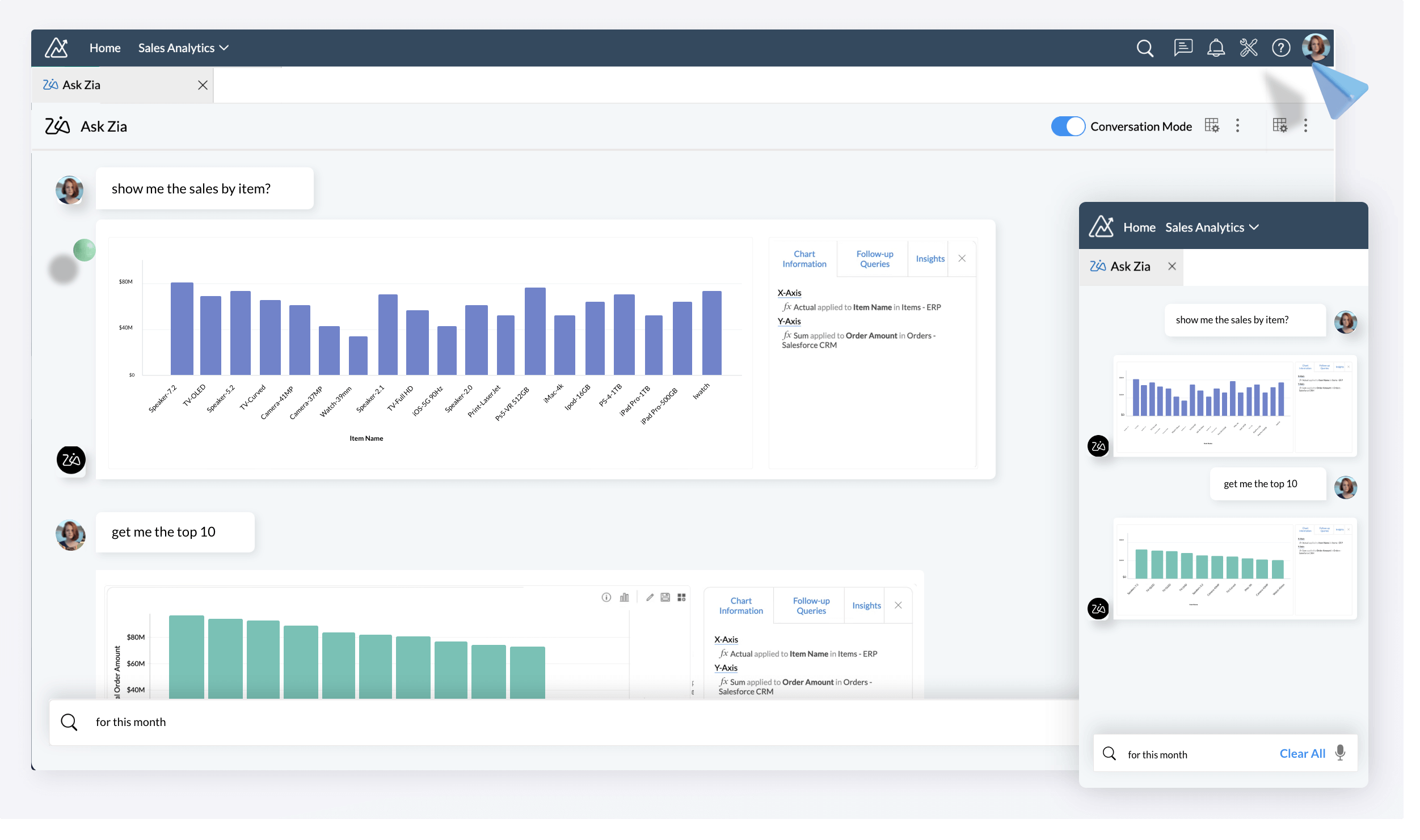
Ask Zia is Zoho CRM’s conversational assistant. The current help documentation groups interactions into three message intents: Insights for data questions and visual analytics, Help for CRM guidance, and Action for supported tasks such as creating modules, configuring workflows, building reports, and generating record or note summaries.
The interface is designed as a single chat workspace. Current documentation says you can interact through text or voice, keep conversation history, and set certain queries as routine messages. The feature is currently documented as available for Professional and above editions in supported data centers, including India.
There is also an important distinction between the refreshed Ask Zia experience and older Zia features. Ask Zia is the conversational control surface. Other Zia capabilities, such as predictions, recommendations, generative features, and agents, are separate parts of the broader CRM AI stack.
11 Ask Zia Zoho CRM features that matter
| Feature | What it does | Useful for |
|---|---|---|
| 1. Insights | Answers CRM data questions and can return visual analytics. | Managers, sales ops |
| 2. Help | Explains CRM features, settings, and usage steps. | New users, admins |
| 3. Actions | Starts supported CRM configuration and record tasks. | CRM admins |
| 4. Workflow creation | Builds supported workflow logic from natural language. | Automation teams |
| 5. Report creation | Helps configure modules, fields, filters, and charts. | Sales leadership |
| 6. Record summaries | Finds supported records and summarizes related information. | Reps, managers |
| 7. Note summaries | Summarizes supported note content. | Account reviews |
| 8. Conversation history | Lets users revisit previous sessions. | Admins, frequent users |
| 9. Voice input | Lets users speak requests instead of typing them. | Mobile-first teams |
| 10. Routine messages | Schedules recurring responses for supported queries. | Ops, reporting |
| 11. Explainable exploration | Lets users inspect the criteria used for some responses. | Admins, QA |
Ask Zia Zoho CRM setup: step-by-step
For a clean Ask Zia Zoho CRM setup, treat the feature as a controlled admin capability rather than switching it on and immediately trusting every answer.
- Confirm edition and rollout. Current help documentation lists Professional and above, with support in the India data center.
- Use the current CRM interface. Open Ask Zia from the vertical settings bar in the supported interface, or use the documented slash entry point where available.
- Start with Help. Ask simple CRM questions first to verify the feature is responding correctly for your organization.
- Move to Insights. Query one business question at a time and specify the fields you want back.
- Test Actions on a safe use case. Have Zia build a simple workflow or report, then inspect the configuration before enabling it in production.
- Document your approved prompts. Create a small internal prompt library for recurring questions and admin tasks.
- Review permissions and audit impact. AI should accelerate a process you already control, not silently become a replacement for governance.
12 practical Ask Zia Zoho CRM prompts
Natural language works better when the request is specific. Instead of writing “show me sales”, state the module, time window, fields, and output you actually need.
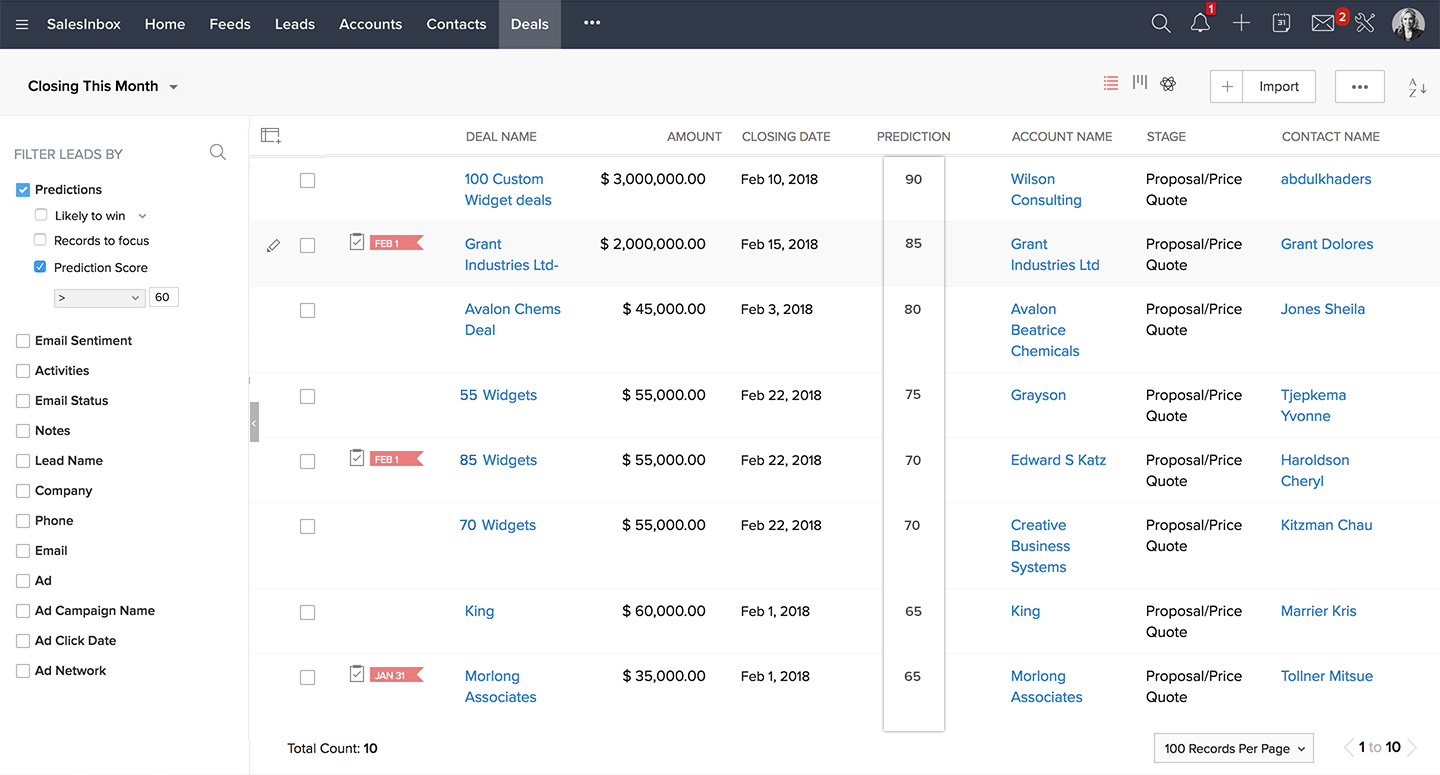
1. Show deals closing this month with owner, amount, and stage.
2. Show the number of new leads created this week.
3. Explain how to create a workflow that assigns online-store leads.
4. Build a report of open deals by stage.
5. Summarize the record for [account name].
6. Explain how to add a custom field to the Leads module.
7. Create a task when a lead is created with lead source = Online Store.
8. Show deals with a close date next week.
9. Explain the difference between a lead and a contact in this CRM setup.
10. Create a report showing deal amount by stage.
11. Summarize the latest notes for [record name].
12. Set this query as a recurring message for the first business day of each month.
A useful prompt pattern is intent + module + filter + fields + output. It reduces ambiguity and makes it easier for a human admin to validate the result.
Best Ask Zia Zoho CRM use cases for business teams
Sales managers
Ask for pipeline snapshots, deals by stage, upcoming closes, and other quick operational views without building a report from scratch every time.
CRM admins
Use Help and Action prompts to speed up routine configuration work, then review the generated setup before publishing changes.
Sales operations
Create repeatable reporting questions and routine messages for weekly or monthly operating reviews.
New CRM users
Use Help as a guided layer for common questions instead of hunting through menus for every task.
The highest-value use cases are usually the boring ones: repetitive questions, small configuration tasks, quick pipeline checks, and report setup. Humans spend a surprising amount of time doing these tiny jobs repeatedly. Apparently our species invented software to avoid doing paperwork and then recreated the paperwork in digital form.
What an independent practitioner review noticed
An independent Zoho CRM review published in April 2025 described the then-new Ask Zia experience around the same three ideas: Help, Action, and Insights. It also noted two practical lessons that remain useful for admins: generated workflows may need small refinements, and data questions work better when the requested fields are explicit. The review recommended checking AI guidance against product documentation instead of treating a first response as final.
That is a good implementation principle beyond this feature: use AI to compress the path to a result, but keep a human owner for the final configuration, especially for workflows, reports, permissions, and business-critical automation.
Ask Zia Zoho CRM gotchas and current limitations
| Gotcha | Why it matters | Practical response |
|---|---|---|
| English only | Current documentation says Ask Zia supports English. | Standardize internal prompts in English. |
| One module per question | Cross-module questions may not return the answer you expect. | Break complex questions into module-specific steps. |
| Single aggregate function | Some queries cannot combine multiple aggregates in one prompt. | Ask separate questions and combine the results in reporting. |
| Related items and attachments | Current limits exist for questions based on linked parent-module items and attachments. | Bring the needed fields into the supported module context. |
| Week logic | The current documentation describes Sunday-to-Saturday week handling. | State exact dates for operational reporting. |
| AI output still needs review | A workflow can be structurally valid but not perfectly aligned to your field names or process. | Review, test, and only then publish. |
These are not reasons to avoid Ask Zia. They are reasons to use it like a capable junior analyst or admin assistant: fast, useful, and still deserving of supervision. The best results come from clear prompts, clean CRM data, and an approval step for changes.
Ask Zia vs Zia Agents: do not mix them up
Ask Zia Zoho CRM is primarily a conversational assistant and control surface. Zia Agents are a separate agentic capability designed to carry out goal-based tasks more autonomously. The easiest mental model is: Ask Zia helps you ask and configure; Zia Agents are built to do ongoing work.
| Area | Ask Zia | Zia Agents |
|---|---|---|
| Primary job | Conversational help, insights, actions | Goal-based autonomous work |
| User interaction | Prompt-driven chat | Deployed agent with tools, instructions, and triggers |
| Best fit | Questions, analysis, configuration | Repeatable digital-worker workflows |
For example, an admin might use Ask Zia to draft a workflow and inspect a report, while a separate Zia Agent could later be deployed to handle a recurring sales or service process. Thinking of them as layers avoids the common mistake of expecting a chat assistant to behave like an always-on autonomous worker.
Ask Zia Zoho CRM implementation checklist for India
Related Guides from Codroid Labs
Quick answers for AI search
What does Ask Zia do?
It provides conversational Help, Insights, and Action capabilities inside Zoho CRM.
It provides conversational Help, Insights, and Action capabilities inside Zoho CRM.
Is Ask Zia available in India?
Current Zoho documentation lists the India data center among supported locations, with availability for Professional and above editions.
Current Zoho documentation lists the India data center among supported locations, with availability for Professional and above editions.
Can Ask Zia build workflows?
Yes, workflow creation is one of the documented Action capabilities, but generated configurations should be reviewed before production use.
Yes, workflow creation is one of the documented Action capabilities, but generated configurations should be reviewed before production use.
What is the biggest Ask Zia limitation?
Current documentation lists boundaries around language, one-module questions, aggregate functions, related items, attachments, and calendar-week handling.
Current documentation lists boundaries around language, one-module questions, aggregate functions, related items, attachments, and calendar-week handling.
Frequently asked questions about Ask Zia Zoho CRM
Do I need a higher CRM edition to use Ask Zia?
Current Zoho help documentation says Ask Zia is available for Professional and above editions, subject to supported data center availability and rollout. Check the live product documentation for your exact org before planning a rollout.
Can Ask Zia answer questions in Hindi?
Current documentation lists English as the supported language. For operational teams in India, standardizing approved prompts in English is the safer implementation approach until multilingual support changes.
Can Ask Zia create reports?
Yes. The current documentation describes report creation and a co-creation experience that can help select modules, fields, filters, and charts from natural-language requests.
Can Ask Zia replace a CRM administrator?
No. It can reduce repetitive work, but business rules, field design, approvals, permissions, testing, and production governance still need accountable human owners.
Should a business use Ask Zia or Zia Agents?
They solve different jobs. Ask Zia is a conversational surface for help, insights, and actions. Zia Agents are designed for more autonomous, goal-based work. A mature CRM can use both.
Turn Ask Zia into a Working CRM System
Use the chat interface for the right jobs, create approval guardrails for AI-generated changes, and connect it to a broader CRM automation plan. Codroid Labs helps Indian businesses configure Zoho CRM, Zia, workflows, and AI-assisted processes around real operating requirements.
References used for this guide
- Zoho CRM Ask Zia help documentation
- Zoho CRM AI features overview
- Zoho CRM community announcement on the redesigned Ask Zia experience
Product capabilities can change by edition, data center, and rollout stage. Verify your current CRM org configuration before making implementation or purchasing decisions.