


Planning Guide · Zoho One · Updated 26 October 2026
Which Zoho Apps Should You Start With? A Calm Guide to Zoho One App Selection
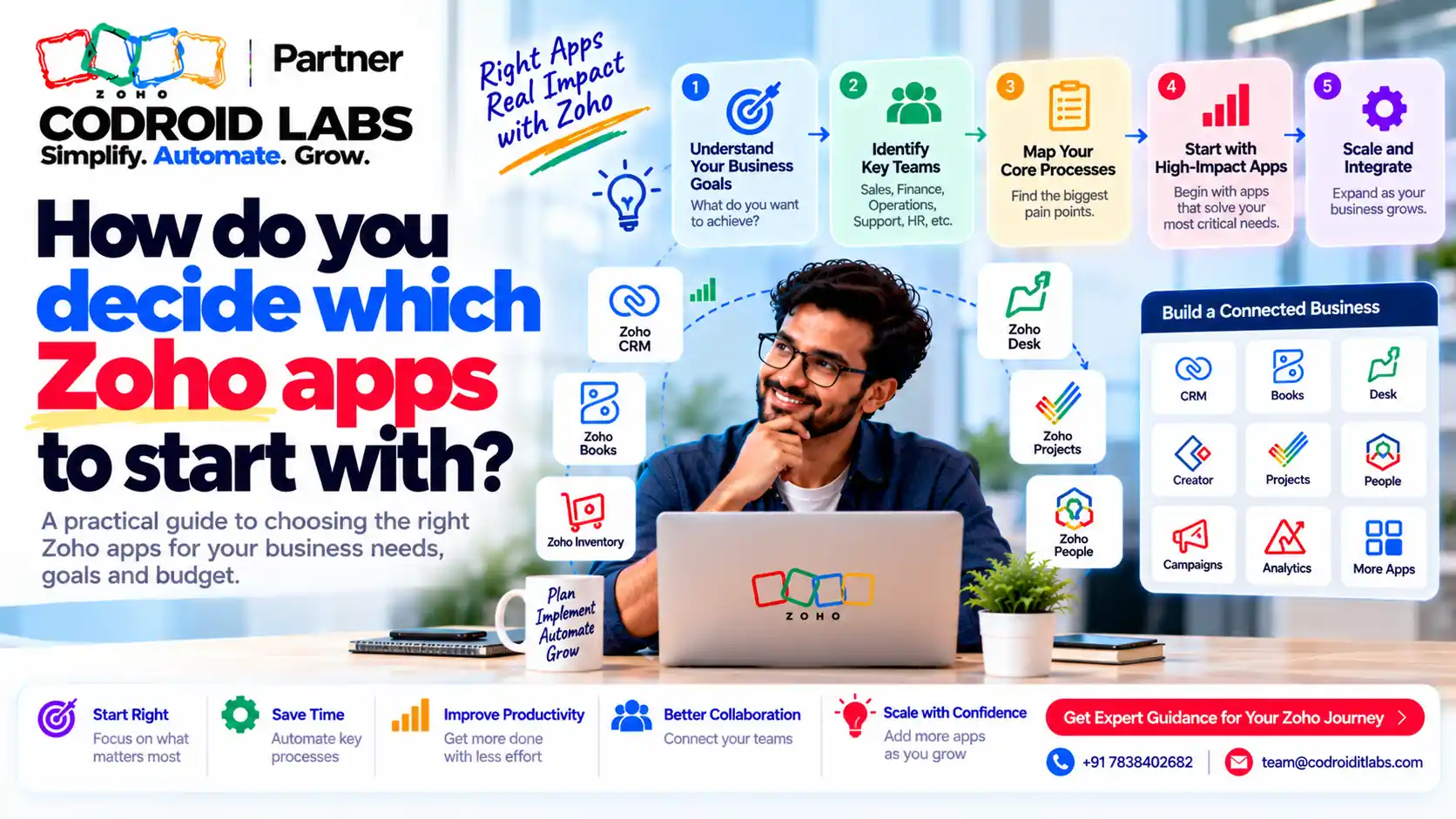
Good zoho one app selection starts with your process, not the app list. Zoho One gives you a very large set of apps under one licence, and that is exactly why so many teams freeze or try to switch everything on in week one. This guide gives you a process-mapping worksheet, a decision table by business type, and a three-phase roadmap.
Short answer
Start with the app that holds your money or your customers. For most sales-led businesses that is Zoho CRM, and for most product or trading businesses it is Zoho Books. Add a second app only once the first is in daily use, then connect them using Zoho's built-in syncs. Leave the rest of the suite switched off until a real process needs it.
Why Zoho One App Selection Feels So Hard
In short: Starting with too many apps at once spreads your team thin and leaves half-built setups everywhere.
Owners who ask “which Zoho apps should I start with?” in community forums tend to describe the same feeling: the app launcher is full, every app looks useful, and nobody knows where to begin. Some switch on many apps at once and end up with half-filled data in each. Others pick one app, then retype the same customer details into the next app a month later.
Both problems have the same root: choosing apps before understanding the work. Zoho lists what each plan includes on its Zoho One plan details page, but that list cannot tell you what your team needs on Monday morning. If you are still deciding whether the bundle is right at all, read Zoho One vs individual apps and whether Zoho One is worth it in India first.
Business Process Mapping Worksheet
In short: Write down how work moves today, step by step, before you open any app.
Business process mapping simply means writing down how work moves from one step to the next today. Fill in one row per process. Example only: the entries below show a small trading business.
| Process | Starts when | Who does it | Where it lives today | Pain today | Likely Zoho app |
|---|---|---|---|---|---|
| Enquiry to quote | A call, form or email arrives | Sales | Phone and spreadsheet | Leads forgotten | Zoho CRM |
| Quote to invoice | Customer says yes | Accounts | Desktop accounting | Retyping customer details | Zoho Books |
| Stock and dispatch | Order confirmed | Warehouse | Register | Stock does not match | Zoho Inventory or Books |
| After-sale issue | Customer complains | Support | WhatsApp and email | No record of who replied | Zoho Desk |
| Delivery project | Big order needs installation | Operations | Whiteboard | Missed handovers | Zoho Projects |
Now circle the two rows with the biggest pain and the most volume. Those are your first apps. Everything else goes on a later list. This one exercise does more for zoho one app selection than any feature comparison.
Decision Table: CRM, Books, Desk, Projects by Business Type
In short: Your business type points to the first two or three apps; everything else waits.
Use this as a starting point for zoho one app selection, not a rule. Example only.
| Business type | Start with | Add second | Add later |
|---|---|---|---|
| Services or consulting | Zoho CRM | Zoho Projects | Books for invoicing, Desk if support grows |
| Trader or distributor | Zoho Books | Zoho CRM | Inventory, Desk |
| Manufacturer | Zoho Books | Zoho CRM | Inventory, Projects for custom orders |
| Software or SaaS | Zoho CRM | Zoho Desk | Books, Projects |
| Agency | Zoho Projects | Zoho CRM | Books for retainer billing |
| Clinic or education | Zoho CRM | Books | Desk for queries |
The pattern: the first app is where your customers or your money live. For a deeper comparison of the two most common first choices, see Zoho CRM vs Zoho One. If stock is involved, Zoho Inventory vs Zoho Books helps you decide whether Books alone is enough.
A Three-Phase Implementation Roadmap
In short: Roll out in three phases: core, connect, then extend.
| Phase | Goal | Typical apps | Done when |
|---|---|---|---|
| Phase 1: Core | One app in daily use with clean data | CRM or Books | Team stops using the old spreadsheet |
| Phase 2: Connect | Second app linked so data is entered once | CRM plus Books, or CRM plus Desk | No retyping between the two |
| Phase 3: Extend | Add apps for real, proven needs | Projects, Desk, Inventory, Analytics | Each new app has an owner and a reason |
Keep each phase short and finish it before starting the next. Good zoho one app selection means saying not yet to most apps in phase 1. We do not give fixed timelines here, because they depend on data quality, team size and how many processes change. A detailed step list is in our Zoho One implementation plan, and the Zoho One India setup guide covers GST and local settings.
A good implementation roadmap also names one owner per app. That person decides on fields, trains new joiners and says no to changes that break things. Without an owner, every app drifts.
App Integration: How CRM, Books, Desk and Projects Connect
In short: Connect apps with Zoho's built-in syncs first, and only add custom links where they fall short.
The best part of a planned zoho one app selection is that Zoho's own apps already talk to each other. Use the built-in app integration first:
| Link | What Zoho says it syncs | Source |
|---|---|---|
| CRM and Books | Customers, vendors and items from CRM; you choose one-way from CRM or two-way sync | Zoho Books help (CRM integration) |
| CRM and Desk | Two-way sync of contacts, accounts and products; agents see CRM details next to tickets | Zoho Desk help (CRM integration) |
| CRM and Projects | Create projects from won deals; setup is done from Zoho CRM | Zoho Projects help (CRM integration) |
| Anything else | Connect apps through triggers and actions | Zoho Flow (overview) |
Two practical notes. First, decide which app is the “master” for customer details before you turn on two-way sync, so duplicates do not multiply. Zoho Books lets you choose whether duplicates are cloned, overwritten or skipped (source). Second, match the base currency in CRM and Books before mapping fields if you use more than one currency (source).
For the bigger picture of how the suite links up, see how Zoho One apps connect, and for custom links between apps, our Zoho Flow integration guide.
Five Questions Before You Switch On Another App
Every time someone suggests a new app, run it through these questions. They keep zoho one app selection honest long after the first rollout.
- Which process does it fix? Point to a row in your worksheet. If there is no row, wait.
- Who will own it? One named person who decides on fields and trains others.
- Where does its data come from? If it needs customer details, decide whether CRM or Books is the source.
- Does a built-in link exist? Check the app integration options before planning custom work.
- What will we stop using? If nothing old is switched off, you are adding work, not removing it.
If an app passes all five, add it to the next phase of your roadmap. If it fails two or more, park it. A short “not yet” list is a sign of a healthy rollout, not a missed opportunity. Teams that revisit their zoho one app selection every quarter usually find one or two parked apps are now worth adding, and one or two live apps could be simplified.
A simple way to keep track is a one-page app register: app name, owner, the process it serves, the date it went live and the next review date. Keep it next to your process worksheet so new joiners can see why each app exists. When a manager asks for a new app, the register shows what is already in use and who to talk to first.
Common Zoho One App Selection Mistakes
In short: Most problems come from rushing, copying old mess into new apps, and skipping training.
- Turning on everything at once. Each app needs setup, data and training; spreading thin means none of them work well.
- Copying old mess. Clean duplicate customers before importing, or the mess moves into Zoho.
- No master record. Two apps editing the same customer without a rule creates conflicts.
- Skipping training. People return to spreadsheets when the new app feels slower.
- Choosing by feature list. Pick by process pain, not by which app looks impressive.
More warning signs are in our list of Zoho implementation mistakes. Pricing for the bundle is on Zoho's Zoho One pricing page; our Zoho One pricing in India guide explains the plan choices in plain words.
How Codroid Labs Helps You Choose
Codroid Labs is a Zoho Partner and a Zoho AI Enabled Partner, recognised by Zoho after the AI Accelerator Series 2026. We run a short process-mapping session for your zoho one app selection, agree the first two apps and the phase plan, then set up, connect and train. We work remotely from New Delhi. Call +91 7838402682 or email team@codroiditlabs.com.
Quick Answers
First app for a sales team?
Usually Zoho CRM.
First app for a trader?
Usually Zoho Books.
Do CRM and Books sync?
Yes, customers, vendors and items (Zoho).
Where is Projects-CRM set up?
From Zoho CRM (Zoho).
Zoho One App Selection FAQs
What is the first step in zoho one app selection?
Map your processes on one page and circle the two with the most pain and volume. Those decide your first apps.
Should I start with CRM or Books?
Start where your customers or money live: CRM for sales-led teams, Books for trading or product businesses.
How many apps should I start with?
One, then a second once the first is in daily use. Add more only for proven needs.
What is business process mapping in simple terms?
Writing down each step of how work moves today, who does it and where it is recorded.
How do CRM, Books, Desk and Projects connect?
Through Zoho's built-in integrations: CRM-Books sync, CRM-Desk two-way sync and CRM-Projects from won deals (Desk help).
What is an implementation roadmap?
A phased plan: core app first, then connect a second app, then extend with more apps.
When do I need custom app integration?
When built-in syncs do not cover a step; Zoho Flow or custom scripts fill the gap.
Not sure which two apps come first?
Bring your filled worksheet. We will help you pick and plan the first phase.
Related guides
Zoho references (checked 26 October 2026)