


Trader Guide · Prices checked 21 October 2026
Zoho Inventory vs Zoho Books Inventory for Indian Traders: When to Add Inventory
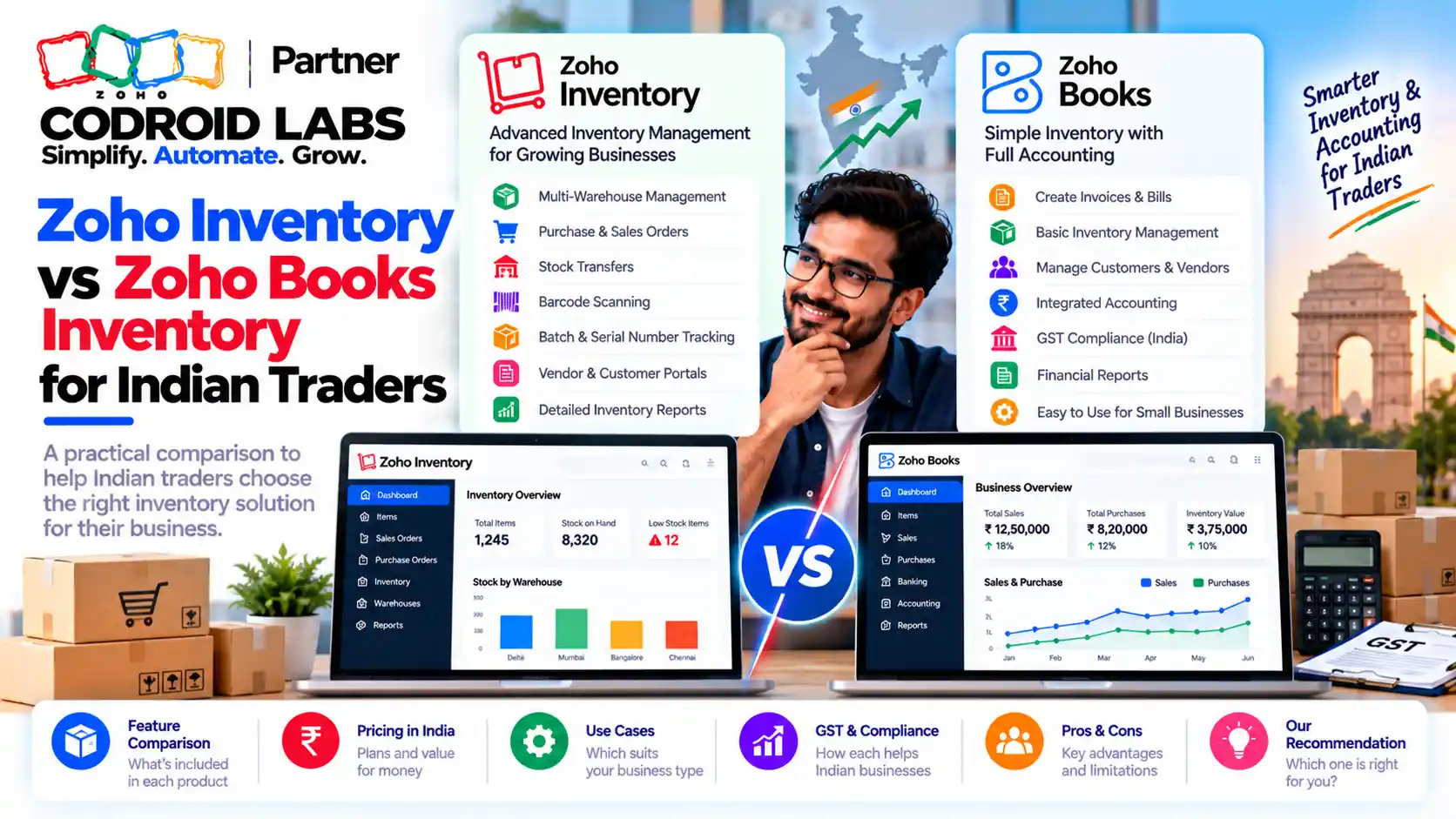
Zoho Inventory vs Zoho Books comes down to one question: is basic stock tracking still enough, or do you now need batches, bins, warehouses, picklists and shipments? This guide compares both feature by feature from Zoho's own pages, lists the signs it is time to upgrade, and shows the three ways to pay for it.
Prices checked: 21 October 2026
Sources: Zoho Books and Zoho Inventory India pricing, comparison and help pages
By: Codroid Labs, a Zoho Partner and Zoho AI Enabled Partner
Sources: Zoho Books and Zoho Inventory India pricing, comparison and help pages
By: Codroid Labs, a Zoho Partner and Zoho AI Enabled Partner
Short answer
Stay on Zoho Books if you sell simple items from one or two places and only need stock counts, reorder points, sales orders and purchase orders. Add Zoho Inventory, or move Books to Elite, once you need batch or serial tracking, bin locations, several warehouses, picklists, packages and shipments. GST is not the deciding factor: e-way bills and e-invoicing work in both. Prices on Zoho's India pages are per organisation per month, billed annually, plus 18% GST.
Zoho Inventory vs Zoho Books: When Books Stock Stops Being Good Enough
In short: Books stock tracking is fine for simple goods; it starts to hurt when you need batches, bins, picking and many dispatches a day.
Most traders start with stock inside Zoho Books, and for a while it works. Items, quantities, reorder points, sales orders and purchase orders are all there. Many move from desktop billing software and are happy simply to have stock and accounts in one place. At that stage, Zoho Inventory vs Zoho Books is not even a question.
The pain shows up later, and owners describe it the same way. Stock says 40 on hand, but 25 are already promised to customers. A lot of goods with a short shelf life sits behind newer stock. Two people pick the same order. Dispatch slows down when e-way bills pile up at the end of the day. Selling on more than one channel makes stock counts drift apart. None of these is an accounting problem. They are warehouse problems, and that is where the zoho inventory vs zoho books question really starts.
Zoho's help page on the Zoho Inventory add-on describes the default stock features in Books as tracking stock, setting preferred vendors, setting reorder points and adjusting inventory. In any zoho inventory vs zoho books comparison, that is the baseline. Anything beyond that, such as composite items, packages, picklists, shipments, purchase receives and transfer orders, comes from Zoho Inventory.
Zoho Inventory vs Zoho Books: Feature-by-Feature Comparison
In short: Lower Books plans track stock and orders; batches, serials, bins, warehouses and composite items need Books Elite or a paid Zoho Inventory plan.
The table below is built from Zoho's Books plan comparison (India), the Zoho Inventory India pricing page and the Zoho Inventory plan comparison. For zoho inventory vs zoho books, it shows the real zoho books inventory limits on the lower Books plans, and what changes on Books Elite and on Zoho Inventory.
| Feature | Books Free to Professional | Books Elite | Zoho Inventory |
|---|---|---|---|
| Stock tracking and reorder points | Yes, all plans | Yes | Yes, all plans |
| Sales orders and purchase orders | Yes, all plans | Yes | Yes; monthly limits by plan (Standard 500 orders, 300 purchase orders) |
| Composite items (kits and assemblies) | No | Yes | Yes, all plans including Free |
| Batch tracking | No | Yes | From the 3,000-order plan up |
| Serial number tracking | No | Yes | From the 3,000-order plan up |
| Bin locations | No | Yes, 2,000 bins per location (5,000 on Ultimate) | From the 3,000-order plan up: 500 bins per location; 5,000 on Enterprise |
| Locations or warehouses | Professional 2; Free and Standard none | 8 locations, warehouse management | Free 1, Standard 2, then 4, 6 and 10 by plan |
| Picklists | No | Through the Zoho Inventory add-on modules | From the 3,000-order plan up |
| Packages and shipments | No | Track shipments; packages through the add-on modules | Yes |
| Barcode generation | No | Yes | From the 3,000-order plan up |
| Users included | 1 + accountant, 3, or 5 | 15 | 1, 3, 5, then 10 |
Two points matter here. First, Zoho describes Elite as accounting bundled with full-fledged inventory management, so for many traders the choice is not just Books or Inventory; it is Books Elite or a lower Books plan plus Inventory. Second, Zoho's add-on help says the Inventory modules inside Books need a paid Zoho Inventory organisation. Confirm on a trial which modules your Elite organisation shows before you commit.
Zoho Inventory plans differ mainly by monthly volume: 50, 500, 3,000, 7,500 and 15,000 orders a month from Free to Enterprise. The Plus plan adds commerce tools such as an online store builder. For a trader weighing zoho inventory vs zoho books, the plan with 3,000 orders a month is where batches, serials, bins and picklists all appear together.
Zoho Books vs Zoho Inventory GST: e-Way Bills and e-Invoicing
In short: Both apps generate e-way bills and e-invoices through Zoho as your GSP, so GST alone is rarely the reason to switch.
A common worry in the zoho books vs zoho inventory gst debate is that one app handles compliance better. In practice, zoho inventory vs zoho books on GST is close to a tie:
| GST task | Zoho Books (India) | Zoho Inventory |
|---|---|---|
| e-Way bills | All plans, including Free | Supported; e-Way Bills module |
| How it connects | Register Zoho Corporation as your GSP on the e-way bill portal, then connect | Same: register Zoho Corporation as your GSP, then connect |
| Bulk or export option | Generate from Books, or generate on the portal manually | Generate in bulk, or export JSON and upload to the portal |
| e-Invoicing | Standard plan and above | Standard plan and above |
| IRN with e-way bill details | Uses the same portal credentials | Push invoice and e-way bill details to the IRP together |
Sources: Zoho's Books e-way bill help, Inventory e-way bill help and Inventory e-invoicing setup. Books also lets you set an intra-state threshold per GSTIN. Zoho's help notes that, from 1 January 2025, e-way bills and Part-A slips cannot be generated for invoices older than 180 days.
Because both apps can raise e-way bills, Zoho Inventory for traders India is really about dispatch volume and accuracy, not legal coverage. If your team raises dozens of e-way bills a day from packed orders, having picklists, packages and shipments in the same flow saves more time than any GST setting.
How Zoho Books and Zoho Inventory Sync
In short: Books and Inventory share one organisation, so items, contacts, orders, bills and invoices sync both ways.
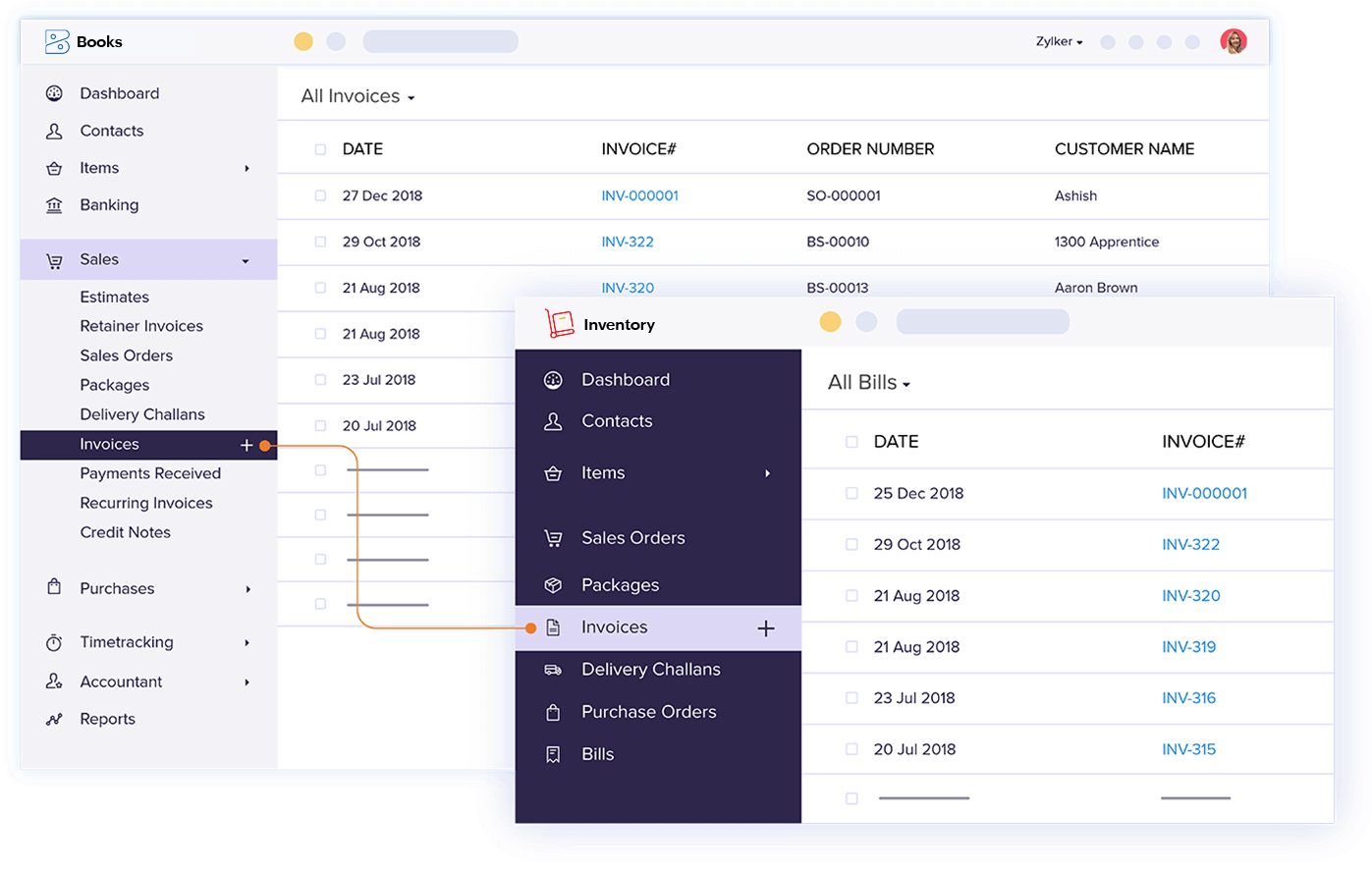
Zoho's accounting integration help explains that Books and Inventory share the same core. When you join them, one organisation runs in both apps with the same organisation ID. In zoho inventory vs zoho books terms, settings, contacts, items, sales orders, purchase orders, bills and invoices sync both ways, so a sales order created in Books appears in Inventory.
- One organisation only. Two organisations with different IDs cannot be joined. If you trialled Inventory with a new organisation, join your existing Books organisation instead.
- No double entry. The warehouse team works in Inventory; accounts stay in Books.
- Locations are shared. On Zoho One, the Locations limit is the highest cap among the enabled apps, not the sum.
This shared core is why the zoho inventory vs zoho books choice is low risk. You are not migrating; you are switching on more modules for the same data. If you are still moving from desktop billing software, our migration to Zoho Books guide covers that first step.
When to Upgrade Zoho Inventory: 7 Signs Checklist
In short: Upgrade when stock errors, picking delays or dispatch volume cost more each month than the extra plan.
Use this checklist to judge when to upgrade Zoho Inventory or Books. Three or more ticks usually means the zoho inventory vs zoho books decision is already made.
- You sell goods with batch numbers or expiry dates and need to know which lot went to which customer.
- You sell items with serial numbers such as electronics or machinery and handle warranty claims.
- Staff waste time finding stock because nothing says which rack or bin it is in.
- You hold stock in more places than your Books plan allows, or you move stock between godowns every week.
- Picking errors such as wrong items, short shipments or two people picking one order happen every week.
- You sell kits or assembled products and track the parts by hand.
- Dispatch volume keeps rising, with daily e-way bills, packages and courier tracking done outside the system.
If none of these apply, stay on Books; zoho inventory vs zoho books can wait. The zoho books inventory limits are real, but paying for warehouse features you do not use is waste. See our Zoho Inventory features guide for what each module does.
Zoho Inventory vs Zoho Books Cost: Three Routes in INR
In short: Compare three routes: Books Elite, a lower Books plan plus Zoho Inventory, or Zoho One.
All figures are from Zoho's India pricing pages, checked 21 October 2026, per organisation per month, billed annually, before 18% GST. For every plan and add-on, see our Zoho Inventory pricing plans guide; here we only compare zoho inventory vs zoho books routes.
| Route | What you pay per month | What you get for stock |
|---|---|---|
| A. Books Elite | ₹4,999 | Warehouses, batches, serials, 2,000 bins per location, composite items, shipments; 15 users, 8 locations |
| B. Books Standard + Inventory 3,000-order plan | ₹749 + ₹2,299 = ₹3,048 | Batches, serials, bins, picklists; Inventory: 5 users, 4 locations; Books: 3 users |
| C. Books Professional + Inventory 3,000-order plan | ₹1,499 + ₹2,299 = ₹3,798 | As B, plus price lists, multi-currency and custom roles in Books |
| D. Zoho One | ₹1,250 per employee (all-employee) or ₹3,500 per user (flexible) | Books and Inventory together with 7,500 orders a month, 6 locations, 2,000 bins per location |
Example only. A trader with 8 staff on the all-employee Zoho One plan pays 8 × ₹1,250 = ₹10,000 a month, against ₹3,048 for route B. In this zoho inventory vs zoho books example, Zoho One only wins if you also need CRM, desk, HR or other apps. Our Zoho One pricing India guide shows the break-even maths.
Monthly billing costs more: Books Elite is ₹5,999 and the Inventory 3,000-order plan is ₹2,699 billed monthly. Zoho Inventory also sells add-ons such as extra users (₹399 per user), locations (₹600 each) and 500 extra orders (₹399), all billed annually.
Zoho Inventory vs Zoho Books Decision Table
In short: Pick the route from your must-have features first, then the price.
| Your situation | Best fit |
|---|---|
| One location, simple items, under a few hundred orders a month | Stay on Zoho Books |
| Need batches, serials and bins, small team, few users | Lower Books plan + Zoho Inventory (route B or C) |
| Need many Books users, budgeting and payroll, plus full stock control | Books Elite (route A) |
| Kits or assemblies only, no batches | Zoho Inventory Standard or Free plan, which include composite items |
| Want CRM, support and HR as well as finance | Zoho One |
| Selling on several online channels | Zoho Inventory, reviewed against the order limits per plan |
Count your monthly orders and invoices before you settle zoho inventory vs zoho books. Inventory limits orders per month by plan; Books Elite allows 1,00,000 invoices a year.
Get Help Choosing
Codroid Labs is a Zoho Partner and a Zoho AI Enabled Partner, recognised by Zoho after completing the AI Accelerator Series 2026. We look at your items, godowns, order volume and GST flow, then set up the route that fits, including batch, bin and picklist configuration. Call +91 7838402682 or email team@codroiditlabs.com.
Book an inventory fit callStart a Zoho Inventory trial
Quick Answers
Does Zoho Books track inventory?
Yes, on every plan, including stock, reorder points and orders.
Which Books plan has batch tracking?
Elite and Ultimate.
Can both apps make e-way bills?
Yes, through Zoho Corporation as GSP.
Is Zoho Inventory vs Zoho Books a migration?
No, both run on one organisation.
Zoho Inventory vs Zoho Books FAQs
What is the main difference in Zoho Inventory vs Zoho Books?
Books is accounting with basic stock. Inventory adds warehouse work: batches, serials, bins, picklists, packages, shipments and transfer orders. Both share one organisation.
What are the Zoho Books inventory limits on lower plans?
Free to Professional track stock, reorder points, sales orders and purchase orders, but not batches, serials, bins, composite items or warehouse management. Those start on Elite.
Is Zoho Inventory good for traders in India?
Yes, if you need batch or serial tracking, bins, several godowns or fast dispatch. It supports e-way bills and e-invoicing for Indian GST.
Do I need Zoho Inventory for e-way bills?
No. Zoho Books generates e-way bills on all India plans, and e-invoicing from Standard.
Will my Books data move to Inventory?
You join the same organisation, so items, contacts, orders, bills and invoices sync. Two organisations with different IDs cannot be joined.
Is Zoho Inventory included in Zoho One?
Yes. Zoho One plan details list Zoho Inventory with 7,500 orders a month, 6 locations and 2,000 bins per location.
When should I upgrade Zoho Inventory plans?
When you hit the monthly order or location limit, or need batches, serials, bins or picklists, which start on the 3,000-order plan.
Not sure if Books is still enough?
Bring your item list, godowns and monthly order count. Leave with a clear route and cost.
Related guides
Zoho references (checked 21 October 2026)
- Zoho Books India pricing
- Zoho Books India plan comparison
- Zoho Inventory India pricing
- Zoho Inventory plan comparison
- Zoho Books help: Zoho Inventory add-on
- Zoho Inventory help: accounting integration
- Zoho Books help: e-way bills
- Zoho Inventory help: e-way bills
- Zoho Inventory help: e-invoicing
- Zoho One plan details
- Zoho One pricing