

India Guide · Lead Capture · Zoho CRM
Zoho CRM Facebook Lead Ads: Get Meta Leads In and Followed Up Fast
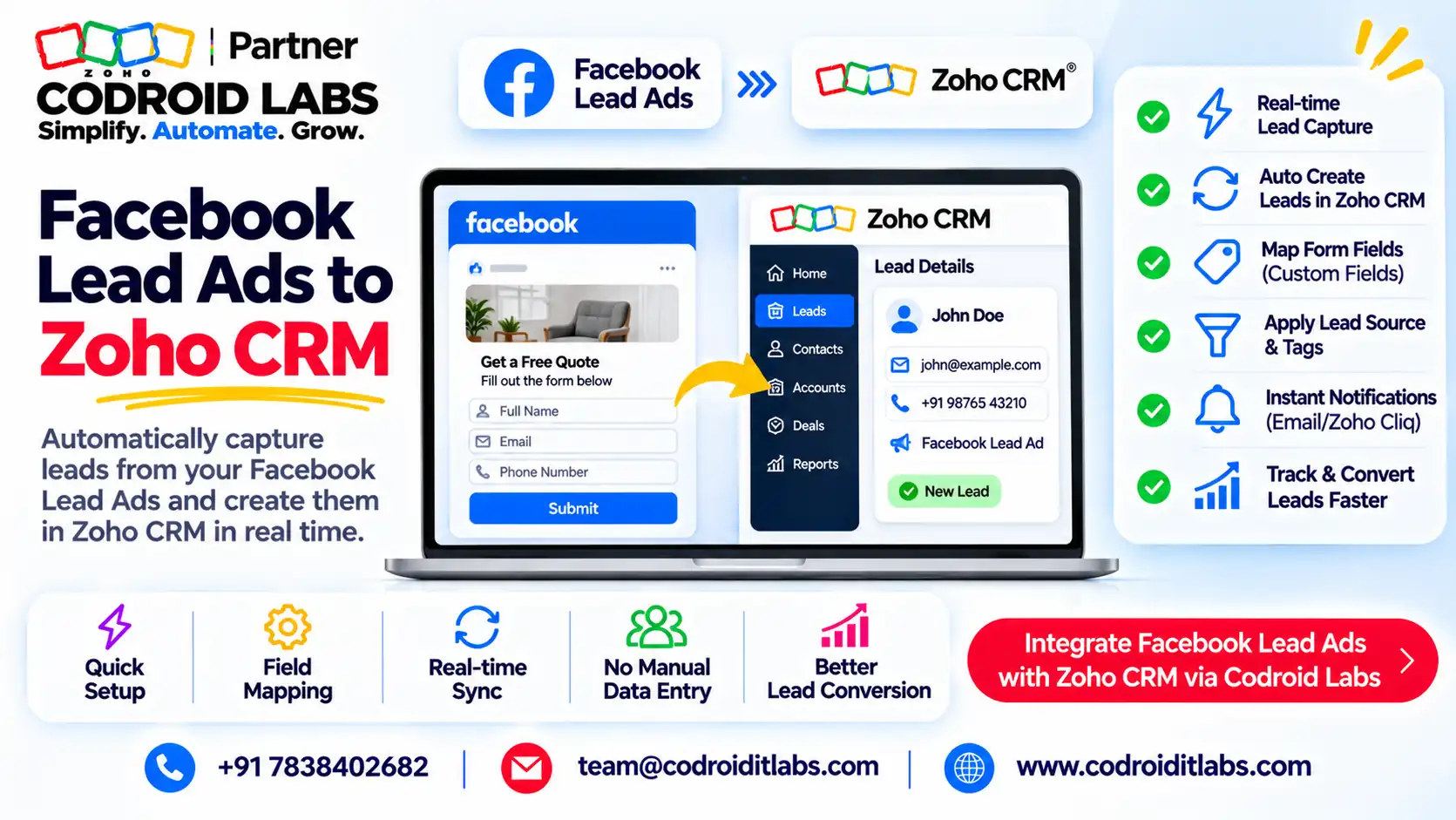
Zoho CRM Facebook lead ads integration sends every lead from your Facebook and Instagram instant forms straight into Zoho CRM, so a salesperson can call while the lead still remembers your ad.
This guide compares the 3 routes Zoho offers, shows the LeadChain setup, the INR cost, and a ready lead-response workflow with a 5-minute escalation.

Short answer
For Zoho CRM Facebook lead ads, use Zoho LeadChain from the Zoho CRM Marketplace. Zoho says it syncs leads in real time to Leads or Contacts, with field mapping, tags, campaigns and assignment rules.
LeadChain is billed separately (50 free syncs a month). Pair it with a workflow rule that sends a WhatsApp acknowledgement, creates a call task and escalates after 5 minutes.
Why Facebook Leads Go Cold Before Zoho CRM Sees Them
In short: Leads from Meta ads go cold when they wait in Ads Manager; real-time sync plus an instant owner and reply fixes it.
Ad managers in public forums tell the same story: the campaign brings in leads, but sales sees them a day later in a downloaded sheet, and by then the prospect has spoken to someone else.
Three gaps cause it, and every Zoho CRM Facebook lead ads project we see starts with one of them:
- Manual exports. Leads sit inside Meta's lead centre until someone downloads them.
- No owner. A lead lands in CRM but nobody is assigned, so everyone assumes someone else will call.
- No first touch. The prospect hears nothing, so the ad spend buys a name, not a conversation.
A proper Zoho CRM Facebook lead ads setup closes all three: real-time sync, automatic assignment and an instant acknowledgement.
Zoho CRM Integration with Facebook Lead Ads: 3 Routes Compared
In short: LeadChain is Zoho's current native route; Zoho Social Lead Forms is legacy; Zoho Flow, webhooks or a custom build cover special cases.
There are three ways to run Zoho CRM Facebook lead ads. Zoho documents two native routes, and a third covers anything they do not. Facts below are from Zoho's help pages, checked 1 November 2026.
| Point | 1. Zoho LeadChain | 2. Zoho Social Lead Forms | 3. Zoho Flow, webhooks or custom |
|---|---|---|---|
| Status | Zoho's current route for Meta lead ads | Deprecated for Zoho Social sign-ups from 19 April 2024 | Generic; you design it |
| Sync speed | Real time, per Zoho | Lead ad list refreshes hourly, per Zoho Social FAQ | Depends on the trigger you build |
| Where leads go | Leads or Contacts module | Leads module | Any module |
| Tags, campaign, layout, assignment rule | Yes, in the chain | Field mapping only | Built by you |
| Plan needed | Paid Zoho CRM edition plus a LeadChain plan | Zoho Social Premium, Agency or Agency Plus (older accounts) | Zoho Flow plan or developer time |
| Other ad sources | Several other ad platforms and click-to-WhatsApp ads | Facebook only here | Any source with an API |
| Suits | Most businesses | Teams already using it before 2024 | Unusual routing or data clean-up |
For new setups, Zoho's own Zoho Social FAQ points users to LeadChain. Zoho's LeadChain page says its Meta integration covers Facebook and Instagram.
On Zoho Flow: we did not find a dedicated Facebook Lead Ads app on Zoho Flow's public pages on 1 November 2026. Flow supports webhook and API polling triggers, so it suits a custom build, ideally with our help.
Our verdict: start Zoho CRM Facebook lead ads on LeadChain, and add Flow or custom code only for the cases it cannot handle.
Zoho CRM Meta Integration: LeadChain Setup Steps
In short: Install LeadChain, create a chain from Facebook Lead Ads to Zoho CRM, map fields, grant Leads Access in Meta, test, publish.
Per Zoho's LeadChain Facebook guide, the Zoho CRM meta integration takes two stages: connect the apps, then map fields.
- Install LeadChain from the Zoho CRM Marketplace and open the LeadChain module.
- Click Create new chain, name it, and pick Facebook Lead Ads as source and Zoho CRM as destination.
- In Source, connect your Facebook account, then choose the ad account, Facebook Page and lead form.
- In Destination, choose Leads or Contacts, a CRM tag, campaign, page layout and assignment rule, and decide whether to update or add leads.
- Map each form field to a CRM field, or set a default value, such as Lead Source = Facebook Lead Ads.
- In Meta Business Settings, open Leads Access for the Page and make sure Zoho Social (Zoho's app name there) has access, per Zoho's Leads Access FAQ.
- Click Test Connection, run a test lead, then save and publish the chain.
That is the whole Zoho CRM Facebook lead ads setup for one form. Repeat steps 2 to 7 for each lead form you run.
Map the Meta Lead ID into a CRM single-line field too. Zoho's Meta setup article warns that picking the wrong ad account or Page can let test leads pass while real paid leads fail.
Zoho CRM Facebook Lead Ads Cost: LeadChain Plans in INR
In short: LeadChain is billed separately from Zoho CRM: 50 free lead data syncs a month, then paid packs priced by volume.
Zoho's LeadChain overview says it has its own subscription, not included in Zoho CRM or bundles like Zoho One. It needs a paid CRM edition: Standard, Professional, Enterprise, CRM Plus, Zoho One or Ultimate.
| LeadChain plan (checked 1 November 2026) | Lead data syncs per month | Billed monthly | Billed yearly (per month) |
|---|---|---|---|
| Free | 50 | ₹0 | ₹0 |
| Standard | 500 | ₹300 | ₹250 |
| Standard | 1,000 | ₹600 | ₹500 |
| Standard | 2,000 | ₹1,200 | ₹1,000 |
| Standard | 5,000 | ₹3,000 | ₹2,500 |
INR figures come from the price list behind Zoho's LeadChain pricing page; taxes may be extra. A lead data sync counts new leads and updates, so 200 leads synced uses 200 syncs.
Most small teams start Zoho CRM Facebook lead ads on the free 50 syncs and move up once campaigns scale.
Example only: a business getting about 800 Meta leads a month fits the 1,000-sync pack, ₹600 a month billed monthly. Standard adds conversion leads, the conversions API and custom audiences.
Zoho CRM Facebook Lead Ads Follow-Up Workflow Template
In short: Assign an owner at creation, send a WhatsApp acknowledgement, create a call task, and escalate with a 5-minute scheduled action.
Syncing is half the job of Zoho CRM Facebook lead ads. This template turns zoho crm meta ads leads into conversations within minutes. Each feature below is in Zoho's help or its CRM feature list.
| When | Action | Zoho CRM feature | Edition note |
|---|---|---|---|
| 0 min | Lead created with Lead Source, tag and campaign | LeadChain field mapping and default values | Paid CRM + LeadChain |
| 0 min | Owner assigned by city, product or round robin | Assignment rule chosen in the chain | Standard 10, Professional 20, Enterprise 50 rules per module |
| 0 min | WhatsApp acknowledgement to the lead | Workflow rule with an approved WhatsApp template | Paid editions; WhatsApp credits needed |
| 0 min | Email alert and call task for the owner | Workflow instant actions | Up to 5 tasks per action |
| 5 min | Alert manager by email or Cliq | Workflow scheduled action set in minutes | Standard and above |
| 30 min | Second escalation or reassignment | Another scheduled action, or manual review | Up to 5 scheduled actions per rule |
Two honest caveats from Zoho's workflow rules help: scheduled actions can run a few minutes late, and in Zoho CRM Facebook lead ads flows the 5-minute alert fires whether or not the lead was called unless a function checks status first.
WhatsApp templates go to leads and contacts, not to your staff, per Zoho's WhatsApp integration help. Alert salespeople by email, CRM notification or Cliq instead. See Zoho CRM WhatsApp pricing for message costs.
For routing ideas, Zoho's assignment rules help covers criteria and round robin. The same pattern runs our IndiaMART Zoho CRM integration and these workflow automation examples.
Zoho CRM Meta Ads Integration: Sync Problems and Fixes
In short: Most sync failures trace back to Meta Leads Access, the wrong ad account or Page, or an unmapped required field.
| Problem | Likely cause | Fix |
|---|---|---|
| Test lead works, real leads do not | Wrong ad account or Page in the chain | Pick the ad account and Page that run the live ad |
| No leads arrive at all | Zoho Social lacks Leads Access in Meta Business Settings | Assign Zoho Social as CRM for that Page |
| Some fields empty | Custom questions not mapped | Edit the chain and map each question |
| Duplicate leads | Same person submits twice | Use update-or-add in the chain and a unique field in CRM |
| Syncs stopped mid-month | Free or paid sync limit reached | Move to a bigger LeadChain pack |
| Nobody follows up | No assignment rule or workflow | Add the template above |
The first two come straight from Zoho's LeadChain help. Keep the Zoho CRM meta ads integration chain list tidy: one chain per lead form keeps mapping errors easy to spot.
How Codroid Labs Sets Up Zoho CRM Facebook Lead Ads
Codroid Labs is a Zoho Partner and a Zoho AI Enabled Partner, recognised by Zoho after the AI Accelerator Series 2026. As a Zoho Partner, Codroid Labs sells Zoho licences and provides implementation, customisation, migration and AMC support.
Based in New Delhi, we work with businesses across India remotely: LeadChain chains, field mapping, assignment rules, WhatsApp templates and 5-minute escalation workflows for Zoho CRM Facebook lead ads. Where native routes fall short, we build a custom integration through Zoho Flow, webhooks or the API.
Related: Zoho CRM WhatsApp integration, workflow automation by edition, Zoho CRM for lead management and Zoho Social. Book a call, phone +91 7838402682 or email team@codroiditlabs.com.
Quick Answers
Does Zoho CRM have a native Facebook lead ads integration?
Yes, through LeadChain from the Zoho CRM Marketplace.
Is Zoho CRM Facebook lead ads sync real time?
Zoho describes LeadChain sync as real time.
Is LeadChain included in Zoho One?
No. Zoho says it is billed separately.
Do Instagram lead ads work?
Zoho says LeadChain's Meta integration covers Facebook and Instagram.
Zoho CRM Facebook Lead Ads: FAQs
Can I use Zoho CRM Facebook lead ads on the free CRM edition?
No. Zoho lists paid editions only for LeadChain: Standard, Professional, Enterprise, CRM Plus, Zoho One and Ultimate.
Can I still use Zoho Social for lead ads?
Only if your Zoho Social account predates 19 April 2024 and is on Premium, Agency or Agency Plus. New users are pointed to LeadChain.
Can leads go to Contacts instead of Leads?
Yes. LeadChain lets you choose Leads or Contacts as the destination module.
Can I sync older leads?
In the legacy Zoho Social route, Zoho mentions a Retry sync option. For LeadChain, check with Zoho support for your case.
Does every update use a sync in Zoho CRM Facebook lead ads?
Yes. Zoho counts new leads and updates to existing ones as lead data syncs.
Can I send conversions back to Meta?
LeadChain Standard includes Facebook conversion leads and the conversions API, per Zoho's plan table.
Can a salesperson get a WhatsApp alert?
Zoho CRM's WhatsApp templates go to leads and contacts. Use email, CRM notifications or Cliq for staff.
Do I need Zoho Flow?
Not for standard Meta lead ads. Flow or a custom build helps with unusual routing or data clean-up.
Get your Meta leads flowing into Zoho CRM today
We set up LeadChain, field mapping, assignment rules and a 5-minute follow-up workflow, then test with a live lead.
Zoho references (checked 1 November 2026)
- LeadChain: connect Facebook Lead Ads with Zoho CRM
- LeadChain: overview, editions and plans
- LeadChain: Leads Access permissions
- LeadChain: Meta integration setup
- LeadChain: pricing
- Zoho Social: Facebook Lead Ads FAQ
- Zoho CRM: workflow rules
- Zoho CRM: WhatsApp Business integration
- Zoho LeadChain: product page