



Zoho Books startups provides a complete accounting foundation for Indian startups: free plan for businesses below Rs.25 lakh annual turnover, GST-compliant invoicing, automated payment reminders, bank reconciliation, project-based billing, burn rate and cash flow tracking, fundraising-ready P&L and balance sheet, recurring subscription billing, depreciation and fixed asset tracking, credit card expense management, and MSME lending financial documents. Scales from Rs.749/org/month as the startup grows.
Zoho Books startups is the accounting platform that Indian founders use to build financial discipline from day one without the cost and complexity of enterprise accounting software. The startups Zoho Books adoption in India has grown significantly because the platform offers something no other accounting software does for early-stage businesses: a genuinely free plan for pre-revenue and sub-Rs.25 lakh turnover startups, combined with a clear upgrade path as the business grows. Zoho Books for startup businesses means getting GST compliance, professional invoicing, project billing, and investor-ready financial reporting from a single platform — while the founder is still focused entirely on building the product and acquiring the first customers. This Zoho Books for startups complete setup guide 2026 covers the plan selection, setup workflow, and the startup-specific features that other guides miss.
Free
Below Rs.25L turnover
Rs.749
Standard/org/month
70+
Financial Reports
GST
IRP Integrated
Zoho Books startup pricing — free plan and affordable paid plans
The Zoho Books startup free plan and startups Zoho Books affordable pricing plan comparison — the most startup-friendly pricing in India’s accounting software market:
The Zoho Books startup cost and Zoho Books startup plan selection guide for Indian startups: the free plan is the right starting point for any startup in the first 12-18 months — it provides genuine accounting functionality (not a trial with disabled features) for businesses below the Rs.25 lakh turnover threshold. Verify current free plan eligibility and feature limits at zoho.com/in/books/pricing as these are updated periodically. The Zoho Books startup affordable Standard plan at Rs.749/month is typically the right upgrade when the startup crosses Rs.25 lakh turnover and begins adding team members who need their own accounting access. The Zoho Books startup cheap comparison with alternatives: at Rs.749/month for the complete accounting stack (GST, invoicing, bank reconciliation, expense tracking, project billing), Zoho Books Standard is consistently the most cost-effective GST-compliant accounting platform for Indian startups.
How to set up Zoho Books for startup accounting workflow — 10 steps
The how to set up Zoho Books for startup accounting workflow and how to configure Zoho Books for startup workflows — 10 steps to complete setup from organization creation to first invoice:
Step 1: Organization Setup
Business name, GSTIN (if registered), PAN, fiscal year (April-March for India), currency (INR), time zone (IST). This determines whether GST features are available.
Business name, GSTIN (if registered), PAN, fiscal year (April-March for India), currency (INR), time zone (IST). This determines whether GST features are available.
Step 2: Chart of Accounts
Zoho Books pre-populates a standard startup chart of accounts. Add startup-specific accounts: Founder’s Investment, Startup Expenses (R&D, Marketing), Deferred Revenue for SaaS pre-payments.
Zoho Books pre-populates a standard startup chart of accounts. Add startup-specific accounts: Founder’s Investment, Startup Expenses (R&D, Marketing), Deferred Revenue for SaaS pre-payments.
Step 3: Bank Connections
Connect business bank account with bank feed for auto-import of transactions. Eliminates manual entry and speeds up reconciliation to near-real-time.
Connect business bank account with bank feed for auto-import of transactions. Eliminates manual entry and speeds up reconciliation to near-real-time.
Step 4: GST Configuration
Enable GST, set registration type (Regular or Composition), enter GSTIN, configure HSN/SAC codes for products and services.
Enable GST, set registration type (Regular or Composition), enter GSTIN, configure HSN/SAC codes for products and services.
Step 5: Invoice Templates
Add startup logo, customize invoice template with brand colors, set standard payment terms (Net 15/Net 30), configure automated payment reminder schedule.
Add startup logo, customize invoice template with brand colors, set standard payment terms (Net 15/Net 30), configure automated payment reminder schedule.
Step 6: Customer and Vendor Master
Import or create customer records with GSTIN for B2B customers. Add vendor records with bank details for payment processing.
Import or create customer records with GSTIN for B2B customers. Add vendor records with bank details for payment processing.
Step 7: Products and Services
Create items for each product/service with SAC code (for services), GST rate, and default selling price. Service startups typically have 3-10 service items.
Create items for each product/service with SAC code (for services), GST rate, and default selling price. Service startups typically have 3-10 service items.
Step 8: Project Setup
For service or consulting startups, create a project per client engagement. Enable billable hours tracking for team members. Set project budgets for cost monitoring.
For service or consulting startups, create a project per client engagement. Enable billable hours tracking for team members. Set project budgets for cost monitoring.
Step 9: User Access
Add team members with appropriate roles — Accountant (full access), Staff (create invoices and expenses only), Viewer (reports only for investors or CA).
Add team members with appropriate roles — Accountant (full access), Staff (create invoices and expenses only), Viewer (reports only for investors or CA).
Step 10: Opening Balances
If migrating from Excel or another system, enter opening balances for bank accounts, loans, customer receivables, and vendor payables as of the transition date.
If migrating from Excel or another system, enter opening balances for bank accounts, loans, customer receivables, and vendor payables as of the transition date.
GST compliance — e-invoice, e-way bill, and tax return preparation
The how startups use Zoho Books for GST compliance India and Zoho Books for startups GST e-invoice e-way bill — GST is the single biggest compliance obligation for Indian startups and Zoho Books automates all of it. Every invoice created in Zoho Books automatically calculates CGST/SGST (intra-state) or IGST (inter-state) based on the customer’s GSTIN and the configured tax rate. The Zoho Books for startups tax return preparation filing: Zoho Books generates the GSTR-1 data (outward supplies), GSTR-3B summary, and ITC register directly from transaction data — the startup’s CA reviews and approves before filing, without manually compiling data from invoices. For startups that cross the e-invoicing turnover threshold, Zoho Books connects to the IRP through its GSP registration and generates the IRN and QR code automatically on every eligible invoice.
Cash flow tracking and burn rate monitoring for startups
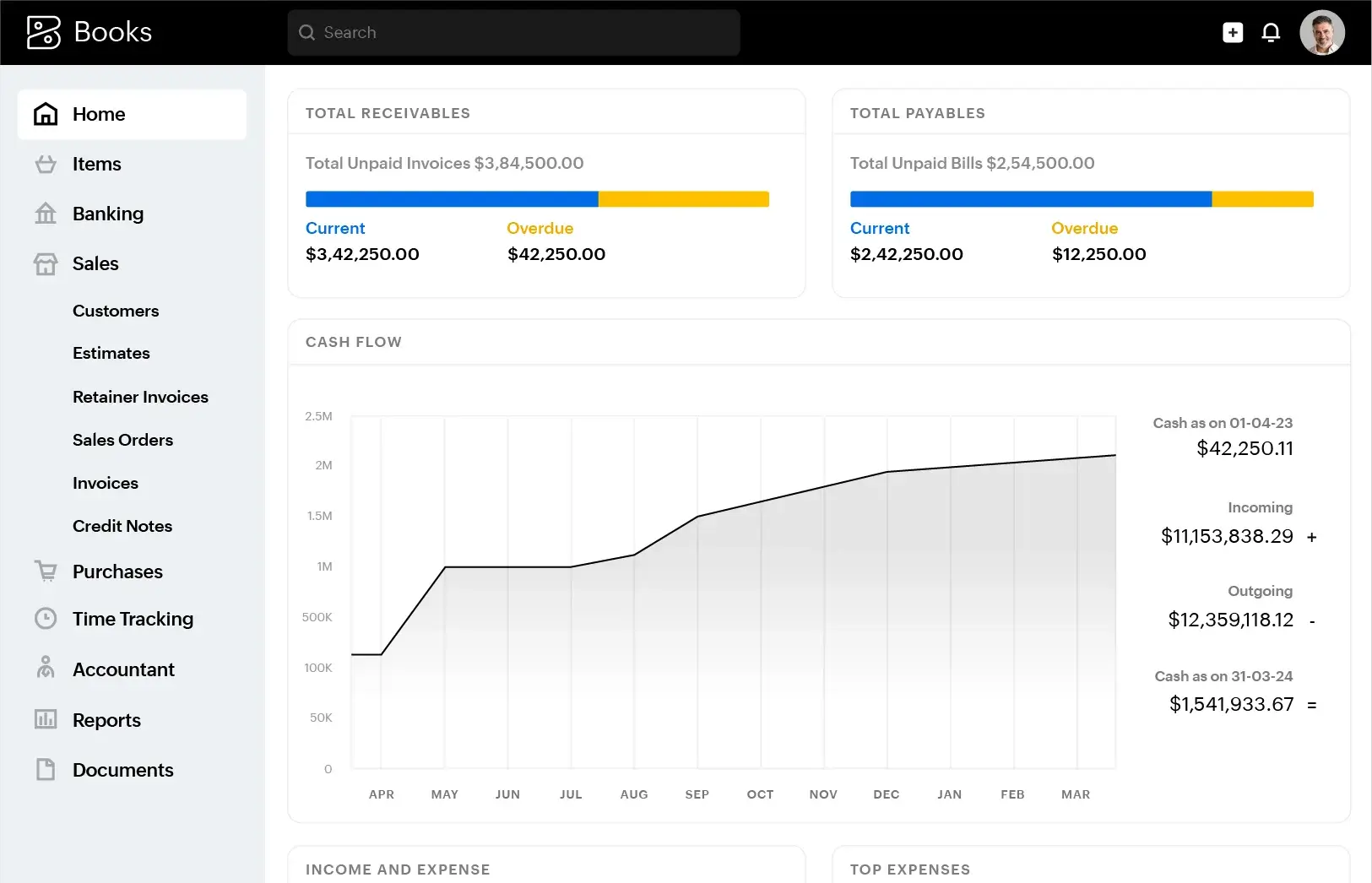
The Zoho Books for startups cash flow statement tracking and Zoho Books startup data for burn rate monitoring — the two metrics that matter most for pre-revenue and early-revenue startups are cash runway (how many months of operating expenses the current cash balance covers) and burn rate (how much cash the startup is spending per month). Zoho Books provides both through the Cash Flow Statement (operating, investing, and financing activities broken down monthly) and the Expense by Category report (showing which expense categories are growing fastest month-over-month).
For investor reporting, Zoho Books’s Statement of Cash Flows shows the exact operating burn rate — the cash spent on business operations before revenue — for any period. A founder can generate the last 12 months of monthly cash flow data in Zoho Books in under 2 minutes, providing the runway analysis that seed investors routinely request during diligence. The Zoho Books startup process for monthly financial review: pull the P&L, Balance Sheet, and Cash Flow Statement for the previous month, compare against the same period last year (or the startup’s own projections), and share with the board or advisors via the Zoho Books report share link — no PDF exports required.
Fundraising-ready financial statements for investors
The how startups use Zoho Books for financial reporting, Zoho Books startup profit and loss statement analysis, and startups Zoho Books trial balance balance sheet guide — the financial package that investors and due diligence teams require during a fundraise:
The Zoho Books for startups MSME lending financial documents additionally include the bank-format P&L and balance sheet required for MSME loan applications from banks and NBFCs — formatted consistently across all reporting periods, ready for submission without manual reformatting.
Project-based billing and recurring subscription billing
The Zoho Books for startups invoice and billing automation, Zoho Books startup client billing and payment tracking, and Zoho Books for startups recurring subscription billing features for the two most common startup billing models:
Project-based billing (consulting and service startups): Zoho Books projects module tracks billable and non-billable hours per team member per project. At the end of each month or project milestone, the founder generates an invoice from the project — Zoho Books automatically pulls the billable hours, applies the agreed rate, and creates the invoice. The project profitability report shows the revenue versus the cost (team hours at internal cost rate) for each project, giving service startup founders visibility into which clients are profitable and which are not.
Recurring subscription billing (SaaS startups): the Zoho Books for startups recurring subscription billing feature automates the monthly or annual billing cycle for SaaS products. Configure a recurring invoice with the subscription amount, billing cycle, and start date — Zoho Books generates and sends the invoice automatically on the due date and sends payment reminders at the configured intervals. Combined with the Accounts Receivable report, founders can see at a glance which subscription customers have paid, which are overdue, and what the total MRR (Monthly Recurring Revenue) collected versus outstanding is.
Expense management — credit card, vendor payments, depreciation
The Zoho Books for startups expense tracking vendor payment, Zoho Books for startups credit card expense management, and Zoho Books startup depreciation and fixed asset tracking:
Credit card expense management: startup founders typically use a business credit card for all operational expenses (cloud subscriptions, software tools, travel, advertising). Zoho Books supports credit card account bank feeds — transactions from the credit card are auto-imported, and the founder categorizes each expense (Marketing, Software, Travel, etc.) in the Zoho Books mobile app. The month-end credit card bill reconciliation takes minutes rather than hours. The Zoho Books startup workflow for founders: upload the credit card statement, match transactions to imported bank feed entries, and the entire month’s expenses are categorized for P&L and GST purposes.
Depreciation and fixed asset tracking: the Zoho Books startup depreciation and fixed asset tracking feature is relevant for startups that purchase laptops, servers, office equipment, or leasehold improvements. In Zoho Books, fixed assets are created with their purchase cost, depreciation method (straight-line or written down value), and useful life. Zoho Books automatically calculates and records the monthly depreciation entry — ensuring the P&L and Balance Sheet reflect the correct net book value of assets without manual journal entries. For startup founders preparing financial statements for investors or lenders, the fixed asset register with depreciation schedule is a required document.
Complete Zoho Books for startups implementation checklist 2026
The complete Zoho Books for startups implementation checklist 2026 and Zoho Books for startups financial dashboard report setup:
Foundation
- Organization settings and GSTIN configured
- Chart of accounts set up with startup-specific accounts
- Bank account connected with bank feed
- Opening balances entered correctly
Billing Setup
- Invoice template customized with branding
- Payment reminder schedule configured
- Projects module enabled for service billing
- Recurring invoices configured for subscriptions
Compliance
- GST settings verified (Regular or Composition)
- SAC codes mapped to all services
- IRP credentials connected (if e-invoice eligible)
- Credit card account connected for expense import
Reporting and Growth
- Fixed assets created with depreciation schedule
- Monthly financial review report set scheduled
- CA/accountant added as accountant user
- Investor/board viewer access configured
Codroid Labs — certified Zoho Books partner for startups India
Zoho Books startups, startups Zoho Books, Zoho Books for startup, Zoho Books startup guide, Zoho Books startup help, Zoho Books startup tips, Zoho Books startup now, Zoho Books startup tools, Zoho Books startup app, Zoho Books startup service, Zoho Books startup data, Zoho Books startup process, Zoho Books startup method, Zoho Books startup software, Zoho Books startup system, Zoho Books startup workflow, Zoho Books startup best, Zoho Books startup easy, Zoho Books startup simple, Zoho Books startup free, Zoho Books startup affordable, Zoho Books startup cheap, Zoho Books startup price, Zoho Books startup cost, Zoho Books startup plan — Codroid Labs (GSTIN 07AAWFC0815B1ZP) is a certified Zoho Authorized Partner helping Indian startups configure Zoho Books from day one. The best Zoho Books features for startups financial management, startups Zoho Books multi-user access collaboration, Zoho Books for startups bank reconciliation passbook, Zoho Books startup inventory stock management tracking, Zoho Books startup bookkeeping for small business owners — our startup onboarding covers organization setup, GST configuration, invoice templates, bank connection, project billing setup, and CA handover documentation. Contact: +91 78384 02682, team@codroiditlabs.com.
Related Guides from Codroid Labs
Frequently asked questions — Zoho Books startups
What is the best Zoho Books plan for an early-stage Indian startup?
Zoho Books startup plan selection: for a pre-revenue or sub-Rs.25 lakh turnover startup, start with the free plan — it provides genuine accounting functionality including GST invoicing, expense tracking, and basic financial reports. For a startup with 2-5 team members who need simultaneous accounting access, the Standard plan at Rs.749/org/month provides multi-user access, automated payment reminders, project tracking, and recurring invoices. The Professional plan at Rs.1,499/org/month adds multi-currency (relevant for startups with international customers or investors), advanced inventory management, and sales/purchase orders. The key point: all Zoho Books plans are priced per organization, not per user (Standard plan allows up to 3 users) — making the cost model much more startup-friendly than per-user pricing models that become expensive as the team grows. External reference: Zoho Books India pricing page for current plan details and user limits.
How does Zoho Books handle multi-user access for startup teams?
The startups Zoho Books multi-user access collaboration feature: Zoho Books supports multiple user roles with different permission levels. The typical startup team setup: the founder has Admin access (full control), the operations team has Staff access (create invoices, record expenses, view reports), the CA/accountant has Accountant access (all accounting functions, no billing settings), and investors or board members have Viewer access (reports only, no transaction visibility). Each user logs in with their own credentials — no shared passwords required. The Standard plan (Rs.749/month) includes up to 3 users. The Professional plan adds more users. For growing startup teams, Zoho One (Rs.1,250/employee/month) includes Zoho Books at Professional level along with 55+ other apps — making it more cost-effective than standalone Zoho Books once the team exceeds 3-4 people who need accounting access.
Get Zoho Books Configured for Your Startup — Right from Day One
Organization setup, GST configuration, invoice templates, project billing, recurring subscriptions, bank connections, CA access — certified Zoho Books partner with GSTIN invoice for ITC recovery. Free startup accounting assessment call.
Start Zoho Books via Codroid Labs
Book Free Startup Call – +91 78384 02682