


Troubleshooting Guide · Updated October 2026
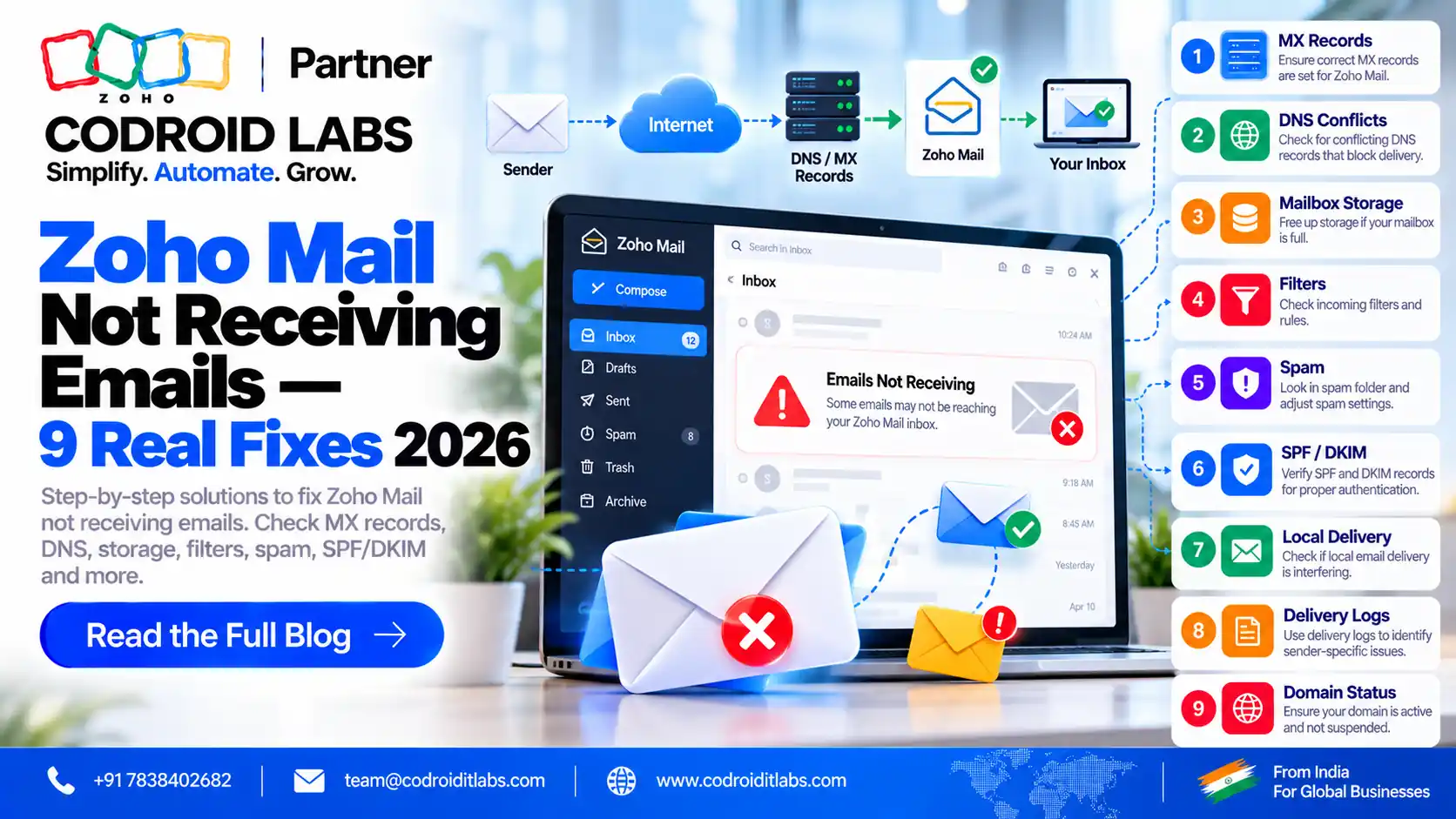
Zoho Mail Not Receiving Emails? 9 Fixes Checked Against Zoho Help
Zoho Mail not receiving emails is almost always caused by DNS, a spam or block rule, or the mailbox itself. This guide gives 9 fixes, each checked against official Zoho Mail help, with the exact MX values, a diagnostic table and current INR prices.
Updated: 7 October 2026
Reviewed against: Zoho Mail help and Zoho Mail pricing
From: Codroid Labs, Zoho Partner, New Delhi
Reviewed against: Zoho Mail help and Zoho Mail pricing
From: Codroid Labs, Zoho Partner, New Delhi
Short answer
Check MX records first: only Zoho's three MX records should exist, with mx.zoho the lowest priority value. Then check spam, quarantine and blocked lists, the user's status and storage, and any forwarding rule that deletes the original. Most incoming problems are fixed in DNS or the Admin Console.
10 / 20 / 50
Zoho MX priorities
12-24 hrs
DNS changes can take, per Zoho
₹59
Mail Lite 5 GB, per user/month, billed annually
9
Verified fixes
Zoho Mail Not Receiving Emails: Diagnostic Table
When Zoho Mail not receiving emails hits your team, match the symptom to the likely fix before changing anything:
| Symptom | Most likely cause | Go to |
|---|---|---|
| No email arrives at all after switching | MX records still point to the old provider | Fix 1 |
| Domain shows as unverified | Verification TXT or CNAME missing | Fix 2 |
| Some senders land in spam | Sender fails SPF, DKIM or DMARC checks | Fix 3, Fix 5 |
| Emails arrive but go to the wrong folder | A filter moves them | Fix 4 |
| One sender never arrives | Sender is on a blocked list | Fix 6 |
| Everything stopped for one user | Storage full or account blocked | Fix 7 |
| A former employee's address bounces | User inactive or incoming blocked | Fix 8 |
| Emails disappear from Zoho | Forwarding deletes the original, or POP removes it | Fix 9 |
| Internal emails from the old server go missing | Local email delivery still on at the old host | Fix 1 |
Most zoho mail incoming mail issue cases sit in the first three rows. For broader problems such as login or sending, see our Zoho Mail not working guide.
Fix 1: Zoho Mail MX Records and Priority
Zoho's Configure Email Delivery page says you will receive emails only if MX records are set correctly. Its reference values are:
| Host | Mail server (generic) | Mail server (India DC) | Priority |
|---|---|---|---|
| @ or blank | mx.zoho.com | mx.zoho.in | 10 |
| @ or blank | mx2.zoho.com | mx2.zoho.in | 20 |
| @ or blank | mx3.zoho.com | mx3.zoho.in | 50 |
Zoho says the MX domain ending changes with the data centre that hosts your account, so India-hosted accounts use the .in hosts. Always copy the exact values from Admin Console > Tools & Configurations, which shows the records for your domain.
- Delete old MX records. Zoho says that if other MX entries have a lower priority value, such as 0 or 5, emails will not reach Zoho Mail.
- Turn off local email delivery at your old web host. Otherwise mail sent from that server is delivered internally and never reaches Zoho.
- No priority field? Make sure mx.zoho has the lowest priority value of the three.
- Wait for DNS. Zoho notes changes can take 12-24 hours, depending on TTL. Use the lowest TTL your provider allows.
Zoho suggests an MX lookup with its free Toolkit to confirm what the world sees. Wrong zoho mail mx records cause more zoho mail not receiving emails cases than anything else. After any change, send a test from an outside address such as a personal mailbox and confirm it lands.
Fix 2: Confirm Domain Verification
Zoho's Domain Verification help lists four methods: one-click, TXT, CNAME or HTML. If the domain is not verified, finish this before anything else, because an unverified domain is a common reason for Zoho Mail not receiving emails on a new setup. Zoho suggests deleting the verification TXT record after success.
Fix 3: SPF, DKIM and DMARC
These records mainly protect the email you send, but they also affect what you receive. They rarely explain Zoho Mail not receiving emails on their own, so check them after MX:
- SPF. Zoho's SPF help gives
v=spf1 include:zohomail.com -all, orv=spf1 include:one.zoho.com -allif you use several Zoho services. Remove includes for services you no longer use. - DKIM. Per the DKIM help, add a selector in the Admin Console, publish the TXT value it generates, then click Verify.
- DMARC. The DMARC help lets you generate a TXT record from the Admin Console.
- Incoming checks. Organisation spam control lets admins decide what happens to incoming emails that fail SPF, DKIM or DMARC. A strict setting can push a sender's mail to spam or quarantine.
Full setup: Zoho Mail SPF, DKIM and DMARC guide.
Fix 4: Check Filters
Zoho's Filters help says every incoming and outgoing email is processed by your filters. A rule like "move to folder" can make it look like Zoho Mail is not receiving emails when they are simply filed elsewhere. Open Settings > Filters, review each rule and edit or delete the culprit. Use Run Through Filter to re-sort a folder after fixing it.
A quick test: search all folders for a missing message. If it turns up, the problem was never Zoho Mail not receiving emails; it was a filter.
Fix 5: Spam Folder and Quarantine
Check the user's Spam folder first. Then, as an admin, open the Spam Quarantine section. Zoho lists incoming emails held for validation errors, organisation blocklists or Zoho blocklists there. Admins can deliver or deny each one, set up notifications, and assign self-moderators who approve their own quarantined mail.
If one sender keeps getting held, add them to the Allowed List rather than turning off spam checks for everyone. Quarantine is the second most common cause of Zoho Mail not receiving emails from one sender.
Fix 6: Blocked Senders and Rejected Lists
Zoho's Spam Control Lists help explains that a blocked sender can be marked as spam, quarantined, rejected with a bounce, or rejected silently. The Rejected List blocks all incoming email to specific internal addresses. Users also have their own Allowed, Blocked, Trusted and Rejected lists, per the user settings help.
A silent reject is the hardest case: the sender sees no bounce and you see nothing. Check every list for the missing sender or domain. When Zoho Mail not receiving emails affects only one partner company, a blocked domain is a likely cause.
Fix 7: Mailbox Storage
Zoho's Blocked Accounts help lists exceeding the mailbox storage limit among the reasons an account can be blocked. In the Admin Console, the Users section has a Storage view showing what each user has used. Free up space, add storage or upgrade the plan, then check Security & Compliance > Blocked Accounts and unblock the user if needed. If Zoho Mail not receiving emails affects only one heavy user, check storage before anything else.
Fix 8: User Status and Plan
If one address bounces, check that the user is active and has a plan assigned. When a user is made inactive, Zoho's user settings help says the admin can choose to block incoming emails, which then bounce back to senders. Blocked users and groups also stop receiving until unblocked.
Reactivate the user, or move the address to an active user as an alias if the person has left. This is the usual answer when Zoho Mail not receiving emails is limited to a former employee's address.
Fix 9: Forwarding, POP and IMAP
- Forwarding. Zoho's Email Forwarding help has a "Delete original email copy after forwarding" option. If ticked, emails leave Zoho Mail. Admin-set forwarding is only on paid plans.
- POP. The POP help says emails are downloaded and deleted from the server unless "Keep a copy on the server" is set. A desktop client can quietly empty the web inbox.
- IMAP. Use the server details on Zoho's IMAP help page, and update old client settings after switching providers.
- Free plan. Zoho's pricing page says the Forever Free plan does not include IMAP, POP or ActiveSync, so a phone app on that plan can look like Zoho Mail not receiving emails.
Gotcha: two mail systems at once
If you keep an old host for website forms, the form mail may be delivered locally and never reach Zoho. Turn off local delivery or point the form at your Zoho address. This hidden setup causes many cases of Zoho Mail not receiving emails from website forms.
Zoho Mail Pricing in India
If storage or POP and IMAP access is behind Zoho Mail not receiving emails, the plan matters. These INR prices come from Zoho's official pricing data for its Zoho Mail pricing page, excluding GST:
| Plan | Price | Storage per user |
|---|---|---|
| Forever Free | ₹0, up to 5 users, one domain | 5 GB; no IMAP, POP or ActiveSync |
| Mail Lite | ₹59/user/month, billed annually | 5 GB |
| Mail Lite | ₹75/user/month, billed annually | 10 GB |
| Workplace Standard | ₹99/user/month annually, ₹129 monthly | 30 GB |
Zoho says the free plan is available only in select data centres. Upgrading only helps when storage or protocol access is the real cause of Zoho Mail not receiving emails. Read our guide to whether Zoho Mail is free.
Zoho Mail not receiving emails still?
Codroid Labs is a Zoho Partner in New Delhi. We check DNS, Admin Console rules and mailbox settings, and handle Zoho Mail setup and migration. Call +91 7838402682 or email team@codroiditlabs.com.
Quick Answers
Why is Zoho Mail not receiving emails?
Usually wrong or extra MX records, then spam, quarantine or block rules.
What are the Zoho MX records?
mx.zoho.com (10), mx2 (20), mx3 (50); India-hosted accounts use .in.
How long do MX changes take?
Up to 12-24 hours, depending on TTL, per Zoho.
Where are quarantined emails?
Admin Console, under the Spam Quarantine section.
Can POP delete my emails?
Yes, unless Keep a copy on the server is set.
Zoho Mail Not Receiving Emails FAQs
Why is zoho mail not receiving emails after I changed MX records?
Old MX records may still exist with a lower priority value, local delivery may be on at the old host, or DNS has not updated yet. Zoho says changes can take 12-24 hours.
What are the correct zoho mail mx records for India?
For India-hosted accounts the hosts are mx.zoho.in, mx2.zoho.in and mx3.zoho.in with priorities 10, 20 and 50. Confirm in Admin Console under Tools and Configurations.
How do I fix a zoho mail incoming mail issue for one sender?
Check the Spam folder, the quarantine, and the organisation and user blocked lists for that sender or domain.
Can a full mailbox stop incoming email?
Yes. Zoho lists exceeding the mailbox storage limit as a reason an account can be blocked.
Why do emails disappear from my Zoho inbox?
A forwarding rule may delete the original, or a POP client may download and remove emails from the server.
Does the free Zoho Mail plan support IMAP?
No. Zoho says the Forever Free plan does not include IMAP, POP or ActiveSync.
Do SPF and DKIM affect incoming email?
Indirectly. Admins can set how incoming emails that fail SPF, DKIM or DMARC are handled, which can send them to spam or quarantine.
Related guides
Get your Zoho Mail delivering again
Book a free consultation and we will check your DNS and Admin Console settings with you.
References (official Zoho Mail help, checked 7 October 2026)