


CRM Decision Guide · Small Indian Businesses · As checked Nov 2026
Bigin vs Zoho CRM: Which One Should a Small Indian Business Start With?
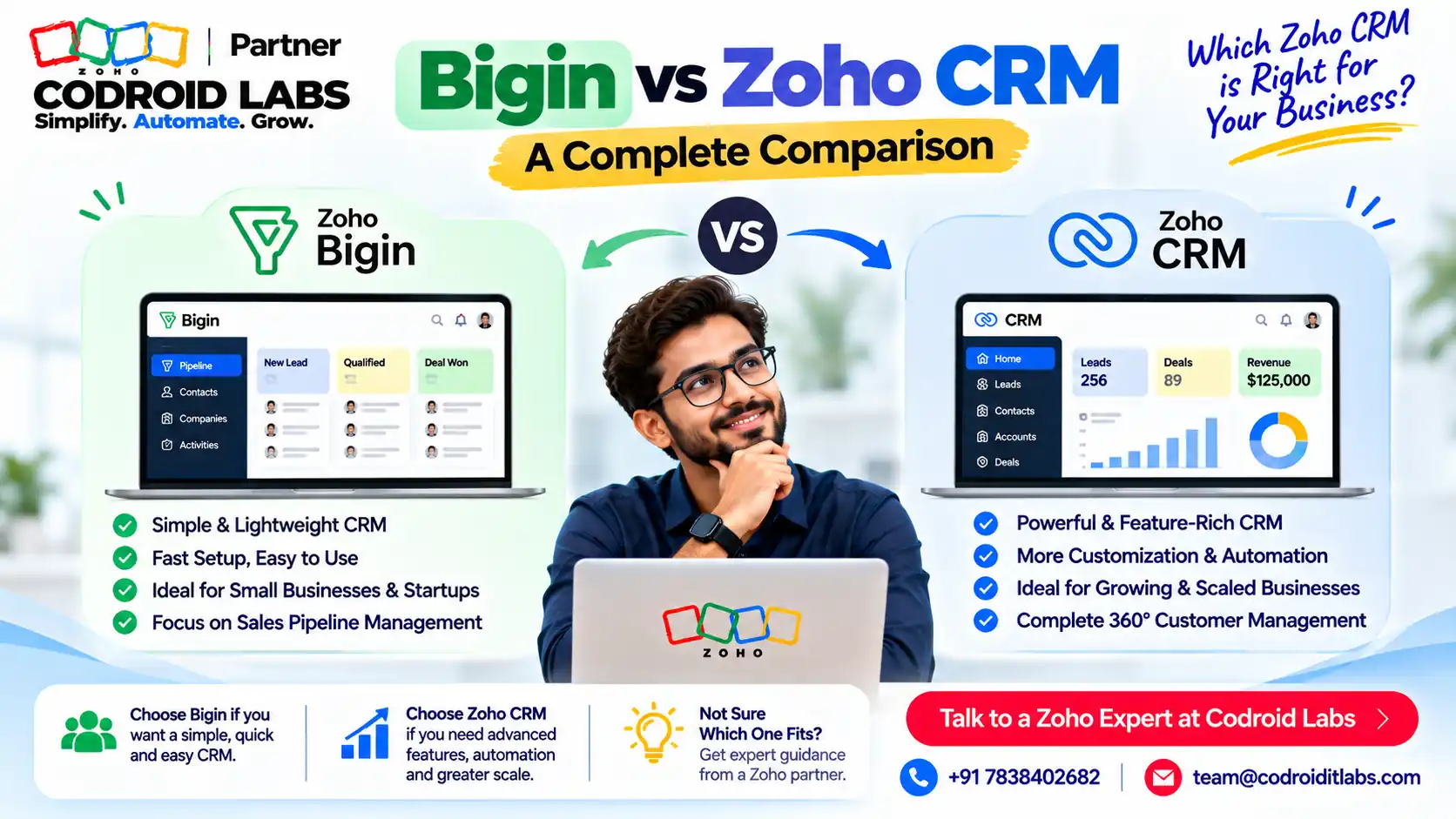
Bigin vs Zoho CRM is the first choice most small Indian businesses face in Zoho: a simple pipeline tool, or a full CRM that can grow into anything.
This guide gives you the INR prices, a decision tree, a 10-question self-check and the 6 signs you have outgrown Bigin, so you can start on the right one.
Start a Bigin trial
Start a Zoho CRM trial
Book a 1-call recommendation

Short answer
In the Bigin vs Zoho CRM choice, start with Bigin if you have one simple sales pipeline, a small team and no need for quotes or forecasts. Start with Zoho CRM if you need separate leads and accounts, quotes, guided processes or heavy customisation.
As checked Nov 2026, Bigin paid plans run ₹400 to ₹1,080 and Zoho CRM paid editions ₹800 to ₹2,600 per user per month on yearly billing, before GST. Prices may change.
Bigin vs Zoho CRM: How They Differ
In short: Bigin is a pipeline-first CRM for small teams; Zoho CRM is a full CRM with leads, accounts, deals, quotes and deep customisation.
Both products come from Zoho, which is why the Bigin vs Zoho CRM question comes up so often in public forums: owners ask whether Bigin is just a smaller Zoho CRM. It is better to think of them as two tools built for two stages of a business.
Bigin is organised around pipelines. Every deal sits on a board with stages, linked to contacts, companies and activities. Zoho CRM separates leads, contacts, accounts and deals, and adds forecasting, quotes, guided processes and custom modules.
| Point | Bigin | Zoho CRM |
|---|---|---|
| Built for | Small teams with a simple, pipeline-based process | Growing sales teams with defined processes |
| Free plan | Free: single user, 1 pipeline, 500 records | Free edition: up to 3 users |
| Data model | Pipelines, contacts, companies, products, activities | Leads, contacts, accounts, deals, custom modules |
| Quotes and CPQ | Not listed | Professional and above |
| Guided process | Stage transition rules (Premier and above) | Process automation (Blueprint) from Professional |
| Forecasting and territories | Target meter dashboards (Premier) | Sales forecasting (Standard), territory management (Enterprise) |
| WhatsApp Business integration from Express | Available through Zoho CRM integrations | |
| Set-up effort | Low; small teams can start quickly | Higher, depending on customisation |
Feature rows in this Bigin vs Zoho CRM table summarise Zoho's Bigin pricing page and Zoho CRM pricing page as checked Nov 2026. For full feature lists see the Zoho CRM feature list.
Zoho CRM vs Bigin Pricing in INR (As Checked Nov 2026)
In short: Bigin paid plans start at ₹400 and Zoho CRM at ₹800 per user per month on yearly billing, before GST.
As checked Nov 2026. Before GST. Prices may change. Both Zoho pricing pages state that local taxes such as GST are charged in addition to the listed prices.
Bigin plans
| Bigin plan | Yearly billing | Monthly billing | Key limits |
|---|---|---|---|
| Free | ₹0 | ₹0 | Single user, 1 pipeline, 500 records, 3 automations |
| Express | ₹400 | ₹550 | 3 team pipelines, 50,000 records, 30 automations, 10 custom fields per module |
| Premier | ₹720 | ₹900 | 5 team pipelines, 100,000 records, 50 automation rules, 25 custom fields per module, 1,000 AI credits/month |
| Bigin 360 | ₹1,080 | ₹1,260 | 15 team pipelines, 1 million records, 100 automation rules, 50 custom fields per module, 3,000 AI credits/month |
Zoho CRM editions
| Zoho CRM edition | Yearly billing | Monthly billing | Headline features |
|---|---|---|---|
| Free | ₹0 | ₹0 | Up to 3 users; leads, workflows, reports, mobile app |
| Standard | ₹800 | ₹1,300 | Workflows, cadences, reports and dashboards, sales forecasting |
| Professional | ₹1,400 | ₹2,100 | CPQ, process automation, inventory management, widgets |
| Enterprise | ₹2,400 | ₹3,000 | Zia AI assistant, territory management, custom functions, portals |
| Ultimate | ₹2,600 | ₹3,200 | Enhanced limits, consulting, migration assistance |
All prices are per user per month. INR values come from the pricing data file that powers Zoho's pricing pages (India currency). Zoho says yearly plans save up to 35% on Bigin and up to 34% on Zoho CRM.
The Bigin vs Zoho CRM price gap is roughly two to one at entry level. For a deeper look at editions, read our Zoho CRM pricing India guide and Enterprise vs Professional comparison.
Bigin vs Zoho CRM: Example Costs for 3, 10 and 25 Users
In short: For 3, 10 or 25 users, Bigin usually costs about half of the matching Zoho CRM edition.
Example only. Monthly cost = per-user price x users, on yearly billing, before GST, using the prices above.
| Team (Example only) | Bigin Express | Bigin Premier | Bigin 360 | CRM Standard | CRM Professional | CRM Enterprise |
|---|---|---|---|---|---|---|
| 3 users | ₹1,200 | ₹2,160 | ₹3,240 | ₹2,400 | ₹4,200 | ₹7,200 |
| 10 users | ₹4,000 | ₹7,200 | ₹10,800 | ₹8,000 | ₹14,000 | ₹24,000 |
| 25 users | ₹10,000 | ₹18,000 | ₹27,000 | ₹20,000 | ₹35,000 | ₹60,000 |
In this Bigin vs Zoho CRM example, note that a team of up to 3 can try the Zoho CRM Free edition, while the Bigin Free plan is for a single user.
Also, the cheaper plan is not always cheaper overall: rebuilding a process later costs time, so pick the tool that fits the next two years.
Bigin vs Zoho CRM Decision Tree
In short: Follow the boxes: process complexity, quotes, team size and customisation decide the answer.
Start at the top and follow your answers. This Bigin vs Zoho CRM tree is a guide, not a rule; it is designed to be easy to screenshot and share.
1. Do you track leads separately from customers and accounts?
Yes ↓
Lean Zoho CRM
No ↓
Go to question 2
2. Do you send quotes with price rules or need inventory?
Yes ↓
Zoho CRM Professional
No ↓
Go to question 3
3. Will more than 25 people use the CRM within a year?
Yes ↓
Lean Zoho CRM
No ↓
Go to question 4
4. Do you need custom modules, territories or code-level automation?
Yes ↓
Zoho CRM (Enterprise)
No ↓
Go to question 5
5. Is your sales process one or a few simple pipelines?
Yes ↓
Start on Bigin (Express or Premier)
No ↓
Talk to a Zoho Partner
If you land on Bigin, you are not locked in. Zoho supports a Bigin to Zoho CRM upgrade later, covered below.
Bigin or CRM? A 10-Question Self-Check
In short: Mostly “No” answers point to Bigin; four or more “Yes” answers point to Zoho CRM.
Answer Yes or No to settle Bigin vs Zoho CRM for your team. Count your Yes answers.
| # | Question | Yes points to |
|---|---|---|
| 1 | Do you need separate Leads and Accounts modules? | Zoho CRM |
| 2 | Do you create quotes, sales orders or invoices from the CRM? | Zoho CRM |
| 3 | Do you need more than 5 pipelines? | Bigin 360 or Zoho CRM |
| 4 | Do you need a step-by-step guided sales process? | Zoho CRM |
| 5 | Do managers need sales forecasts by period? | Zoho CRM |
| 6 | Do you assign leads by territory, region or product line? | Zoho CRM |
| 7 | Do you need custom modules beyond pipelines and contacts? | Zoho CRM |
| 8 | Will more than 25 users log in within a year? | Zoho CRM |
| 9 | Do you need customer or partner portals? | Zoho CRM |
| 10 | Do you need custom functions or developer-level automation? | Zoho CRM |
Scoring (Example only): 0 to 3 Yes, start on Bigin. 4 to 6 Yes, start on Zoho CRM Standard or Professional. 7 or more, plan Zoho CRM Professional or Enterprise with an implementation partner.
The self-check is a shortcut for the Bigin vs CRM decision, not a final verdict. Your process matters more than the score.
Already on Bigin and unsure if you are using it well? Read are you using Zoho Bigin wrong before you decide to switch.
Bigin to Zoho CRM: 6 Signs You Have Outgrown Bigin
In short: Hitting pipeline, record, field or automation limits, or needing quotes and forecasts, means it is time to move.
- You keep hitting limits. Pipelines, records, custom fields or automation rules run out, even after add-ons.
- Leads and customers are mixed together. You want a clean lead stage before a contact becomes an account.
- Quotes live outside the CRM. Sales teams build quotes in spreadsheets and copy them back.
- Managers ask for forecasts. Target meters are no longer enough; you need forecasts by period and team.
- Processes need guard rails. Stage rules are not enough, and you want enforced steps for each deal type.
- Other teams need their own modules. Support, operations or partners need custom modules, portals or territories.
If two or more of these sound familiar, the Bigin vs Zoho CRM question has likely been answered for you. Start with our first 100 clients in Bigin guide if you are still early.
Bigin to Zoho CRM Upgrade: The Official Migration Path
In short: Zoho offers a built-in Bigin to Zoho CRM migration, with some limits by edition.
Zoho documents a built-in route. Per Zoho's Upgrade to Zoho CRM help article:
- Log in to Bigin as an administrator.
- Open your profile, and under Subscription click Upgrade to Zoho CRM.
- Choose a Zoho CRM edition and complete payment.
- In Zoho CRM, go to Setup > Data Administration > Import, click Bigin, select the organisation and click Migrate Now.
Zoho's Zoho CRM migration help adds that you must log in with the same credentials, and that modules and fields are mapped by default.
What to check before you migrate
- Users, companies, contacts, team pipelines, sub-pipelines, stages, tasks, events, notes, attachments, products and photos are migrated.
- Your Bigin subscription is not cancelled and Bigin data is not deleted automatically.
- Add-ons, including phone numbers bought in Bigin, are not carried forward.
- Extra users arrive as inactive in Zoho CRM until you add licences.
- Team pipelines become layouts in the Deals module, within the limits of the chosen edition. Zoho's examples show Standard carrying only 10 custom fields and 5 pipelines.
Edition limits matter in a Bigin to Zoho CRM upgrade, and they are the part of Bigin vs Zoho CRM most guides skip. Map fields and pipelines first; our migrate to Zoho CRM guide covers planning.
How Codroid Labs Helps With Bigin vs Zoho CRM
Codroid Labs is a Zoho Partner and a Zoho AI Enabled Partner, recognised by Zoho after the AI Accelerator Series 2026. As a Zoho Partner, Codroid Labs sells Zoho licences and provides implementation, customisation, migration and AMC support.
Based in New Delhi, we serve businesses across India remotely: settling Bigin vs Zoho CRM, choosing between Bigin and Zoho CRM, setting up pipelines, and moving data when you upgrade. See Zoho Bigin reseller in India and Zoho CRM implementation for small business.
Book a call, call +91 7838402682 or email team@codroiditlabs.com.
Quick Answers
Which is cheaper?
Bigin. Paid plans start at ₹400 vs ₹800 for Zoho CRM Standard, per user per month yearly, before GST.
Which has a better free plan for teams?
Zoho CRM Free supports up to 3 users; Bigin Free is single user.
Can I upgrade later?
Yes. Zoho has a built-in Bigin to Zoho CRM migration.
Who should start on Bigin?
Small teams with one or a few simple pipelines.
Bigin vs Zoho CRM in one line?
Bigin for simple pipelines; Zoho CRM for complex sales processes.
Bigin vs Zoho CRM: FAQs
Is Bigin a smaller version of Zoho CRM?
No. It is a separate, pipeline-first product from Zoho, built for small teams, with a direct upgrade path to Zoho CRM.
What is the Zoho CRM vs Bigin pricing difference?
As checked Nov 2026, yearly billing: Bigin ₹400, ₹720 and ₹1,080; Zoho CRM ₹800, ₹1,400, ₹2,400 and ₹2,600 per user per month, before GST.
Is GST included in these prices?
No. Zoho's pricing pages say local taxes such as GST are charged in addition.
Does Bigin connect with WhatsApp?
Yes, the WhatsApp Business integration is listed from the Express plan. See our Bigin WhatsApp templates guide.
Will my data be lost when I upgrade?
Zoho says the migration does not delete Bigin data, but limits of the target edition apply to fields and pipelines.
Can I go from Zoho CRM back to Bigin?
Zoho documents an import from Zoho CRM into Bigin, with limits on custom fields and tags.
Which should a 10-person team pick?
In a Bigin vs Zoho CRM choice, it depends on process, not size alone. Use the decision tree and self-check above, or ask us in one call.
Zoho Bigin vs Zoho CRM: which is easier to set up?
Bigin has fewer modules and settings, so small teams usually get started faster. Zoho CRM takes more planning because it can be customised much further.
Do prices change?
Yes, they can. Always confirm on Zoho's live pricing pages before you buy.
Tell us your team size; we'll recommend Bigin or CRM in one call
Share how you sell today. We will suggest Bigin or Zoho CRM, the right plan, and a setup path.
Related guides