


AI Rollout Guide · Updated 21 October 2026
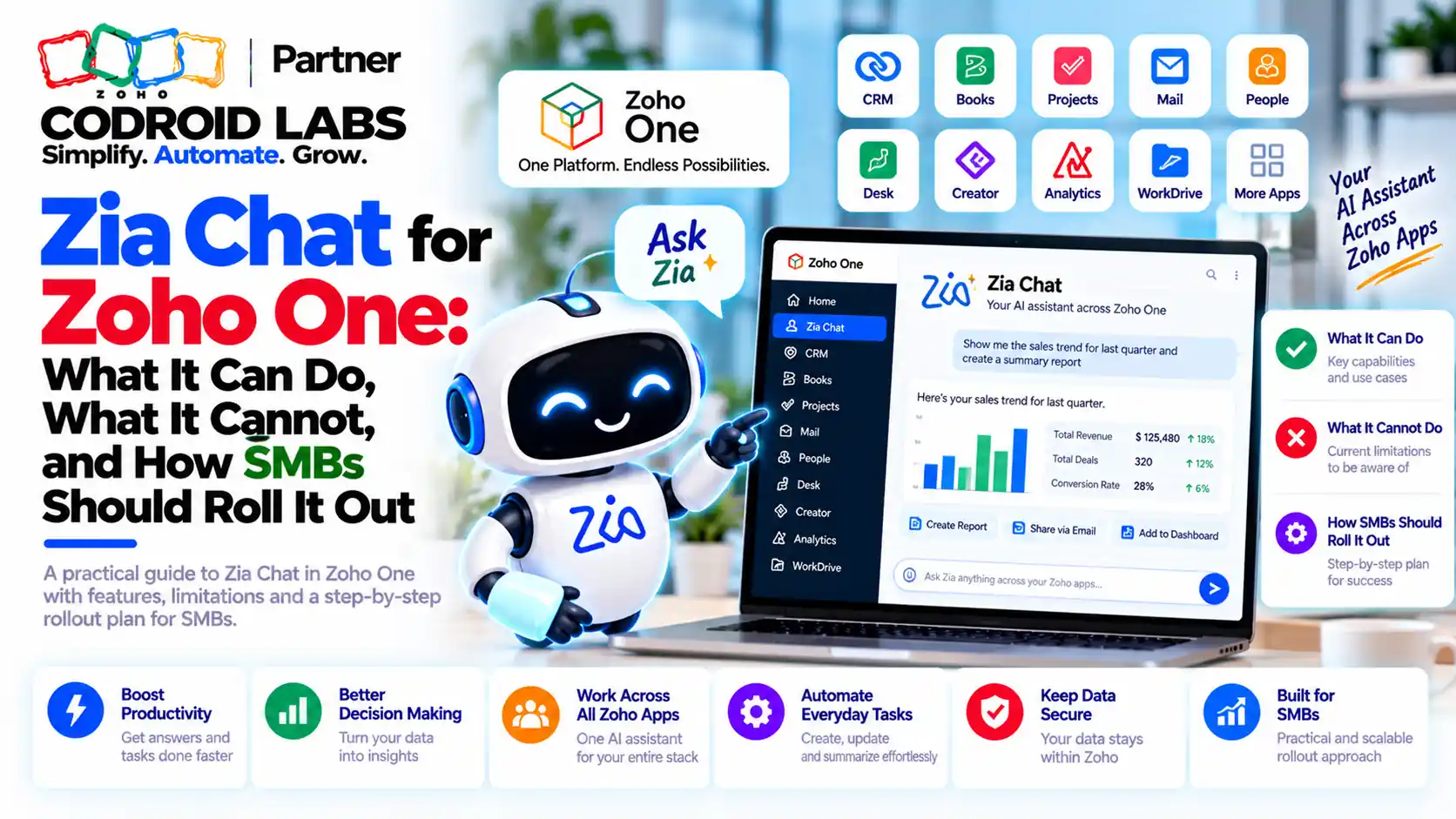
Zia Chat for Zoho One: What It Can Do, What It Cannot, and How SMBs Should Roll It Out
Zia Chat is Zoho's new conversational interface that lets one person ask a question, see the answer across CRM, Desk, Books and 45+ other Zoho apps, and act on it, all within the permissions they already have. This guide separates what Zoho has confirmed from what is still coming, and gives a practical rollout plan.
Updated: 21 October 2026
Sources: Zoho's product page and FAQ, Zoho press release of 23 September 2026
By: Codroid Labs, a Zoho Partner and Zoho AI Enabled Partner
Sources: Zoho's product page and FAQ, Zoho press release of 23 September 2026
By: Codroid Labs, a Zoho Partner and Zoho AI Enabled Partner
Short answer
Zia Chat launched on 23 September 2026 at Zoholics India as a separate product in free early access, English only, in the India and US data centres. It honours each user's existing permissions, asks you to confirm actions, connects outside systems through MCP and can delegate multi-step work to Zia Agents. Zoho plans to bundle it with Zoho One, but pricing and bundling will be announced at general availability. Roll it out in phases, starting with permissions.
Operations heads and founders on Zoho One describe a familiar routine: one cross-app question still means three logins. Renewals in CRM, open tickets in Desk, overdue invoices in Books, then a spreadsheet to join it all. Zoho's answer to that was announced at Zoholics India 2026 alongside seven industry-specific applications.
What Is Zia Chat?
In short: Zia Chat is a separate Zoho product: one conversational interface that searches, analyses and acts across 45+ Zoho apps within each user's permissions.
Zoho's product page calls it “AI for frictionless work”. The launch press release describes one conversational interface to find information, understand context and take action across the applications people use at work. Key points from Zoho:
- A separate product, not a feature inside one app.
- Works across CRM, Desk, Books, Mail, Projects, People, Analytics, Cliq, Marketing, Inventory and more: over 45 Zoho apps.
- No app-by-app integration setup; identity, permissions and business context are already in place.
- Enabled once for the organisation, with admins controlling which users get access.
- Model-agnostic: choose supported external models or Zoho-hosted options.
It differs from Ask Zia inside a single app such as Zoho CRM: it sits above the apps and connects them.
What It Can Do
In short: It answers cross-app questions, creates reports and presentations, drafts emails and tasks, and hands multi-step work to Zia Agents after you confirm.
| Area | Confirmed capability (Zoho sources) |
|---|---|
| Find | Retrieve and connect information across apps the user can access |
| Understand | Summarise conversations and records; link answers back to source records |
| Create | Reports, charts, spreadsheets, presentations, proposals and follow-up emails |
| Act | Create and assign tasks, share issues to a channel, send alerts, after the user confirms |
| Schedule | Recurring reports and recurring asks, such as a monthly renewal check |
| Delegate | Hand multi-step work to Zia Agents: escalate tickets, update deal stages, send emails |
| Extend | Use tools from external systems connected through MCP |
Zoho's own example: ask which deals closing this month have gone cold, have open tickets or overdue invoices, and get a prioritised list ready to act on. That is the cross-app question that used to need three logins.
What Zia Chat Cannot Do Yet
In short: It is in early access, English only, available in the IN and US data centres, with pricing and Zoho One bundling still to be announced.
| Limit | Status on 21 October 2026 |
|---|---|
| Availability | Early access; request it on Zoho's product page |
| Price | Free in early access; licensing announced at general availability |
| Zoho One | Bundling with Zoho One and other bundles planned, not yet confirmed in detail |
| Language | English only, for the interface and questions |
| Data centres | India and US; more regions planned |
| Models | External models through your own key today; a Zoho-hosted Zia LLM option is planned |
| Images in chat | Not confirmed on Zoho's official pages; test during early access |
Budget accordingly: it is not something you can buy today as part of a Zoho One plan, and early access terms may change at launch.
Zia Chat Skills vs Agents vs MCP
In short: Skills handle specialised tasks, Profiles scope apps by role, Agents run multi-step work, and MCP connects external systems.
The press release names four building blocks. This is where most teams get confused, so here is the plain version of zia chat skills vs agents:
| Building block | What it is | Use it for |
|---|---|---|
| Skills | Specialised capabilities called inside the chat | Repeatable, focused tasks |
| Profiles | Role-based setups that scope which apps and information apply | Sales, support or finance views |
| Zia Agents | Configured agents that run multi-step work with tools and guardrails | Escalations, updates, workflows |
| MCP | A standard way to expose tools from other systems | Bringing non-Zoho data and actions into Zia Chat |
For zoho zia chat mcp, Zoho's FAQ is precise: if an external application exposes tools through MCP, those tools can be made available, and access is governed by what that integration exposes. Zoho has not published a list of supported external systems, so treat each connection as a small project. For background, see what Zoho MCP is and Zoho MCP vs Zia Agents.
Agents are built and deployed separately. Our Zia Agents in Zoho CRM workflow rules guide covers how they are configured and what they cost.
Zia Chat Permissions and Human Approval
In short: Zia Chat sees and does only what the user can already see and do in each app, and users confirm actions before anything changes.
Zoho is clear on zia chat permissions:
- The assistant can access only the information and actions available to the user, using the roles and access rules already set in each app.
- If a user can view but not edit a record, it cannot edit it either.
- Actions that need approval still go to the person who approves them.
- Users review and confirm actions before anything is created, changed or sent.
- For external systems, access depends on what the MCP integration exposes.
This makes your existing setup the real control. If a sales rep can see every Books invoice today, the assistant will happily summarise them. Fix profiles and sharing rules before you switch it on, not after.
Data, Models and Residency
In short: Zoho says your data is not used for training; a Zoho-hosted model option is planned for full containment, while external models process data with that vendor.
Zoho states that data accessed this way is not used to train its models. It currently runs in the India and US data centres with your own key for external models; with an external model, prompts and data are processed by that vendor. For complete containment, Zoho plans a Zoho-hosted Zia LLM option that keeps all processing inside Zoho in select regions. Teams with strict data rules should wait for that option or limit early access to non-sensitive users.
How SMBs Should Roll Out Zia Chat in 5 Steps
In short: Clean permissions first, pilot with five power users, add Profiles and Agents, then expand by team.
- Clean up permissions: Review profiles, roles and sharing rules in CRM, Books, Desk and People so each user sees only what they should.
- Request early access and pick a model: Apply on Zoho's page, decide on your model route, and record the data decision.
- Pilot with five power users: Choose one person each from sales, support, finance, operations and management. Collect real questions for two weeks.
- Add Profiles, Skills and one Agent: Set role Profiles, add the skills you need, and connect one low-risk agent with confirmation on.
- Expand by team and review monthly: Roll out team by team, review usage and errors, and revisit pricing when general availability is announced.
During the pilot, track three things for each question: whether the answer was correct, whether it used the right records, and how much time it saved compared with the old routine. Drop use cases that keep failing, and turn the ones that work into Profiles or scheduled asks before you expand to the next team.
The assistant works best on a well-run Zoho One account, so pair the rollout with our Zoho One implementation plan. If email triage matters to you, our Zoho AgentInbox guide covers that area, and our note on the Zoho and NVIDIA partnership explains the wider AI context.
Help Rolling Out Zia Chat
Codroid Labs is a Zoho Partner and a Zoho AI Enabled Partner, recognised by Zoho after completing the AI Accelerator Series 2026. We review permissions, set up Profiles and agents, connect MCP tools and train your pilot users. Call +91 7838402682 or email team@codroiditlabs.com.
Book a Zia Chat rollout callStart a Zoho One trial
Quick Answers
Included in Zoho One?
Planned; details at general availability.
Is it free?
Free during early access.
Which data centres?
India and US.
Does it bypass permissions?
No; it uses each user's existing access.
Zia Chat FAQs
What is Zia Chat?
A separate Zoho product launched on 23 September 2026: one conversational interface to find information, analyse it and act across more than 45 Zoho apps.
Is it part of Zoho One?
Zoho plans to offer it in bundles such as Zoho One. Licensing and bundling will be announced at general availability; early access is free.
Can it take actions?
Yes. It can create tasks, send alerts and draft emails after you confirm, and Zia Agents can run multi-step work such as escalating tickets or updating deal stages.
What is the difference between skills and agents in Zia Chat?
Skills handle specialised tasks inside the chat; Zia Agents are configured separately with tools and guardrails to run multi-step work.
How does Zia Chat use MCP?
If an external system exposes tools through MCP, those tools become available, limited to what the integration exposes.
Is my data used to train models?
Zoho says no. With an external model, data is processed by that vendor; a Zoho-hosted option is planned for full containment.
Does it support images?
We could not confirm image input on Zoho's official pages as of 21 October 2026. Test it during early access before planning around it.
Get your Zoho One ready for conversational AI
Bring your apps and teams. Leave with a permissions review and a pilot plan.
Related guides
Zoho references (checked 21 October 2026)