


Zoho MCP integration is the most significant shift in business automation since Zoho launched its API — and the majority of Zoho users have not heard of it yet.
Until now, getting your Zoho apps to work together meant building workflows in Zoho Flow, writing Deluge scripts, or hiring a developer. Complex. Time-consuming. Expensive.
The Model Context Protocol changes all of that. With Zoho MCP integration, you connect an AI agent — like Claude — directly to Zoho Books, Zoho CRM, and Zoho Projects. The AI reads your live data, reasons about it, and takes action. All through plain English instructions. No code. No flowcharts. No developer.
This guide explains exactly what Zoho MCP integration is, how it works across the three most critical Zoho apps, and how to implement it for your business today.
Note: Already set up your MCP connection? Skip to How AI Agents Control Zoho Books to see the most impactful automations immediately.
40+
Zoho Apps Accessible via MCP
20 min
Average Setup Time
0
Lines of Code Required
3x
Faster Than Manual Workflows
Table of Contents
- What Is MCP and How Does Zoho MCP Integration Work?
- Why Zoho MCP Integration Is a Fundamental Shift for Business
- What You Need Before You Start
- How to Set Up Zoho MCP Integration in 4 Steps
- How AI Agents Control Zoho Books via MCP
- How AI Agents Control Zoho CRM via MCP
- How AI Agents Control Zoho Projects via MCP
- Cross-App Zoho MCP Integration: The Real Power
- Zoho MCP Integration vs Zoho Flow vs Zapier
- Frequently Asked Questions
1. What Is MCP and How Does Zoho MCP Integration Work?
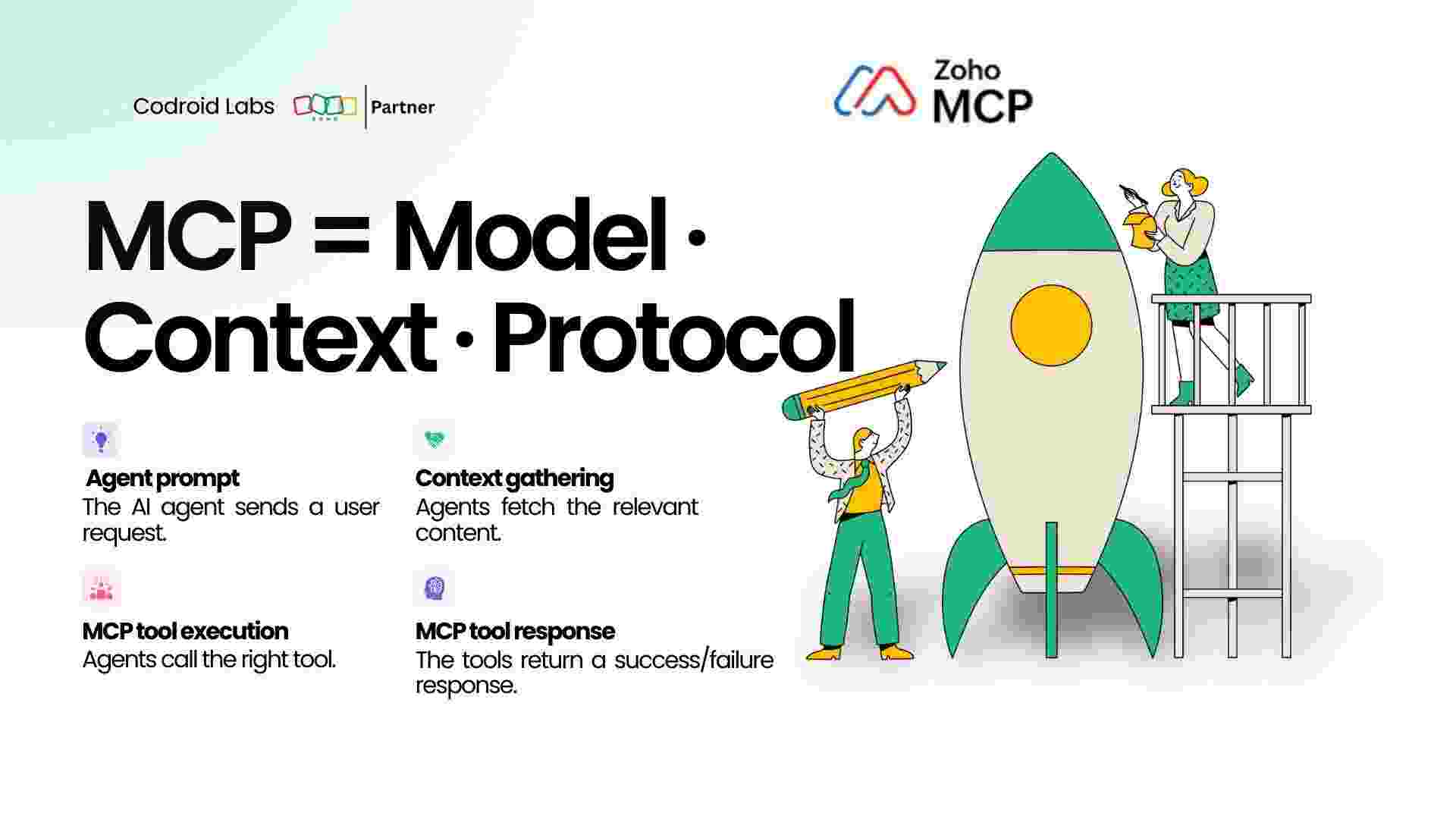
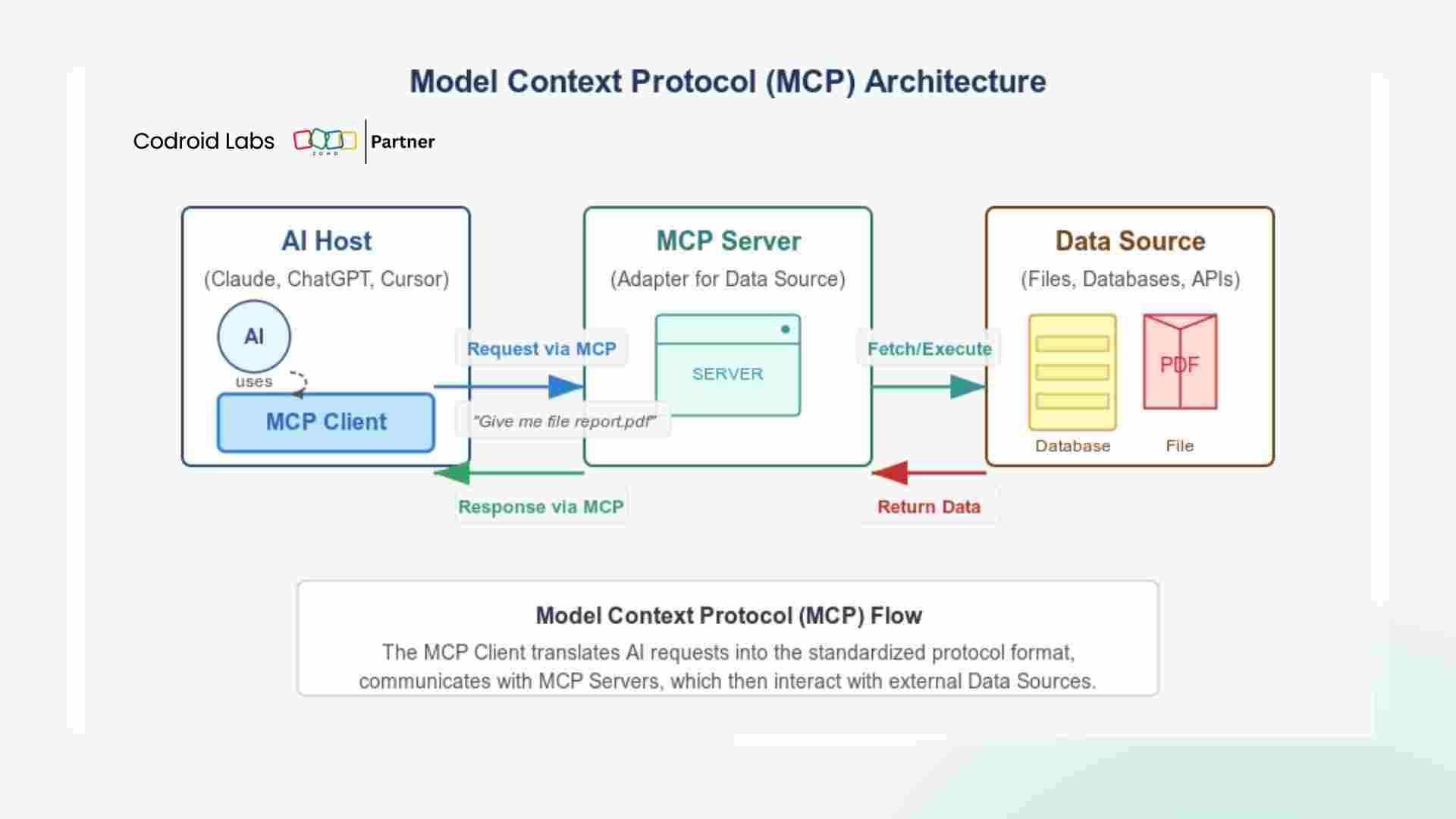
MCP stands for Model Context Protocol. It is an open standard — developed by Anthropic and now adopted across the industry — that defines how AI models communicate with external software applications.
Before MCP existed, connecting an AI model to a business tool like Zoho required custom API integrations, middleware, and continuous developer maintenance. Every tool needed its own bespoke connection. The process was fragile, expensive, and inaccessible to most business owners.
MCP solves this with a single, standardised interface. When Zoho MCP integration is active, an AI agent can:
- Read live data from any connected Zoho app
- Write new records, update existing ones, and delete where permitted
- Execute multi-step workflows spanning multiple Zoho apps simultaneously
- Respond to context and make conditional decisions without pre-defined rules
From the user’s perspective, this means you open a chat with Claude, describe what you want in plain English, and the AI handles every Zoho action behind the scenes. The Zoho MCP integration translates your intent into precise API calls across Books, CRM, Projects, Desk, Mail, Analytics, and every other app in the Zoho ecosystem.
How MCP Works in Practice:
You type: “Find all invoices overdue by more than 30 days in Zoho Books and create a follow-up task in Zoho Projects for each one.”
You type: “Find all invoices overdue by more than 30 days in Zoho Books and create a follow-up task in Zoho Projects for each one.”
The AI reads your Zoho Books invoices via MCP, identifies the overdue ones, then creates corresponding tasks in Zoho Projects — all in under 10 seconds, without you clicking anything.
2. Why Zoho MCP Integration Is a Fundamental Shift for Business
Every business automation tool before MCP operated on the same principle: you define a rule, the tool follows the rule. The intelligence was yours. The tool was mechanical.
Zoho MCP integration breaks this pattern entirely.
When you connect an AI agent like Claude to Zoho through MCP, the intelligence now lives inside the tool itself. You no longer configure workflows. You describe outcomes. The agent figures out the path.
This matters because real business operations are not clean sequences of if-then rules. They involve judgement calls. Exceptions. Context. A client pays half an invoice — what happens next depends on their history, their contract terms, and your relationship with them. A rule-based automation cannot handle that. An AI agent connected via Zoho MCP integration can.
Three specific capabilities distinguish Zoho MCP integration from every previous automation approach:
- Contextual reasoning: The AI reads data from multiple Zoho apps simultaneously and draws conclusions across them, not just within a single module.
- Natural language instructions: No workflow builders, no drag-and-drop canvases, no Deluge code. Your instruction is the workflow.
- Adaptive execution: When something unexpected happens — a missing field, a conflicting record, an ambiguous status — the AI handles it intelligently rather than throwing an error.
3. What You Need Before You Start
Setting up Zoho MCP integration requires three things:
- An active Zoho account with admin access. Any plan works, though Zoho One gives you access to all apps through a single MCP connection.
- Claude Desktop installed on your computer, available free from claude.ai/download. Alternatively, a Claude.ai Pro or Team subscription provides browser-based access.
- Admin rights to add connectors in your Claude organisation settings.
No developer. No API keys to manage manually. No third-party middleware required.
Important: Only the organisation administrator can initially configure the Zoho MCP integration. Once set up, the connection is available to all users in your Claude workspace automatically.
4. How to Set Up Zoho MCP Integration in 4 Steps
The full Zoho MCP integration setup takes under 20 minutes. Here is the exact process:
Step 1 — Open Claude Desktop and Navigate to Connectors
Launch Claude Desktop. Click your profile icon in the lower-right corner, then select Settings. Inside Settings, click the Connectors tab. This is where all MCP connections are managed.
Step 2 — Retrieve Your Zoho MCP Server URL
In a separate browser tab, go to zoho.com/mcp. Log in with your Zoho administrator credentials. Locate and copy your unique MCP Server URL. This URL is specific to your Zoho organisation and acts as the secure endpoint Claude will connect to.
Step 3 — Configure and Authorise the Connection
Return to Claude Desktop. Click Add Custom Connector. Give it a clear name such as “Zoho-Business-MCP”. Paste your Zoho MCP Server URL. Click Save. Claude will prompt you to authorise via OAuth. Click Authorise, sign in to Zoho when redirected, and accept the requested permissions. Your credentials are never stored by Claude — all authentication goes directly through Zoho’s own OAuth system.
Step 4 — Select Your Zoho Tools and Test
After authorisation, a list of available Zoho tools appears. Toggle on Books, CRM, Projects, and any others relevant to your operations. Test the connection by asking Claude: “Show me the three most recent invoices in Zoho Books.” If you receive live invoice data, your Zoho MCP integration is active and ready.
5. How AI Agents Control Zoho Books via MCP Integration
Zoho Books is where most of the high-value, time-sensitive financial operations live in any business. It is also the app where Zoho MCP integration delivers the most immediate return.
Here are the most powerful Zoho Books automations available through MCP today:
Invoice Management at Scale
Rather than manually reviewing every invoice, you can instruct the AI: “Review all invoices in Zoho Books raised this month. Identify any that are overdue, any that contain line items with an incorrect tax rate, and any clients who have not yet received their invoice. Give me a summary and flag the ones needing action.”
The AI reads every invoice via the Zoho Books API, applies your criteria, and returns a structured report. What previously took an accounts team 90 minutes takes under two minutes.
Automated Payment Reminders
Type: “Find all clients in Zoho Books with invoices unpaid for more than 21 days. Send each of them a professional payment reminder email from Zoho Mail using our standard payment terms, and log each reminder in Zoho CRM under the relevant account.”
This single instruction crosses three Zoho apps — Books, Mail, and CRM — and executes them in sequence. Zoho MCP integration handles the cross-app coordination automatically.
Month-End Close Support
Instruction: “It is end of month. Reconcile all payments received this month against their corresponding invoices in Zoho Books. List any invoices where the payment received does not match the invoiced amount, and flag any duplicate payments.”
6. How AI Agents Control Zoho CRM via MCP Integration
Zoho CRM is the operational centre of your client relationships. Through Zoho MCP integration, an AI agent becomes your most attentive CRM manager — one that never misses a follow-up, never lets a lead go cold, and never forgets to update a record.
Lead Qualification and Routing
Instruction: “Review all leads added to Zoho CRM in the last 48 hours. Identify any from companies with more than 50 employees based on the company field. Upgrade those leads to Contacts, create an associated Account, set the deal stage to Qualification, and assign them to the enterprise sales team.”
Pipeline Health Monitoring
Instruction: “Analyse my Zoho CRM pipeline. Show me every deal that has been in the same stage for more than 14 days without any activity. For each one, create a follow-up task assigned to the deal owner and post a summary to our sales channel in Zoho Cliq.”
Contact Record Maintenance
Instruction: “Find all Contacts in Zoho CRM where the email address domain matches our existing Account domains but the Contact is not linked to the correct Account. Show me the discrepancies and fix any where the correct Account is unambiguous.”
This kind of data hygiene work — which would take a CRM administrator hours to do manually — runs in minutes through Zoho MCP integration.
Deal-to-Invoice Handoff
Instruction: “For every deal marked Closed Won in Zoho CRM this week, create the corresponding invoice in Zoho Books using the deal value, the client’s billing details from CRM, and our standard payment terms. Mark each deal as Invoiced in CRM.”
7. How AI Agents Control Zoho Projects via MCP Integration
Zoho Projects manages the delivery side of your business. Through Zoho MCP integration, your project operations connect directly to your client relationships in CRM and your billing in Books — creating an unbroken operational chain.
Automatic Project Creation from CRM Deals
Instruction: “When a deal is marked Closed Won in Zoho CRM, create a new project in Zoho Projects using the deal name, assign the standard onboarding task template, set the project start date to today, and assign the delivery team based on the deal’s product line.”
Task and Deadline Management
Instruction: “Review all open tasks in Zoho Projects that are past their due date. For each overdue task, notify the assignee via Zoho Cliq, extend the due date by three working days if no update has been made in the last five days, and create a summary report for the project manager.”
Project-to-Invoice Bridge
Instruction: “For the Henderson Consulting project in Zoho Projects, calculate the total billable hours logged this month across all tasks. Create a draft invoice in Zoho Books for those hours at the agreed rate stored in Zoho CRM, and flag it for my review.”
8. Cross-App Zoho MCP Integration: Where the Real Power Lives
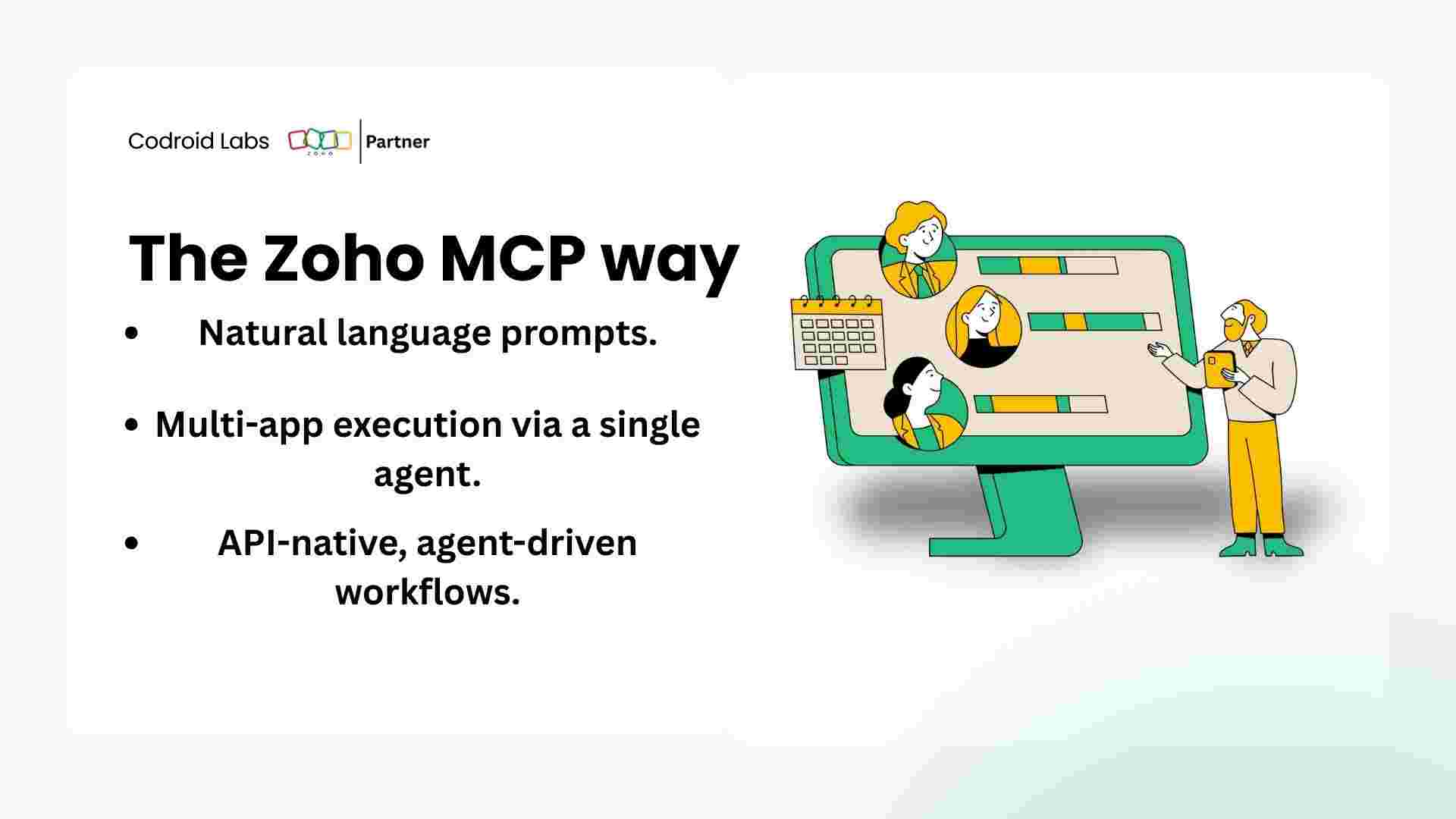
Every example above demonstrates single-app automation. The true capability of Zoho MCP integration emerges when the AI agent works across multiple Zoho apps simultaneously in response to a single instruction.
Consider this instruction:
“Client review time. For every Managed client in Zoho CRM: pull their open tickets from Zoho Desk, check their outstanding invoices in Zoho Books, review project status in Zoho Projects, and generate a one-page client health summary for each. Send the summary to the account manager via Zoho Mail and post a condensed version to the client review channel in Zoho Cliq.”
This single prompt triggers the AI to access five Zoho apps — CRM, Desk, Books, Projects, Mail, and Cliq — gather data from each, synthesise it into coherent summaries, and distribute those summaries to the right people through the right channels.
With Zoho Flow, replicating this would require building multiple separate flows, connecting them with webhooks, and writing conditional logic for every edge case. With Zoho MCP integration, you describe the outcome and the AI handles the complexity.
| Cross-App Workflow | Apps Involved | Manual Time Saved |
|---|---|---|
| New client onboarding | CRM, Projects, Books, Mail | 45 minutes per client |
| Monthly billing run | Desk, Projects, Books, CRM | 3 hours per month |
| Weekly pipeline review | CRM, Projects, Analytics | 90 minutes per week |
| Client health reports | CRM, Desk, Books, Projects, Mail | 4 hours per month |
| Overdue payment escalation | Books, CRM, Mail, Cliq | 2 hours per month |
9. Zoho MCP Integration vs Zoho Flow vs Zapier
It is worth being precise about where Zoho MCP integration fits relative to existing automation tools, because the answer is not that MCP replaces everything else. It is that each tool has a different role.
| Capability | Zoho MCP Integration | Zoho Flow | Zapier |
|---|---|---|---|
| Instruction method | Natural language | Visual flow builder | Visual flow builder |
| Handles exceptions | Yes — AI reasons through them | No — errors stop execution | No — errors stop execution |
| Cross-app intelligence | Full contextual reasoning | Trigger-action only | Trigger-action only |
| Setup complexity | Very low — conversation only | Moderate | Moderate |
| Best use case | Ad-hoc, complex, multi-step | Scheduled, predictable triggers | Cross-platform simple triggers |
| Monthly cost (small team) | Claude Pro at $20/month | Included in Zoho One | $19.99 to $69/month |
The recommended approach for most businesses is to use all three in combination: Zoho Flow for predictable, scheduled triggers. Zapier where third-party app connections are needed. And Zoho MCP integration for everything that requires judgement, context, or cross-app coordination.
Related Guides on This Blog:
How to Connect Claude AI to Zoho Using MCP: Complete 2026 Guide
Zoho API Automation Claude: Build a Full PSA System Without Code
10 Zoho CRM Automations That Will Change How Your Team Works
Zoho Books Invoicing Automation: Stop Chasing Payments Manually
10. Frequently Asked Questions About Zoho MCP Integration
Is Zoho MCP integration available on all Zoho plans?
The MCP endpoint is available across Zoho plans, including free tiers. However, Zoho One is strongly recommended because it gives your AI agent access to all 40+ apps through a single connection rather than requiring separate authorisations for each individual product. See current plan details at zoho.com/one/pricing.html.
How does Zoho MCP integration handle data security?
All authentication goes through Zoho’s own OAuth 2.0 system. The AI agent never stores your Zoho credentials. Data in transit is encrypted via TLS. You can revoke the AI agent’s access at any time from your Zoho Security settings without affecting any other part of your Zoho setup. Zoho’s MCP infrastructure operates under the same SOC 2 Type II compliance standards as the rest of the platform.
Can I limit which Zoho apps the AI agent can access?
Yes. During setup, you select exactly which Zoho tools the connected AI agent has permission to use. You can toggle individual apps on or off at any time from Claude Desktop Settings. You can also configure read-only access for specific apps if you want the agent to report on data without being able to modify it.
What is the difference between Zoho MCP integration and the Zoho API?
The Zoho API is a technical interface that requires developers to write code in order to interact with Zoho data. Zoho MCP integration sits on top of the API and allows an AI agent to use that same API through natural language instructions. Think of MCP as a translation layer that converts plain English into precise API calls without any coding on your part.
Does Zoho MCP integration work with Zoho Books specifically?
Yes — Zoho Books is one of the most capable apps in the Zoho MCP integration stack. The AI agent can read invoices, create new ones, update payment status, run reconciliation checks, generate reports, and trigger email sends — all from a single natural language instruction. Full Zoho Books API documentation is available at zoho.com/books/api/v3.
How is Zoho MCP integration different from Zoho’s built-in AI assistant Zia?
Zia is Zoho’s native AI assistant, built into the Zoho interface. It provides suggestions, predictions, and basic automation within specific Zoho apps. Zoho MCP integration connects an external AI agent — such as Claude — which offers significantly more advanced reasoning, cross-app coordination, and the ability to handle complex multi-step instructions that go beyond Zia’s current capability set.
Conclusion: Zoho MCP Integration Is Available Now — Start Today
The case for Zoho MCP integration is straightforward: every hour your team spends manually moving data between Zoho Books, CRM, and Projects is an hour that an AI agent could handle in seconds.
The setup takes 20 minutes. The first useful automation runs in under an hour. The productivity gain compounds with every additional workflow you hand to the AI agent.
Connect Claude to your Zoho Books first. Run the overdue invoice check. See what happens when a tool with genuine reasoning capability gets access to your live financial data. Then expand from there.
The businesses that establish this capability in 2026 will operate with a structural advantage over those that do not. That advantage is available to you today — through a 20-minute setup and a free connection to the Zoho apps you already pay for.
Start Your Zoho MCP Integration Today
Connect Claude to your Zoho Books, CRM and Projects in under 20 minutes. No code. No developer. No extra cost on your current Zoho plan.