


Zoho MCP Claude integration is officially the most talked-about topic in the Zoho community right now — and for very good reason.
What if you could tell Claude AI: “Create a new lead in Zoho CRM for emma@company.com, flag the deal as hot, and send her a follow-up email via Zoho Mail” — and it just did it? No clicking. No switching tabs. No manual data entry.
That’s exactly what becomes possible when you connect Claude AI to Zoho using MCP (Model Context Protocol). In this complete guide, you’ll learn what Zoho MCP actually is, why it’s a game-changer, and how to set up the full Zoho MCP Claude integration in 7 clear steps — even if you’ve never touched an API.
💡 Quick Win First: Already familiar with MCP? Jump directly to Step-by-Step Setup to start your Zoho MCP Claude integration in the next 20 minutes.
850+
SaaS Apps Supported via MCP
20 min
Average Setup Time
0
Lines of Code Needed
10x
Faster Than Manual Workflows
📋 Table of Contents
- What Is MCP and Why Does It Matter for Zoho Users?
- Why Connect Claude AI Specifically to Zoho?
- Which Zoho Apps Support MCP Claude Integration?
- Prerequisites: What You Need Before You Start
- 7-Step Setup: Zoho MCP Claude Integration (Complete Guide)
- 5 Real Business Automations You Can Run Right Now
- Zoho MCP vs Traditional Zapier / Zoho Flow Automation
- Common Errors and Troubleshooting Tips
- Frequently Asked Questions
1. What Is MCP and Why Does It Matter for Zoho Users?
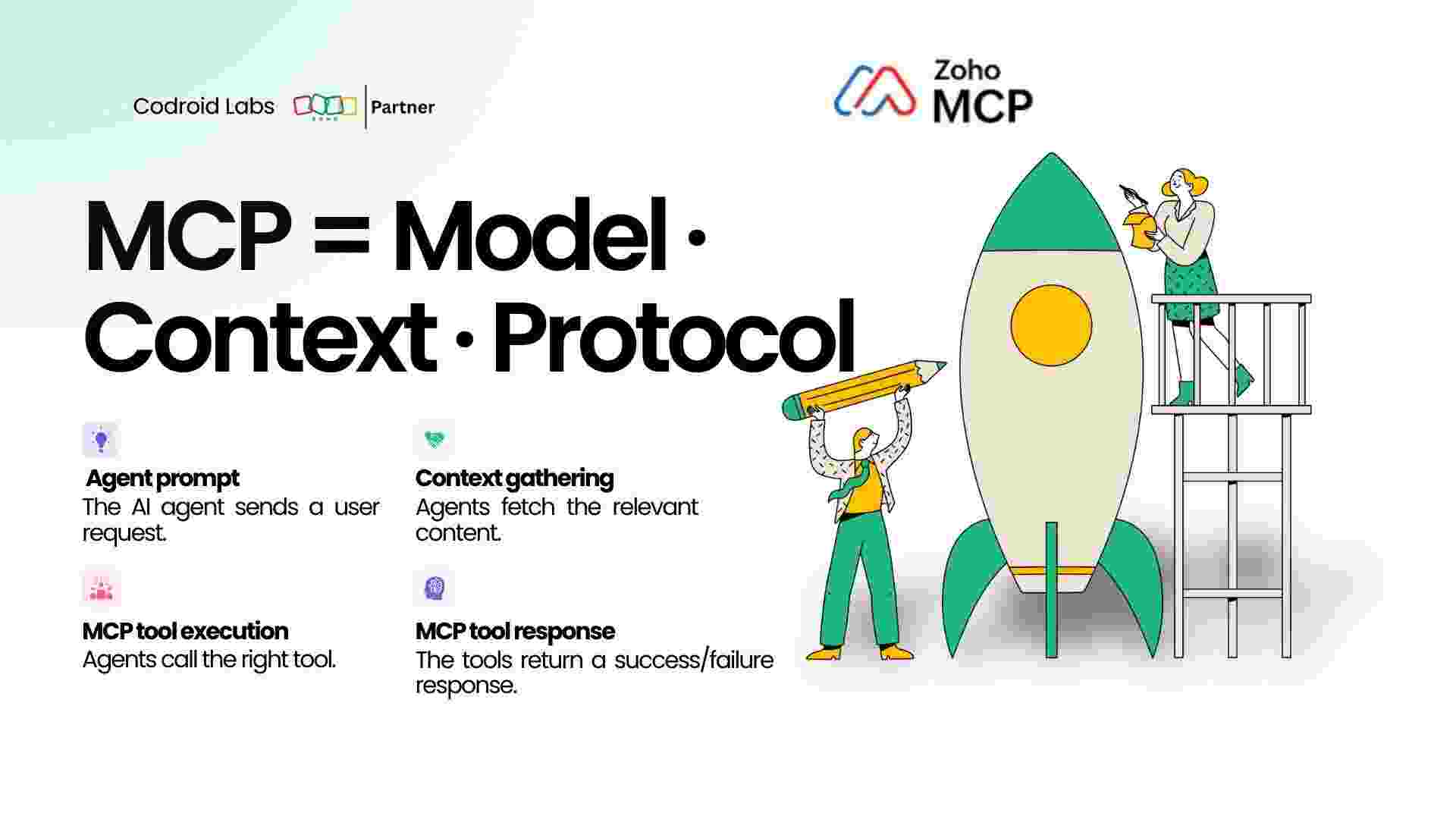
MCP stands for Model Context Protocol — a standardised communication layer that lets AI models like Claude directly interact with external software through a secure, structured interface.
Think of MCP like a universal remote control. Instead of building a custom integration for every single app, MCP gives your AI agent one standardised way to talk to all your tools at once — including every Zoho application.
Before MCP, connecting Claude to Zoho required complex API calls, custom middleware, and developer knowledge. With Zoho MCP Claude integration, you can do it in minutes through a no-code UI — and then command Zoho using plain English.
🧠 How MCP Works in Plain English:
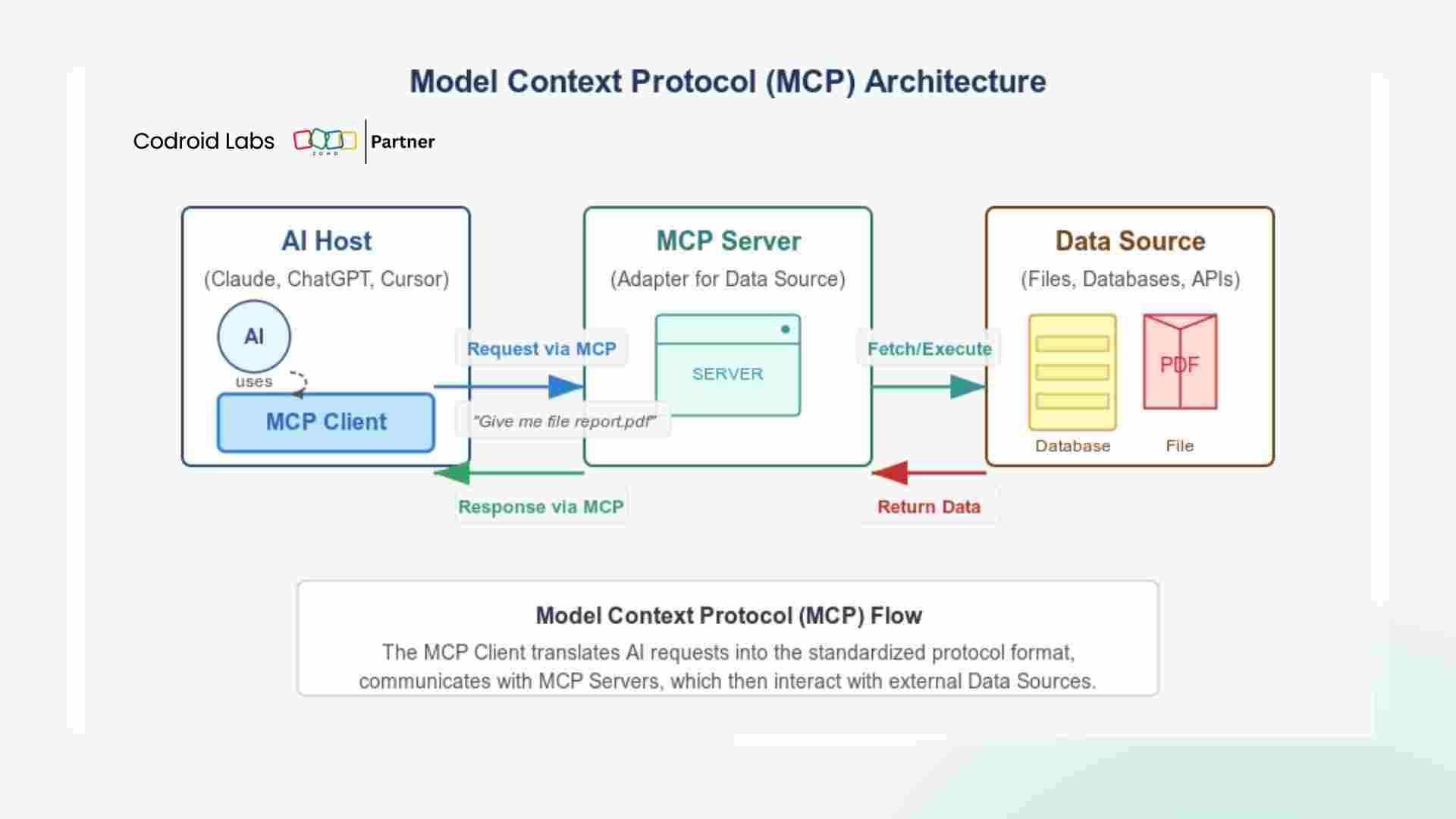
You type a natural language request → Claude interprets it → MCP translates it into a Zoho API call → Zoho executes the action and returns the result. All in seconds.
You type a natural language request → Claude interprets it → MCP translates it into a Zoho API call → Zoho executes the action and returns the result. All in seconds.
According to Zoho’s official MCP documentation, the protocol is completely model-agnostic — it works with Claude, GPT-4, open-source models, and any LLM that supports the MCP standard. However, Claude is currently the most capable AI model for complex multi-step Zoho workflows, based on community testing.
2. Why Connect Claude AI Specifically to Zoho?
The Zoho community on Reddit (r/Zoho) recently exploded with a viral post: “Zoho having an API for everything has made automation with Claude absolutely insane.” It got 34 upvotes and sparked 12 deep-dive comments from Zoho power users.
Why Claude specifically? Three reasons stand out:
- Superior multi-step reasoning: Claude can chain multiple Zoho actions together — create lead → add note → schedule task → send email — from a single natural language instruction.
- Context window advantage: Claude’s large context window means it can hold your entire CRM history and make smarter decisions, not just single-action commands.
- Native MCP support: Claude Desktop and Claude.ai both have built-in MCP connector support, making Zoho MCP Claude integration the easiest setup path of any AI model.
3. Which Zoho Apps Support Zoho MCP Claude Integration?
One of the most powerful aspects of Zoho MCP Claude integration is how broadly it works across the entire Zoho ecosystem. Here’s what you can connect Claude to today:
| Zoho App | What Claude Can Do | MCP Support |
|---|---|---|
| Zoho CRM | Create leads, update deals, search contacts, log calls | ✅ Full |
| Zoho Books | Create invoices, mark payments, manage expenses, generate reports | ✅ Full |
| Zoho Mail | Search emails, send messages, manage folders, draft replies | ✅ Full |
| Zoho Cliq | Send messages, manage channels, trigger bot workflows | ✅ Full |
| Zoho Projects | Create tasks, update statuses, assign team members | ✅ Full |
| Zoho Desk | Create tickets, update statuses, send replies to customers | ✅ Full |
| Zoho Analytics | Run queries, pull reports, analyse cross-app data | ✅ Full |
| Zoho Creator | Read/write custom app records via API | ✅ Partial |
| Zoho Inventory | Check stock, update orders, manage vendors | ✅ Partial |
4. Prerequisites: What You Need Before You Start
Before setting up your Zoho MCP Claude integration, make sure you have the following ready:
- ✅ An active Zoho account (any plan — Free to Enterprise works)
- ✅ Claude Desktop installed (download here at claude.ai/download) OR a Claude.ai Pro/Team subscription
- ✅ Admin access to your Zoho organisation (required to add MCP connectors)
- ✅ Basic familiarity with your Zoho account settings
⚠️ Admin Access Required: Only the organisation admin can set up the Zoho MCP Claude integration. Once configured, all team members in your Claude organisation gain access automatically.
5. How to Set Up Zoho MCP Claude Integration: 7 Steps
Follow these 7 steps exactly and you’ll have a working Zoho MCP Claude integration running in under 20 minutes.
Step 1 — Open Claude Desktop Settings
Launch Claude Desktop on your computer. Click your profile icon in the bottom-right corner, then select Settings. Alternatively, go directly to claude.ai/settings/connectors in your browser.
Step 2 — Navigate to Connectors and Add a Custom Connector
Inside Settings, click the “Connectors” tab. You’ll see any existing integrations here. Click “Add Custom Connector” to begin the Zoho MCP setup process.
Step 3 — Get Your Zoho MCP Server URL
In a separate browser tab, go to zoho.com/mcp. Log in with your Zoho admin credentials and locate your MCP Server URL. This is the unique endpoint that connects Claude to your Zoho workspace. Copy it.
Step 4 — Configure the Connector in Claude
Back in Claude Desktop, give your connector a descriptive name (e.g., “MyBusiness-Zoho-MCP”). Paste the MCP Server URL you copied from Zoho into the URL field. This links your Claude organisation directly to your Zoho workspace.
Step 5 — Authenticate via OAuth
Claude will prompt you to authorise the Zoho connection via OAuth. Click “Authorise” and log in to your Zoho account when redirected. This grants Claude the permissions it needs to act on your behalf. Your credentials are never stored by Claude — all authentication is handled directly through Zoho’s secure OAuth flow.
Step 6 — Select Which Zoho Tools to Enable
After authentication, you’ll see a list of Zoho tools Claude can access — CRM, Books, Mail, Projects, and more. Toggle on the tools you want Claude to have access to. You can add or remove tools at any time. Start with Zoho CRM if you’re unsure where to begin.
Step 7 — Test Your Zoho MCP Claude Integration
Open a new Claude chat and type this test command: “List the 5 most recently added leads in my Zoho CRM.”
If Claude returns actual data from your CRM — your Zoho MCP Claude integration is live. Congratulations, you’ve just unlocked AI-powered Zoho automation.
Advanced: MCP Config File for Claude Desktop (Developer Setup)
If you prefer a local MCP server using the open-source CData Zoho CRM MCP Server on GitHub, add this to your Claude Desktop config file:
{
  "mcpServers": {
    "zoho-crm-mcp": {
      "command": "docker",
      "args": [
        "run", "--rm", "-i",
        "--name", "zoho-mcp-server",
        "-e", "ZOHO_CLIENT_ID",
        "-e", "ZOHO_CLIENT_SECRET",
        "zoho-mcp"
      ],
      "env": {
        "ZOHO_CLIENT_ID": "your_client_id_here",
        "ZOHO_CLIENT_SECRET": "your_client_secret_here"
      }
    }
  }
}
🔑 Get Your Zoho OAuth Credentials: Go to Zoho API Console → Create a “Server-based Application” → Copy the Client ID and Client Secret. These are only needed for the advanced developer setup.
6. 5 Powerful Business Automations You Can Run Right Now
Once your Zoho MCP Claude integration is live, here are real-world prompts that work today:
Automation 1 — Instant Lead Creation
“Create a new lead in Zoho CRM for John Smith at Acme Corp. Email: john@acme.com. Mark it as a Hot lead and assign to Sarah.”
Automation 2 — Smart Email Follow-Up
“Find all leads added this week in Zoho CRM who haven’t been contacted yet, and draft a personalised follow-up email for each one in Zoho Mail.”
Automation 3 — Invoice Workflow
“In Zoho Books, find invoice INV-2026-0045 and mark it as paid. Then send a payment confirmation email to the customer.”
Automation 4 — Cross-App Reporting
“Pull this month’s closed deals from Zoho CRM and match them with their invoices in Zoho Books. Show me which deals still don’t have an invoice.”
Automation 5 — Deal Stage Trigger
“When a deal in Zoho CRM moves to ‘Proposal Sent’, automatically create a task for the sales rep, schedule a follow-up in 3 days, and notify the team on Zoho Cliq.”
7. Zoho MCP Claude Integration vs Traditional Automation Tools
You might be wondering: Why not just use Zapier, Make, or Zoho Flow? Here’s an honest comparison:
| Feature | Zoho MCP + Claude | Zapier / Make | Zoho Flow |
|---|---|---|---|
| Natural language commands | ✅ Yes | ❌ No | ❌ No |
| Multi-step reasoning | ✅ Advanced | ❌ Trigger-only | ❌ Rule-based |
| No-code setup | ✅ Yes | ✅ Yes | ✅ Yes |
| Handles exceptions intelligently | ✅ Yes (AI) | ❌ No | ❌ No |
| Works across all Zoho apps natively | ✅ Native | ⚠️ Partial | ✅ Native |
| Monthly cost (small team) | Claude Pro — $20/mo | $19.99–$49/mo | Included in Zoho One |
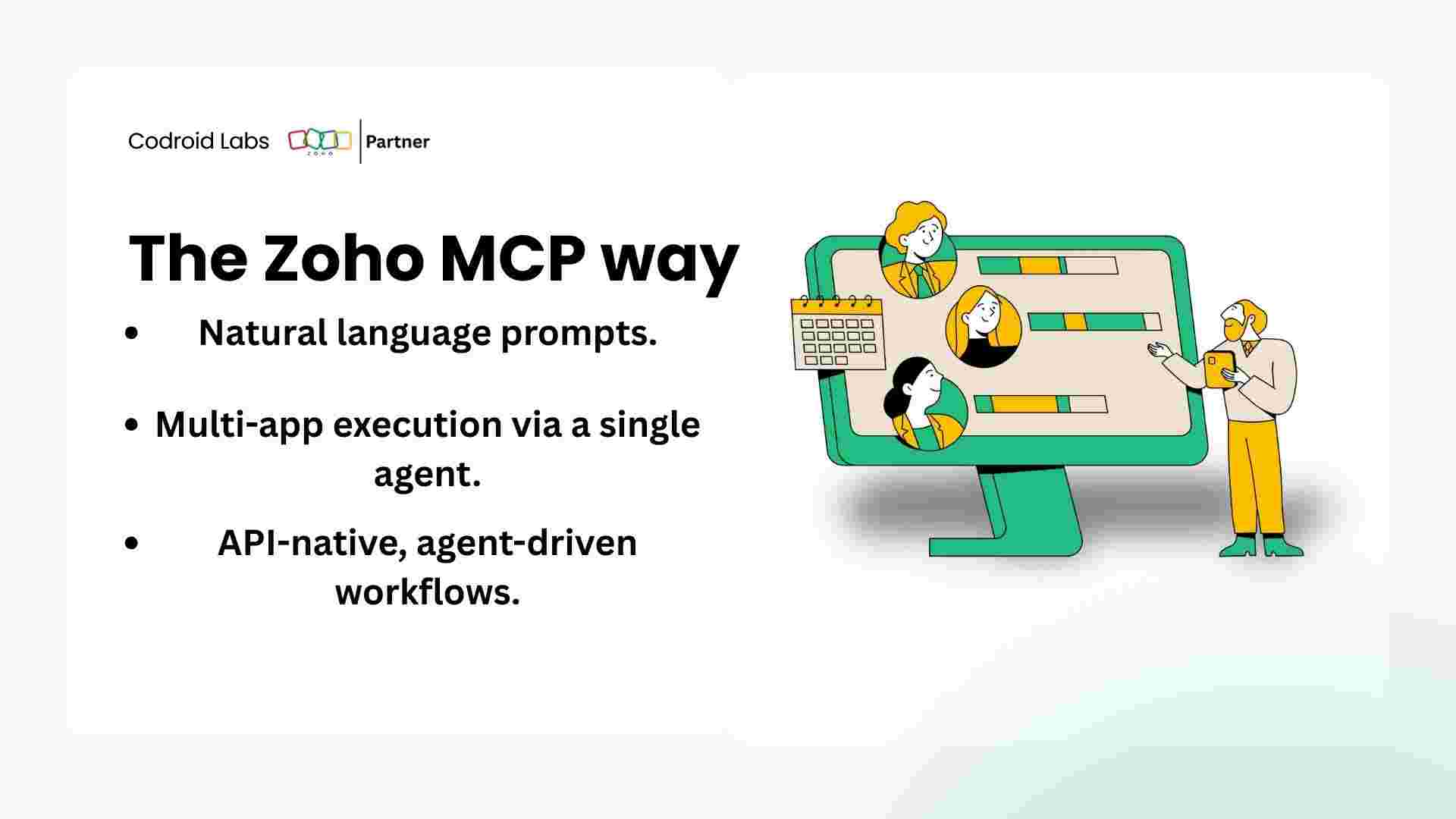
The key insight: Zoho MCP Claude integration doesn’t replace Zoho Flow — it supercharges it. Use Zoho Flow for scheduled, rule-based automations. Use Claude + MCP for ad-hoc, intelligent, multi-step tasks that require judgement.
8. Common Zoho MCP Claude Integration Errors (And Fixes)
🔧 Error: “MCP server not responding”
Fully quit and restart Claude Desktop using Task Manager (Windows) or Activity Monitor (Mac). Simply closing the window is not enough — the background process must be terminated.
Fully quit and restart Claude Desktop using Task Manager (Windows) or Activity Monitor (Mac). Simply closing the window is not enough — the background process must be terminated.
Error: “Authentication failed / Invalid OAuth token”
Go back to Claude Connectors settings and re-authorise your Zoho connection. OAuth tokens expire and need periodic refresh. Also verify your Client ID and Secret are correct in the Zoho API Console.
Go back to Claude Connectors settings and re-authorise your Zoho connection. OAuth tokens expire and need periodic refresh. Also verify your Client ID and Secret are correct in the Zoho API Console.
Error: “Claude can see MCP but can’t retrieve Zoho data”
Check your Zoho user permissions. The connected account must have API access enabled. In Zoho, go to Settings → Developer Space → API and ensure API access is turned on for your user profile.
Check your Zoho user permissions. The connected account must have API access enabled. In Zoho, go to Settings → Developer Space → API and ensure API access is turned on for your user profile.
For deeper troubleshooting, the Zoho Help Center and the r/Zoho community on Reddit are both excellent resources where real users share working solutions daily.
Read These Next (Related Guides on This Blog):
→ 10 Zoho CRM Automations That Will Change How Your Team Works
→ Deluge Scripting for Beginners: Build Your First Zoho Workflow
→ Zoho vs Salesforce 2026: Honest Comparison
→ How to Get Help from Zoho Support Fast (2026 Guide)
9. Frequently Asked Questions — Zoho MCP Claude Integration
Is the Zoho MCP Claude integration free?
The MCP functionality within Zoho is included with your existing Zoho plan at no extra cost. You’ll need a Claude Pro or Team subscription ($20/month) to use Claude Desktop with MCP connectors. Some third-party tools like Composio also offer a free tier for basic Zoho connections.
Does Zoho MCP Claude integration work without coding skills?
Yes — the standard setup through Claude Desktop’s Connectors UI requires absolutely zero coding. The JSON configuration shown earlier is only needed for advanced developer setups using local MCP servers.
Is my Zoho data safe when connected to Claude via MCP?
Zoho MCP uses OAuth-based authorisation, meaning Claude never stores your password. All data in transit is encrypted with TLS. You can revoke Claude’s access at any time from your Zoho account settings. Zoho’s MCP infrastructure meets the same SOC 2 compliance standards as their core platform.
Can Claude run Zoho workflows automatically without my input?
Yes — with Zoho MCP, you can configure autonomous AI agents that monitor, reason, and act without explicit human prompts. For example, an agent could automatically follow up on cold leads in Zoho CRM every morning without you doing anything manually.
Which Zoho plan do I need for MCP support?
Zoho One gives you the broadest app coverage in a single integration (CRM, Books, Mail, Projects, Desk and 40+ more). Individual app plans — like Zoho CRM Professional — work for single-app MCP connections.
What is the difference between Zoho MCP and Zoho Flow?
Zoho Flow is rule-based automation: IF this happens, THEN do that. Zoho MCP with Claude is AI-powered: Claude interprets context, makes judgements, handles exceptions, and chains multiple actions together based on natural language. They work best used together — not as alternatives.
Conclusion: Start Your Zoho MCP Claude Integration Today
The Zoho MCP Claude integration represents a fundamental shift in how businesses use Zoho. For the first time, your entire Zoho ecosystem — CRM, Books, Mail, Projects, Desk — can be controlled through plain conversational English.
You don’t need developers. You don’t need complex Deluge scripts. You don’t need to spend hours clicking through menus. You just tell Claude what you want done, and it does it.
The Reddit community was right: “Zoho having an API for everything has made automation with Claude absolutely insane.” And with the MCP protocol now standardised, this is only going to get more powerful through 2026 and beyond.
Start with Step 1 today. Connect Claude to your Zoho CRM first, run 3–4 test commands, and watch your productivity transform in real time.
Ready to Supercharge Your Zoho with Claude AI?
Start your Zoho MCP Claude integration today — it takes less than 20 minutes and costs nothing extra on your current Zoho plan.
Official Resources and Further Reading
- Zoho MCP Official Documentation — zoho.com/mcp
- Zoho Cliq MCP + Claude Setup Guide (Official Zoho Help)
- Zoho API Console — Create Your OAuth Credentials
- Download Claude Desktop — Anthropic
- Open-Source Zoho CRM MCP Server on GitHub (CData)
- Composio: Connect Zoho to Claude Agent SDK (Free Tier Available)
Ready to Get Started on Zoho?
Let’s build your business the smart way — with Zoho and Codroid Labs by your side.
📅 Book your free consultation now