


Zoho Mail not receiving emails — 9 causes in order of likelihood: (1) Incorrect MX records; (2) Expired or unverified domain; (3) Mailbox storage exceeded; (4) Smart Filters or email filters hiding messages; (5) SPF, DKIM, or DMARC authentication failure; (6) Website contact form routing to local server; (7) Anti-spam/FCrDNS rejection; (8) Sender IP on a third-party RBL blocklist; (9) DNS propagation still in progress after a recent change. Most cases resolve at step 1, 3, or 5.
Zoho Mail not receiving emails — missing incoming mail can disrupt customer communication, delay projects, and impact business operations. Zoho Mail incoming emails fix begins with identifying which failure pattern you’re dealing with: (A) you can send but not receive, (B) you cannot send or receive at all, or (C) specific emails from certain senders never arrive. Each pattern points to a different set of causes. The 9 fixes below follow the Zoho Mail Knowledge Base resolution sequence, ordered from most common to least common, so you spend time on the most likely cause first.
9 Fixes
Ordered by Likelihood
3 Patterns
Send/Receive/Specific
24 Hours
Max DNS Propagation
10-Point
Quick Checklist Included
Fix 1: Verify MX records
The Zoho Mail MX records fix and Zoho Mail DNS settings — this is the first check when Zoho Mail not receiving emails occurs with sending still working. MX records tell external mail servers where to deliver inbound email for your domain. If they still point to a previous provider after migration, or contain errors, incoming mail never reaches Zoho.
What to check: confirm domain MX records point to Zoho Mail servers (typically mx.zoho.in for Indian accounts); check for conflicting or duplicate records; use MXToolbox or a DNS lookup tool to verify from outside your network. Zoho Mail email configuration for MX records is documented at help.zoho.com.
Fix 2: Confirm domain status and verification
The Zoho Mail domain verification check — if the Admin Console shows “Yet to reverify your ownership,” complete the domain verification process. Zoho Mail not receiving emails after domain setup is frequently caused by incomplete verification rather than an MX error. Also confirm the domain registration itself hasn’t lapsed — an expired domain registration immediately breaks both sending and receiving. Common indicators: the entire account cannot send or receive, not just one user.
Fix 3: Check mailbox storage limits
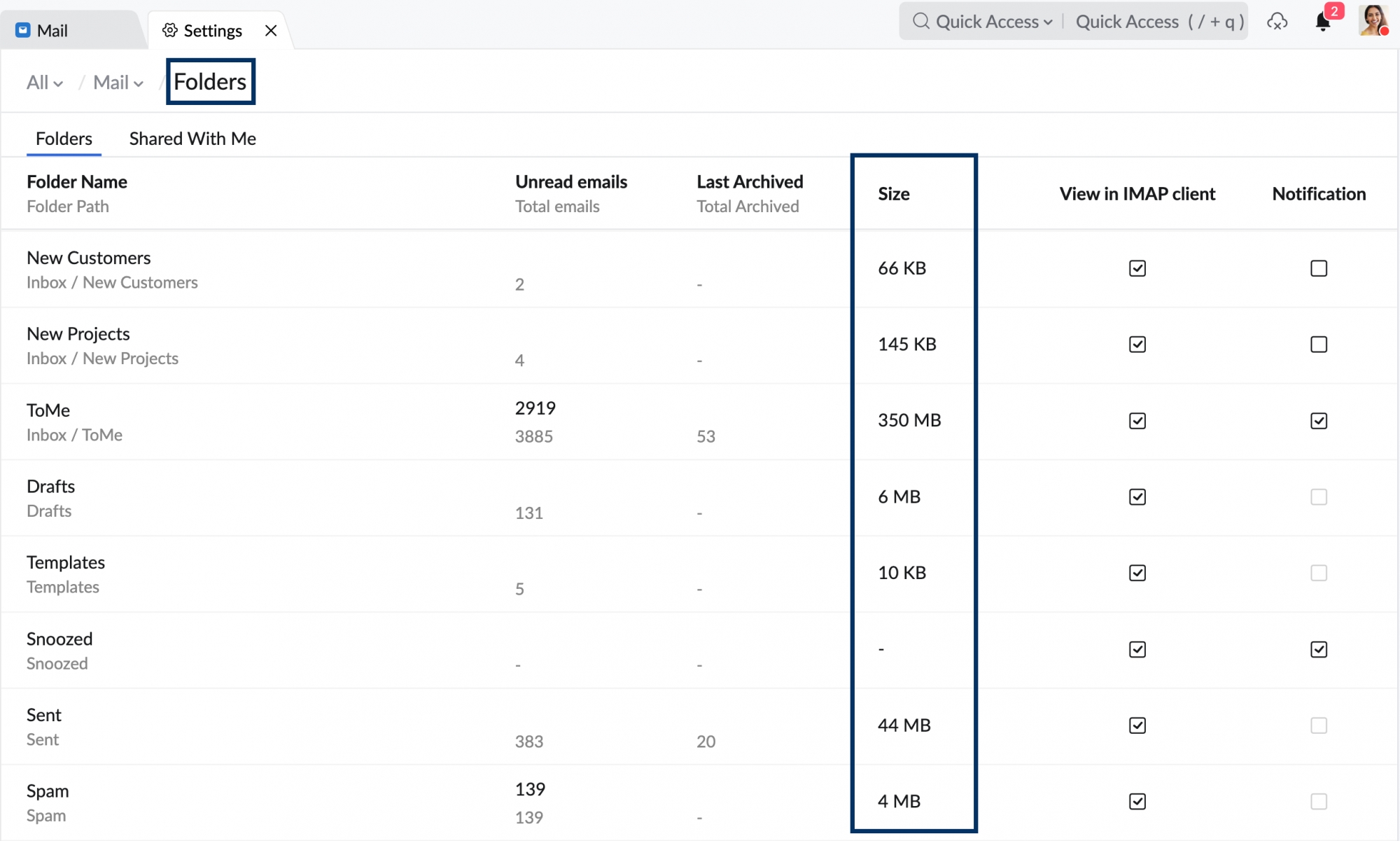
The Zoho Mail storage full fix — when a mailbox reaches its storage limit, the account is blocked and cannot send or receive any email. This is one of the most common causes of Zoho Mail inbox not working for individual users while other accounts on the same domain work normally. Resolution: delete old emails, empty Trash, then unblock the mailbox from the Admin Console. If the plan is consistently hitting limits, upgrade the user’s mailbox storage. The Admin Console shows per-user storage usage — check this first when only one user is affected.
Fix 4: Review filters and Smart Categorization
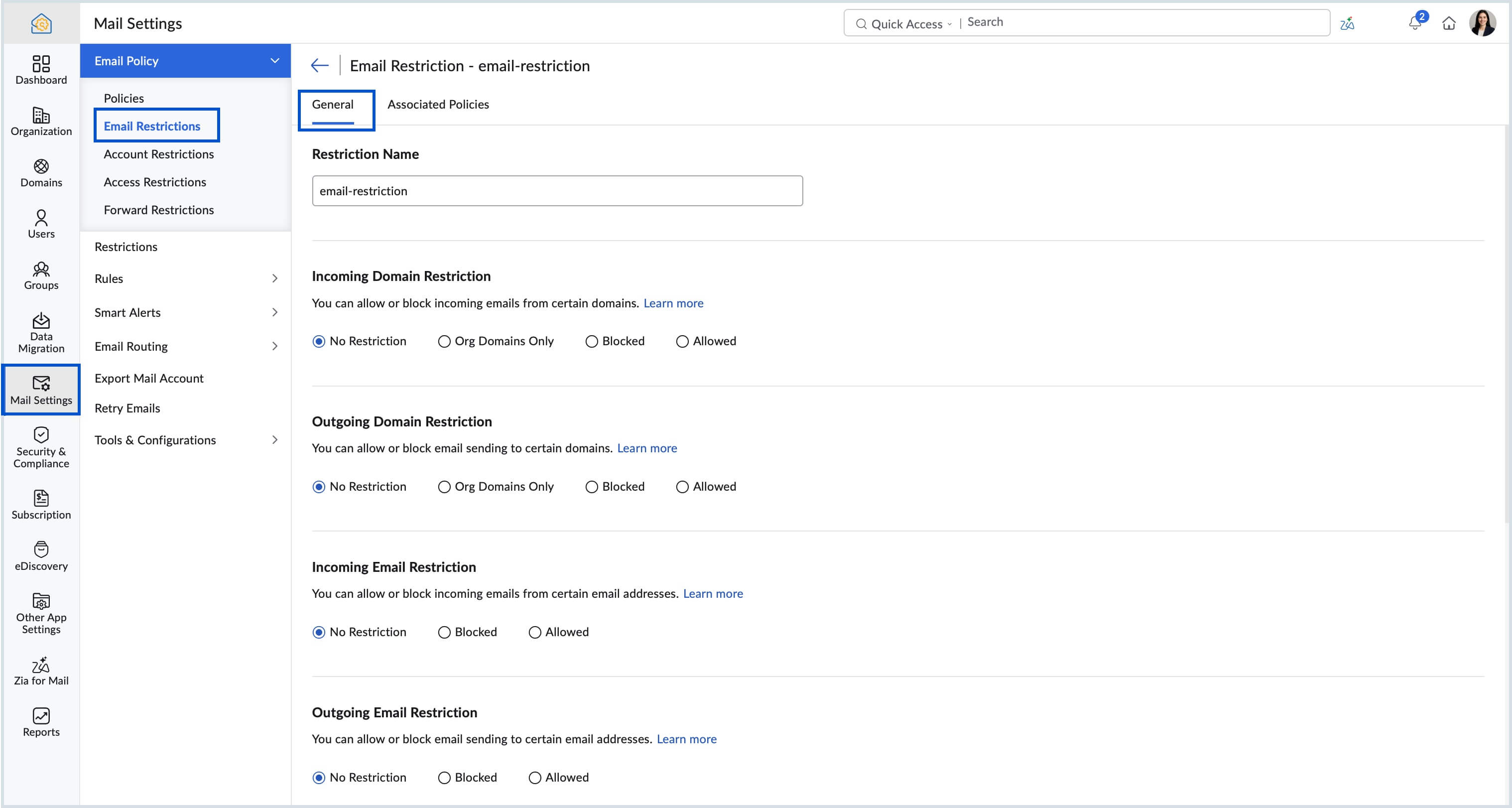
The Zoho Mail filters issue and Zoho Mail spam folder check — before assuming emails aren’t arriving, confirm they’re not being delivered to an unexpected folder. Zoho Mail filters blocking incoming emails solution: search using “All Messages” rather than only the inbox, check Smart Categorization (Newsletter and Notification categories), and review any incoming mail filter rules that may be routing messages automatically. Zoho Mail inbox problems where messages appear missing but were actually auto-categorized are resolved by either disabling Smart Filters or adjusting the filter rules.
Fix 5: Validate SPF, DKIM, and DMARC
The Zoho Mail SPF records and Zoho Mail DKIM setup check — the Zoho Mail SPF DKIM records configuration guide fix applies specifically when emails from applications or websites using your domain fail to arrive. If SPF, DKIM, or DMARC are missing or misconfigured, Zoho’s anti-spam system may reject incoming messages that appear to be spoofed. Zoho Mail email delivery issues from this cause typically affect only automated or application-generated emails, not emails from individual senders. The Zoho Mail SPF records configuration must list all authorized sending servers for your domain.
Fix 6: Website contact form routing
The Zoho Mail mail server issues specific to website forms — the Zoho Mail not getting emails from specific senders fix when the “specific sender” is your own website contact form. Many web hosting providers attempt to deliver form submission emails locally using the hosting server’s own mail system rather than routing through MX records. The result: form submissions never reach Zoho Mail. Fix: configure your hosting provider to use a Remote Email Server (SMTP relay), disable local email delivery on the web server, and confirm MX-based delivery is in use.

Fix 7: Anti-spam and FCrDNS policies
The Zoho Mail blocked senders and Zoho Mail email reception anti-spam check — Zoho Mail evaluates sender reputation and server configuration. Emails from servers lacking proper Forward-Confirmed Reverse DNS (FCrDNS) may be rejected. Options: ask the sender to correct their mail server configuration, add the sender’s IP to the Allowed IP list in Admin Console, or add the sender to the Trusted List. The Knowledge Base advises caution with the Trusted List — excessive use increases spam and phishing exposure. Zoho Mail blocked senders list remove fix: check both the per-user blocked sender list and the organization-level block list in Admin Console.
Fix 8: Third-party RBL blocklists
The Zoho Mail email not arriving RBL cause — if a specific sender’s IP address has been listed on a Real-time Blackhole List (RBL), Zoho Mail may reject the connection at the server level before the email is even evaluated. Fix: ask the sender to check their IP against major RBLs (MXToolbox Blacklist Check), request their email provider use a different outbound IP, or allow trusted IP ranges where appropriate. This is distinct from the Zoho Mail anti-spam system — RBL checks happen at the connection level before content is evaluated.
Fix 9: DNS propagation delay
The Zoho Mail incoming emails delayed or not received propagation cause — Zoho Mail email troubleshooting after recent DNS changes must account for propagation time. MX record updates, domain migrations, and SPF/DKIM changes can take up to 24 hours to propagate globally depending on the TTL configured at the domain registrar. Zoho Mail receive errors during this window are expected and resolve automatically once propagation completes. Verify propagation status using tools like DNSChecker.org, which shows resolution from multiple geographic locations simultaneously.
Quick troubleshooting checklist
The Zoho Mail email troubleshooting guide 2026 complete checklist — before raising a Zoho Mail support help ticket:
Domain and DNS checks
- MX records point to Zoho Mail servers
- No conflicting MX records
- Domain registration is active
- Domain ownership verified in Admin Console
- DNS changes propagated (check DNSChecker.org)
Mailbox and filter checks
- Mailbox storage has not reached limit
- Search All Messages, not just Inbox
- Smart Categorization not hiding messages
- Incoming mail filter rules reviewed
- Blocked senders list checked (user + org level)
Authentication and server checks
- SPF record covers all authorized sending servers
- DKIM configured and passing for your domain
- DMARC policy set and not over-aggressive
- Website contact forms configured for remote SMTP, not local delivery
- Sender IP not on major RBL lists
Complete guide summary: this is the Zoho Mail not receiving emails 9 real fixes 2026 resource covering every cause in the Zoho Mail email delivery troubleshooting steps 2026 sequence. If you need to know how to fix Zoho Mail not receiving emails 2026 step by step, this page is the Zoho Mail incoming mail not working full guide 2026. The Zoho Mail incoming email not working solutions 2026 in order: MX records, domain verification, storage, filters, SPF/DKIM, contact form routing, anti-spam, RBL, and propagation. Specific sub-guides: Zoho Mail MX records verification for email delivery, Zoho Mail spam folder check for missing emails, Zoho Mail storage full prevent incoming emails fix, Zoho Mail DNS settings verify for email reception, Zoho Mail domain verification for incoming emails, Zoho Mail email not arriving in inbox fix 2026, Zoho Mail receive errors common causes and fixes, Zoho Mail inbox problems solutions and workarounds, Zoho Mail email reception issues resolved 2026, Zoho Mail mail server issues incoming email fix, Zoho Mail email configuration for proper reception, and Zoho Mail delivery logs check for missing emails — all covered in the 9 sections above.
Codroid Labs — Certified Zoho Mail Partner — Email Delivery Configuration
Zoho Mail not receiving emails, Zoho Mail incoming emails fix, Zoho Mail email delivery issues, Zoho Mail not getting emails, Zoho Mail receive problem, Zoho Mail inbox not working, Zoho Mail MX records fix, Zoho Mail spam folder check, Zoho Mail storage full, Zoho Mail filters issue, Zoho Mail blocked senders, Zoho Mail DNS settings, Zoho Mail SPF records, Zoho Mail DKIM setup, Zoho Mail email troubleshooting, Zoho Mail delivery logs, Zoho Mail domain verification, Zoho Mail email not arriving, Zoho Mail receive errors, Zoho Mail inbox problems, Zoho Mail incoming mail fix, Zoho Mail email reception, Zoho Mail mail server issues, Zoho Mail email configuration, Zoho Mail support help — Codroid Labs (GSTIN 07AAWFC0815B1ZP) is a certified Zoho Mail partner. We configure MX records, SPF, DKIM, DMARC, and resolve email delivery issues for businesses across India. Contact: +91 78384 02682, team@codroiditlabs.com.
Related Guides from Codroid Labs
Frequently asked questions — Zoho Mail not receiving emails
Why is Zoho Mail not receiving emails even though sending works?
Full detail in the FAQ Schema above. In summary: incorrect MX records are the most common cause when sending works but receiving doesn’t. Also check domain verification status, website contact form routing, and whether recent DNS changes have fully propagated.
Can a full mailbox prevent Zoho Mail from receiving emails?
Yes — exceeded storage blocks the account completely. Delete old emails, empty Trash, then unblock from Admin Console. Monitor per-user storage in Admin to prevent recurrence. The Zoho Mail support help for not receiving emails 2026 path should only be needed after completing the checklist above.
Need Help Fixing Zoho Mail Email Delivery?
MX records, SPF/DKIM/DMARC, mailbox admin, anti-spam configuration — certified Zoho Mail partner with GSTIN invoice for 18% ITC.
Start Zoho Mail via Codroid Labs
Book Free Email Config Audit – +91 78384 02682