


Industry Setup Blueprint · Checked 15 October 2026
Zoho CRM for Real Estate India: Setup Blueprint Plus Manufacturing, Education and Clinic Layouts
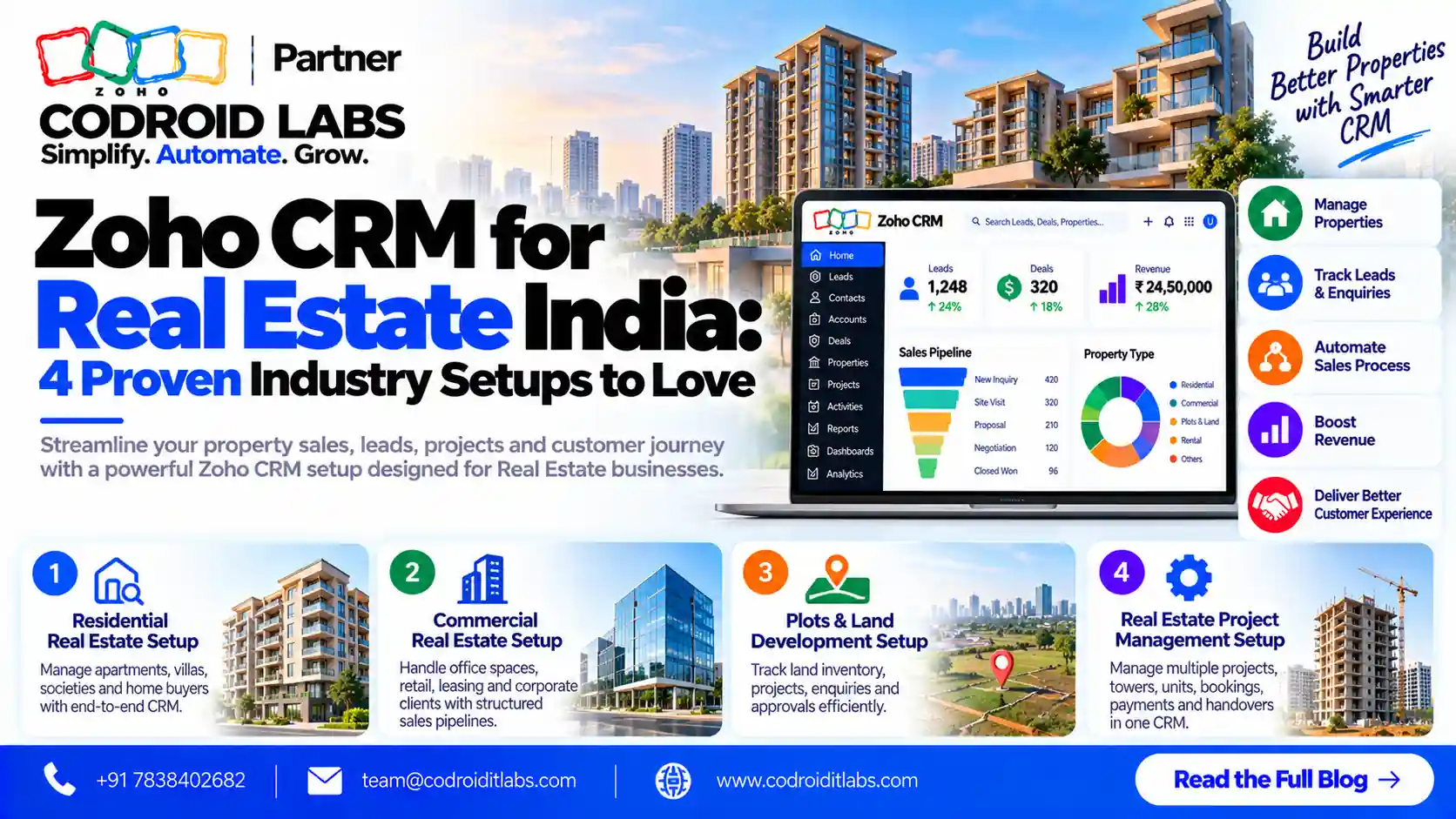
Zoho CRM for real estate India works best when it is set up around projects, units, site visits and bookings rather than a generic sales pipeline. This blueprint gives you the modules, pipeline stages, fields, automations, reports and a sample layout for real estate first, then the same pattern for manufacturing, education and coaching, and non-clinical healthcare.
Checked: 15 October 2026
Source: Zoho CRM vertical pages and pricing page
By: Codroid Labs, a Zoho Partner and Zoho AI Enabled Partner
Source: Zoho CRM vertical pages and pricing page
By: Codroid Labs, a Zoho Partner and Zoho AI Enabled Partner
Short answer
Zoho does not sell a separate real estate edition. Its real estate demo is customised on Zoho CRM Enterprise, so you pick a normal edition (from ₹800 per user a month on annual billing, GST extra) and configure it. For real estate, add Projects and Units modules, a pipeline from enquiry to booking, site visit tracking and payment reminders. Manufacturing, education and clinics use the same six building blocks with different stages, fields and reports.
Does Zoho Have a Zoho CRM for Real Estate India Edition?
In short: Zoho publishes a real estate CRM page and a demo built on Zoho CRM Enterprise edition, but no separately priced real estate edition; you buy a normal Zoho CRM edition and configure it.
Zoho has an official real estate CRM page that describes property management, lead capture from many channels, drip campaigns, document management, quotes and invoices, and self-service portals for buyers and sellers. Zoho notes that its real estate demo is customised on the native Zoho CRM Enterprise edition for demonstration purposes. There is no separate price for a real estate edition on Zoho's pricing page, so zoho crm for real estate india means a standard edition configured for property sales.
Zoho's verticals page lists other industry solutions, and there is an education CRM page covering admissions from enquiry to enrolment. Manufacturing and clinics are configured on standard Zoho CRM in the same way.
Zoho CRM for Real Estate India Prices
In short: Zoho CRM in India runs from free for 3 users to ₹2,400 per user a month (Enterprise, annual billing), GST extra, as checked on 15 October 2026.
Zoho CRM prices in India from the official pricing page, checked 15 October 2026, per user a month, GST extra:
| Edition | Annual billing | Monthly billing | Good for |
|---|---|---|---|
| Free | ₹0 (up to 3 users) | ₹0 | Trying the basics |
| Standard | ₹800 | ₹1,300 | Small brokerages and single-branch clinics |
| Professional | ₹1,400 | ₹2,100 | Most teams that need automation |
| Enterprise | ₹2,400 | ₹3,000 | Developers and multi-project setups; Zoho's real estate demo uses it |
Feature limits (custom modules, workflow rules, Blueprint and portals) differ by edition, so check the feature comparison before you design zoho crm for real estate india or any other industry setup. For a fuller INR breakdown, see our Zoho CRM pricing India guide.
The Six Building Blocks of an Industry CRM
In short: Every industry setup uses the same six building blocks: modules, pipeline stages, fields, automations, reports and a page layout.
| Block | What it means | Real estate example |
|---|---|---|
| Modules | The record types you track | Leads, Contacts, Deals, Projects, Units |
| Pipeline stages | The steps a deal moves through | Enquiry to Site Visit to Booking |
| Fields | The data captured on each record | Budget, BHK, preferred location |
| Automations | Rules that act without manual work | Site visit reminder a day before |
| Reports | Dashboards for owners and managers | Bookings by project and source |
| Layout | How fields are grouped on screen | Requirement, Finance, Visit sections |
Getting these six right is the whole job. The rest of this guide fills them in for each industry, starting with zoho crm for real estate india.
Zoho CRM for Real Estate India Setup Blueprint
In short: Track enquiries as leads, site visits as activities, bookings as deals, and add custom modules for projects and units so every enquiry links to inventory.
Modules
A working zoho crm for real estate india setup usually needs these modules:
- Leads: every buyer, tenant or investor enquiry.
- Contacts and Accounts: buyers, channel partners and corporate clients.
- Deals: one deal per buyer per unit.
- Projects (custom): each project or tower with location and RERA number field.
- Units (custom): inventory with status Available, Blocked, Booked or Sold.
- Site Visits: logged as meetings or a custom module with feedback.
Pipeline stages
- Enquiry
- Qualified (budget and timeline confirmed)
- Site visit scheduled
- Site visit done
- Negotiation
- Unit blocked
- Booking (token received)
- Agreement signed
- Closed won or lost
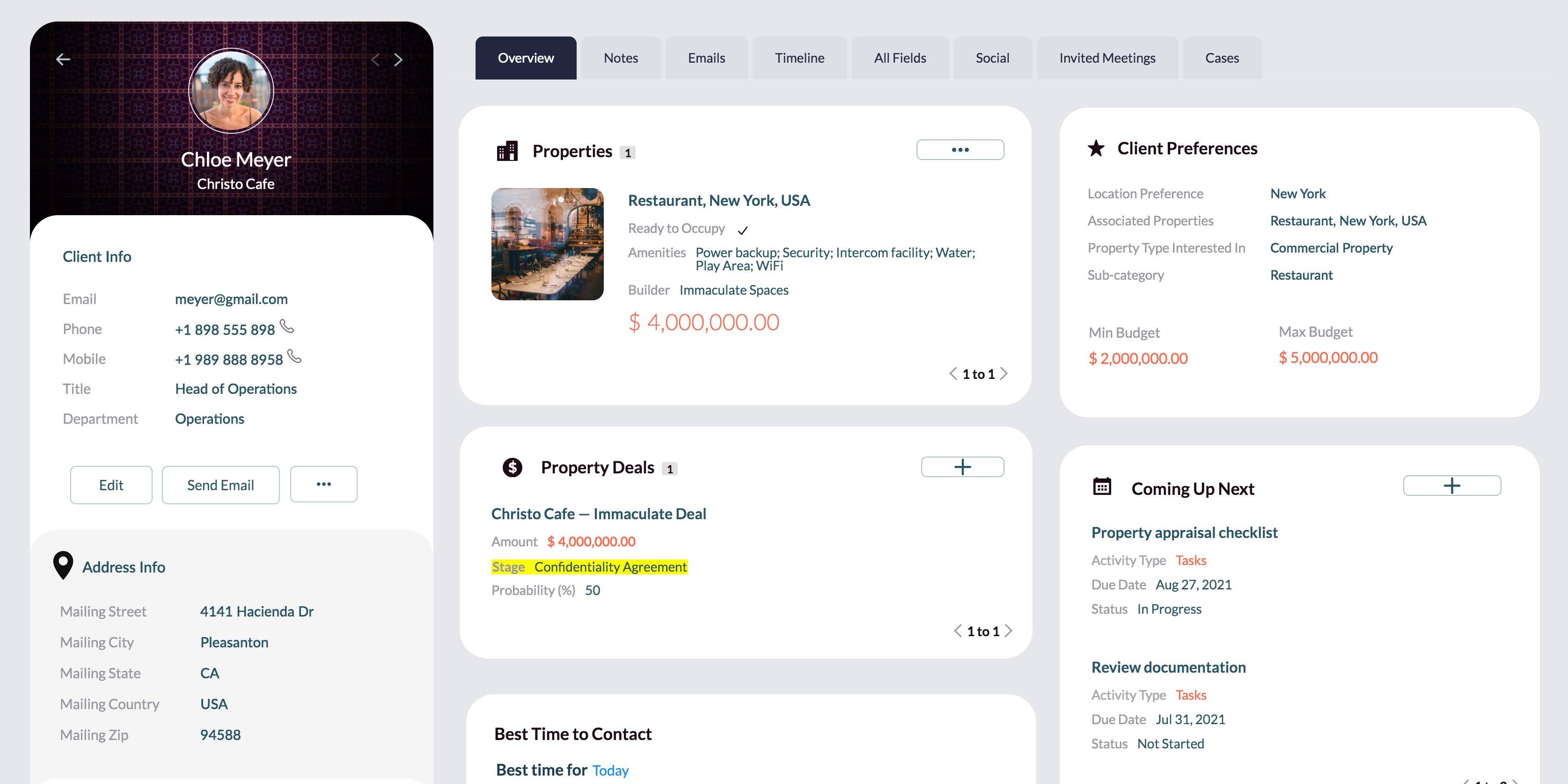
Sample real estate layout
| Section | Fields |
|---|---|
| Requirement | Property type, BHK, carpet area range, preferred location, purpose (own use or investment) |
| Budget and finance | Budget range, loan needed (yes or no), loan status |
| Source | Lead source, campaign, channel partner, referred by |
| Visit | Visit date, project visited, feedback, revisit needed |
| Booking | Project, unit, booking amount, payment plan, agreement date |
Automations
- Assign new leads by project or location, or in round robin, as Zoho's real estate page describes.
- Send an instant acknowledgement email or message through Zoho's native channels.
- Create a reminder task one day before each site visit, and a feedback task after it.
- Change unit status to Blocked when a deal reaches Unit blocked, and back to Available if lost.
- Remind the team of payment milestones after booking.
- Use Blueprint to enforce stages, as explained in Zoho's Blueprint FAQ.
Reports
Owners judge zoho crm for real estate india by a few dashboards:
- Enquiries and bookings by lead source and campaign.
- Site visit to booking conversion by sales person.
- Unit inventory by project and status.
- Neglected leads with no activity in seven days.
Zoho CRM property management add-on
For zoho crm property management (rentals and leasing), add a Leases module with tenant, unit, start and end dates and rent, plus a Maintenance Requests module. Automate renewal reminders 60 days before lease end. Zoho's real estate page mentions tracking lease expirations in analytics. This is how zoho crm for real estate india covers both sales and rental teams.
If you want the broader business view across the Zoho suite, read Zoho for real estate.
Zoho CRM for Manufacturing Setup Blueprint
In short: Manufacturers track distributors and OEM buyers as accounts, RFQs as deals, and quotes with price books, with stages running from RFQ to purchase order.
Zoho CRM for manufacturing is about long B2B cycles with distributors, dealers and OEM buyers.
| Block | Manufacturing setup |
|---|---|
| Modules | Accounts (distributors, OEMs), Contacts, Deals (RFQs), Products, Price Books, Quotes, Sales Orders |
| Pipeline stages | Enquiry, RFQ received, Technical review, Sample sent, Quote sent, Negotiation, Purchase order, Closed |
| Key fields | Industry served, product category, annual volume, drawing or spec attached, delivery location, payment terms |
| Automations | Quote approval above a discount limit, follow-up task 3 days after quote, reorder reminders for repeat buyers |
| Reports | RFQ to order conversion, quotes pending, revenue by distributor and region, dealer activity |
| Layout | Company, Requirement, Commercials, Dispatch |
Use territories for regional sales teams and price books for dealer and OEM pricing. Accounting can flow to Zoho Books if you use it.
Zoho CRM for Education and Coaching Institute Setup
In short: Institutes treat each enquiry as a student lead, run a counselling-to-enrolment pipeline and automate demo class reminders and fee follow-ups.
Zoho CRM for education fits schools, colleges and every coaching institute that runs admissions as a sales process. Zoho's education page describes managing the admissions lifecycle from enquiry to enrolment.
| Block | Education and coaching setup |
|---|---|
| Modules | Leads (students), Contacts (students and parents), Deals (admissions), Courses or Batches (custom) |
| Pipeline stages | Enquiry, Counselling, Demo class, Application, Fee paid, Enrolled, Lost |
| Key fields | Course, batch, mode (online or classroom), class or qualification, parent name and phone, counsellor |
| Automations | Demo class reminder, counsellor assignment by course, fee due reminders, re-engagement for lost enquiries |
| Reports | Enquiries by course and source, counsellor conversion, batch fill rate, fee pending |
| Layout | Student, Parent, Course choice, Fees |
Zoho CRM for Hospitals and Clinics India (Non-Clinical)
In short: Hospitals and clinics use CRM only for enquiries, appointment requests, reminders and follow-ups; medical records stay in clinical systems.
Disclaimer: In this blueprint, the CRM handles patient enquiries, appointment requests, reminders and follow-ups only. It is not a medical records system or a hospital information system (HIS), and it should not store diagnoses, prescriptions or test reports. This article makes no compliance claims; check your own legal and data protection obligations with your advisers.
| Block | Hospital and clinic setup (front office only) |
|---|---|
| Modules | Leads (enquiries), Contacts (patients for contact purposes), Appointment Requests (custom), Packages or Services (custom) |
| Pipeline stages | Enquiry, Callback done, Appointment requested, Appointment confirmed, Visited, Follow-up due, Closed |
| Key fields | Department or service enquired, preferred doctor, preferred date and time, enquiry channel, language, callback status |
| Automations | Appointment confirmation and reminder messages, callback task within a set time, follow-up reminder after a visit, feedback request |
| Reports | Enquiries by department and source, callback time, appointment show-up rate, follow-ups pending |
| Layout | Contact details, Enquiry, Appointment, Follow-up |
Keep free-text notes short and non-clinical. For a wider view of Zoho for healthcare front offices, see Zoho for healthcare.
Zoho CRM for Real Estate India vs Other Industry Setups
In short: The structure stays the same across industries; only stage names, key fields and reports change.
| Area | Real estate | Manufacturing | Education | Clinics |
|---|---|---|---|---|
| Main record | Buyer enquiry | RFQ | Student enquiry | Patient enquiry |
| Custom modules | Projects, Units | Price Books, Sales Orders | Courses, Batches | Appointment Requests |
| Key stage | Site visit | Quote sent | Demo class | Appointment confirmed |
| Top automation | Visit reminder | Quote follow-up | Fee reminder | Appointment reminder |
| Top report | Visit to booking | RFQ to order | Batch fill rate | Show-up rate |
8-Step Zoho CRM for Real Estate India Setup (Any Industry)
In short: Set up an industry CRM in eight steps, from mapping your process to training the team and reviewing reports after 30 days.
- Map your process: Write down how an enquiry becomes revenue today, stage by stage.
- Pick the edition: Compare editions on the Zoho pricing and feature pages against the modules and automations you need.
- Create custom modules: Add industry modules such as Projects and Units, Courses or Appointment Requests.
- Design layouts and fields: Group fields into sections and keep only the ones people will fill in.
- Set pipeline stages: Name stages after real milestones and add Blueprint where steps must be enforced.
- Connect lead sources: Add web forms, email, phone and native messaging channels so every enquiry lands in CRM.
- Build automations: Add assignment rules, reminders and follow-up tasks, then test them with sample records.
- Train and review: Train each role, go live, and review reports after 30 days to adjust stages and fields.
Moving from spreadsheets or another system first? Our guide to migrating to Zoho CRM covers the import order.
Common Industry CRM Setup Mistakes
In short: Most setups fail from too many fields, copying another industry's stages, no lead source tracking and skipping user training.
- Adding dozens of fields nobody fills in.
- Copying stages from another industry instead of your own process.
- Not tracking lead source, so marketing spend cannot be judged.
- No custom module for inventory, so real estate teams double-book units.
- Storing clinical details in a CRM meant for enquiries.
- Skipping training, so the team goes back to spreadsheets.
Avoid these and zoho crm for real estate india, or any industry setup, stays simple for the team to use every day.
Help Setting Up Zoho CRM for Real Estate India
Codroid Labs is a Zoho Partner and a Zoho AI Enabled Partner, recognised by Zoho after completing the AI Accelerator Series 2026. We map your process, build the modules, stages, layouts and automations, and train your team. Call +91 7838402682 or email team@codroiditlabs.com.
Book a 30-min setup callStart a Zoho CRM trial
Quick Answers
Is there a separate zoho crm for real estate india edition?
No. Zoho's real estate demo is customised on Zoho CRM Enterprise.
Which edition suits zoho crm for real estate india brokerages?
Standard or Professional for most; Enterprise for multi-project developers.
Can Zoho CRM track units?
Yes, with a custom Units module linked to deals.
Does it work for coaching institutes?
Yes, with a counselling-to-enrolment pipeline.
Can clinics store medical records in it?
No. Use it for enquiries and appointments only.
How much is Zoho CRM in India?
From ₹800 per user a month on annual billing, GST extra.
Zoho CRM for Real Estate India FAQs
What is zoho crm for real estate india?
It is Zoho CRM configured for Indian property sales, with project and unit modules, site visit tracking, a booking pipeline and payment reminders.
How much does zoho crm for real estate india cost?
Zoho CRM starts at ₹800 per user a month on annual billing (Standard), ₹1,400 for Professional and ₹2,400 for Enterprise, GST extra, as checked on 15 October 2026.
Can Zoho CRM handle property management?
Yes. Add Leases and Maintenance Requests modules and automate renewal reminders before lease end.
Is Zoho CRM good for manufacturing?
Yes, for B2B sales with RFQs, quotes, price books and distributor accounts.
Can a coaching institute use Zoho CRM?
Yes. Track enquiries, counselling, demo classes and fee follow-ups in one pipeline.
Can hospitals and clinics in India use Zoho CRM?
Yes, for enquiries, appointment requests, reminders and follow-ups only, not for medical records or as a hospital information system.
How long does an industry CRM setup take?
It depends on the number of modules, automations, integrations and data to import. A clear process map shortens it.
Get your industry CRM blueprint
Bring your current sales or admissions process. Leave with modules, stages and automations mapped for your team.
Zoho references (checked 15 October 2026)