


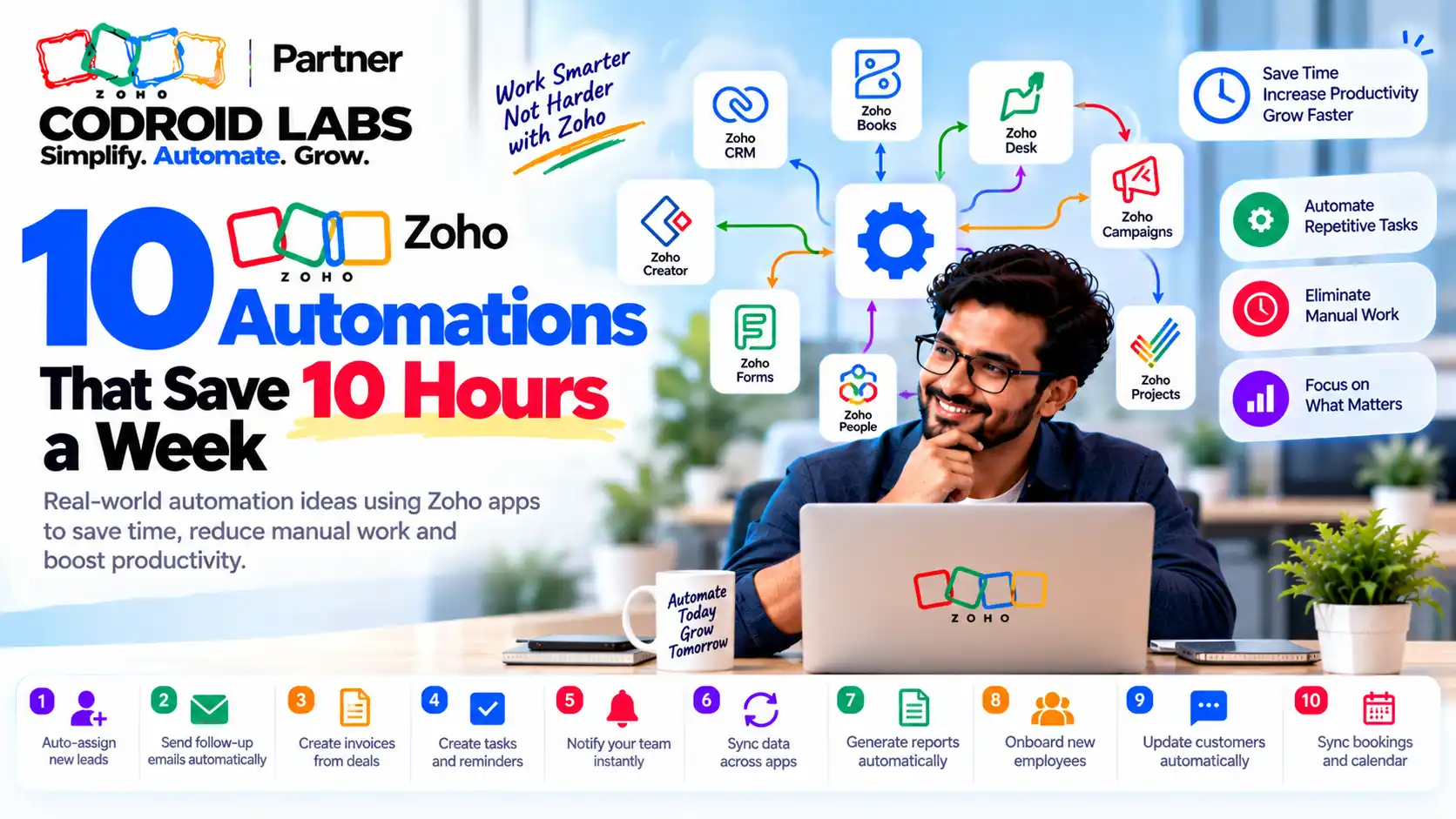
Ideas List · CRM, Books, Desk, Sign, Forms, Flow · Checked 25 October 2026
10 Zoho Automation Ideas: Can You Win Back 10 Hours a Week? Work Out Your Own Number
These zoho automation ideas cover ten small jobs your team repeats every week, spread across Zoho CRM, Books, Desk, Sign, Forms and Flow. “10 hours a week” is a target, not a promise. Each idea comes with a worksheet row so you can test that target against your own numbers.

Checked: 25 October 2026
Sources: Zoho pricing, feature and help pages, linked inline
By: Codroid Labs, a Zoho Partner and Zoho AI Enabled Partner
Sources: Zoho pricing, feature and help pages, linked inline
By: Codroid Labs, a Zoho Partner and Zoho AI Enabled Partner
Short answer
The ten ideas: web forms that create CRM leads, lead assignment rules, follow-up workflow rules, scheduled reports, Books payment reminders, recurring invoices, Desk ticket assignment, Desk SLA alerts, Zoho Sign templates, and Zoho Flow links between apps. Most work on entry or low-cost plans, but limits differ, so each idea below links to Zoho's own plan page. How much time you save depends on how often each task happens in your business.
How to Read These Zoho Automation Ideas
In short: We do not promise a fixed number of hours; you estimate your own saving with a simple worksheet.
Most lists of zoho automation examples stay inside one app. This one crosses apps, because the hours usually leak in the gaps: a form entry someone retypes into CRM, an invoice someone remembers to send, a ticket nobody picked up. If you only use Zoho CRM, our CRM workflow limits by edition guide goes deeper on that one app.
There is no official Zoho figure for hours saved, so we do not quote one. Instead, each of the zoho automation ideas below has a worksheet row: times per week × minutes saved each time ÷ 60 = hours per week. The numbers in those rows are Example only. Swap in your own counts.
All 10 Zoho Automation Ideas at a Glance
| # | Idea | App | Lowest plan listed by Zoho | Source |
|---|---|---|---|---|
| 1 | Web form creates the lead | Zoho CRM | Free (1 form per module) | CRM feature list |
| 2 | Assign new leads automatically | Zoho CRM | Standard | CRM feature list |
| 3 | Follow-up tasks and emails by rule | Zoho CRM | Free (10 rules per module, 5 active) | CRM feature list |
| 4 | Reports emailed on a schedule | Zoho CRM | Standard | CRM feature list |
| 5 | Payment reminders | Zoho Books | Free (India) | Books pricing |
| 6 | Recurring invoices | Zoho Books | All plans listed on the help page | Books help |
| 7 | Ticket assignment | Zoho Desk | Express (direct); Professional (round-robin) | Desk pricing |
| 8 | SLA alerts and escalation | Zoho Desk | Free (default priority SLA); Standard (4 custom SLAs) | Desk comparison |
| 9 | Reusable signing templates | Zoho Sign | Professional lists unlimited templates | Sign pricing |
| 10 | Link apps with Zoho Flow | Zoho Flow | Free (100 tasks a month, 5 flows) | Flow pricing |
Sales Zoho Automation Ideas (1-4)
In short: Capture, assign and follow up on leads without anyone copying data or remembering tasks.
1. Let web forms create CRM leads
What it removes: Copying enquiries from email or a website into CRM by hand.
Where to set it and plan check: Zoho CRM Setup, Channels, Webforms. The feature list shows 1 form per module on Free, rising to 100 on Ultimate. If you need richer forms, the Zoho Forms pricing page lists a “CRM Forms” option that is not marked for its Free plan.
Setup outline: Choose the Leads module, drag in only the fields you need, add a thank-you message, copy the code to your site, then send one test entry.
Worksheet row (Example only): 30 enquiries a week × 3 minutes ÷ 60 = 1.5 hours
2. Assign new leads automatically
What it removes: Someone reading every new lead and deciding who gets it.
Where to set it and plan check: Zoho CRM Setup, Automation, Assignment Rules. Not on Free; Standard allows 10 rules per module, per the feature list.
Setup outline: Write the rule in plain words first (“Mumbai leads go to Asha”), then add one rule entry per city, product or source. Keep a catch-all at the end.
Worksheet row (Example only): 30 leads × 1 minute ÷ 60 = 0.5 hours
3. Create follow-up tasks and emails by rule
What it removes: Reminder notes, missed callbacks and “did anyone reply?” checks.
Where to set it and plan check: Zoho CRM Setup, Automation, Workflow Rules. Free allows 10 rules per module with 5 active; Standard allows 30 with 15 active, per the feature list. Workflow emails have daily limits listed on the same page.
Setup outline: Pick one trigger, such as a deal moving to “Proposal sent”. Add a task for the owner due in two days and an email alert to the manager. Test on one record.
Worksheet row (Example only): 20 deals × 4 minutes ÷ 60 = 1.3 hours
4. Send reports on a schedule
What it removes: Building and emailing the same weekly sales report by hand.
Where to set it and plan check: Zoho CRM Reports, Schedule Reports. Not on Free; Standard to Enterprise allow up to 100 schedules and Ultimate 200, per the feature list.
Setup outline: Save the report once, choose who gets it, set the day and time, pick the file format.
Worksheet row (Example only): 2 reports × 20 minutes ÷ 60 = 0.7 hours
Billing Zoho Automation Ideas (5-6)
In short: Let Zoho Books send repeat invoices and payment nudges on schedule.
5. Send payment reminders automatically
What it removes: Checking who is overdue and writing polite chasers.
Where to set it and plan check: Zoho Books Settings, Reminders. The India Books pricing page lists “Automate payment reminders” on the Free plan. The reminders help page explains turning each reminder on.
Setup outline: Switch on a reminder before the due date and one after it, choose who gets each one, edit the wording, and save.
Worksheet row (Example only): 15 overdue invoices × 5 minutes ÷ 60 = 1.3 hours
6. Raise recurring invoices
What it removes: Recreating the same monthly invoice for retainer or rental customers.
Where to set it and plan check: Zoho Books Sales, Recurring Invoices, after enabling it under Settings. The recurring invoice help page lists it on all Books plans, and the setup guide explains the steps.
Setup outline: Pick the customer, name the profile, set how often it repeats, add items, and choose whether new invoices are saved as drafts or sent straight away.
Worksheet row (Example only): 10 invoices × 6 minutes ÷ 60 = 1 hour
Support Zoho Automation Ideas (7-8)
In short: Route tickets to the right person and raise an alarm before a promise to a customer is missed.
7. Assign tickets automatically
What it removes: A lead agent sorting every new ticket by hand.
Where to set it and plan check: Zoho Desk. The Desk pricing page lists rule-based direct assignment from the Express plan and round-robin assignment, which shares tickets by turn or workload, from Professional.
Setup outline: Start with direct rules by product or channel. Add round-robin only when several agents share one queue.
Worksheet row (Example only): 60 tickets × 1 minute ÷ 60 = 1 hour
8. Alert before a customer promise is missed
What it removes: Watching the ticket list to spot late replies.
Where to set it and plan check: Zoho Desk Setup, Automation, SLA. The plan comparison shows a default priority-based SLA on Free and Express, 4 SLAs on Standard, and 10 and 20 per department on Professional and Enterprise. The SLA help article notes up to two response and four resolution escalation levels.
Setup outline: Set reply and fix times per priority, choose business hours, then add who gets alerted when a ticket is close to late.
Worksheet row (Example only): 10 checks × 5 minutes ÷ 60 = 0.8 hours
Paperwork and App-Link Zoho Automation Ideas (9-10)
In short: Reuse signing templates, push form entries into CRM and link apps with Zoho Flow.
9. Reuse signing templates
What it removes: Placing signature boxes on the same agreement every time.
Where to set it and plan check: Zoho Sign. The Sign pricing page lists unlimited templates on the Professional plan; check your plan before relying on many templates.
Setup outline: Upload the agreement once, place signer fields, name the roles (client, director), save as a template, then send from it.
Worksheet row (Example only): 5 agreements × 8 minutes ÷ 60 = 0.7 hours
10. Link apps with Zoho Flow
What it removes: Copying data between apps that do not talk to each other.
Where to set it and plan check: Zoho Flow. The Flow pricing page lists a Free plan with 100 tasks a month and up to 5 flows, with paid plans for more. Zoho Flow connects apps through triggers and actions.
Setup outline: Like all good zoho workflow automation ideas, start small: pick one trigger (for example, a new form entry) and one action (create a CRM contact). Run a test and check the history before turning it on.
Worksheet row (Example only): 20 records × 3 minutes ÷ 60 = 1 hour
Your Time-Saved Worksheet
In short: Count how often each task happens, multiply by minutes saved, and add it up.
This is how to save time with Zoho in a way you can measure. Copy this table into a spreadsheet. Replace the grey Example only numbers with your own counts from one normal week.
| Idea | Times a week (Example only) | Minutes saved each (Example only) | Hours a week |
|---|---|---|---|
| 1 Web form leads | 30 | 3 | 1.5 |
| 2 Lead assignment | 30 | 1 | 0.5 |
| 3 Follow-up rules | 20 | 4 | 1.3 |
| 4 Scheduled reports | 2 | 20 | 0.7 |
| 5 Payment reminders | 15 | 5 | 1.2 |
| 6 Recurring invoices | 10 | 6 | 1.0 |
| 7 Ticket assignment | 60 | 1 | 1.0 |
| 8 SLA alerts | 10 | 5 | 0.8 |
| 9 Sign templates | 5 | 8 | 0.7 |
| 10 Flow links | 20 | 3 | 1.0 |
| Total (Example only) | 9.8 |
In this made-up example the total comes to about 9.8 hours a week. Your number could be far lower or higher. Count honestly, and leave out anything you would still check by hand. That keeps your zoho automation ideas list grounded in real work.
Where to Start With These Zoho Automation Ideas
In short: Start with the two or three ideas that touch the most repeated work, then add one at a time.
- Count first. Fill in the worksheet with real numbers for one week.
- Pick the top two rows. The biggest totals are your first zoho automation ideas to build.
- Check the plan. Use the plan links above before building anything.
- Build one, test one. Run each new rule on a test record before switching it on for everyone.
- Review after a month. Turn off rules nobody needs; a quiet, tidy setup is easier to trust. A configuration audit helps here.
For CRM-only examples, see our Zoho CRM workflow automation guide. For a step-by-step path through approvals and stages, our Zoho CRM automation guide covers that in more depth.
Get Help Picking Your First Three
Codroid Labs is a Zoho Partner and a Zoho AI Enabled Partner, recognised by Zoho after the AI Accelerator Series 2026. Bring your worksheet and we will help you choose and build the first few zoho automation ideas that fit your plan. Call +91 7838402682 or email team@codroiditlabs.com.
Quick Answers
Do any work on free plans?
Yes: CRM web forms and workflow rules, Books reminders, Flow (limited) (CRM, Books, Flow).
Is 10 hours guaranteed?
No. It is a target; use the worksheet.
Lead assignment plan?
Standard and above (Zoho).
Round-robin tickets?
Desk Professional and above (Zoho).
Zoho Automation Ideas FAQs
What are the easiest zoho automation ideas to start with?
Web forms that create CRM leads and Books payment reminders. Both appear on free plans, per the CRM feature list and the India Books pricing page.
Will these zoho automation ideas really save 10 hours a week?
Not necessarily. Zoho does not publish a time-saved figure. Use the worksheet to estimate your own number.
Do I need Zoho One for these?
No. Each idea works in the single app named. Zoho One simply bundles many apps under one plan; see Zoho One pricing.
Which Zoho CRM plan do I need for lead assignment rules?
Standard or higher; Free shows no assignment rules on the feature list.
How many free tasks does Zoho Flow allow?
100 tasks a month on the Free plan, with up to 5 flows, per the Flow pricing page.
Can Zoho Desk escalate late tickets automatically?
Yes. SLAs can escalate tickets, with up to two response and four resolution levels, per the SLA help article.
Are these zoho workflow automation ideas only for CRM?
No. Our CRM guides cover Zoho CRM in depth. This list mixes zoho automation ideas across six apps, with a worksheet to rank them.
Turn your worksheet into a short build list
We will check plan limits and suggest the first three automations to build.
Related guides
Zoho references (checked 25 October 2026)