


Biometric integration in Zoho People is the single most requested HR technology upgrade for Indian organisations that have already implemented Zoho as their HRMS. The reason is straightforward: manual attendance — whether via registers, Excel sheets, or standalone biometric devices with no HRMS connection — creates a parallel system. HR teams spend hours reconciling biometric punch data against Zoho People leave records, calculating overtime manually, and correcting payroll errors caused by data entry mistakes. Real-time biometric integration in Zoho People eliminates this reconciliation entirely.
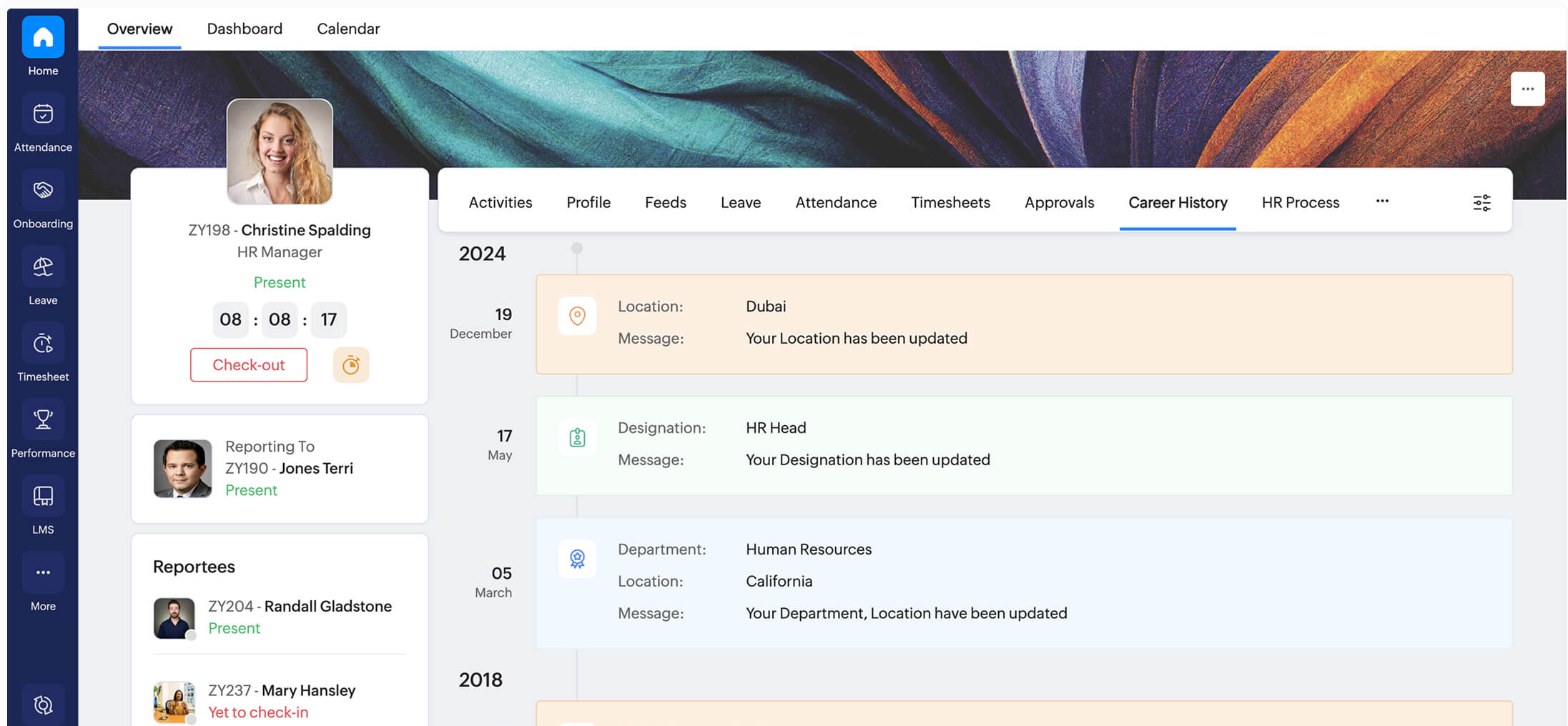
When a biometric device integration with Zoho People is properly configured, every fingerprint or face scan on the physical device creates an attendance entry directly in the employee’s Zoho People record — in real time, with no manual data transfer. The Zoho People attendance module then applies your shift definitions, overtime rules, and leave policies automatically. By payroll processing time, attendance data is already complete, reconciled, and audit-ready.
This guide covers the complete setup process for biometric attendance integration in Zoho People — including prerequisites, API-based and SQL-based integration methods, all supported biometric device types (fingerprint, face recognition, palm reader), employee ID mapping, real-time sync configuration, troubleshooting, and verified 2026 pricing for Indian organisations. Codroid Labs as a certified Zoho People biometric integration partner India has implemented this integration across manufacturing, healthcare, education, IT services, and retail sectors.
Biometric Integration in Zoho People — Quick Reference 2026
Supported devices: Fingerprint, face recognition, palm, iris, RFID card
Integration methods: API push, SQL sync, biometric plugin
Sync interval: Real-time to every 15 minutes (configurable)
Compatible brands: ZKTeco, ESSL, Matrix, Anviz, Hikvision, Suprema
Prerequisites: Zoho People Standard+, TCP/IP device, static IP
Implementation time: 3-7 working days for standard setup
Zoho People plan: Professional (Rs.120/emp/mo) recommended
Implementation cost: Rs.25,000-Rs.75,000 (fixed price, Codroid Labs)
Supported Biometric Devices for Zoho People Integration
Biometric integration in Zoho People supports every major biometric verification technology deployed in Indian organisations. The integration architecture is device-agnostic — what matters is network connectivity and the ability to push punch data in a standard format, not the specific biometric modality.
Biometric Fingerprint Integration with Zoho People
The most widely deployed biometric modality in Indian organisations. Biometric fingerprint integration with Zoho People connects fingerprint readers from ZKTeco, ESSL, Matrix, and similar manufacturers. Works across factory floors, office reception, and field sites. Compatible with both optical and capacitive fingerprint sensors.
Biometric Face Recognition Integration with Zoho People
Biometric face recognition integration with Zoho People is the fastest growing deployment in 2026 — driven by post-COVID hygiene concerns and the price drop in AI-powered face recognition terminals. Compatible devices: Hikvision DS-K1T671M, Suprema FaceStation F2, Dahua face terminals, and Anviz EP30 Pro. Contactless and works with masks.
Biometric Palm Reader Integration with Zoho People
Biometric palm reader integration with Zoho People is increasingly deployed in healthcare environments where fingerprint contact is undesirable and face recognition is impractical due to PPE. Palm vein recognition readers from Fujitsu and iStar are the most common devices in this category in India.
Card Reader and RFID Integration
RFID proximity cards and smart card readers integrate with Zoho People using the same API and plugin infrastructure as biometric devices. The attendance record shows card punch rather than biometric verification, but the HR workflow is identical. Commonly used as a backup to fingerprint in factories.
Prerequisites for Biometric Device Integration with Zoho People
Codroid Labs offers complete Zoho People biometric integration services and Zoho People biometric integration consultant engagement. Our Zoho People biometric integration customization covers shift-specific rules, department exclusions, and payroll connector logic. We begin every Zoho People biometric integration setup engagement with a checklist of prerequisites. Missing any of these leads to integration failures that are difficult to diagnose after deployment. Complete this checklist before starting the implementation.
1
Zoho People Plan — Standard Minimum, Professional Recommended
Biometric integration in Zoho People requires at minimum the Standard plan. The Professional plan (Rs.120/employee/month annual) is recommended as it includes the full Attendance module with shift management, overtime calculation, and API access needed for real-time biometric device integration.
2
Biometric Device with TCP/IP Connectivity
The biometric device must support TCP/IP network communication — either for direct push integration or for accessing the local database. Standalone USB-only devices that do not have a network port cannot be integrated directly with Zoho People without adding a network bridge.
3
Static IP or Stable Network Address for Device
The biometric device and any middleware server must have a stable network address — either a static IP or a DHCP reservation. Changing IP addresses break the integration and generate “device offline” errors in the Zoho People biometric integration configuration.
4
Employee Records in Zoho People with Biometric ID Field
Every employee whose attendance will be tracked must have a complete record in Zoho People with their biometric device ID (the number programmed into the device against their fingerprint or face template) correctly entered. This mapping is the most critical prerequisite — without it, punch records arrive in Zoho People as “unknown employee”.
5
Zoho People API Access Enabled
For biometric device integration using Zoho People API, the admin must enable API access in Zoho People settings, generate OAuth 2.0 client credentials, and configure the allowed redirect URIs for the integration middleware. This is done under Admin Console > Settings > Developer Space.
7 Powerful Steps to Set Up Biometric Attendance Integration in Zoho People
This is the complete Zoho People biometric integration guide Codroid Labs follows as a certified Zoho People biometric integration company India. The 7-step procedure works for all device types and both API and SQL integration methods.
1
Complete the Integration Prerequisites Checklist
Zoho People biometric integration prerequisites | Biometric integration in Zoho People API
Verify all five prerequisites are complete before touching any configuration. At Codroid Labs we conduct a discovery call where we check the Zoho People subscription, ping the biometric device on the network, confirm static IP, review employee ID mapping completeness, and verify API credentials are active. Skipping this step is the most common cause of failed biometric integration in Zoho People API deployments.
2
Enable Biometric Integration in Zoho People Admin Console
Zoho People biometric integration setup | Zoho People biometric integration configuration
Log in to Zoho People as an administrator. Navigate to Admin Console > Attendance > Settings > Biometric Device Integration. Enable the biometric module and configure the organisation’s unique integration endpoint URL and API credentials that will be used by the device or middleware to push punch data. The Zoho People biometric integration configuration screen also allows setting the attendance marking logic — whether IN/OUT must alternate or whether all punches are recorded.
3
Install and Configure the Biometric Plugin
Zoho People biometric plugin setup | Biometric plugin integration with Zoho People
The Zoho People biometric plugin is a middleware application installed on a Windows server (typically the same server as the biometric device management software). It connects to the biometric device database, reads punch records, and pushes them to Zoho People via API. Configuration requires: the Zoho People API endpoint, client ID and secret, device IP and port, database credentials (for SQL-based integration), and the sync interval. For biometric plugin integration with Zoho People, the plugin runs as a Windows service for continuous operation.
4
Map Employees — Biometric Device ID to Zoho People Employee Record
Real-time biometric integration in Zoho People | Biometric integration for Zoho People attendance
Employee ID mapping is the most labour-intensive step of any biometric attendance device integration with Zoho People. In the biometric device management software, each employee has a numeric ID (1, 2, 3… or custom). In Zoho People, each employee has an Employee ID (EMP001, EMP002…). The plugin maps these two identifiers so that when the device sends punch data for “Device ID 47,” the plugin knows this corresponds to Zoho People employee EMP047. Export the device user list and match against the Zoho People employee list before mapping.
5
Configure Real-Time Sync and Push Interval
Real-time biometric integration in Zoho People | Zoho People biometric integration procedure
Real-time biometric integration in Zoho People is achievable for devices that support direct push via TCP/IP — punch data is forwarded to Zoho People within seconds. For SQL-based integration, the sync runs at a configured interval — every 5 minutes for near-real-time, or every 15-30 minutes for standard deployments. The Zoho People biometric integration procedure should document the chosen sync interval and the fallback behaviour when the network is unavailable (typically: store locally and push on reconnect).
6
Test — UAT with Live Punch Data Across All Device Types
Biometric integration support for Zoho People | Testing procedure
Conduct User Acceptance Testing with at least 10 employees from different departments. Each employee performs IN and OUT punches on the biometric device. Within the configured sync interval, verify the attendance record appears correctly in Zoho People with the right employee name, timestamp, and punch type. Test with employees who have different device IDs, different shifts, and different locations if multiple devices are deployed. Check the integration logs for any “unrecognised employee” or “API timeout” errors.
7
Go Live, Train HR Team, and Set Up Monitoring
Zoho People biometric integration setup services | Biometric integration in Zoho People go-live
After successful UAT, activate the biometric integration in Zoho People for all employees. Train the HR team on: how to handle unrecognised punch exceptions, how to view the biometric integration log, how to manually correct attendance when device downtime creates gaps, and how to run attendance reports using the biometric data. Set up email alert notifications for integration failures — typically triggered when the middleware loses connectivity to the device for more than 30 minutes.

API Integration vs SQL Integration — Zoho People Biometric Methods Compared
Zoho People supports two primary integration methods. The Zoho People biometric API integration is real-time and recommended for modern devices. The Zoho People biometric SQL integration is more compatible with legacy devices that write to a local database.
Industry-Specific Configuration — Biometric Attendance in Zoho People
The Zoho People biometric integration for companies India varies by sector. For HR departments, the Zoho People biometric integration for HR departments simplifies payroll and attendance compliance. The Zoho People biometric integration for large organizations, for SMEs India, and for HR departments each have different configuration priorities. Here is how Codroid Labs approaches biometric integration by sector.
Manufacturing and Factories
Zoho People biometric integration for large organizations
Multiple shift management, shift roster sync with biometric IN/OUT, overtime calculation for extra hours, contractor workforce tracked separately, multiple devices across factory floors with individual device IDs mapped, and payroll integration ensuring biometric data drives salary computation.
Healthcare and Hospitals
Biometric face recognition + palm reader priority
Face recognition and palm reader devices preferred for hygiene compliance. Nurse and doctor scheduling synced with Zoho People shift assignments. Emergency overtime logged automatically. Compliance reports for labour law adherence generated from integrated biometric and leave data.
IT Services and Offices
Zoho People biometric integration for SMEs India
Flexible work hours with IN/OUT time-based attendance rather than shift-based. Half-day configuration for punch before a defined window. Integration with Zoho People leave balance so approved leave does not generate absence. Work from home attendance handling via geo-tagged mobile checkin as supplement.
Education Institutes
Faculty and staff biometric attendance
Faculty attendance for minimum teaching hour compliance, academic calendar-based leave policy, examination duty attendance logged separately, and biometric data used for payroll calculation of part-time faculty on per-day basis.
Troubleshooting Biometric Integration Issues in Zoho People
The most common issues encountered during and after biometric device integration with Zoho People, with proven solutions from Codroid Labs Zoho People biometric integration troubleshooting experience.
Zoho People Biometric Integration Pricing India 2026
All Zoho People licence prices are annual billing, excluding 18% GST. Purchased through Codroid Labs (GSTIN 07AAWFC0815B1ZP) with GST-compliant invoice for full ITC recovery.
More Guides from Codroid Labs
Set Up Biometric Integration in Zoho People with Codroid Labs
Certified Zoho People biometric integration partner India offering Zoho People biometric integration support India — fingerprint, face recognition, and palm reader device setup, plugin installation, employee ID mapping, UAT, training, and 30-day post-go-live support. Fixed price. GST invoice. Hindi or English.
Start Free Zoho People Trial
Book Free Biometric Integration Consultation
Frequently Asked Questions — Biometric Integration in Zoho People
What biometric devices are compatible with Zoho People?
Biometric device integration with Zoho People supports fingerprint, face recognition, palm reader, iris, and RFID card devices from ZKTeco, ESSL, Matrix, Anviz, Hikvision, Suprema, and most TCP/IP capable manufacturers. The key requirement is TCP/IP connectivity — devices must be able to push data to the integration middleware or directly to the Zoho People API endpoint.
What are the prerequisites for biometric integration in Zoho People?
Zoho People biometric integration prerequisites: Zoho People Professional plan or above, biometric device with TCP/IP network connectivity, static IP for device or middleware, Zoho People API enabled in admin settings, employee records created with biometric device IDs populated, and the Zoho People biometric plugin installed on a middleware Windows or Linux server.
How does real-time biometric integration work in Zoho People?
Real-time biometric integration in Zoho People uses a direct API push from the biometric device or middleware to Zoho People. When an employee punches the device, the punch event is forwarded via TCP/IP to the integration plugin, which calls the Zoho People attendance API with employee ID, timestamp, and punch type IN/OUT. The attendance record appears in Zoho People within seconds. For legacy devices, SQL-based integration syncs every 5-30 minutes.
How much does biometric integration with Zoho People cost in India?
Zoho People biometric integration pricing India: Zoho People Professional licence Rs.120/employee/month (annual, excl. 18% GST). Implementation service from Codroid Labs as a Zoho People biometric integration partner India is fixed price: Rs.25,000-Rs.75,000 for complete setup including device configuration, plugin installation, employee ID mapping, UAT, and training. Optional AMC: Rs.8,000-Rs.18,000/year.
How long does Zoho People biometric integration take?
A standard Zoho People biometric integration setup takes 3-7 working days: Day 1-2 for prerequisites verification and plugin installation, Day 3-4 for configuration and employee mapping, Day 5-6 for UAT, Day 7 for go-live and training. Larger organisations with multiple device locations or complex shift patterns may require 2-3 weeks. Codroid Labs as your Zoho People biometric integration developer and consultant provides a fixed timeline with defined milestones before the engagement starts.