


Using AI with Zoho CRM in 2026 is no longer an experimental feature reserved for enterprise teams with dedicated data scientists. It is now the single most impactful lever available to any Indian sales team, service business, or growing company that wants to close more deals with fewer manual steps.
Zoho CRM has built AI capability directly into the platform through Zia — its native AI assistant — and has simultaneously opened the door to external AI models like Claude through the Model Context Protocol. The result is a CRM that does not just store your sales data. It reads it, analyses it, predicts from it, and acts on it.
This guide covers the top 7 ways businesses are using AI with Zoho CRM in 2026, with real examples of what each approach looks like in practice, what results it produces, and how to activate it through Codroid Labs as your certified Zoho partner.
New to Zoho CRM? Start a free trial through Codroid Labs — your account is automatically registered under our partner profile so you receive certified implementation support from day one. Start Zoho CRM Free Trial via Codroid Labs
41%
More Deals Closed With AI Lead Scoring
3x
Faster Follow-Up With AI Automation
60%
Reduction in Manual Data Entry
7
AI Capabilities Active in Zoho CRM Today
Table of Contents
- Way 1 — Zia AI Lead Scoring: Know Which Leads Will Convert Before You Call Them
- Way 2 — Zia Deal Predictions: Stop Wasting Time on Deals That Will Not Close
- Way 3 — AI-Powered Email Intelligence: Write Better Emails and Know When to Send Them
- Way 4 — AI Workflow Automation: Build Intelligent Sales Processes Without Code
- Way 5 — Claude AI via MCP: Control Your Entire CRM With Plain English
- Way 6 — AI-Powered Analytics: Predict Revenue and Spot Problems Before They Cost You Deals
- Way 7 — Zia Voice and Chat Assistant: Get CRM Answers Without Opening a Single Screen
- How to Activate AI with Zoho CRM Through Codroid Labs
- Frequently Asked Questions
Way 1 — Zia AI Lead Scoring: Know Which Leads Will Convert Before You Call Them
The most common reason Indian sales teams miss revenue targets is not a shortage of leads. It is a shortage of time spent on the right leads. When every lead gets the same attention, your best salespeople burn hours on prospects who were never going to buy — while hot leads go cold waiting for a callback.
Zia, Zoho CRM’s built-in AI assistant, solves this with AI-powered lead scoring. Zia analyses your historical CRM data — which leads converted, what they had in common, what actions they took before converting — and builds a predictive scoring model that assigns every new lead a conversion probability score automatically.
What Zia Lead Scoring Looks Like in Practice
A software company in Pune with 12 salespeople was generating 400 inbound leads per month from their website, LinkedIn campaigns, and referrals. Their sales team had no reliable way to prioritise — everyone worked the leads in the order they came in.
After activating Zia lead scoring in Zoho CRM and allowing Zia four weeks to learn from their historical data, the system began assigning each lead a score from 1 to 100 based on company size, lead source, job title, website pages visited, email engagement, and response time. Leads scoring above 70 were assigned to senior salespeople and called within two hours. Leads below 30 entered an automated nurture sequence.
The result after 90 days: conversion rate increased from 8.4 percent to 14.1 percent on the same lead volume. The sales team made 30 percent fewer outbound calls and closed 41 percent more deals.
How to Activate Zia Lead Scoring
In Zoho CRM, go to Setup, then Zia, then Prediction. Enable Lead Conversion Prediction. Zia requires a minimum of 75 converted leads in your CRM history to build its initial model. The model improves continuously as your team continues to work leads and log outcomes. Codroid Labs configures Zia lead scoring as part of every Zoho CRM implementation.
Real Example Prompt for Zia: “Zia, show me all leads with a conversion score above 80 that have not been contacted in the last 48 hours.” Zia returns the filtered list instantly, with the score and the primary reasons behind each score displayed alongside the lead record.
Way 2 — Zia Deal Predictions: Stop Wasting Time on Deals That Will Not Close
Every sales manager has experienced the same conversation: a salesperson is 100 percent confident about a deal in the pipeline, it slips to next quarter, and then disappears entirely. Human optimism is a terrible forecasting tool. Zia’s deal prediction capability is not.
When you use AI with Zoho CRM for deal predictions, Zia analyses every deal in your pipeline and assigns each one a win probability based on deal value, stage, activity history, time in current stage, competitor mentions in notes, and comparison against similar deals that have previously closed or been lost.
What Deal Prediction Looks Like in Practice
A manufacturing equipment distributor in Gujarat was carrying Rs. 4.2 crore in pipeline across 34 open deals at the start of Q3. Their sales director’s manual forecast predicted Rs. 1.8 crore in closures for the quarter. Zia’s deal prediction showed Rs. 1.1 crore was realistic based on activity levels and stage velocity.
The sales director used Zia’s analysis to identify nine deals that Zia had flagged as at risk — deals where the last customer contact was over 21 days ago, the deal had been in the same stage for more than 30 days, and no meeting was scheduled. The team re-engaged those accounts with a specific discount offer for the quarter. Six of the nine closed. Quarter closed at Rs. 1.6 crore — significantly above Zia’s base prediction and far above what would have happened without the AI-driven intervention.
Key Deal Signals Zia Monitors
- Days since last customer contact (email, call, or meeting)
- Number of days a deal has been in its current stage versus the average for that stage
- Engagement score based on email open and response rates
- Competitor mentions in call notes or email threads
- Decision-maker involvement — whether the economic buyer has been contacted recently
- Deal value relative to the team’s average win size
Way 3 — AI-Powered Email Intelligence: Write Better Emails and Know When to Send Them
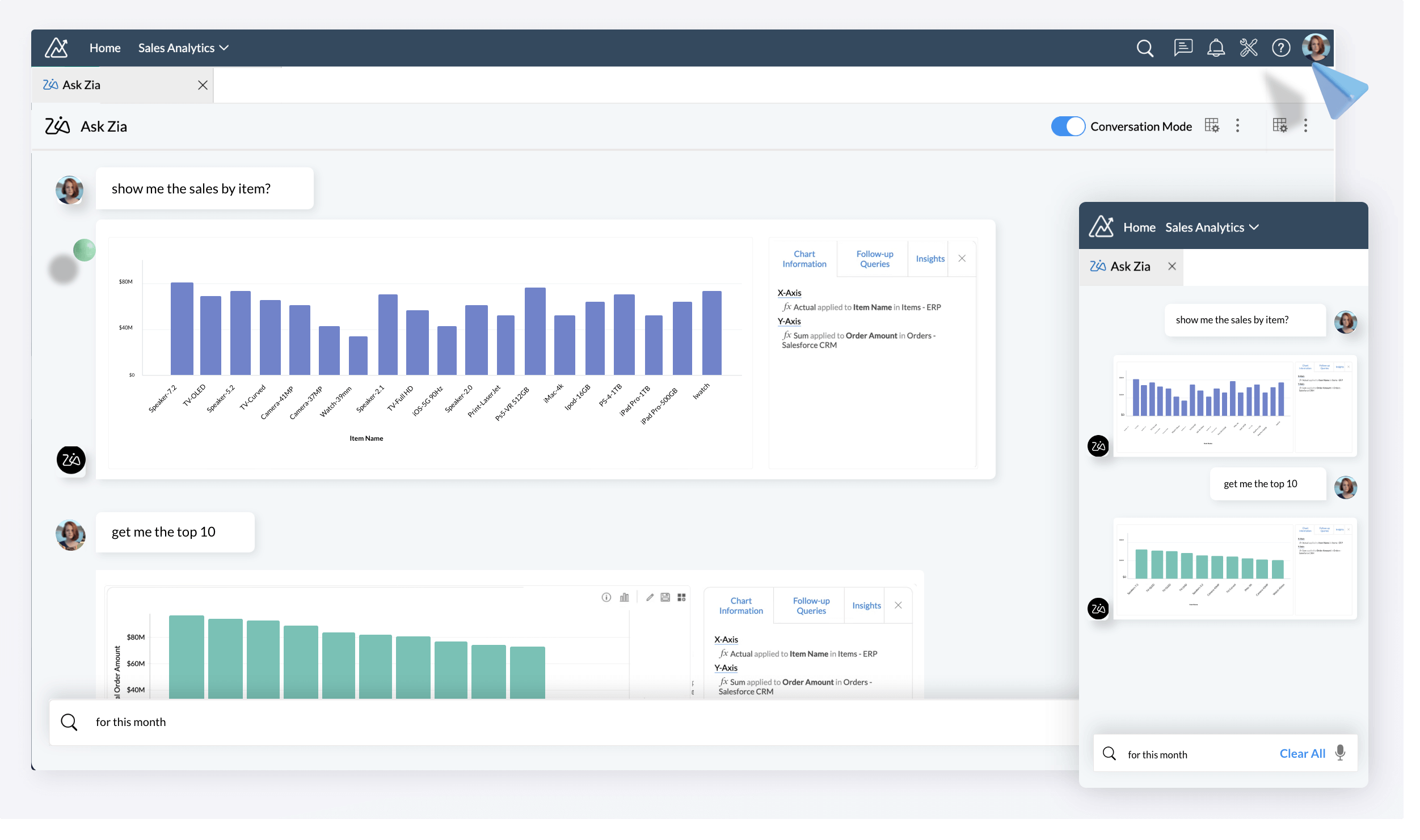
Sales email performance varies enormously between team members, between industries, and between different types of prospects. Most sales teams have no systematic way to understand what is working and why. Using AI with Zoho CRM through Zia’s email intelligence capabilities changes this entirely.
Zia Email Sentiment Analysis
Zia reads the emails your clients and prospects send to your team and analyses the sentiment — positive, negative, or neutral — of every response. When a prospect’s tone shifts from engaged to hesitant, Zia flags the change in the CRM record and suggests a follow-up action. When a client’s email sentiment suddenly turns negative, Zia alerts the account manager before the situation escalates to a formal complaint or churned account.
Best Time to Contact Prediction
Zia analyses your team’s historical email and call data to identify when each specific contact is most likely to respond. The result is a “Best Time to Contact” recommendation displayed on every Lead and Contact record in Zoho CRM. Instead of sending all follow-up emails at 9am Tuesday because someone read that in a blog post, your team sends each email at the specific time that Zia predicts that individual contact will engage.
A B2B technology company in Bengaluru tested this for 60 days. Before activating Best Time to Contact, their average email response rate was 18 percent. After activating it and training their team to send emails only at Zia-recommended times, response rate increased to 29 percent on the same email volume.
AI Email Writing Assistance
Zoho CRM’s email composer includes Zia writing suggestions that help sales reps draft more effective prospecting and follow-up emails. Zia provides subject line suggestions based on what has historically performed best for your team, tone recommendations based on the prospect’s communication style, and length guidance based on engagement data.
Way 4 — AI Workflow Automation: Build Intelligent Sales Processes Without Code
Traditional CRM workflow automation operates on fixed if-then rules. A deal moves to stage X, a task is created. A lead is assigned to a territory, an email is sent. These rules work for predictable sequences — but real sales processes are not predictable sequences. They involve exceptions, judgement, and context that rigid rules cannot handle.
Using AI with Zoho CRM through intelligent workflow automation lets you build processes that adapt to context rather than breaking when something unexpected happens.
Real Example: Intelligent Lead Distribution
A real estate developer in Mumbai with 8 salespeople was distributing leads through simple round-robin assignment — lead 1 goes to salesperson A, lead 2 to salesperson B, and so on. The result was mismatches: a salesperson who specialised in commercial properties received residential leads, someone who knew Pune well received Mumbai leads.
With Zoho CRM AI workflow automation, the team configured Zia to analyse incoming lead data — property type interest, location preference, budget range, and lead source — and match each lead to the salesperson with the highest historical conversion rate for that specific combination of attributes. Assignment accuracy improved dramatically and the overall team conversion rate increased by 22 percent in the first quarter.
Real Example: Automated Deal Stage Nudge
A SaaS company in Hyderabad set up a Zoho CRM AI workflow that monitored deal stage velocity. Any deal that had been in Proposal Sent for more than 10 days without an email response, meeting, or note logged triggered an automatic sequence: Zia sent an internal alert to the deal owner, created a follow-up task with a suggested email template, and — if no action was taken within 48 hours — escalated to the sales manager via Zoho Cliq. The number of deals lost to inactivity dropped by 34 percent in the first 90 days.
Zoho Flow Integration for AI-Triggered Automations
For workflows that span beyond Zoho CRM into other Zoho applications, Codroid Labs connects Zoho Flow to trigger automated sequences across CRM, Books, Desk, and Projects based on AI-detected signals. Start Zoho Flow Free Trial via Codroid Labs
Way 5 — Claude AI via MCP: Control Your Entire Zoho CRM With Plain English
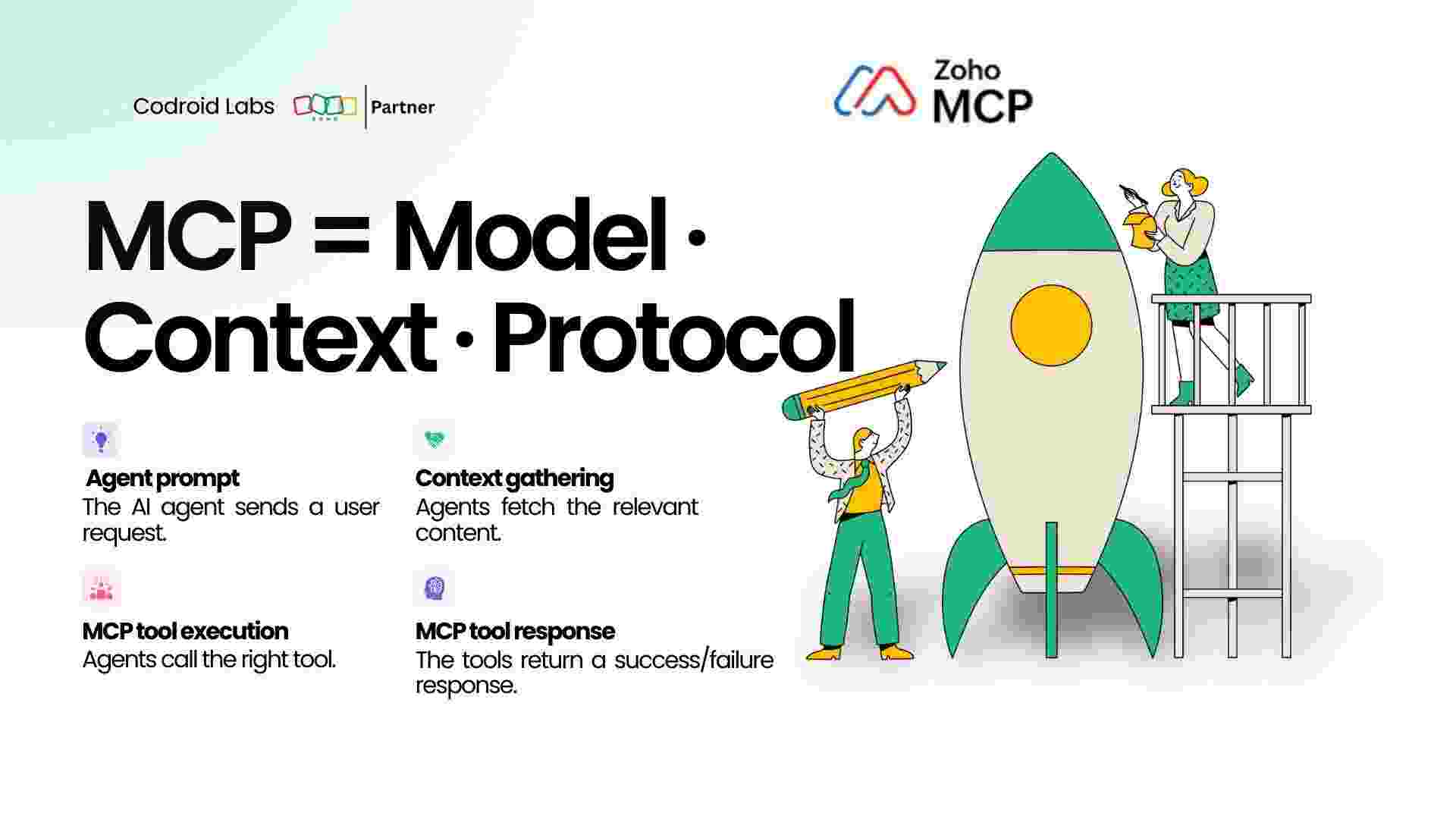
This is the most powerful way to use AI with Zoho CRM in 2026 — and the one almost no competing Zoho partner in India is talking about yet.
The Model Context Protocol (MCP) allows you to connect Claude — Anthropic’s advanced AI model — directly to your live Zoho CRM data. Once connected, you do not use the Zoho CRM interface at all for complex, multi-step tasks. You open a chat with Claude and describe what you want in plain English. Claude reads your CRM, reasons about the data, and executes the actions.
What This Looks Like in Practice
Instead of spending 45 minutes manually building a Zoho CRM report showing pipeline health by sales rep, deal stage age, and conversion rate by lead source, you type: “Give me a full pipeline review. Show me each salesperson’s open deals, flag any that haven’t had contact in more than 14 days, and tell me which lead sources are producing deals with the highest average value this quarter.”
Claude reads your live Zoho CRM data via MCP, analyses it across all dimensions simultaneously, and returns a structured, actionable summary in under 30 seconds. What a sales analyst would spend a morning producing, Claude produces in a single prompt.
More Real Examples of Claude MCP with Zoho CRM
- “Find all contacts in Zoho CRM from companies with more than 200 employees where the last activity was more than 30 days ago. Create a re-engagement task for each and assign it to the original deal owner.”
- “It is end of month. Show me all deals expected to close this month that are still in the Negotiation stage. For each one, draft a personalised closing email based on the notes in the deal record and send it from Zoho Mail.”
- “Pull all deals closed this quarter. Match them with their invoices in Zoho Books. Show me which closed deals still do not have an invoice raised.”
- “A new enterprise client has just signed. Create their account in Zoho CRM, create a new project in Zoho Projects with the standard onboarding task template, raise a welcome invoice in Zoho Books, and send a welcome email from Zoho Mail.”
Each of these instructions — which would take a salesperson or operations manager 20 to 45 minutes to execute manually — runs in seconds through Claude MCP connected to Zoho CRM.
How to Set It Up: Codroid Labs configures Claude MCP integration with Zoho CRM as part of our advanced implementation package. You need Claude Desktop installed and a Zoho CRM account with API access enabled. The connection is authorised via OAuth — no API keys to manage manually. Setup takes under 20 minutes. See our full MCP guide: How to Connect Claude AI to Zoho Using MCP
Way 6 — AI-Powered Analytics: Predict Revenue and Spot Problems Before They Cost You Deals
Zoho CRM’s native reporting gives you historical data — what happened last month, last quarter, last year. Zia’s AI-powered analytics adds a forward-looking dimension: what is likely to happen next month based on current patterns, and what actions will change that outcome.
Revenue Forecasting With AI
Zia analyses your pipeline data, historical close rates by stage, average sales cycle length, seasonality patterns, and current team activity levels to generate AI-driven revenue forecasts. These forecasts are more accurate than manager-adjusted manual forecasts because they are based on objective data patterns rather than optimism.
A logistics company in Delhi used Zia’s revenue forecasting to identify that their Q4 pipeline was structurally insufficient to hit their target — 8 weeks before Q4 started. This gave them time to run a targeted outbound campaign, generate 60 additional qualified opportunities, and close the quarter at 97 percent of target. Without Zia’s early warning, they would not have identified the gap until mid-October.
Anomaly Detection
Zia continuously monitors your CRM metrics and alerts you when something deviates from the expected pattern. Examples of anomalies Zia detects automatically:
- A sales rep’s conversion rate drops suddenly — possible product knowledge gap or territory problem
- A specific lead source that was producing 12 percent of revenue stops producing entirely — possible campaign issue or market change
- Average deal size for a specific product line drops by 20 percent over three weeks — possible competitive pressure or pricing issue
- Email response rates from a specific industry segment decline — possible messaging or timing issue
Each anomaly triggers an alert in Zoho CRM with Zia’s hypothesis about the cause and suggested corrective actions. Sales managers no longer need to build and review manual dashboards to catch these problems — Zia monitors everything automatically and surfaces only what requires attention.
Zoho Analytics Integration for Deeper AI Insights
For businesses needing cross-app AI analytics — connecting CRM data with Zoho Books revenue, Zoho Desk ticket patterns, and Zoho Projects delivery data — Codroid Labs implements Zoho Analytics as an additional intelligence layer. Start Zoho Analytics Free Trial via Codroid Labs
Way 7 — Zia Voice and Chat Assistant: Get CRM Answers Without Opening a Single Screen
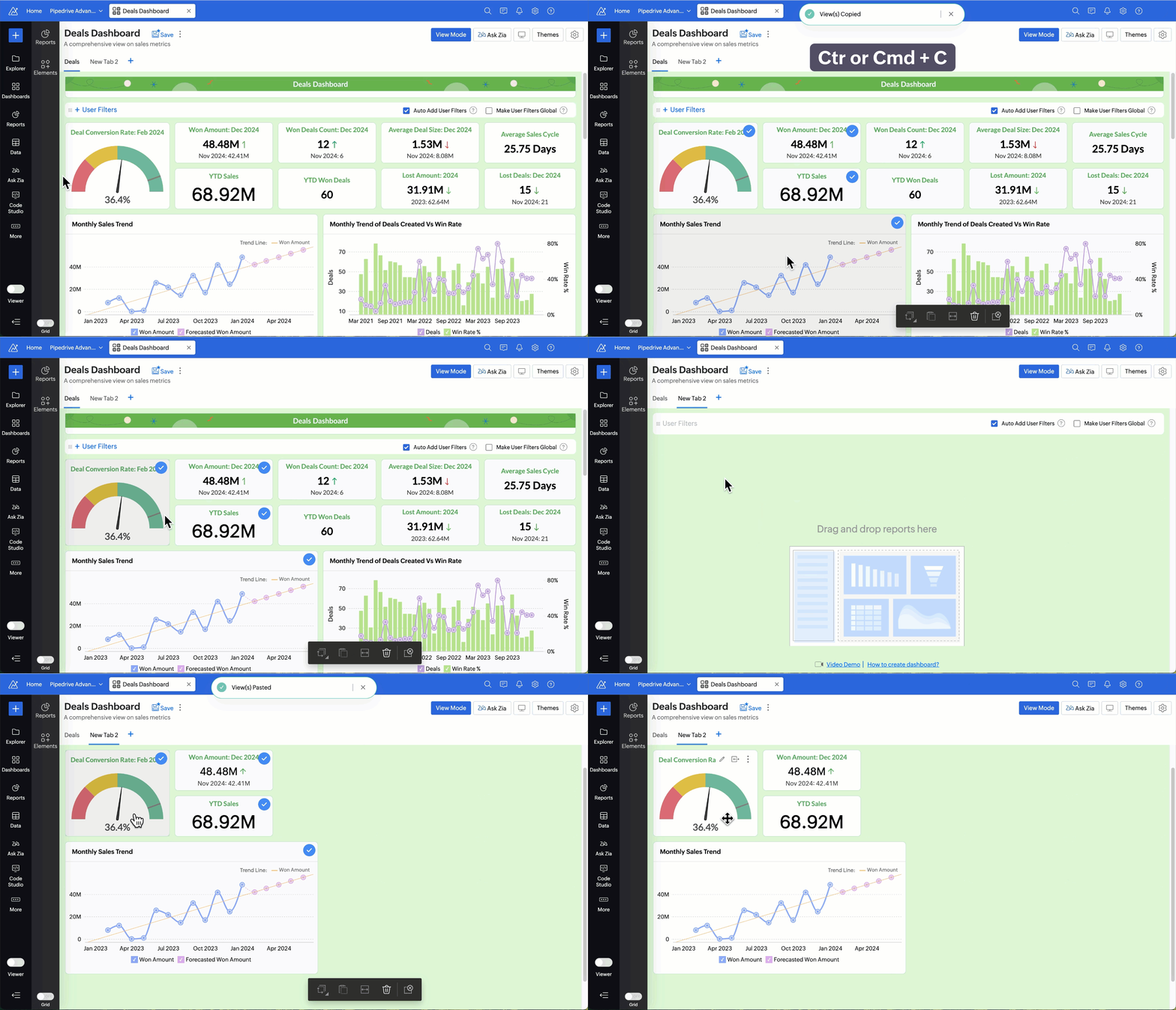
The seventh way to use AI with Zoho CRM in 2026 is the simplest — and for field sales teams and mobile-first businesses, potentially the most valuable. Zia operates as a voice and chat assistant within Zoho CRM’s mobile app, allowing your team to interact with CRM data conversationally without navigating menus, building filters, or typing into fields.
What Zia Assistant Can Do
| Question or Command | What Zia Does |
|---|---|
| “Zia, show me my meetings for today” | Lists all calendar entries linked to Zoho CRM contacts and accounts for the day |
| “Zia, what is the status of the Mehta Corp deal?” | Returns deal stage, value, last activity date, deal owner, and Zia’s win probability score |
| “Zia, log a call with Rajesh Sharma at TechPark — he wants a proposal by Friday” | Creates a call log on the contact record and adds a task due Friday to prepare the proposal |
| “Zia, which of my deals are most at risk this week?” | Returns deals ranked by at-risk score with the primary risk factor displayed for each |
| “Zia, how many leads came in from Google Ads this month?” | Returns lead count by source for the current month with comparison to last month |
| “Zia, remind me to follow up with Priya at Cloudtech on Thursday at 10am” | Creates a follow-up task linked to the contact with a reminder notification set for Thursday morning |
Why This Matters for Field Sales Teams in India
For salespeople spending their days in client offices, factory floors, or retail locations, the friction of opening a laptop, logging into Zoho CRM, navigating to the right record, and entering data is significant enough that many skip it entirely. The result is CRM data that is incomplete, delayed, and unreliable.
Zia voice assistant removes that friction. A field salesperson in Chennai leaving a client meeting can log the outcome, set the next follow-up, and update the deal stage using voice commands in under 60 seconds while walking to their next appointment. CRM data quality improves dramatically because capturing data becomes effortless rather than burdensome.
How to Activate AI with Zoho CRM Through Codroid Labs
All seven AI capabilities covered in this guide are available in Zoho CRM today. The difference between businesses that benefit from them and businesses that do not is almost always implementation quality, not feature availability.
Zia requires your CRM to contain sufficient historical data, correctly structured, before its predictions become reliable. Businesses that implement Zoho CRM without configuring Zia correctly often conclude that the AI does not work — when the actual problem is that Zia was never properly activated or fed with clean historical data.
Codroid Labs configures all Zia AI capabilities as part of every Zoho CRM implementation:
- Lead and deal conversion prediction models activated and trained on your historical data
- Best Time to Contact configured per user and contact segment
- Email sentiment analysis enabled with escalation alerts for negative sentiment
- Anomaly detection rules configured for your key sales metrics
- Revenue forecasting model calibrated to your sales cycle and product mix
- Zia voice assistant configured for your team’s mobile devices
- Claude MCP integration available as an advanced add-on for teams wanting natural language CRM control
Start your Zoho CRM trial through the Codroid Labs referral link below. Your account is tagged to our partner profile from the moment you activate, and our certified consultants are available to guide your AI configuration from day one:
Start Your Free Zoho Trial via Codroid Labs:
Related Guides on the Codroid Labs Blog:
How to Connect Claude AI to Zoho Using MCP: Complete 2026 Guide
Zoho API Automation with Claude AI: Build a Full PSA System Without Code
Zoho MCP Integration: Use AI Agents to Control Zoho Books, CRM and Projects
Zoho Certified Reseller in India: How to Choose the Right Implementation Partner
Frequently Asked Questions — AI with Zoho CRM
Is Zia AI included in all Zoho CRM plans?
Zia is available across Zoho CRM plans, but the depth of AI features varies by plan. Lead and deal prediction are available from the Enterprise plan upward. Basic Zia features including email intelligence and best time to contact are available from the Professional plan. Zoho CRM Plus and Zoho One provide the most comprehensive Zia capability set. Codroid Labs will advise on the right plan for your team’s AI requirements during the free consultation. Start your Zoho CRM trial here.
How much historical data does Zia need to start making accurate predictions?
Zia’s lead conversion prediction model requires a minimum of 75 converted leads in your CRM history to build its initial scoring model. Deal prediction requires a minimum of 50 closed deals — both won and lost. The more historical data available, the more accurate Zia’s models become. Codroid Labs performs a data audit during discovery to assess whether your existing CRM data is sufficient for Zia activation, and if necessary, assists with historical data migration from your previous CRM or spreadsheets.
What is the difference between Zia and Claude for Zoho CRM automation?
Zia is Zoho’s native AI assistant, built directly into Zoho CRM. It is always on, monitors your data continuously, and is optimised for standard CRM tasks — lead scoring, deal prediction, anomaly detection, and voice commands. Claude, connected via the Model Context Protocol, is an external AI model with significantly more advanced reasoning capability. Claude is better suited for complex, multi-step, cross-app tasks that require genuine natural language understanding and contextual judgement. The optimal setup uses both: Zia for continuous monitoring and standard AI tasks, Claude for complex ad-hoc analysis and cross-app workflows.
Can AI with Zoho CRM integrate with Indian telephony and WhatsApp?
Yes. Zoho CRM integrates with major Indian VoIP providers and Zoho Telephony for call logging, recording, and Zia sentiment analysis on call transcripts. WhatsApp Business integration is available through Zoho SalesIQ and Zoho CRM’s messaging channels, allowing Zia to monitor WhatsApp conversation sentiment and flag leads based on chat engagement. Codroid Labs configures Indian telephony and WhatsApp integrations as part of Zoho CRM implementations for sales teams that communicate primarily through these channels.
How does AI in Zoho CRM help with GST-compliant deal-to-invoice workflows in India?
When Zia detects a deal is marked Closed Won in Zoho CRM, automated workflows can trigger the creation of a GST-compliant invoice in Zoho Books, populate the invoice with the deal value and client billing details from CRM, assign the correct GST rate based on the product or service HSN/SAC code stored in CRM, and notify the accounts team via Zoho Cliq. This deal-to-invoice automation eliminates manual data re-entry between sales and finance and ensures every closed deal generates a correctly structured invoice on the same day. Start Zoho Books Free Trial via Codroid Labs.
How long does it take to see results from AI in Zoho CRM?
For teams switching from a system with clean historical data, Zia’s predictions become meaningful within four to six weeks of going live as the model learns from your specific team’s patterns. Email intelligence features like Best Time to Contact produce measurable improvements in response rates within the first two to three weeks. Claude MCP automation produces immediate value from the first day it is connected. Codroid Labs sets realistic expectations for each AI capability during implementation and tracks measurable outcomes at the 30, 60, and 90-day marks.
Is Zoho CRM’s AI secure for Indian businesses handling sensitive client data?
Zoho CRM is ISO 27001 certified, SOC 2 Type II compliant, and GDPR compliant. Indian data centre options are available for businesses requiring data residency within India. Zia’s AI processing uses your CRM data to build models that are specific to your organisation — Zoho does not use your client data to train shared models across other customers. For businesses in regulated Indian sectors including BFSI, healthcare, and government contracting, Codroid Labs advises on the specific data residency and compliance configuration required.
Conclusion: AI with Zoho CRM Is Not the Future — It Is Available Today
Every capability in this guide is available inside Zoho CRM right now. Zia is already built in. Claude MCP takes 20 minutes to connect. The AI analytics, email intelligence, and voice assistant are waiting to be activated.
The businesses winning in their markets in 2026 are not the ones with the largest sales teams or the biggest advertising budgets. They are the ones whose sales processes are the most intelligent — where AI handles the analysis, the prioritisation, the data entry, and the early warning, so their people can focus entirely on building relationships and closing deals.
Start with Way 1. Activate Zia lead scoring. In 30 days, review whether your team is spending more time on the right leads. The data will tell you everything you need to know — and Zia will help you read it.
Start Using AI with Zoho CRM Today
Free trial. Codroid Labs implementation support from day one. Certified Zoho partner in India.
All 7 AI capabilities configured by certified consultants. GST-compliant billing in INR.
Start Zoho CRM Free Trial via Codroid Labs
Or book a free 60-minute consultation with a Codroid Labs Zoho CRM specialist.
Official Resources and Further Reading
- Start Zoho CRM Free Trial via Codroid Labs
- Start Zoho CRM Plus Free Trial via Codroid Labs
- Zia AI for Zoho CRM — Official Feature Documentation
- Zoho CRM API Documentation — For MCP and Integration Development
- Zoho Analytics — AI-Powered Business Intelligence
- Verify Codroid Labs on the Zoho Official Partner Directory