


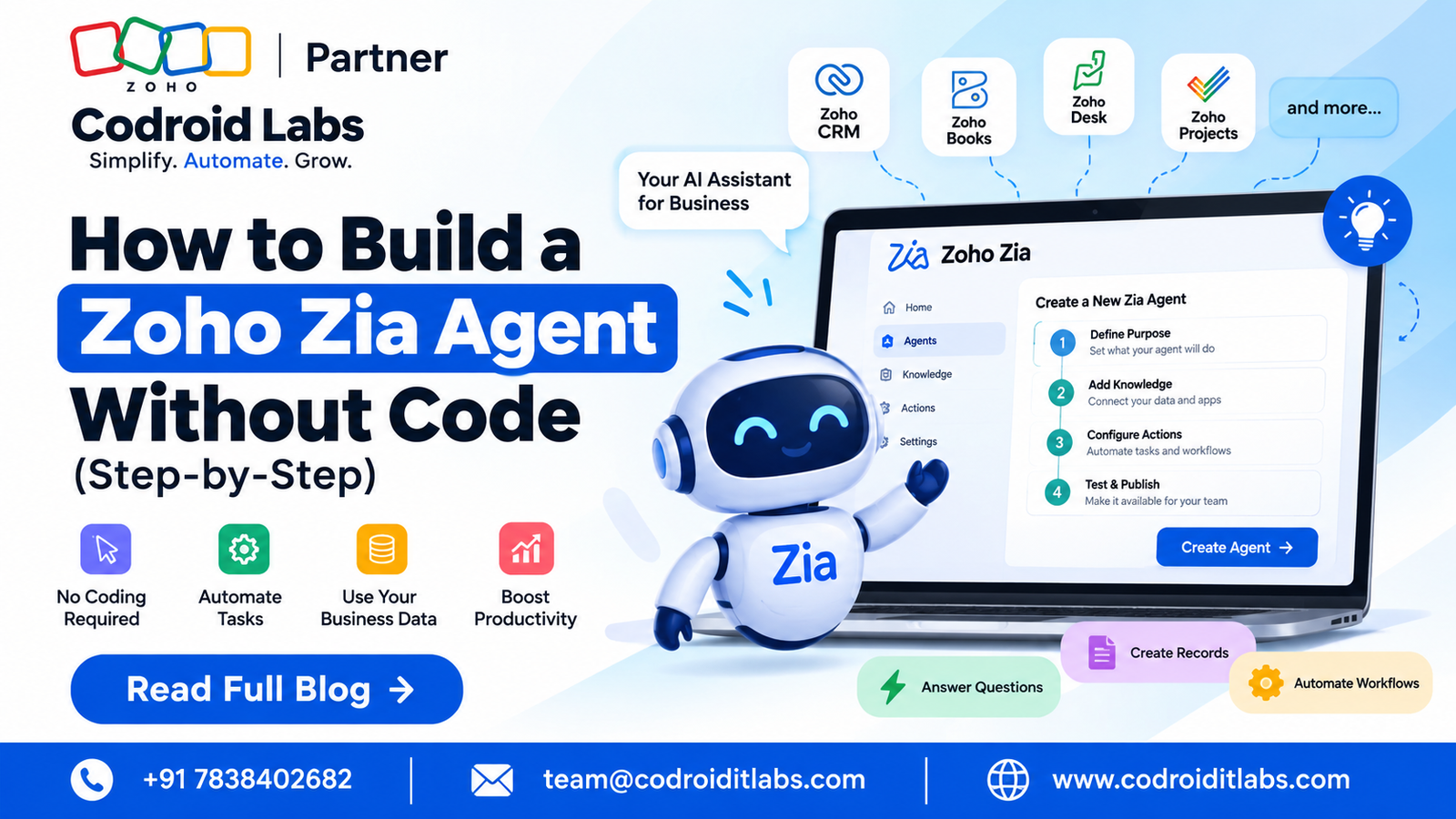
Direct answer: To how to build zoho zia agent without code, start with one clearly defined business job, create the agent in Zia Agent Studio, add only trusted knowledge, grant the minimum tool permissions, set guardrails, test with real examples and failure cases, then deploy it through a connection or as a Digital Employee.
Updated
25 September 2026
25 September 2026
Reviewed against
Current Zia Agents and Zoho CRM documentation
Current Zia Agents and Zoho CRM documentation
From Codroid Labs
Zoho implementation and automation practice
Zoho implementation and automation practice
How to build zoho zia agent is the practical question behind most AI-agent demos: what should the agent actually do, what data may it use, which actions may it take, and what happens when it is unsure? A reliable answer is less about writing a clever prompt and more about designing a small, measurable workflow.
The current Zia Agents platform supports a no-code build path, agent testing, tool configuration and deployment as either a connection or a Digital Employee. If your search started with “how to build zoho zia agent,” the important part is choosing the smallest useful scope before you give an agent permission to touch business records.
9
Build Steps
0
Code for Core Build
2
CRM Deployment Routes
2026
Guide
What Is a Zoho Zia Agent?
A Zia Agent is a goal-oriented AI agent that can use configured knowledge and tools to perform tasks instead of only returning a text answer. Inside Zoho CRM, agents can be deployed into a module, triggered by conditions, or invoked manually through a custom button.
That distinction matters. A workflow rule is deterministic: condition A causes action B. A Zia Agent can interpret context, decide which configured tool to use, and complete a multi-step job inside the boundaries you define. The flexibility is useful, but permissions, testing and observability become more important.
How to Build Zoho Zia Agent in 9 Practical Steps
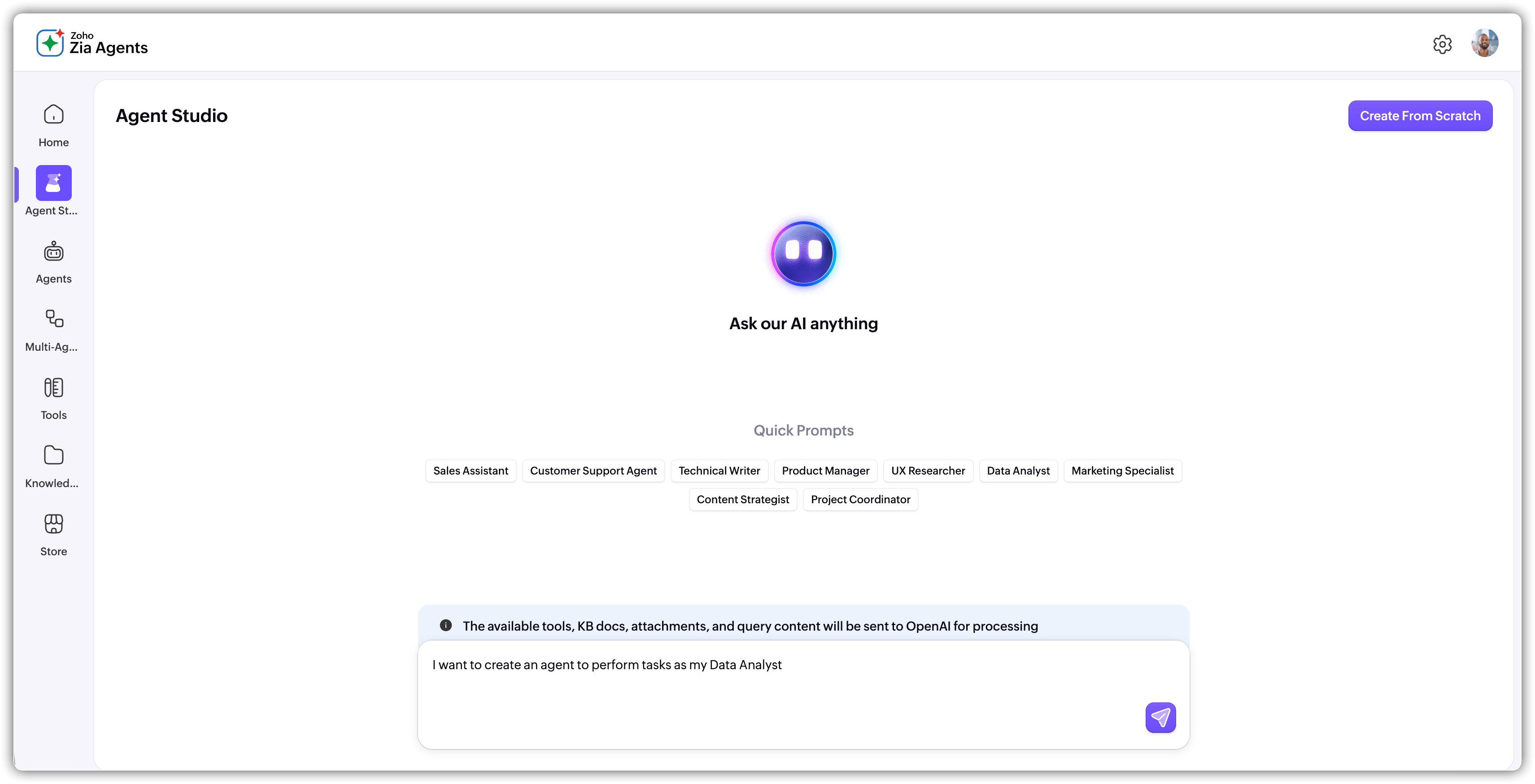
1. Pick one business job, not a vague AI assistant
The first step in how to build zoho zia agent is writing one sentence. Every good how to build zoho zia agent plan begins with a bounded outcome, not an “AI assistant” slogan. that describes the user, trigger, context, action and success metric. Example: “When a qualified lead enters CRM, review the lead details, check the approved pricing policy, create a follow-up task and flag unusual cases for sales approval.”
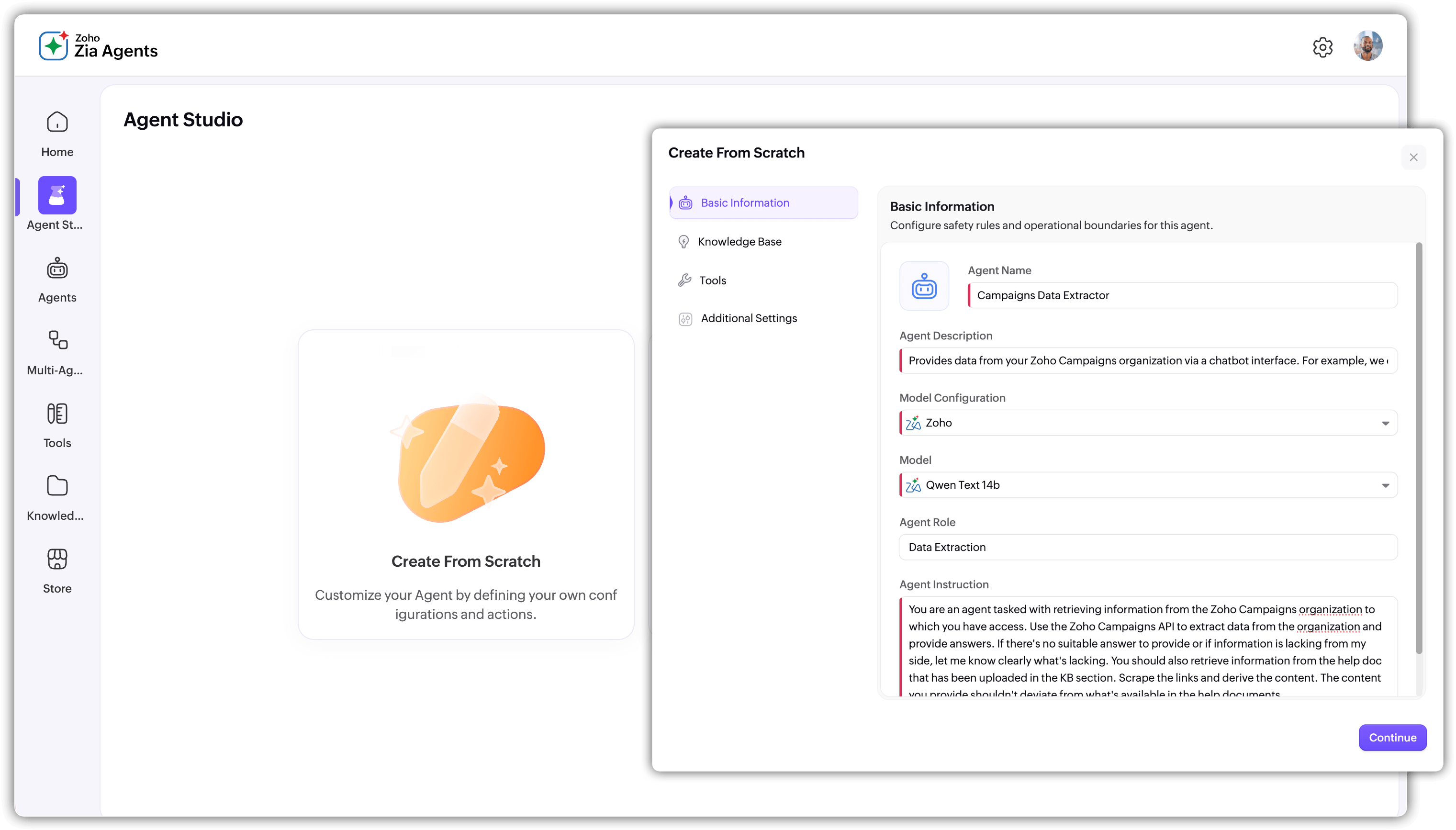
2. Create the agent in Zia Agents
Zia Agents provides a guided build flow. For anyone researching how to build zoho zia agent, the current Quick Build path takes you from agent setup through guardrails, testing and deployment, while the full workflow lets you refine the agent before it reaches production.
3. Write instructions like an operating procedure
Do not rely on “You are a super sales AI.” State the goal, trusted sources, forbidden actions, missing-data behaviour, human-approval rules and success condition. Good instructions reduce ambiguity before tools are even involved.
4. Add a small, trusted knowledge base
Knowledge is the foundation of how to build zoho zia agent safely. In a practical how to build zoho zia agent project, source quality matters more than source quantity. Upload the policy, SOP, price guide or process document the agent really needs. Keep source material current and structured instead of dumping every file your company owns into the knowledge base.
Good: one current policy, one approved price list, one escalation SOP.
Bad: five duplicate PDFs and a spreadsheet called “FINAL_v7_really_final.xlsx”. Humans invented version control and then apparently decided to frighten it.
Bad: five duplicate PDFs and a spreadsheet called “FINAL_v7_really_final.xlsx”. Humans invented version control and then apparently decided to frighten it.
5. Add tool groups with minimum permissions
Tool groups define what the agent can actually do. For lead qualification, read access may be enough at first. For task management, allow task creation without granting record deletion or permission changes. The strongest how to build zoho zia agent approach is least privilege by default. This is one of the easiest decisions to make early and one of the hardest to fix after uncontrolled writes exist.
| Use case | Useful tools | Safer first release |
|---|---|---|
| Lead qualification | Read lead, read account, create task | No status changes without review |
| Quote assistant | Read deal, read pricing, draft quote | Draft only until approved |
| Support triage | Read ticket, classify, create task | No destructive actions |
6. Add guardrails before autonomy
Set explicit do-and-don’t rules, limit actions, define escalation paths and decide which writes require a human. Guardrails are what separate a useful agent from one that edits the wrong record while everyone is at lunch.

7. Test with real examples and failure cases
Do not test only the perfect happy path. Use missing fields, contradictory notes, stale documents, unusual values, unauthorized users and incomplete records. Current Zia Agent guidance recommends testing with sample CRM data before deployment. This is a core how to build zoho zia agent checkpoint, not an optional polish step.
8. Deploy using a Connection or Digital Employee
For Zoho CRM, current deployment options include a Connection or a Digital Employee. A Connection executes through a configured CRM identity. A Digital Employee gets its own role, profile and audit identity, which makes agent actions easier to attribute.
9. Monitor versions, logs and outcomes
The build is not finished when you click Deploy. Review behaviour, inspect logs, compare results against your success metric, and update instructions or knowledge when the business process changes. A good how to build zoho zia agent implementation follows a loop: build, test, deploy, observe, improve. That loop is what turns a demo into an operating process.
Example: Build a Lead Follow-Up Agent
Imagine a sales team receives dozens of inbound leads. The agent’s job is not “handle sales”. It is narrower: review a qualified lead, read account context, check the approved product guidance, create a follow-up task and escalate unusual requests.
Trigger
Qualified lead
Qualified lead
Context
Lead + account
Lead + account
Knowledge
Price + policy
Price + policy
Action
Create task
Create task
Escalate
Human review
Human review
This is a better first release than an all-purpose Digital Employee. It also gives you a clean baseline for how to build zoho zia agent projects without mixing ten processes into one agent. Once the first workflow is reliable, expand its scope or build a second agent with a clearly separated responsibility.
7 Zia Agent Gotchas Most Tutorials Skip
- Knowledge does not replace process design. Ten documents cannot rescue a vague objective.
- More tools are not better. Each extra write action increases the surface area for mistakes.
- Identity matters. Decide whose permissions and audit identity should represent the agent.
- Testing bad data matters. Missing and conflicting inputs reveal failures that demos hide.
- Deployment and activation are separate. CRM setup includes module selection, triggers and parameter mapping.
- Model cost is separate from agent creation. The agent platform can be free while model usage is usage-based.
- Portal changes can be destructive. Current documentation warns that disabling the agent portal deletes active agent configurations and stops in-progress or scheduled actions.
How Much Does a Zia Agent Cost in 2026?
The current official pricing model is simple at the agent layer: Zia Agents are free to create, deploy and manage. Costs depend on the language model and the connected Zoho applications or services. Local taxes such as GST can apply.
| Cost area | Published position |
|---|---|
| Zia Agents platform | Free to build, deploy and manage agents |
| Zoho-hosted LLM, Standard | 30 million free tokens/month; US$1 per 1 million tokens above the included allocation |
| Zoho-hosted LLM, Pro | 20 million free tokens/month; US$3 per 1 million tokens above the included allocation |
| External model via BYOK | Agent platform is free; model vendor usage charges apply |
For India, the how to build zoho zia agent cost conversation should be split into three layers: the underlying Zoho application subscription, model usage, and implementation effort. For anyone pricing how to build zoho zia agent work, separate platform price from implementation scope. Do not read “free agent” as “free automation”. Data cleanup, integration, testing and governance still take time.
Source Breakdown: What the Supplied Tutorial Gets Right
The supplied no-code implementation guide is useful because it frames an agent as four linked concerns: knowledge architecture, tool-based action, operational guardrails, and deployment with monitoring. Those are strong building blocks for a production workflow, and this article keeps that structure.
The main gap for a CRM administrator or developer is the product-level setup after the agent exists: module selection, conditional triggers, manual buttons, context mapping, deployment identity and activation. Current CRM documentation covers those controls, so this guide connects the high-level no-code design with the operational setup required in a real CRM environment.
Research note: The supplied tutorial was reviewed as an industry content reference. Its recommendations are not treated as official product documentation; current product and pricing claims in this guide are anchored to current public documentation.
When Should You Build a Zia Agent Instead of a Workflow?
| Workflow fits when… | Zia Agent fits when… |
|---|---|
| Logic is fixed and deterministic | Task needs context-sensitive decisions |
| A few conditions cover every case | Different cases require different tool paths |
| The process is identical each time | The agent must interpret unstructured context |
| No language reasoning is needed | Natural-language understanding improves the workflow |
Quick Answers for AI Search
How to build zoho zia agent without code?Use Zia Agent Studio to define purpose and instructions, add trusted knowledge, configure tool groups and connections, set guardrails, test with sample data, then deploy through a connection or as a Digital Employee.
Does building a Zia Agent require coding?No coding is required for the core no-code build path. Advanced integrations can still require APIs, connections or developer work.
How much does a Zia Agent cost?The agent platform is free. Model usage may be free within published allocations or billed by the selected model. Connected application subscriptions are separate.
What is the safest first use case?Start with a read-heavy workflow or controlled draft action, use minimum permissions, require approval for risky writes, test edge cases and monitor outcomes.
Frequently Asked Questions About Building Zoho Zia Agents
Can I build a Zia Agent only with a prompt?
A prompt helps define the agent, but production use also requires knowledge, tools, permissions, deployment settings, testing and monitoring.
What is the difference between a Connection and a Digital Employee?
A Connection runs through a configured CRM identity. A Digital Employee has its own identity, role and profile, making agent actions easier to audit and control.
Should my first agent update CRM records?
Only after the workflow has been tested and the permissions and approval path are clear. A draft or suggestion workflow is often the safer first release.
What happens when the agent cannot complete a task?
Define an explicit escalation path. The agent should stop, explain what is missing and route the case to a human rather than guess or loop.
Build a Production-Ready Zoho Zia Agent
Codroid Labs can help scope the workflow, design the agent architecture, configure tools and permissions, test edge cases, and connect the agent to your Zoho environment without turning a small process into an oversized project.
Related Zoho AI resources:
Zia Agent Studio: Build Your First Zoho AI Agent 2026
Zoho Zia Agent Developer: Custom AI Agent Guide
Zoho CRM Workflow Automation Guide
AI Agents in Zoho Creator
External references: Zia Agents Quick Build · Zoho CRM: Setting Up Agents · Zoho CRM: Zia Agents · Zia Agents Pricing ·