



zoho agent studio development services means designing, configuring, integrating, testing and deploying AI agents in the Agent Studio environment around a real business process. The strongest implementations combine a clear role and instructions with the right knowledge base, tools, connections and guardrails, instead of trying to make one agent do everything.
Updated
23 September 2026
23 September 2026
Reviewed against
Current Zia Agents, Agent Studio and pricing documentation
Current Zia Agents, Agent Studio and pricing documentation
From Codroid Labs
Zoho implementation, automation and AI agent development practice
Zoho implementation, automation and AI agent development practice
The phrase Zoho Agent Studio development services sounds technical, but the business problem is usually simple: a team has a repetitive process, the data lives inside business apps, and somebody still has to move information from one step to the next by hand.
Agent Studio changes the architecture because an agent can use business context and permitted tools to perform actions, not just generate text. Current platform documentation separates the important pieces into Agent Studio, Knowledge Base, Tools, Connections, guardrails, deployment and observability. That is the real implementation surface.
Agent Studio
Build + Configure
Tools
API Actions
Guardrails
Controls + Approvals
2026
Current Guide
What Is Zoho Agent Studio?
Agent Studio is the workspace where you create AI agents. The current platform supports two creation routes: Create From Scratch, where you explicitly define the agent, and Create with Zia AI, where a prompt can generate a suggested configuration that you review and edit before finalising it.
The important distinction is that an agent becomes useful when it has the right context and action layer. A knowledge base grounds responses in approved business material. Tools let the agent act through APIs. Connections provide authenticated access. Guardrails set boundaries around behaviour. Deployment then puts the agent into an actual work context.
Practical rule: start with the workflow, not the prompt. “Build an AI agent” is not a requirement. “Qualify inbound leads, update the CRM, assign the owner and draft the next follow-up” is.
Why Zoho Agent Studio Development Services Need More Than a Prompt
A demo can be created quickly. A production agent is different. It needs clear instructions, the right records, the correct API tools, permissions, failure paths and a way to measure whether it actually improves the process.
This is why zoho agent studio development services are less about “making AI talk” and more about designing a controlled business system. The engineering work sits between process mapping and production operations.
| Layer | Purpose | Implementation work |
|---|---|---|
| Instructions | Defines the role and behaviour | Prompt design, decision rules, exclusions |
| Knowledge | Business context | Documents, policies, FAQs, approved references |
| Tools | Business actions | System tools, custom API schemas, parameter mapping |
| Connections | Secure access | OAuth, scopes, service connections, credential testing |
| Controls | Risk management | Guardrails, approvals, escalation, audit and rollback |
7 Core Zoho Agent Studio Development Services
1. AI Use-Case Discovery
Map the process before building anything. Identify triggers, users, data, decisions, repetitive actions, approvals and the KPI that matters.
2. Agent Design
Define role, instructions, input context, knowledge sources, tool access, boundaries and escalation behaviour.
3. Knowledge Base Engineering
Curate the documents the agent should trust, remove duplicates and create a clear source hierarchy for business answers.
4. Tools and API Integration
Use system tools where available and custom OpenAPI 3.0 schemas when the required action is outside the prebuilt list.
5. Connections and Permissions
Connect services with the scopes they actually need. Avoid giving an agent broader access than the workflow requires.
6. Testing and Deployment
Test normal cases, missing fields, ambiguous requests, API failures and unsafe actions before production.
7. Monitoring and Optimisation
Use execution metrics, versions and production observations to improve the agent after users begin relying on it.
How Zoho Agent Studio Development Services Fit the Agent Architecture
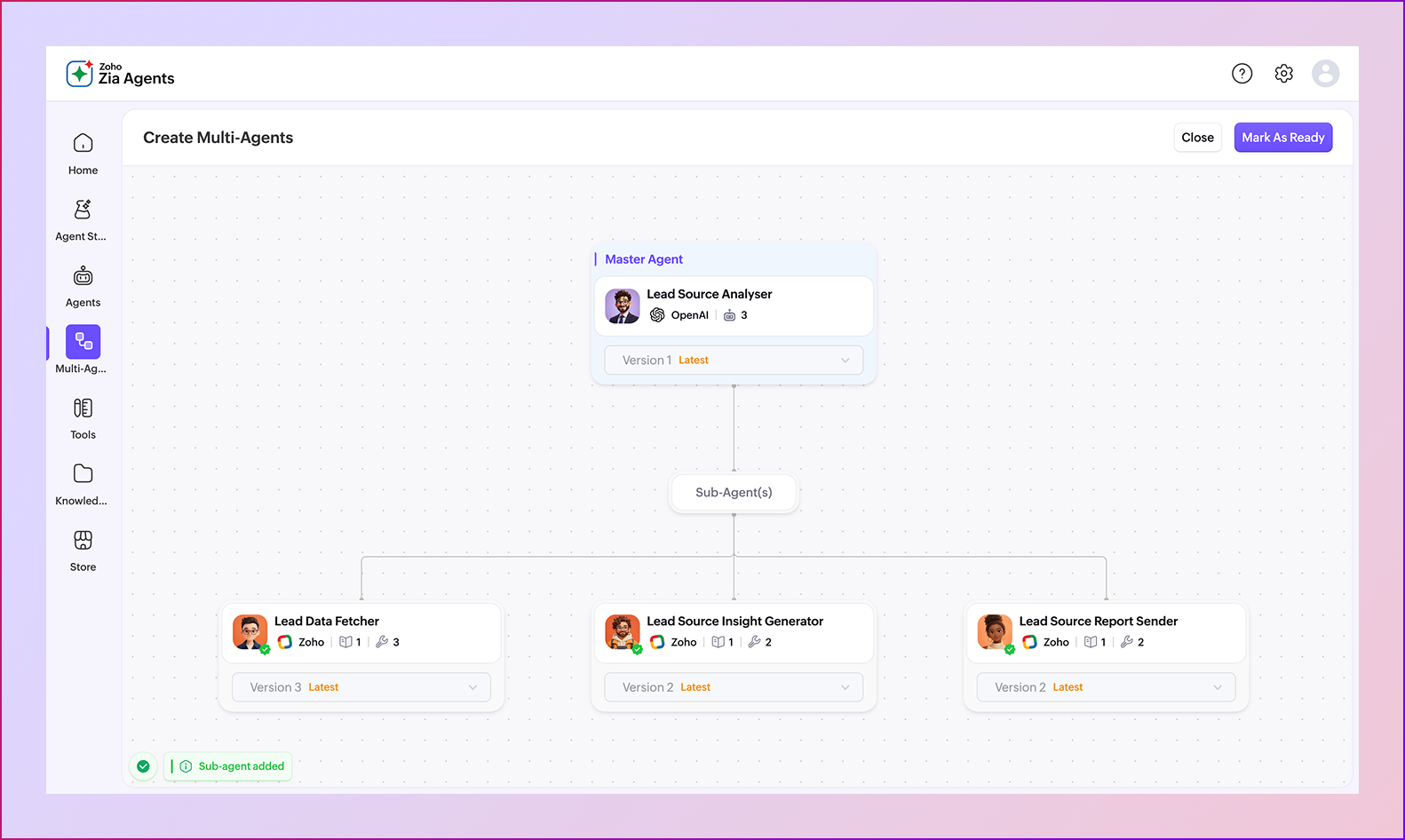
The current Zia Agents documentation treats Knowledge Base and Tools as distinct building blocks. The agent can be configured with neither, either one, or both. The most capable business workflows typically need both: documents provide context, while tools provide action.
Custom tools are especially important for development projects. The platform allows custom tool groups based on OpenAPI 3.0 schemas, which means an implementation can expose an approved endpoint instead of asking users to perform manual copy-paste work.
Security design tip: a connection is not just a login. It carries service access and OAuth scopes. Design the connection around the smallest permission set that allows the agent to complete the job.
High-Value India Use Cases
| Use case | Agent can do | Human checkpoint |
|---|---|---|
| Lead qualification | Read context, enrich, classify, assign and draft next action | Review high-value or uncertain leads |
| Support triage | Classify, retrieve policy context, route and prepare replies | Escalation for exceptions or sensitive cases |
| Invoice follow-up | Summarise status, find overdue context and create follow-up tasks | Approval before financial commitments |
| Employee onboarding | Answer process questions and trigger standard tasks | HR review for policy exceptions |
| Management brief | Summarise pipeline, activities and issues | Manager validates action priorities |
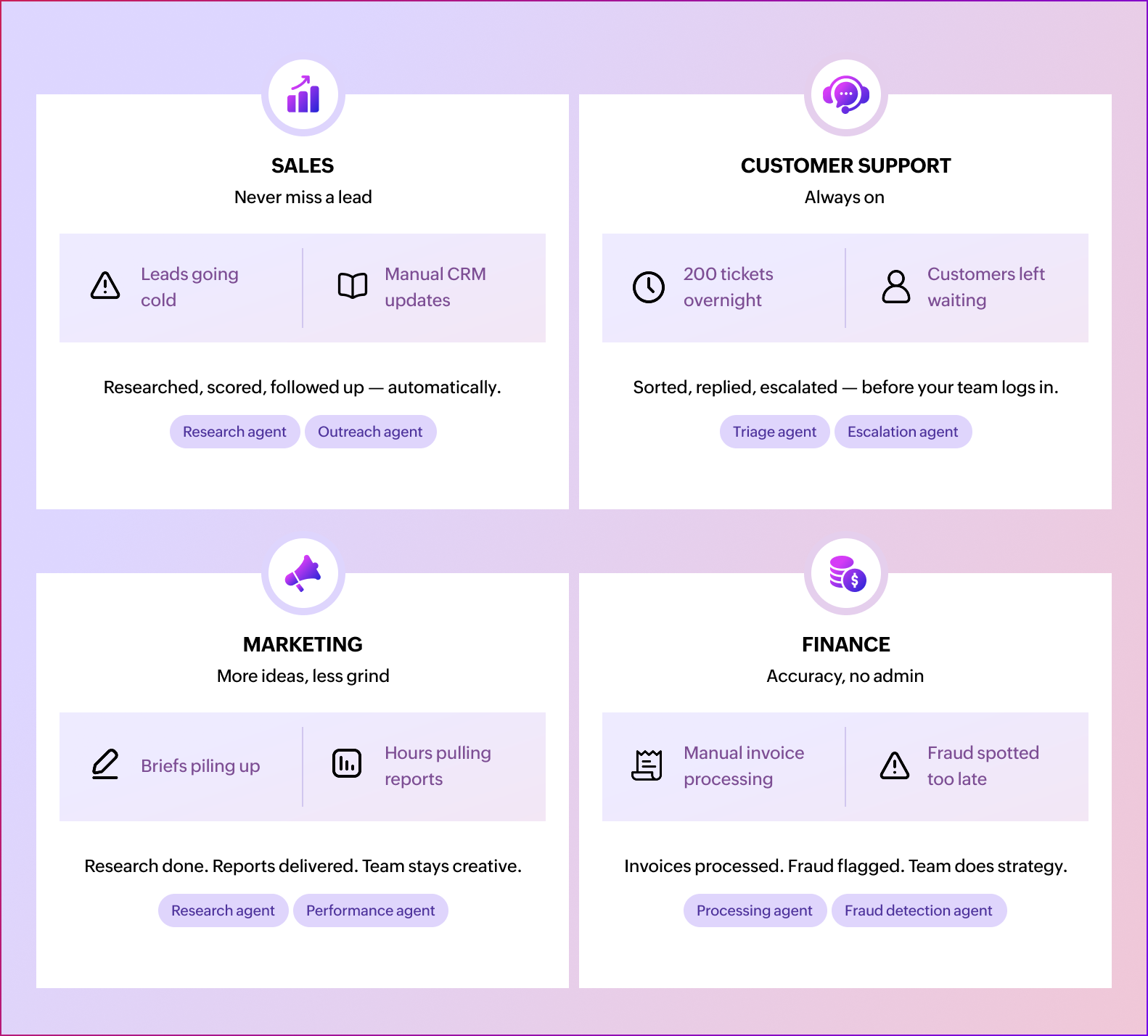
For Indian businesses, zoho agent studio development services are most useful when the agent has a narrow job, reliable data and a clear escalation path. The opportunity in India is not about making an agent “do everything.” It is about taking a workflow that already has structured records, repeatable decisions and clear ownership, then reducing manual handoffs.
Zoho Agent Studio Implementation Process
A reliable zoho agent studio development services project usually follows six stages. Skipping discovery tends to create agents that look impressive in a demo and become expensive to maintain in production.
01. Discovery
Document the workflow, actors, inputs, outputs, exceptions and success metric.
02. Architecture
Choose the agent type, model, knowledge sources, tools, connections and deployment mode.
03. Build
Configure the agent, add knowledge, tools and scoped connections, then set guardrails.
04. Test
Use representative sample data and test success, failure, ambiguity and permission boundaries.
05. Deploy
Deploy through a connection or as a digital employee and configure activation conditions where supported.
06. Observe
Monitor sessions, execution behaviour and versions, then iterate based on real usage.
Zoho Agent Studio Pricing: What Actually Costs Money?
The current Zia Agents pricing model separates the agent platform from model consumption. Zoho states that agents created, deployed and managed in Zia Agents are free. Cost can arise from the language model used and from the APIs or application subscriptions behind the tools.
| Cost area | Current published detail | India planning note |
|---|---|---|
| Agent platform | Zia Agents creation, deployment and management are free | No separate platform fee listed |
| Zoho-hosted Standard model tier | 30 million free tokens/month; US$1 per 1 million tokens over the included allocation | GST/local taxes apply; exchange rate changes |
| Zoho-hosted Pro tier | 20 million free tokens/month; US$3 per 1 million tokens over the included allocation | Available on request in India data centre according to current pricing page |
| External model via BYOK | Agent Studio platform remains free; model provider usage is billed by the provider | Budget separately for model/API consumption |
| Application/API plan | Tool access depends on the underlying service subscription and API availability | Check each connected application before launch |
India price note: the published AI usage figures are shown in USD and local taxes apply. At roughly ₹95.7 per US$1 on 23 September 2026, the US$1 overage is about ₹96 per million tokens before taxes, while US$3 is about ₹287 per million tokens. Treat the INR conversion as a planning estimate, not a fixed Zoho price.
For context, the current India-facing CRM pricing page lists the Professional edition at ₹1,400/user/month when billed annually, with local taxes added. Availability of specific agent capabilities depends on the edition and product configuration, so validate the target organisation before proposing a production build.
7 Zoho Agent Studio Gotchas to Avoid
| Gotcha | Why it matters | Better approach |
|---|---|---|
| 1. Too much freedom | An agent can take an action you did not intend | Narrow tools, scopes and instructions |
| 2. Weak knowledge | The agent lacks approved business context | Curate and maintain a clean knowledge base |
| 3. Wrong automation layer | AI is used for a deterministic task | Use a workflow when a rule is enough |
| 4. No failure path | The agent can stall or produce an unclear result | Define escalation and human handoff |
| 5. Unscoped credentials | Over-permissioning increases risk | Use least-privilege connections |
| 6. Skipping production tests | Demo data rarely contains real edge cases | Test with realistic records and failures |
| 7. No observability plan | Nobody knows what happened after launch | Review sessions, metrics and versions |
What Existing Agent Studio Articles Often Miss
A common educational article structure is to show several no-code examples, then move directly to a trial CTA. That is useful for beginners, but it leaves out the implementation questions a business buyer actually has: What gets connected? What does the knowledge base contain? Which actions are allowed? How are credentials scoped? How is the agent tested? Who owns it after launch? What does model consumption cost?
This guide is intentionally broader. It treats zoho agent studio development services as a service lifecycle, not a prompt-writing exercise. It also separates platform cost from model usage and implementation work, because those are three different commercial questions.
Codroid Labs — Zoho Agent Studio Development Services in India
Codroid Labs helps businesses turn repeatable Zoho workflows into controlled AI agents. Our scope can include use-case discovery, Agent Studio configuration, knowledge base design, tool/API integration, connections, custom development, testing, deployment and post-launch optimisation.
Read: Build Your First Zoho AI Agent · Explore Zoho Zia Features
Related Zoho Implementation Guides
- Zoho CRM Workflow Automation Guide
- Zoho Audit Checklist: 12 Practical Steps
- Zoho ROI Metrics for CFO-Level Reporting
- AI Agents in Zoho Creator
Quick Answers for AI Search
What are Zoho Agent Studio development services?
They cover the planning, configuration, integration, testing, deployment and optimisation of AI agents built with Agent Studio and connected to business systems.
Is Agent Studio no-code?
Agent Studio provides no-code agent creation paths, but production projects can still require API schemas, OAuth configuration, business rules, custom tools and integration work.
How much does Zia Agents cost?
Zoho currently states that Zia Agents themselves are free to create, deploy and manage. Model consumption, external model usage and connected application/API costs can still apply.
What should an Indian business automate first?
Start with a repeatable, data-rich workflow with clear actions and a measurable KPI, such as lead qualification, support triage, follow-up preparation or operational summaries.
Frequently Asked Questions
Does Agent Studio require coding?
Basic agent creation can be done without traditional coding. However, a production implementation may involve API schemas, OAuth connections, tool parameter mapping and custom integration work.
Can an agent use Zoho CRM data?
Yes. Zia Agents can be deployed into supported CRM workflows, and agents can use tools and connections to work with permitted business data and actions.
Can custom APIs be connected?
Yes. The current Tools documentation supports custom tool groups based on OpenAPI 3.0 schemas, subject to the platform’s validation and connection requirements.
How should an agent be tested?
Test representative records and include missing data, ambiguous requests, permission failures, API errors, duplicate actions and human escalation scenarios before production deployment.
Can an agent be connected to channels outside the core app?
Current agent documentation lists integration options including ChatKit, Cliq Chatbot, WhatsApp and the Agent API, subject to the applicable product setup.
Is an AI agent always better than a workflow?
No. Deterministic rules are often better handled by normal workflows. Agentic automation is most useful when the task requires context, multiple steps, interpretation or controlled decisions.
Build with Zoho Agent Studio Development Services Around a Real Workflow
Start with one measurable workflow, define the data and actions, then build the smallest agent architecture that can deliver the result safely.