Zoho CRM Workflow Automation: 10 Powerful Workflows to Set Up Today and Save 6+ Hours Daily
Stop losing time to manual follow-ups, missed lead assignments, and delayed invoices. These 10 workflows run automatically — 24/7, without a single click from your team.
Zoho CRM workflow automation — 10 proven workflows that save Indian sales teams 6+ hours per day
Zoho CRM workflow automation is the most underused feature in every Zoho account across India. Most teams use less than 20% of what Zoho’s automation engine is capable of — while spending 3-6 hours per day on tasks that can be eliminated entirely: manual lead assignment, copy-pasting data into invoices, sending follow-up emails one by one, logging calls manually, and alerting managers via WhatsApp about new deals.
This guide covers 10 proven Zoho CRM workflow automation setups that Codroid Labs has implemented at businesses across India. For each workflow, you get the exact trigger, condition, and action logic — plus which Zoho CRM plan you need and a realistic estimate of how much time it saves your team every week.
Competitors covering this topic list workflow names without setup instructions. This guide gives you everything you need to activate each automation today — without needing a developer.
10
Ready-to-use workflows
6+ hrs
Saved per rep per day
Rs.800
Minimum plan (Standard)
0 Code
Required for most workflows
How Zoho CRM Workflow Automation Works — Trigger, Condition, Action
Every Zoho CRM workflow automation rule follows the same three-part logic. Understanding this structure is essential before building any workflow — it is the difference between a rule that fires reliably every time and one that creates duplicate records or fires on the wrong records.
1
TRIGGER
The event that starts the workflow. Record created, field updated, deal stage changed, time elapsed, form submitted.
2
CONDITION
The filter that checks whether the triggered record qualifies. Lead Source = IndiaMart, Deal Value > Rs.1L, Status = New.
3
ACTION
What happens automatically. Send email, create task, update field, trigger webhook, create record in another module.
Actions can be instant (run immediately when the trigger fires) or scheduled (run after a specified delay — for example, send a follow-up email 2 days after lead creation if no reply). Most high-value workflows use a combination of both.
In Zoho CRM, you build these rules at: Setup (gear icon) > Automation > Workflow Rules > Create Rule. The setup wizard walks you through each element. You can also view all active rules, their trigger counts, and failure logs from the same screen.
Which Zoho CRM Plan Do You Need for Workflow Automation?
Not every Zoho CRM workflow automation feature is available on every plan. Here is the complete reference before you build the 10 workflows below — so you know what is available at your current plan level.
Automation Feature
Free
Standard (Rs.800)
Professional (Rs.1,400)
Enterprise (Rs.2,400)
Workflow Rules
Limited
Yes (50/module)
Yes (50/module)
Yes (200/module)
Email Notifications
Yes
Yes
Yes
Yes
Task Auto-Creation
Yes
Yes
Yes
Yes
Webhook Integration
No
Yes
Yes
Yes
Blueprint Process
No
No
Yes
Yes
Custom Functions (Deluge)
No
No
Yes
Yes
Zia AI Suggestions
No
No
No
Yes
Zoho CRM workflow automation — trigger, condition, and action setup in the workflow rule builder
The 10 Essential Zoho CRM Workflow Automation Rules
1
Auto Lead Assignment on New Lead Creation
Plan: Standard (Rs.800) | Module: Leads | Time Saved: 2-3 hrs/day
The biggest leak in most Indian sales pipelines: a new lead sits in Zoho CRM for hours before anyone is assigned to it. This Zoho CRM workflow automation assigns the lead to the right salesperson within seconds of creation — based on Lead Source, city, or product interest.
TRIGGER Lead is created
CONDITION Lead Source equals IndiaMart OR Lead Source equals Website
ACTION Assign to Sales Rep (round-robin or by territory) + Create follow-up task due in 15 minutes
2
Automated 5-Touch Follow-Up Email Sequence
Plan: Standard (Rs.800) | Module: Leads | Time Saved: 3+ hrs/rep/week
80% of sales require 5+ follow-up touches. Most Indian sales reps stop after 1-2. This Zoho CRM workflow automation sends a personalised email sequence over 14 days — automatically, without the rep remembering anything.
TRIGGER Lead is created
CONDITION Email address is not empty AND Lead Status is not Converted
ACTION Instant: Welcome email. Day 2: Value email. Day 5: Case study. Day 10: Check-in. Day 14: Breakup email (scheduled actions)
3
WhatsApp Alert to Sales Rep on New Lead (India-Critical)
Plan: Standard (Rs.800) + WhatsApp API | Module: Leads | Time Saved: Immediate response
In India, WhatsApp is the primary communication channel for most sales teams. This is the most India-specific Zoho CRM workflow automation — a webhook fires when a new lead is created and sends the lead details (name, phone, inquiry, source) to the assigned rep’s WhatsApp number within 10 seconds. Response time drops from hours to minutes.
TRIGGER Lead is created
CONDITION Lead Source equals IndiaMart OR WhatsApp Lead Ad
ACTION Webhook to WhatsApp Business API with Lead Name, Phone, Inquiry Subject, and Source as variables
4
Auto-Create Invoice in Zoho Books When Deal is Won
Plan: Standard (Rs.800) + Zoho Books | Module: Deals | Time Saved: 30-45 min/deal
Every time a deal is Won, your finance team manually creates an invoice in Zoho Books. This Zoho CRM workflow automation eliminates that handoff entirely — the invoice is created automatically in Zoho Books with the deal value, customer details, and line items populated from the CRM record.
TRIGGER Deal Stage is updated
CONDITION Stage equals Closed Won
ACTION Custom Function or Webhook: Create draft invoice in Zoho Books with deal amount, contact, and product details
5
Deal Stagnation Alert to Sales Manager
Plan: Standard (Rs.800) | Module: Deals | Time Saved: Catches stuck deals before they die
Deals that sit in one stage for 3+ days without activity are dying silently. This scheduled Zoho CRM workflow automation alerts the sales manager when a deal has been in the same stage for longer than your defined threshold — so intervention happens before the deal is lost.
TRIGGER Deal is modified (field update triggers)
CONDITION Last Activity Date is more than 3 days ago AND Stage is not Closed Won/Lost
ACTION (Scheduled) Send email notification to deal owner’s manager + Create escalation task assigned to manager
6
eCommerce Customer to CRM Lead (Re-engagement)
Plan: Standard (Rs.800) + Zoho Flow | Module: Leads | Time Saved: 100% of re-engagement effort
Every customer who buys from your Shopify, WooCommerce, or custom eCommerce store is a warm prospect for upselling, feedback collection, and repeat purchase campaigns. This Zoho CRM workflow automation via Zoho Flow adds new purchasers as leads in CRM automatically.
TRIGGER New order confirmed in eCommerce platform (via Zoho Flow)
CONDITION Customer email not already in Zoho CRM
ACTION Create Lead in Zoho CRM with Lead Source = eCommerce + Add to re-engagement campaign list
7
Automatic Call Logging from Telephony
Plan: Standard (Rs.800) + Telephony app | Module: Calls | Time Saved: 20 min/rep/day
Sales reps spend 15-20 minutes per day logging call details manually. This Zoho CRM workflow automation via Zoho Flow captures call duration, caller ID, and outcome from your telephony app (JustCall, Exotel, MyOperator) and logs it to the correct CRM record automatically.
TRIGGER Outbound or inbound call completed in telephony app
CONDITION Call duration greater than 30 seconds
ACTION Log activity in Zoho CRM against matching Lead/Contact by phone number with duration, agent name, and timestamp
8
Add New Lead to Email Marketing Nurture List
Plan: Standard (Rs.800) + Zoho Campaigns | Module: Leads | Time Saved: 100% of manual list management
Marketing campaigns work only if leads are added to the correct nurture list immediately. Manual list management creates delays of hours or days. This Zoho CRM workflow automation adds every qualifying lead to the correct Zoho Campaigns mailing list the moment the lead enters CRM.
TRIGGER Lead is created
CONDITION Email address is not empty AND Lead has opted in (custom field = Yes)
ACTION Add to Zoho Campaigns mailing list matching Lead’s product interest (via Zoho CRM native Campaigns integration)
9
Create Deal Automatically After Document Signing
Plan: Standard (Rs.800) + Zoho Sign | Module: Deals | Time Saved: 15-20 min per signed contract
When a client signs a proposal or agreement in Zoho Sign, a deal should be created immediately in CRM. This Zoho CRM workflow automation converts a signed document event into a Zoho CRM deal record without anyone manually creating it.
TRIGGER Document fully signed in Zoho Sign
CONDITION Document type tag equals Proposal OR Agreement
ACTION Create Deal in Zoho CRM with stage = Proposal Accepted, contact = signer’s email, and deal value from document metadata
10
Auto-Export CRM Data to Google Sheets for Reporting
Plan: Standard (Rs.800) + Zoho Flow | Module: All | Time Saved: 1 hr/week on manual reports
Managers and founders often need real-time CRM data in Google Sheets for external reporting, CA review, or investor dashboards. This Zoho CRM workflow automation via Zoho Flow exports new leads or deals to a Google Sheet automatically — no manual export required.
TRIGGER New Lead or Deal created in Zoho CRM (via Zoho Flow)
CONDITION Deal value greater than Rs.50,000 (filter high-value deals) OR all leads (for lead tracking sheet)
ACTION Append row to Google Sheet with Name, Phone, Email, Value, Stage, Owner, and Created Date
Advanced Zoho CRM Workflow Automation — Blueprint and Zia AI
The 10 workflows above run on Standard plan. For businesses that need process enforcement and AI-driven automation, two advanced features elevate Zoho CRM workflow automation to a different level entirely.
Blueprint — Professional Plan (Rs.1,400)
Blueprint enforces your sales process as a mandatory stage-gate workflow. A deal cannot move from Qualification to Proposal Sent without a mandatory field (budget confirmed, demo completed) being filled. It eliminates the “deals marked as Won without the actual close” problem that plagues unstructured CRM setups.
Zia AI — Enterprise Plan (Rs.2,400)
Zia AI analyses your audit logs and activity history to suggest workflow opportunities you have not thought of — patterns where a sequence of actions is repeating across team members. Zia also alerts you when a workflow’s performance drops (e.g., an email notification workflow stops firing due to a configuration change).
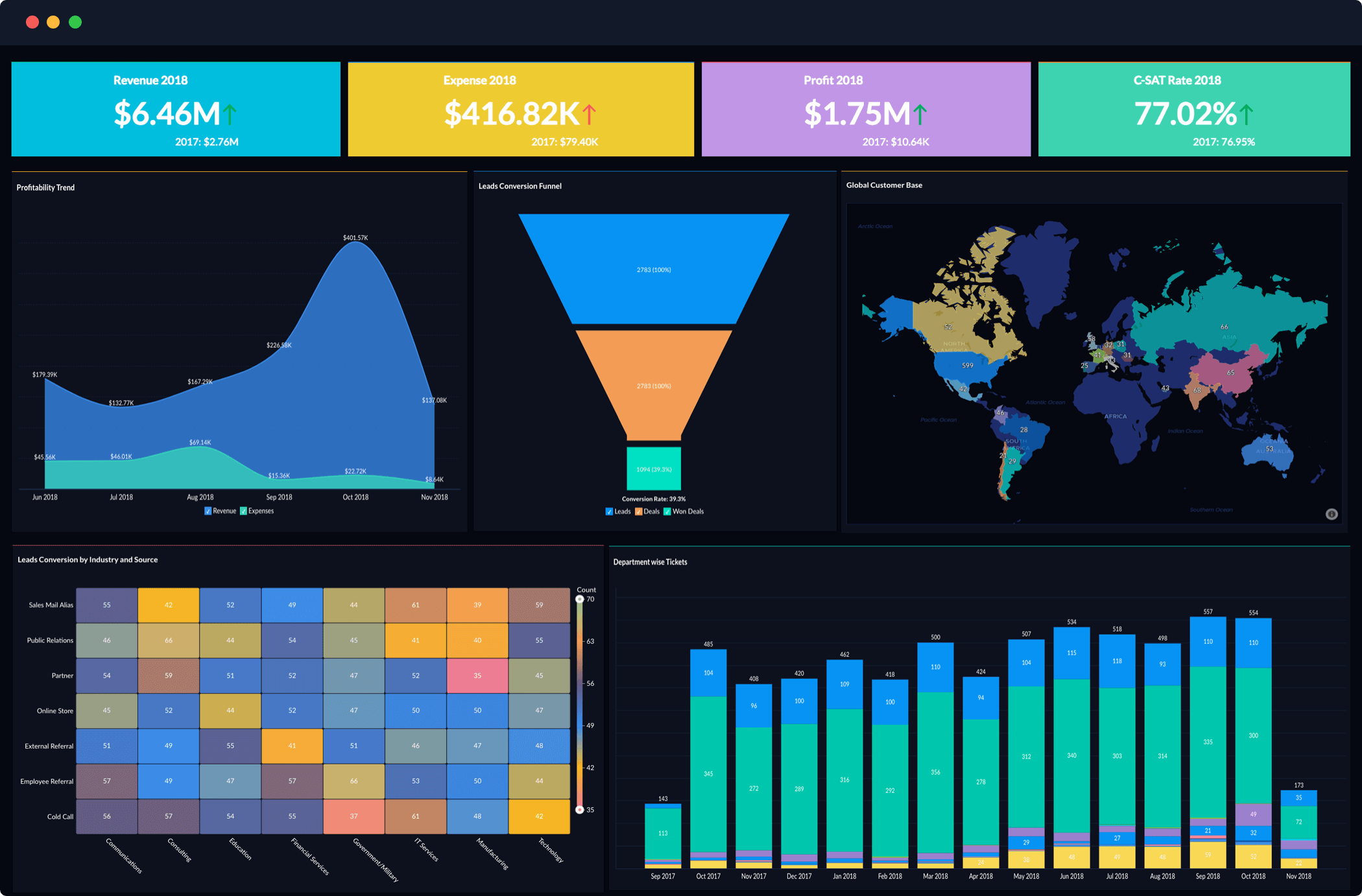
Zoho CRM workflow automation results — execution analytics dashboard showing workflow triggers, success rates, and time saved
What Indian Businesses Say After Activating Zoho CRM Workflow Automation
“The WhatsApp alert workflow alone changed our business. Before, new IndiaMart leads sat for 4-5 hours before anyone responded. Now our sales rep gets a WhatsApp within 10 seconds. Response time is down from 4.5 hours to 8 minutes — same team, zero extra cost.”
“The deal-to-invoice workflow saved our finance team 2.5 hours per day. We close 8-10 deals a week. Before, finance manually created each invoice in Books. Now it happens automatically when the deal is Won. Codroid Labs set up all 10 workflows in one week.”
Zoho CRM workflow automation is a rule-based system that executes CRM actions automatically when specified conditions are met — without manual intervention. Rules follow a Trigger (event) → Condition (filter) → Action (automated response) logic covering email notifications, task creation, field updates, webhooks, and record creation.
Which plan do I need for Zoho CRM workflow automation?
Basic workflow rules, email notifications, task creation, and webhook integration are available from the Standard plan at Rs.800/user/month. Blueprint process automation requires Professional at Rs.1,400/user/month. Zia AI automation suggestions require Enterprise at Rs.2,400/user/month. For most Indian businesses, Standard or Professional delivers the best value.
Can Zoho CRM workflows trigger WhatsApp messages?
Yes. A webhook action in a Zoho CRM workflow rule sends data to your WhatsApp Business API provider, which delivers the message to the specified phone number. Codroid Labs configures this integration as standard for all Indian client implementations — it is the highest-impact single automation for most Indian sales teams.
How many workflows can I set up in Zoho CRM?
Zoho CRM Standard and Professional plans allow up to 50 active workflow rules per module. Enterprise allows 200 per module. Unlike HubSpot, Zoho CRM does not cap workflow executions — a single rule can fire millions of times without additional cost.
Can Zoho CRM auto-create invoices in Zoho Books?
Yes. When a deal is marked Won in Zoho CRM, a workflow using a custom function or Zoho Flow creates a draft invoice in Zoho Books automatically. This native integration eliminates the manual sales-to-finance handoff that typically costs 30-45 minutes per closed deal.
Get All 10 Workflows Set Up by Codroid Labs
We implement all 10 workflows as part of every Zoho CRM setup — Blueprint design, WhatsApp webhook, Zoho Books integration, and IndiaMart sync included. Fixed price. GST invoice. Hindi or English.