


India · Zoho CRM · 28 November 2026
How to Turn Off Vibe in CRM: 5 Practical Admin Checks
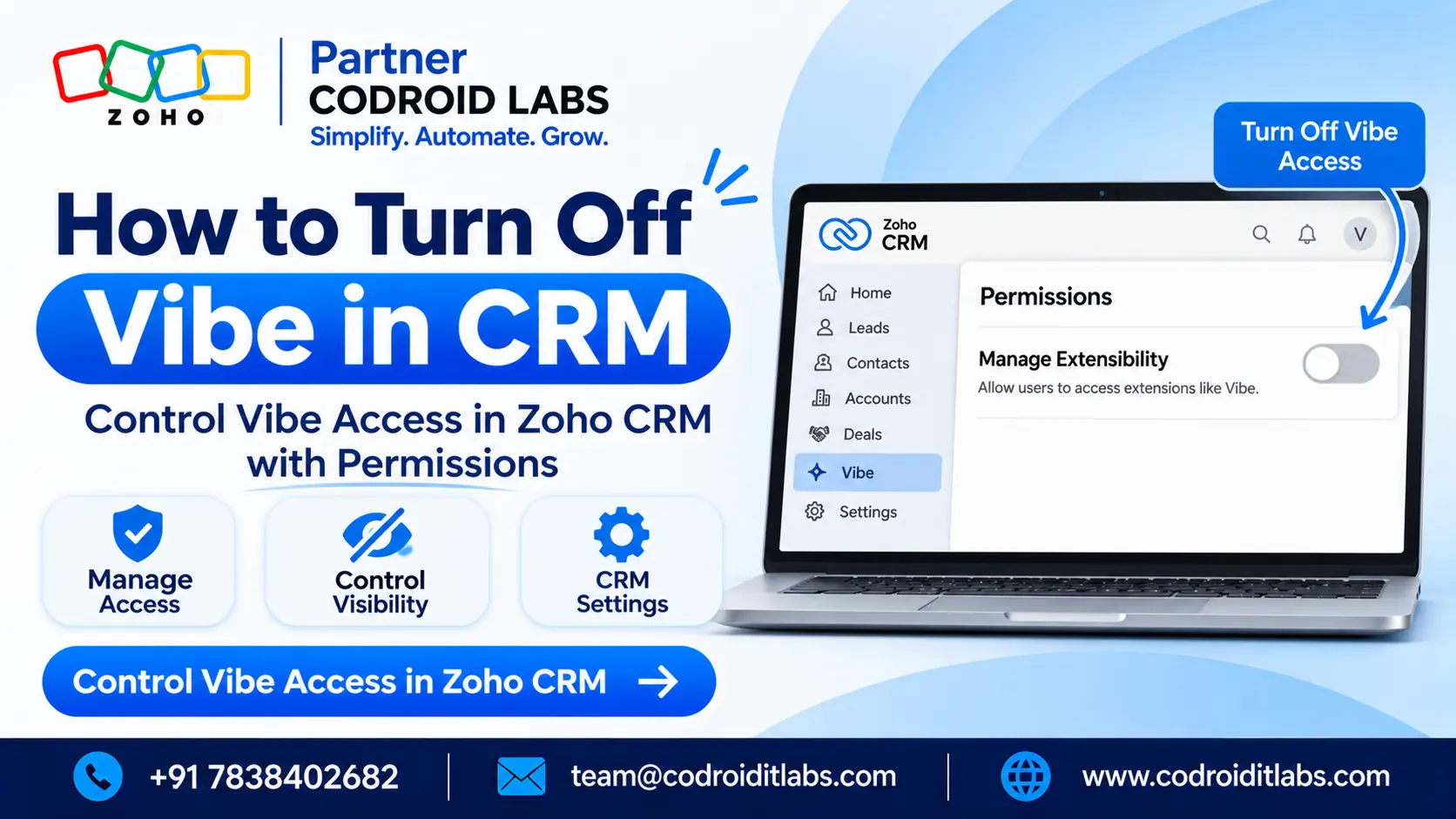
How to Turn Off Vibe in CRM: remove Manage Extensibility from that user’s profile (Setup > Security Control > Profiles), ideally via a custom profile. Only users with this permission can see Vibe in the left navigation, open it and generate. Other users do not see the option. Zoho is working on left-navigation customisation for more menu control.
- Go to Setup > Security Control > Profiles. Use a custom profile if the default one will not let you edit the permission.
- Remove Manage Extensibility from profiles that should not see or generate with Vibe. Keep it for admins who still need that work.
- Review any published Web Tabs, and watch for Zoho’s left-navigation customisation.
Short answers first
- There is no official Vibe on/off toggle today. How to Turn Off Vibe in CRM means removing Manage Extensibility from the profiles of people who should not see it.
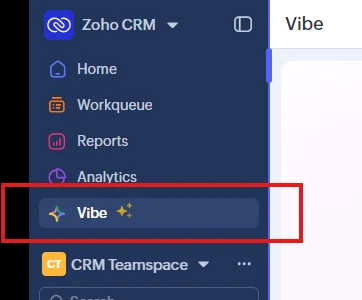
- Only users whose profile has Manage Extensibility see Vibe in the left menu, can open it, and can generate. Other users do not see that menu item.
- The same permission also covers connections, functions and widgets, so keep it for admins and for anyone who must still maintain that work.
- Published Vibe apps appear as Web Tabs. Restrict profile access, delete a tab you no longer need, or use Revision History to roll a published version back. Codroid Labs is a Zoho Partner, Partner ID: PI1471004.
If Vibe has appeared in your left menu, the control is a profile change, not a hidden switch. How to Turn Off Vibe in CRM is enough for most India orgs if you handle Manage Extensibility with care, and review any tabs that are already live.
There is no official on/off toggle
Vibe is Zoho’s prompt-to-app builder inside Zoho CRM. You describe a screen in plain language, and it can build a working tab, dashboard or tracker from live CRM data. The first release builds Tabs, and a published app becomes a Web Tab in CRM navigation. For a wider tour, start with our Zoho CRM Vibe guide. This guide covers how to Turn Off Vibe in CRM for people who should not generate apps, and how to handle tabs that are already live.
Official availability is Enterprise, Ultimate, Zoho One Enterprise and Zoho CRM Plus, with a phased rollout that began on the US, IN and EU data centres. Confirm it in your account. Zoho has not published a Vibe on/off control. Zoho’s official guidance is clear: only users with the Manage Extensibility permission can see Vibe in the left menu, access it, and generate. Other users will not see the option. How to Turn Off Vibe in CRM starts with that permission. Treat published tabs and AI model settings as separate checks.
Five practical checks for how to Turn Off Vibe in CRM
Here is the path our team uses for how to Turn Off Vibe in CRM without breaking other work. Official profile help lists Setup > Security Control > Profiles. Changes take effect at once.
| Check | What to do | Why it matters |
|---|---|---|
| 1 | Confirm there is no Vibe toggle, then open Profiles. | Go to Setup > Security Control > Profiles, as listed on Zoho’s Managing Profile Permissions page. Older Zoho notes sometimes still say Users and Control. |
| 2 | See who already has Manage Extensibility. | Official help marks Manage Extensibility as on for both the Standard and Administrator profiles, under Developer Permissions. If you still use default Standard, many everyday users may already see Vibe. Use View Users on each profile to see who will be affected. |
| 3 | Turn the permission off for people who should not generate. | Find Manage Extensibility under Developer Permissions and disable it if the control is editable. Official user FAQs say the default Standard profile lets you change only module-level permissions, so other settings on that default profile may be locked. If so, create a custom profile, turn the permission off there, and assign it to those users. Keep it on Administrator, or on a tightly held custom admin or developer profile. |
| 4 | Review any Vibe app that is already published. | Hiding the builder does not hide a tab that is already live. Zoho says a manage link after publish opens tab settings for the name and profile access. You can also go to Setup > Customization > Modules and Fields > Web Tabs, set Web Tab Access by profile, or delete a tab you no longer need. Use Revision History to roll a published version back. |
| 5 | Review ZKS and BYOK model settings, then test two logins. | Vibe can use OpenAI and Anthropic models through Zoho Key Service (ZKS) and Bring Your Own Key (BYOK), configured at Setup > Zia > Models. Low BYOK credits can interrupt generation, but model settings do not remove Vibe from the left menu. Sign in as a user without Manage Extensibility, and as an admin, and confirm the menu and published tabs. |
For edition fit before you change profiles, use our Zoho CRM pricing calculator for India and the official Zoho CRM pricing page. How to Turn Off Vibe in CRM is a permission and tab problem, not a new add-on fee Zoho has published.
What Manage Extensibility also covers
Official profile help describes Manage Extensibility in one line: manage connections, functions, and widgets. Zoho’s Functions security page is plainer still. A user with the permission can create, edit, delete and deploy functions, manage arguments, configure REST API endpoints, and manage connections. A user without it cannot open the Functions area at all. The permission is all or nothing, with no view-only setting.
The same permission is also required to create and manage CRM Variables, unless the user already has the Administrator profile. That is why how to Turn Off Vibe in CRM should not mean stripping the permission from every profile in a rush. Keep it for people who maintain functions, widgets, connections or variables. Users who only click a button that already runs a function do not need it, and Zoho says those functions still run. If a custom profile still needs that work, leave the permission on for that small group.
Published tabs, access and rollback
Removing the left-menu item only stops new generation for that profile. A tab that is already published can still appear for other users. Zoho’s official FAQ says a Web Tab is created immediately on publish, and a manage link opens tab settings for the name and profile access.
The same job also lives under official Web Tabs help: Setup > Customization > Modules and Fields > Web Tabs. Set Web Tab Access to the profiles that should see the tab. If the tab is no longer needed, use the official Delete action and confirm. Users need the Modules Customization permission to manage web tabs. We have not seen an official control labelled Unpublish, so we will not invent one. Deleting a web tab is the documented way to remove a tab you no longer want. Check in your account what remains of the underlying Vibe app after that delete; we have not seen a separate official note on that point.
If the content of a live tab is the problem, use Revision History. Zoho’s official Vibe blog and official announcement both say it keeps every published version, so you are one click from a previous state. Run Security Review before you publish again. Official copy lists six review categories: packages, source code, connections, outbound APIs, privacy concerns, and performance. Published apps read live data under the viewing user’s permissions. Only metadata such as module names and field structures is shared with the AI during generation. Full CRM record data is not sent to the AI model, according to the official product FAQ.
ZKS, BYOK and generation credits
How to Turn Off Vibe in CRM is still a profile decision even if generation is failing. Zoho’s announcement says Vibe uses models from OpenAI and Anthropic, and that you can configure them with ZKS and BYOK. Official Models help places that work at Setup > Zia > Models. Only administrators can enable or disable Models. For ZKS, enable Zoho Key Service, accept the terms, then enable the vendor you need. BYOK uses your own API keys. Zoho has also noted that low BYOK credits can interrupt generation. Use these settings to control how generation runs, not to hide the menu. If nobody should generate, turn Manage Extensibility off first, then decide if those models should stay on for other AI work.
Left-menu changes Zoho is still working on
Zoho has said it is working on left navigation customisation, which should offer more control over which features show in the left menu, and that it will explore role-based visibility. That guidance is on Zoho’s official Vibe announcement. There is no official help article or public date for that customisation yet. Until it ships, how to Turn Off Vibe in CRM remains the Manage Extensibility path above, plus tab access for anything already published. Watch official release notes, but do not wait if users are already generating unreviewed screens.
How our team at Codroid Labs can help
Codroid Labs is a Zoho Partner, Partner ID: PI1471004. GST 07AAWFC0815B1ZP. Our team serves businesses across India. Call +91 7838402682 or write to team@codroiditlabs.com. Fees quoted after a free call.
Here is how our team can help with how to Turn Off Vibe in CRM, or with a small group that should still use the builder.
- Profile and permission review. We map who has Manage Extensibility today, flag default Standard-profile limits, and help you design a custom profile that hides Vibe without cutting off functions, widgets or connections you need.
- Published tab audit. We list live Web Tabs, check profile access, and agree which should stay, be restricted, be rolled back, or be deleted.
- Security Review and a human check. For any tab you keep, we run the official review and click through it as more than one profile.
- Edition and model fit. We confirm if your org is already on a listed edition, and we help admins read ZKS and BYOK settings. Licence prices stay on Zoho’s official pages and on our India pricing guides.
For wider CRM work, see our Zoho CRM implementation guide for small business and Zoho CRM services in India. For Zoho One, see our Zoho One implementation and Zoho One licensing guides. To choose a firm, start with our Zoho Partner India selection guide, how to hire a Zoho Partner, or contact Codroid Labs.
Four quick answers
Is there a switch to hide Vibe?
No official on/off toggle has been published. How to Turn Off Vibe in CRM today is to remove Manage Extensibility from profiles that should not see it.
Who can see Vibe in the left menu?
Only users whose profile has Manage Extensibility. Official default tables show that permission on for Standard and Administrator, so check those first.
Will this break functions or widgets?
It can. Manage Extensibility also covers connections, functions and widgets. Keep it for admins and builders. Users who only trigger an existing function do not need it.
What about tabs already published?
Set Web Tab Access by profile, delete a tab you no longer need, or roll a published version back with Revision History. Hiding the builder does not hide a live tab.
FAQs
How to Turn Off Vibe in CRM if I cannot edit the Standard profile?
Create a custom profile, turn Manage Extensibility off there, and assign it to the users who should not see Vibe. Official FAQs say the default Standard profile allows changes only to module-level permissions, so do not assume that default row will let you disable a Developer permission.
Does turning off a model hide Vibe from the menu?
Not according to Zoho’s official pages. Setup > Zia > Models controls ZKS and BYOK access, and low BYOK credits can stop a generation, but the left-menu item is still tied to Manage Extensibility. How to Turn Off Vibe in CRM for most users starts with that permission, not with a model toggle.
Can I hide Vibe by role today?
No official role-based visibility control has been published. Zoho has said it will explore that option, and that left navigation customisation is being worked on. Until those tools exist, how to Turn Off Vibe in CRM still depends on profiles.
Which editions include Vibe?
Official product copy lists Enterprise, Ultimate, Zoho One Enterprise and Zoho CRM Plus. Confirm it in your account during the US, IN and EU rollout. For India licence figures, use Zoho’s pricing page or our CRM calculator, and see our Zoho One pricing review if your org is on Zoho One.
What should I do before anyone publishes a Vibe tab?
Run Security Review, set tab name and profile access, and click through the live screen as at least two users. Official review categories are packages, source code, connections, outbound APIs, privacy concerns, and performance.
Will removing Manage Extensibility stop existing automations?
Zoho says users who only trigger functions by clicking buttons or performing actions do not need Manage Extensibility, and that functions still execute. What they lose is the ability to open and change functions, widgets, connections and, unless they are administrators, CRM Variables. Test a known automation after you change a profile.
How do we start with Codroid Labs?
Book a free call and tell us who should be allowed to generate, and if any Vibe tab is already live. We will review profiles, tab access and model settings with you. If your books work sits alongside CRM, see our Zoho Books implementation page. For other Zoho AI questions, see our Zia Agents FAQ.
Next step
Want a careful pass on how to Turn Off Vibe in CRM?
Book a free call with Codroid Labs. We will check Manage Extensibility, published Web Tabs and model settings with you, and keep the permission only where it is still needed.
Codroid Labs is a Zoho Partner, Partner ID: PI1471004. GST 07AAWFC0815B1ZP. Our team serves businesses across India. Phone: +91 7838402682. Email: team@codroiditlabs.com. Zoho sets licence prices. Fees quoted after a free call.