


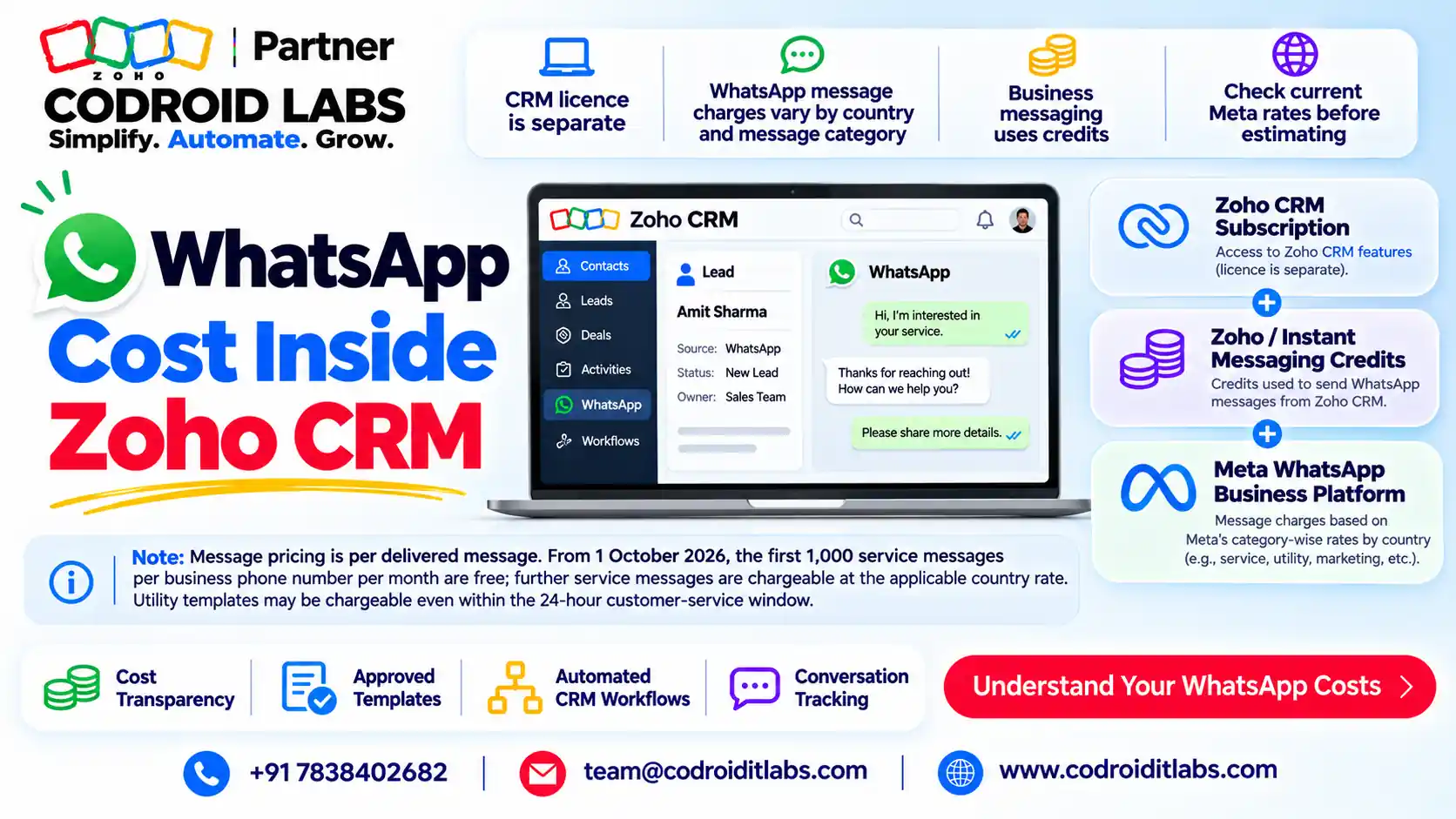
WhatsApp Cost Guide · Zoho CRM and Desk · Last checked: Nov 2026
Zoho CRM WhatsApp Pricing in India: Per-Message Rates and a Credits Calculator
Zoho CRM WhatsApp pricing in India is pay per delivered message, deducted from prepaid Zoho WhatsApp credits at a rate set by message category.
This guide shows the India rates as Zoho's own calculator displays them, a no-code credits calculator you can work by hand, and what 1,000, 5,000 and 20,000 messages cost.
Start a Zoho CRM trial
Start a Zoho Desk trial
Book a template review

Short answer
As checked on 1 November 2026, Zoho's WhatsApp pricing calculator for India (INR) shows ₹0.8652 per marketing message and ₹0.1176 per utility message. The same calculator returns ₹0.1176 for authentication and for chargeable service messages.
So 1,000 marketing messages cost about ₹865.20, or 6 credits at ₹168 per credit. Zoho adds a 3% fee on credit purchases.
Meta, which owns WhatsApp, sets these rates and changes them from time to time. Always confirm the rate shown inside your Zoho app.
How Zoho WhatsApp Credits Work
In short: You buy prepaid credits inside the Zoho app; each delivered chargeable message deducts its rate from the balance.
Owners in public Zoho forums often say the same thing: the WhatsApp bill went up, and nobody on the team could explain why. Zoho CRM WhatsApp pricing is easier to read once you split it into three parts.
The same model applies in Zoho Desk and Zoho Marketing Automation, so this Zoho CRM WhatsApp pricing guide works for support and marketing teams too.
- Credits: you prepay for credits inside the Zoho app. The Zoho CRM help page says you buy credits and charges are deducted automatically, with an optional auto-recharge.
- Rates: each chargeable message deducts a rate based on its category and the recipient's country code.
- Fee: Zoho's calculator notes a 3% service fee on top of the total. Zoho Desk help describes the same 3% as a value-added fee.
In INR, Zoho's calculator values one credit at ₹168. Zoho Desk help values one credit at 2 US dollars. Zoho Marketing Automation's notice says Zoho does not charge extra for WhatsApp messages beyond the 3% fee.
Two useful details from Zoho Desk help: WhatsApp credits are non-refundable, and they do not expire. Only delivered messages are charged, per Zoho's July 2025 pricing notice.
Zoho CRM WhatsApp Pricing Rate Table (India, INR)
In short: Marketing costs about 7 times more than utility, so template category drives most of your bill.
Last checked: Nov 2026. Rates change. Source: Zoho WhatsApp pricing calculator, India (+91), INR.
| Message category | Rate per delivered message | Cost per 1,000 messages | Messages per credit (approx.) |
|---|---|---|---|
| Marketing | ₹0.8652 | ₹865.20 | 194 |
| Utility | ₹0.1176 | ₹117.60 | 1428 |
| Authentication | ₹0.1176 | ₹117.60 | 1428 |
| Service (chargeable ones only) | ₹0.1176 | ₹117.60 | 1428 |
This table is the core of Zoho CRM WhatsApp pricing for Indian numbers. The calculator screen shows the marketing and utility inputs. The authentication and service figures above are what the same Zoho calculator returns for those categories.
Rates apply per recipient country, so messages to numbers outside India use other rates. Zoho's notices also mention volume-based discounts for utility and authentication messages, which can lower the rate at high monthly volumes.
Zoho's figures can differ slightly from the rate card Meta publishes. For Zoho CRM WhatsApp pricing, the deduction your Zoho app shows is what you actually pay.
Zoho WhatsApp Credits Calculator (No Code)
In short: Messages x rate per category, add them up, divide by the credit value and round up to whole credits.
This is a static Zoho WhatsApp credits calculator. Copy the formula, fill in your own volumes, and you will know how many credits to buy.
It follows the same logic Zoho uses, so the result should land close to your real Zoho CRM WhatsApp pricing for the month.
- Marketing cost = marketing messages x ₹0.8652
- Utility cost = utility messages x ₹0.1176
- Authentication cost = authentication messages x ₹0.1176
- Service cost = (service messages – 1,000 free per number) x ₹0.1176, if above zero
- Credits needed = total cost / ₹168, rounded up
- Amount to pay = credits x ₹168 + 3% fee
| Your worksheet (Example only) | Messages per month | Rate | Cost |
|---|---|---|---|
| Marketing | ____ | ₹0.8652 | ____ |
| Utility | ____ | ₹0.1176 | ____ |
| Authentication | ____ | ₹0.1176 | ____ |
| Service above 1,000 free | ____ | ₹0.1176 | ____ |
| Total cost / ₹168 = credits | ____ |
Zoho's own calculator rounds up to whole credits in the same way. Since credits do not expire, any leftover balance carries into the next month.
Zoho CRM WhatsApp Pricing: Worked Examples
In short: Example only: a 1,000-message mix costs about 3 credits; 20,000 messages about 49 credits.
Example only. One WhatsApp number, India recipients, list rates above, utility messages sent outside the service window, Last checked: Nov 2026.
| Volume (Example only) | Mix: marketing / utility / auth / service | Message cost | Credits to buy | Paid incl. 3% fee |
|---|---|---|---|---|
| 1,000 messages | 400 / 400 / 100 / 100 (0 chargeable) | ₹404.88 | 3 | ₹519.12 |
| 5,000 messages | 2,000 / 2,000 / 500 / 500 (0 chargeable) | ₹2,024.40 | 13 | ₹2,249.52 |
| 20,000 messages | 8,000 / 8,000 / 2,000 / 2,000 (1,000 chargeable) | ₹8,215.20 | 49 | ₹8,478.96 |
Look at the pattern. In every example, marketing messages make up most of the Zoho CRM WhatsApp pricing total, even though they are only 40% of the volume.
Example only: if the 20,000-message team replaced some marketing templates with replies inside the service window, the bill would fall noticeably. Template category is the biggest lever you control in Zoho CRM WhatsApp pricing.
Why Your Zoho WhatsApp Bill Changed
In short: Billing moved to per message on 1 July 2025, and from 1 October 2026 more service and utility messages can be charged.
| Date | What changed (per Zoho notices) |
|---|---|
| 1 July 2025 | Per-message billing replaced per-conversation billing. Each delivered marketing, utility or authentication template is charged. |
| 1 July 2025 | Utility templates sent inside an open 24-hour customer service window became free; volume-based discounts started for utility messages. |
| 1 October 2026 | Service messages became chargeable after the first 1,000 per business phone number each month. |
| 1 October 2026 | Utility messages can be charged even inside the 24-hour customer service window; rates for some countries changed. |
Sources: Zoho's July 2025 notice, the Marketing Automation notice and the October 2026 Zoho Desk notice. Some Zoho CRM help text still describes the older per-conversation model, so rely on the newer notices.
If your Zoho CRM WhatsApp pricing looked fine in September 2026 and jumped in October, the service allowance and in-window utility charges are the first things to check.
Zoho CRM WhatsApp Integration Pricing: Where to Buy Credits
In short: CRM credits are bought in Business Messaging, Desk in Instant Messaging, and Marketing Automation as add-ons or IM credits.
| Zoho app | Where to buy | Notes from Zoho help |
|---|---|---|
| Zoho CRM | Setup > Channels > Business Messaging > Buy Credits | Available after the number is active; auto-recharge supported. Integration works in trial and all paid editions. |
| Zoho Desk | Setup > Channels > Instant Messaging > Buy Credits, or Subscription > Non-Recurring Add-ons | 1 credit = 2 US dollars plus 3% fee; credits are per portal. |
| Zoho Marketing Automation | Subscription add-ons (standalone plan) | Zoho One, CRM Plus or Marketing Plus users buy WhatsApp credits as IM credits. |
Sources: Zoho CRM WhatsApp help, Zoho Desk IM payments, Zoho Desk credit purchase guide and Marketing Automation credit FAQ.
Zoho CRM WhatsApp integration pricing has no separate integration fee on these pages; the cost is the messages. For setup steps, read our Zoho CRM WhatsApp integration India guide.
How to Keep Zoho CRM WhatsApp Pricing Under Control
In short: Correct template categories, replies inside the service window and auto-recharge keep costs predictable.
- Categorise templates honestly. Promotional text filed as utility is often re-categorised, so plan for marketing rates.
- Reply inside the service window. Free-form replies within 24 hours of the customer's message are cheaper than new templates.
- Watch service volume per number. Bots and auto-replies count as service messages in Zoho Desk.
- Turn on auto-recharge. When credits run out, chargeable messages are not sent.
- Check delivery. Only delivered messages are charged, but failed sends still cost the sale.
- Review monthly. Re-check rates in your Zoho app each month.
Related reading: Bigin WhatsApp templates and quick replies, IndiaMART leads with Zoho CRM WhatsApp and WhatsApp with Zoho SalesIQ.
Teams that follow these habits usually see steadier Zoho CRM WhatsApp pricing from month to month, with fewer surprise top-ups.
What Zoho Does Not Publish (So We Do Not Guess)
In short: Some numbers are not published on official Zoho pages; check them in the product before you budget.
Honest gaps matter when you budget Zoho CRM WhatsApp pricing. Here is what we could not confirm on official Zoho pages:
- Zoho CRM credit value in INR: the Zoho CRM help page does not state it. The ₹168 figure comes from Zoho's calculator; check the Buy Credits screen in CRM.
- Free credits: we found no official Zoho page offering free WhatsApp credits.
- GST on credits: Zoho pages mention the 3% fee only. Check your Zoho invoice for any taxes.
- Volume discount thresholds for India: Zoho refers to Meta for these, so they are not listed here.
How Codroid Labs Helps
Codroid Labs is a Zoho Partner and a Zoho AI Enabled Partner, recognised by Zoho after the AI Accelerator Series 2026. As a Zoho Partner, Codroid Labs sells Zoho licences and provides implementation, customisation, migration and AMC support.
Based in New Delhi, we help teams across India remotely to set up WhatsApp in Zoho CRM and Desk, sort templates into the right categories and plan credit budgets around Zoho CRM WhatsApp pricing. See our Zoho CRM implementation and Zoho Desk pages.
Book a call, call +91 7838402682 or email team@codroiditlabs.com.
Quick Answers
What do 1,000 marketing messages cost?
About ₹865.20, or 6 credits, per Zoho's India calculator (Nov 2026).
What is one Zoho WhatsApp credit worth?
₹168 in Zoho's India calculator; 2 US dollars in Zoho Desk help.
Is there a fee on top?
Yes, a 3% fee on credit purchases.
When did per-message billing start?
1 July 2025.
Zoho CRM WhatsApp Pricing: FAQs
What is Zoho CRM WhatsApp pricing in India?
You pay per delivered message from prepaid credits. As checked Nov 2026, Zoho's calculator shows ₹0.8652 for marketing and ₹0.1176 for utility messages to Indian numbers.
How do Zoho WhatsApp credits work?
You buy credits in the app, and each chargeable delivered message deducts its rate. Credits do not expire and are non-refundable, per Zoho Desk help.
Is there a Zoho WhatsApp credits calculator?
Yes. Zoho has one on its Marketing Automation WhatsApp pricing page, and this guide gives a static version with worked examples.
What is Zoho CRM WhatsApp credits pricing per credit?
Zoho's India calculator values a credit at ₹168; the CRM help page does not list it, so confirm on the Buy Credits screen.
Are replies to customers free?
Free-form replies inside the 24-hour window were free; from 1 October 2026 only the first 1,000 service messages per number each month are free.
Does Zoho charge a markup on WhatsApp messages?
Zoho Marketing Automation's notice says Zoho does not charge extra for messages; a 3% fee applies.
Can I use the same credits in Zoho CRM and Zoho Desk?
Zoho help describes credits per app (Desk credits are per portal), so plan budgets per app.
Do rates change?
Yes. Meta updates WhatsApp rates, so re-check Zoho CRM WhatsApp pricing in your app monthly.
Is Zoho CRM WhatsApp pricing the same for Bigin?
This guide covers Zoho CRM, Desk and Marketing Automation help pages. Check the credits screen inside Bigin for its own figures.
Calculate your monthly WhatsApp cost, then get a free setup review of your Zoho WhatsApp templates
Bring your message mix. We will check template categories and service-window use in Zoho CRM or Desk.
Related guides
Zoho references (checked 1 November 2026)
- Zoho WhatsApp pricing calculator
- Zoho CRM: WhatsApp Business integration
- Zoho Desk: managing IM payments
- Zoho Desk: purchasing WhatsApp credits
- Zoho notice: pay per message from 1 July 2025
- Zoho Marketing Automation: July 2025 pricing changes
- Zoho Desk: October 2026 pricing changes
- Zoho Marketing Automation: buying WhatsApp credits
- Zoho Billing: how WhatsApp credits work