


Admin Guide · Checked 22 October 2026
Zoho CommandCenter vs Blueprint vs Workflow: Which Automation Layer to Use
Zoho CommandCenter vs Blueprint is a question most Zoho admins face once their CRM grows: three tools can all move a record forward, and using the wrong one, or all three at once, is how processes break. This guide gives you a simple decision tree, the limits for each edition, the order Zoho runs them in, and a checklist, with every fact linked to Zoho's own pages.

Checked: 22 October 2026
Sources: Zoho CRM help, feature list and Zoho Community posts, linked inline
By: Codroid Labs, a Zoho Partner and Zoho AI Enabled Partner
Sources: Zoho CRM help, feature list and Zoho Community posts, linked inline
By: Codroid Labs, a Zoho Partner and Zoho AI Enabled Partner
Short answer
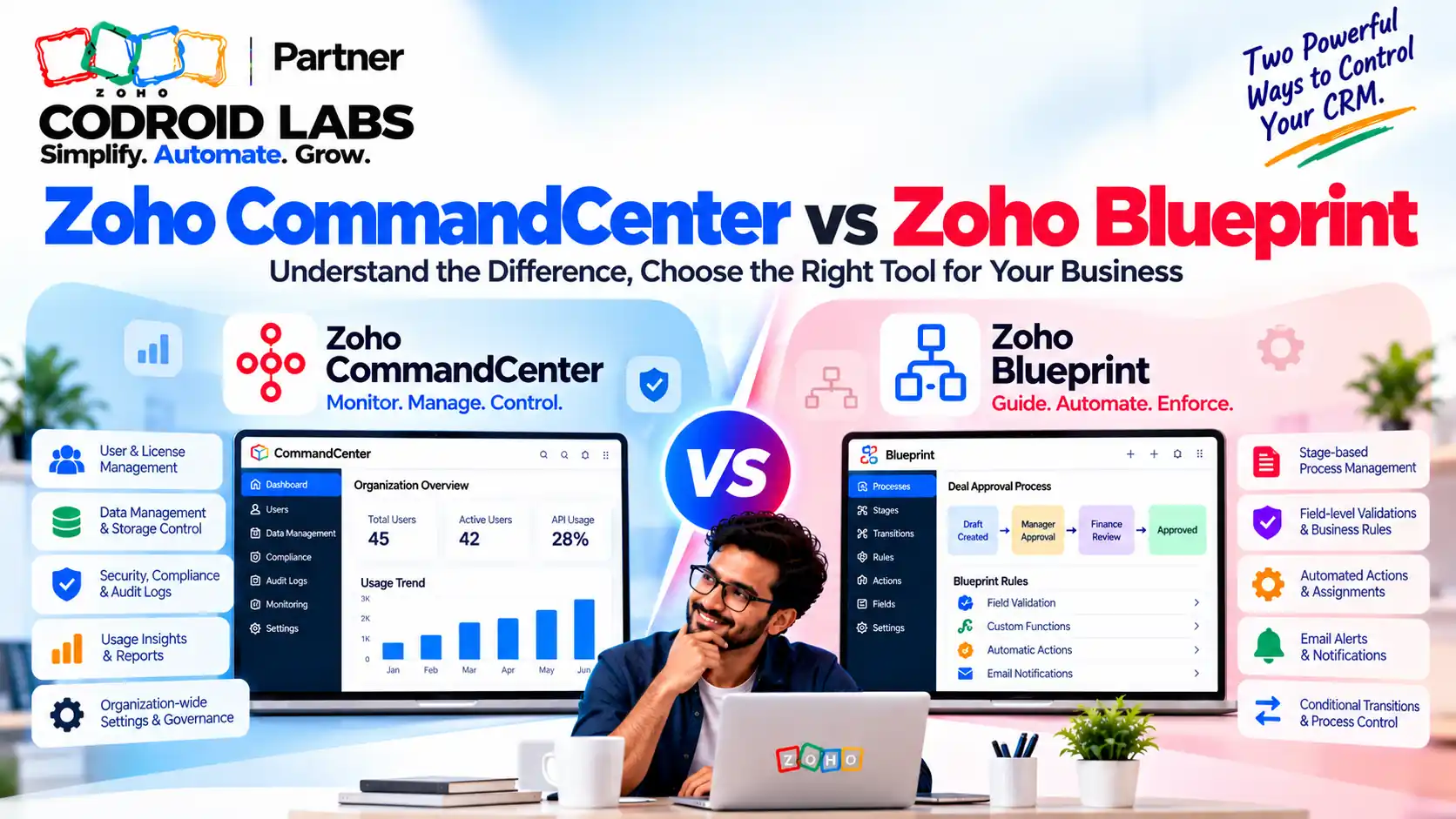
Use a workflow rule when something should happen automatically after a record changes. Use Blueprint when people must complete steps in a set order inside one module. Use CommandCenter when you want to follow a customer across several modules or Zoho apps. Zoho runs them in a fixed order, with workflow rules before Blueprint and CommandCenter last, as listed in its workflow rules help page. Give each process one main tool instead of stacking all three.
Zoho CommandCenter vs Blueprint vs Workflow: What Each Tool Does
In short: Workflow rules react to a change, Blueprint guides people through steps in one module, and CommandCenter follows a customer across modules and apps.
Admins weighing zoho commandcenter vs blueprint often tell the same story: a deal process uses workflow rules, someone adds a Blueprint, and later a CommandCenter journey is built on top. Now an email goes out twice, a stage will not move, and nobody knows which tool is in charge. Before choosing in zoho commandcenter vs blueprint, it helps to see each tool in plain words.
| Tool | What it does, simply | Best for |
|---|---|---|
| Workflow rule | Waits for something to happen to a record, such as created or edited, then runs actions like a field update, email, task or webhook (Zoho help) | Single reactions: “when X happens, do Y” |
| Blueprint | Turns a process inside one module into states and transitions, so users must complete the right step before the record moves on (Zoho help) | Guided, ordered steps that people perform |
| CommandCenter | Builds journeys from states and transitions that can span several modules, other Zoho apps and outside apps, and shows where customers stall (Journey Builder help, Zoho One announcement) | Customer journeys across teams and apps |
CommandCenter has two parts, according to Zoho's CommandCenter help page: Path Finder, which discovers the paths customers actually take, and Journey Builder, which lets you design and automate a journey. Journey Builder uses the same idea of states and transitions as Blueprint, and Zoho notes that its configuration page is the same as Blueprint's. That shared look is one reason teams mix them up.
Zoho CommandCenter vs Blueprint Decision Tree
In short: Start with a workflow rule. Move to Blueprint only when people must follow steps in order. Use CommandCenter when the journey crosses modules or apps.
Work through these questions in order and stop at the first “yes”. This is the core of the zoho commandcenter vs blueprint choice.
- Does the process span more than one module or more than one Zoho app? For example, a lead in CRM, a ticket in Desk and an invoice in Books.
- Yes: use CommandCenter for the journey. Keep small reactions inside each app as workflow rules.
- No: go to question 2.
- Must a person complete steps in a fixed order, with required fields at each step?
- Yes: use Blueprint for that module.
- No: go to question 3.
- Is it a single reaction to a change, such as “when a deal is won, create a task”?
- Yes: use a workflow rule.
- No: write down the process on paper first. It may not need automation yet.
- Do you only want to see how customers move today, without changing anything?
- Yes: start with Path Finder in CommandCenter, which Zoho describes as useful even before introducing any new automation.
The zoho crm blueprint vs workflow choice is the one most teams get wrong. A workflow rule cannot stop a user from skipping a step; Blueprint can. A Blueprint, on the other hand, is overkill for a simple reminder email. Settle zoho crm blueprint vs workflow first, then ask whether a journey is needed at all.
| Situation | Pick |
|---|---|
| Send a welcome email when a lead is created | Workflow rule |
| Sales must log a discovery call before a proposal stage | Blueprint |
| Approval steps with required documents in one module | Blueprint |
| Lead to deal to support ticket to renewal invoice | CommandCenter |
| See where customers drop off between apps | CommandCenter Path Finder |
Zoho CommandCenter vs Blueprint Limits by Edition
In short: Workflow rules exist on every edition; Blueprint and CommandCenter start at Professional, with higher limits on Enterprise and Ultimate.
All figures below come from Zoho's feature availability and limits page, checked 22 October 2026.
| Feature | Free | Standard | Professional | Enterprise | Ultimate |
|---|---|---|---|---|---|
| Workflow rules per module | 10 (5 active) | 30 (15 active) | 80 (40 active) | 125 (75 active) | 150 (100 active) |
| Blueprints (including defaults) | None | None | 3 | 50 | 100 |
| Transitions per Blueprint | None | None | 10 | 100 | 300 |
| Common transitions per Blueprint | None | None | 2 | 10 | 25 |
| Journey Builder active journeys | None | None | 1 | 5 | 5 |
| Journey record entries / movements per day | None | None | 50,000 / 100,000 | 50,000 / 100,000 | 100,000 / 200,000 |
Zoho's CommandCenter help lists availability as Professional, Enterprise, Ultimate, CRM Plus, Service Plus and Zoho One. Each journey can have up to 70 states and five versions, with one active at a time, according to the Journey Builder help page. A Zoho community post also says CommandCenter in Zoho One is available at no additional cost.
CommandCenter 2.0 and the standalone app. The Zoho CRM Community Digest for March 2026 says CommandCenter has been upgraded from a CRM feature into a standalone application within Zoho One and CRM Plus. Zoho's announcement adds that it is still available in Zoho CRM, and introduces common transitions, signals from several organisations, and its own email, webhook and custom function actions. For zoho journey orchestration across apps, Zoho lists signals from CRM, Desk, SalesIQ, Survey, Webinar, Backstage, Books, Inventory, Invoice, Billing and Commerce. Zoho's CRM Plus post explains that journeys from CommandCenter 1.0 can be migrated to 2.0.
Execution Order and Stacking Rules in Zoho CommandCenter vs Blueprint
In short: Zoho runs workflow rules before Blueprint, and CommandCenter last.
When more than one tool is set up on the same module, Zoho runs them in a fixed sequence. Zoho's workflow rules help page gives the full order:
- Assignment rule
- Review process
- Scoring rules
- Workflow rule
- Approval process
- Blueprint
- Scoring rules (again, so scores reflect the actions above)
- CommandCenter
For zoho commandcenter vs blueprint setups on the same module, three stacking rules follow from Zoho's own help pages:
- A Blueprint step does not fire workflow rules. Zoho's troubleshooting page says workflows are not triggered when a record moves between Blueprint transitions, because the record is already being handled by the Blueprint. Zoho suggests putting those actions in the transition's After section instead.
- Approval runs before Blueprint. Zoho's Blueprint troubleshooting page says a record that enters a Blueprint will already have gone through the approval process.
- Workflow rules can chain. One workflow can trigger another, but only when the first is based on a record action with an edit trigger, according to the same troubleshooting page.
Inside a workflow rule, some actions run one after another (field update, tags, convert) and others run at the same time (alerts, tasks, webhooks, functions, create record), per the workflow rules help page. That is why two emails can arrive in an unexpected order.
Zoho CommandCenter vs Blueprint: Common Breakages When Teams Stack All Three
In short: Most breakages come from two tools changing the same field, or from expecting a workflow to fire during a Blueprint step.
| Breakage | Likely cause | Fix |
|---|---|---|
| Follow-up email never sends during a Blueprint step | Workflow expected to fire on a Blueprint transition | Move the action into the transition's After section |
| Same email sent twice | A workflow rule and a Blueprint or journey action both send it | Give the email to one tool only |
| Stage changes back unexpectedly | Two tools update the same field | Write down which tool owns each field |
| Record stuck in a journey | Journey transition waits on a field another tool changed first | Map the field changes in order before building |
| Edits to a live Blueprint affect records mid-process | Changes to transitions apply immediately | Test in a sandbox and edit outside busy hours |
The last point comes from Zoho's Blueprint help: changes to transitions take effect at once for new and existing records, while changes to the process flow ask you to move or exit records already inside it. The same page notes that Blueprint can let a transition owner fill a field that their profile normally shows as read-only, so check field access when you design steps.
Design Checklist for Zoho CommandCenter vs Blueprint Setups
In short: Give every process one owner tool, write down which field each tool may change, and test the whole chain in a sandbox.
- Write the process on one page before opening Setup: steps, owners, and the field that marks each step.
- Pick one main tool per process using the decision tree above.
- List field owners. For every field that changes automatically, name the single tool allowed to change it.
- Check the order. Read the execution order list and confirm nothing later in the chain undoes an earlier change.
- Check edition limits on the feature list before you design, not after.
- Start with Path Finder if you are unsure how customers move today.
- Test the whole chain with real-looking records before switching anything on.
- Document it. Our Zoho CRM configuration audit guide shows how to keep a simple register of every rule.
Following this checklist keeps the zoho commandcenter vs blueprint choice clear for the next admin as well as for you. For edition limits on workflow rules in more depth, see our Zoho CRM workflow limits by edition guide.
Automation Design With Codroid Labs
Codroid Labs is a Zoho Partner and a Zoho AI Enabled Partner, recognised by Zoho after completing the AI Accelerator Series 2026. In an automation design engagement, we map your process, decide which tool owns each step, set field ownership, and build and test the chain. Call +91 7838402682 or email team@codroiditlabs.com.
Book an automation design callStart a Zoho CRM trial
Quick Answers
Which runs first, workflow or Blueprint?
Workflow rules, then approval, then Blueprint, per Zoho help.
Does a Blueprint step trigger workflows?
No, per Zoho troubleshooting.
Which editions have Blueprint?
Professional and above, per the feature list.
Is CommandCenter a separate app now?
Yes, in Zoho One and CRM Plus, per the March 2026 digest.
Zoho CommandCenter vs Blueprint FAQs
What is the main difference in Zoho CommandCenter vs Blueprint?
Blueprint guides people through ordered steps inside one module. CommandCenter follows a customer journey across modules and apps, per Zoho's Journey Builder help.
When should I use a workflow rule instead of Blueprint?
When you only need an automatic reaction to a change and do not need to force users through steps, as described in Zoho's workflow help.
Can I use all three on the same module?
Yes, but Zoho runs them in a fixed order, and workflows do not fire on Blueprint transitions, per Zoho troubleshooting. Give each process one main tool.
What is CommandCenter 2.0?
The updated CommandCenter, now a standalone app in Zoho One and CRM Plus and still available in CRM, according to Zoho's announcement.
Is Zoho CommandCenter vs Blueprint different by edition?
Both start at Professional: 3 Blueprints and 1 active journey, per the feature list and CommandCenter help.
Can CommandCenter work without Zoho CRM?
In Zoho One, Zoho says CRM is not mandatory and journeys can use signals from other supported apps.
How many states can a journey have?
Up to 70, with five versions and one active, per the Journey Builder help.
One process, one owner tool
Bring your messiest process. Leave with a clear map of which tool runs each step.
Related guides
Zoho references (checked 22 October 2026)
- Zoho CRM feature availability and limits
- Zoho CRM help: configuring workflow rules
- Zoho CRM help: troubleshooting workflows
- Zoho CRM help: troubleshooting Blueprint
- Zoho CRM help: Blueprint sample process flow
- Zoho CRM help: CommandCenter
- Zoho CRM help: Journey Builder
- Zoho CRM Community Digest, March 2026
- Zoho: what is new in CommandCenter
- Zoho One: CommandCenter announcement
- Zoho CRM Plus: CommandCenter