


Zoho Workplace is no longer just an “alternative” to big tech; it is now the gold standard for businesses that value privacy, seamless integration, and cost-efficiency. In an era where data security is paramount and subscription fatigue is real, shifting your team to a unified ecosystem isn’t just a smart move—it’s a competitive advantage.
1. What is Zoho Workplace?
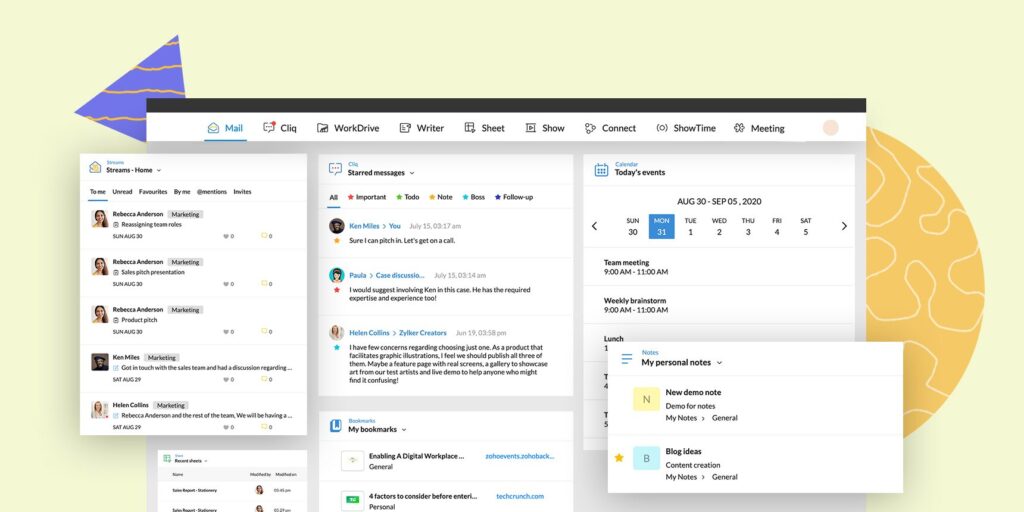
At its core, Zoho Workplace is a unified office suite that combines nine powerful applications into a single dashboard. Unlike fragmented tools that require constant tab-switching, Zoho integrates your email, file storage, and office suite (Writer, Sheet, Show) with real-time collaboration tools like Zoho Cliq and Zoho Meeting.
As a Zoho Partner, we have seen thousands of companies transform their workflow by migrating to this ecosystem. It isn’t just about having a “Word” or “Excel” equivalent; it’s about having an AI-powered assistant, Zia, who helps you write better, analyze data faster, and automate the mundane.
2. Zoho Workplace Pricing: Unbeatable Value
One of the most frequent searches we see is for Zoho Workplace pricing. When you compare the cost-to-feature ratio, Zoho consistently outperforms its competitors by offering enterprise-grade features at a fraction of the cost.
Zoho Workplace Plans Breakdown
| Feature | Standard Plan | Professional Plan |
| Mail Storage | 30 GB / User | 100 GB / User |
| WorkDrive Storage | 10 GB / User (Shared) | 100 GB / User (Shared) |
| Price (India Estimate) | ~₹99/user/month | ~₹399/user/month |
| Best For | Growing Startups | Established Enterprises |
For businesses looking for Zoho Workplace pricing India, the localized rates make it significantly more affordable than international competitors. If you are on a tight budget, you can even start with the Zoho Workplace free plan to test the waters before scaling up to paid tiers.
3. Zoho Workplace vs Google Workspace
The “Big Debate” usually boils down to Zoho Workplace vs Google Workspace. While Google has the name recognition, Zoho wins on three specific fronts:
- Privacy: Zoho does not sell your data or show ads inside your business tools. This strict privacy policy is a major selling point for legal and financial firms.
- Contextual Integration: In Zoho, you can see your emails, chats, and tasks in one window. In Google, these are often separate silos.
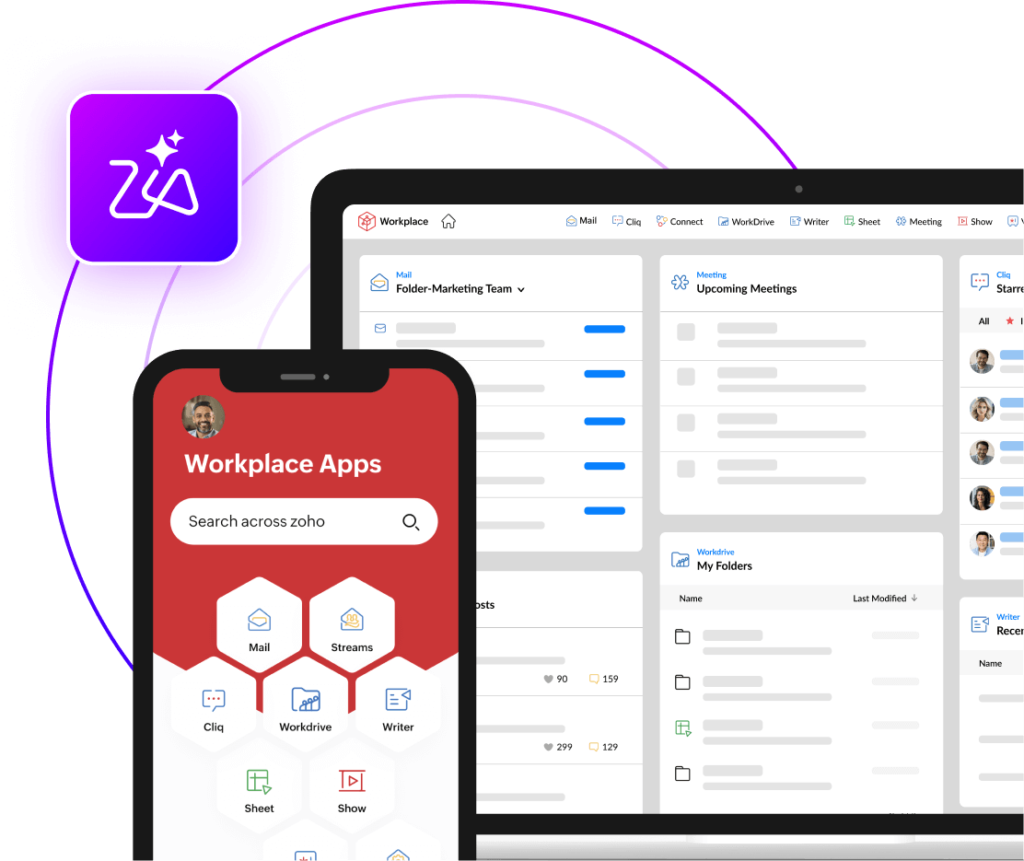
- The “Single App” Experience: With the Zoho Workplace app, you aren’t managing 10 different mobile downloads; you have a unified entry point for your work communication.
4. Mastering the Zoho Workplace Desktop App
For those who prefer a dedicated environment over a browser tab, the Zoho Workplace desktop app (specifically the Trident app) is a game-changer. It unifies mail, messages, audio/video calls, calendar, and tasks in one place.
- Zoho Workplace for Windows: Offers a native experience with offline mail access and smart notifications, ensuring you stay productive even without internet access.
- Zoho Workplace download: You can easily grab the installer from the official Zoho site to keep your productivity away from the distractions of a web browser.
The Zoho Workplace app for mobile and the Zoho Workplace desktop app sync instantly, ensuring that if you start a document on your PC, you can finish it on your phone during your commute.
5. The Zoho Workplace Free Edition
Is there a Zoho Workplace free version? Yes. For small teams of up to five users, Zoho offers a “Forever Free” plan. It generally includes:
- 5GB Mail storage per user.
- Web-based access to the office suite.
- Secure hosting for a single domain.
This is the perfect way to experience the power of the suite without any financial commitment. It allows startups to look professional with custom domain emails without the heavy overhead.
6. Conclusion: Why Make the Switch Today?
If you are looking to streamline your business, protect your data, and save thousands on licensing fees, Zoho Workplace is the answer. As an authorized partner, we help you navigate the various Zoho Workplace plans to ensure you only pay for what you actually need.
Ready to take your productivity to the next level? You can search for the Zoho Workplace download today to install it yourself, or reach out to our team for a custom migration strategy that ensures zero downtime.
Ready to Get Started on Zoho?
Let’s build your business the smart way — with Zoho and Codroid Labs by your side.
📅 Book your free consultation now
1. Is the Zoho Workplace “Forever Free” plan actually free? What’s the catch?
Yes, it is genuinely free for up to 5 users. However, there is one major limitation you must know: The free plan does not include POP/IMAP access.
What this means: You cannot add your free Zoho email to the default “Mail” app on your iPhone or Outlook on your desktop.
The Workaround: You simply download the Zoho Mail mobile app (which is excellent) to check emails on your phone. If you need Outlook integration, you must upgrade to the Standard plan (₹99/mo).
2. Can I mix and match plans to save money?
Yes! This is a “Secret” cost-saving hack. Unlike Google Workspace, where everyone usually needs to be on the same tier, Zoho allows you to “Mix and Match” on annual contracts.
Example: You can put your 50 frontline staff on the cheaper Mail Lite plan (approx ₹59/mo) and your 10 executive managers on the Workplace Professional plan (₹399/mo). This drastically reduces your total bill compared to paying top-tier prices for everyone.
3. If I migrate from Google Workspace, will I lose my old emails?
No. Zoho provides a One-Click Migration Tool. It connects directly to your Google Workspace (or Microsoft 365) account and copies everything: emails, contacts, and calendar entries. You can even do this in the background while your team continues to work. We recommend running the migration on a Friday evening so your team starts fresh on Monday.