


Zoho RPA + Creator — Low-Code Guide 2026
No Coding Required
₹2,640/month — Verified from Official PDF
7 Real Automation Use Cases India
Drag-and-Drop Builder
No Coding Required
₹2,640/month — Verified from Official PDF
7 Real Automation Use Cases India
Drag-and-Drop Builder
Every week, someone in your business spends hours on a task that a computer could do better — downloading GST reports from the government portal and pasting them into Excel, copying customer data from email into Zoho CRM, generating and sending the same invoice format thirty times, or moving files between folders based on their naming pattern. Zoho RPA and Zoho Creator low-code automation exist precisely for this — and neither requires a developer, a Python script, or an IT department. The person who currently does the task manually is the person who can build the automation, using drag-and-drop builders that work like building a flowchart. This guide covers exactly how — with verified pricing, real Indian business use cases, and a step-by-step flow builder walkthrough that a non-techie can follow.
Written by Codroid Labs — Certified Zoho Partner India | April 2026 | 15 min read
Zoho RPA + Creator Certified Partner

Tasks Your Team Does Manually That Zoho RPA Can Automate Today
Excel Work
Copy-paste between sheets, generate reports, format columns, send by email
Web Tasks
Login and download reports, fill web forms, extract data from websites
PDF and OCR
Read data from scanned documents, extract invoice details, convert to data
File Management
Move, rename, organise files, watch folders, trigger workflows on new files
Table of Contents
- Zoho RPA vs Zoho Creator — What Each Does
- Zoho RPA Pricing 2026 — Verified from Official Source
- What Zoho RPA Can Automate — All Features
- 7 Real Automation Use Cases for Indian Businesses
- Build Your First RPA Flow — Step-by-Step
- Zoho Creator for Non-Techies — Custom Apps Without Code
- RPA + Creator Together — The Power Combination
- 7 Questions Before You Start Automating
- Industry-Specific Automation for India
- 8 FAQs — Zoho RPA + Creator Low-Code 2026
1. Zoho RPA vs Zoho Creator — What Each Tool Actually Does
The most common confusion for Indian businesses evaluating Zoho RPA and Zoho Creator low-code automation is thinking they do the same thing. They do not. They solve fundamentally different automation problems — and understanding the difference determines which one you need.
| Dimension | Zoho RPA | Zoho Creator |
|---|---|---|
| What it does | Automates actions on EXISTING software | Builds NEW custom business applications |
| Analogy | A robot that uses your computer for you | A LEGO kit that builds custom apps |
| Needs API from existing apps? | No — works on the screen directly | N/A — builds standalone app |
| Best for | Repetitive desktop/web tasks | Custom databases, forms, workflows |
| Indian SMB examples | Download GST portal data, fill Excel, send email | Custom vendor management, asset tracking app |
| Coding required | Zero — pure drag-and-drop | Minimal — basic Deluge scripting |
Simple decision rule: If you are trying to automate a task you already do manually on existing software (Excel, browser, government portal, any desktop app) — use Zoho RPA. If you need to build a custom application that does not exist yet (a field service request tracker, a custom vendor approval workflow, a client portal) — use Zoho Creator. If you need both, they work together seamlessly through Zoho Flow.
2. Zoho RPA Pricing India 2026 — Verified from Official Source
Unlike most Zoho products that have multiple plans, Zoho RPA has a single Standard plan with all features included. The pricing below is verified directly from the official Zoho RPA plan comparison document (April 2026).
Annual Billing — Save 10%
₹2,640
per organisation per month
= ₹31,680 billed annually
Recommended for businesses committing to automation
Monthly Billing
₹2,940
per organisation per month
Pay month-to-month, cancel anytime
Best for evaluating before annual commitment
What the Standard Plan Includes — Everything
Executions: 500/month
Flows: Unlimited
History: 90 days
Agents: Windows, Mac, Linux
Test runs: Unlimited
Builder: Drag and drop
What “500 executions/month” means in practice: One execution = one complete run of one RPA flow. If you have a flow that downloads your daily GST portal report and runs every weekday, that is approximately 22 executions/month. A business with 20 automated flows running once daily uses around 400-440 executions/month — within the 500 limit. For higher volumes, additional execution packs are available.
3. What Zoho RPA Can Automate — Complete Feature Breakdown
The Standard plan includes every automation capability Zoho RPA offers. Here is what each category of automation covers for Indian business users.
Web Automation
Automates tasks in Chrome, Edge, Firefox. Actions: Open URL, click button, fill form field, extract text, scroll page, handle dropdown, take screenshot, download file. Works on any website — including government portals (GST, MCA, EPFO), banking portals, and internal web applications.
Indian use case: Auto-download GSTR-2B, MCA filing status, EPFO ECR challan
MS Excel Automation
Read and write Excel files without opening Excel manually. Actions: Open workbook, read cell/range/sheet, write data, create new sheet, apply formula, format cells, save, send by email. Works on existing Excel files — no macros or VBA required.
Indian use case: Consolidate branch MIS reports, generate monthly salary Excel, auto-format bank statements
PDF Automation + OCR
Read text from PDF files (native or scanned). OCR (Optical Character Recognition) extracts data from scanned invoices, purchase orders, and ID documents. IDP (Intelligent Document Processing) goes further — identifies document type, extracts structured fields (invoice number, date, vendor, amount) automatically.
Indian use case: Extract vendor invoice data from PDFs, automate Aadhaar/PAN field extraction from scanned KYC documents
Files and Folders + Windows
Monitor folders for new files, move/rename/copy/delete files based on rules, read file names, trigger flows when a file arrives. Windows automation handles any desktop application — click buttons in legacy software, read data from screen, interact with application menus.
Indian use case: Watch shared drive for new purchase orders, auto-sort incoming documents by vendor name
Triggers — What Starts the Flow
- Schedule — Runs at specific times (daily 8am, every Monday)
- Webhook — Triggered by another app calling a URL
- Hotkey — Keyboard shortcut starts the flow instantly
- File or folder event — New file in folder triggers flow
- Windows process — App open/close triggers flow
Logic and Cloud Apps
- Decision — If/Else logic without code
- Error branch — What happens if a step fails
- Send mail — Auto-email when flow completes
- Delay — Wait for page to load or process to run
- Set variable — Store and reuse values in the flow
- Cloud apps — Connect to Zoho apps via Zoho Flow
4. Seven Proven Automation Use Cases for Indian SMBs — Built with Zoho RPA

Use Case 1 — Daily GST Portal Report Download and Email
Tool: Zoho RPA Web Automation | Trigger: Schedule (daily 8am)
Every morning, the accounts team logs into the GST portal, navigates to GSTR-2B, downloads the PDF, and emails it to the accounts manager. This is 15-20 minutes of manual work every single working day. The Zoho RPA flow does all of this automatically: opens Chrome, logs in to the GST portal, navigates to the correct report, downloads it, saves it to a designated folder, and emails it to the accounts manager — running at 8am before the accounts team even starts work.
Time saved: ~15 min/day = 5+ hours/month
Executions used: ~22/month (weekdays)
Use Case 2 — MIS Report Consolidation from Multiple Excel Files
Tool: Zoho RPA Excel Automation | Trigger: File/folder event
At the end of each month, branch managers of a retail chain submit their individual Excel MIS reports to a shared folder. The accounts team manually opens each file, copies the summary row, and pastes it into the master MIS. With Zoho RPA, the flow watches the folder for new Excel files, opens each one, reads the summary row, appends it to the master MIS sheet, and emails the completed master to management. What took 2 hours now takes 3 minutes of automated execution.
Time saved: 2 hours/month
Executions used: 1/month trigger
Use Case 3 — Vendor Invoice Data Extraction from Scanned PDFs
Tool: Zoho RPA IDP (Intelligent Document Processing) | Trigger: Folder event
A manufacturing company receives 30-50 vendor invoices daily as scanned PDFs. A staff member manually opens each PDF, reads the invoice number, vendor name, date, and amount, and enters them into Zoho Books. Zoho RPA’s IDP automation watches the invoice folder, applies intelligent document processing to each new PDF, extracts the key fields (even from hand-filled or misaligned scans), and pushes the extracted data directly into Zoho Books via the Zoho Flow connector — without any human touching the data.
Time saved: 3-4 hours/day
Executions used: ~250-500/month
Use Case 4 — Daily Attendance Report from Biometric Software to HR
Tool: Zoho RPA Windows + Excel Automation | Trigger: Schedule (daily 9am)
HR staff open the biometric attendance software, generate the daily attendance report, export it to Excel, format it, and email it to department heads. Zoho RPA opens the biometric software via Windows automation, clicks through the report generation interface, exports to Excel, applies standard formatting, and emails the report to a distribution list — every morning before anyone starts work. Works with any Windows-based attendance software regardless of whether an API exists.
Time saved: 30 min/day
Executions used: ~22/month
Use Case 5 — Auto-Fill Customer Data into Banking Portal for NEFT/RTGS
Tool: Zoho RPA Web Automation | Trigger: Hotkey or Schedule
Accounts teams at trading companies process 20-50 outward payments daily through the bank’s net banking portal — copying vendor name, IFSC, account number, and amount from Excel into the banking web form. Zoho RPA reads from the payment Excel, opens the banking portal, fills each payment form field automatically, and presents each transaction for a final human click to approve (keeping the human in the loop for the security-sensitive final confirmation).
Time saved: 2+ hours/day
Executions used: ~22/month
Use Case 6 — New Lead from IndiaMart Email to Zoho CRM
Tool: Zoho RPA Email + Web + Zoho Flow | Trigger: Schedule (every 30 min)
IndiaMart sends lead notifications by email. Sales staff read the email, copy the buyer’s name, company, phone number, and product enquiry, and manually create a Zoho CRM lead. Zoho RPA reads IndiaMart notification emails, extracts the lead fields using structured text extraction, and creates a new Zoho CRM lead via the Zoho Flow cloud app connector. New leads appear in CRM within minutes of IndiaMart sending the notification — without anyone typing a single field.
Time saved: 5 min/lead × 50 leads/month
Executions used: ~50-100/month
Use Case 7 — Monthly Bank Statement Reconciliation Preparation
Tool: Zoho RPA Web + Excel | Trigger: Schedule (1st of every month)
On the first of every month, the accounts team logs into net banking, downloads the previous month’s statement, opens it in Excel, cleans up the formatting (remove bank headers, standardise date format, separate debit/credit columns), and uploads it to Zoho Books for bank reconciliation. Zoho RPA does all of this automatically — download, clean, format, and push to Zoho Books — so the accounts team arrives on the 1st to a reconciliation that is already prepared and waiting for their review.
Time saved: 2 hours/month
Executions used: 1/month
5. Build Your First Zoho RPA Flow — Step-by-Step for Non-Techies
This walkthrough builds a simple but genuinely useful automation — a scheduled flow that opens a website, extracts specific text, and emails it to you. No code required at any step.
Step 1
Open Zoho RPA and Create a New Flow
Log in to Zoho RPA at rpa.zoho.in (India accounts). Click Create Flow. Name your flow: “Daily Website Data Extract”. The visual canvas opens — you will see an empty flow with a Start trigger placeholder on the left and an expandable action library on the right.
Step 2
Set the Schedule Trigger
Click the Trigger block. Select Schedule. Set frequency to Daily. Set time to 09:00 AM. Select timezone: Asia/Kolkata. Click Save. Your flow will now auto-run every day at 9am without any manual start.
Step 3
Add Web Browser Actions
From the action library, drag Open Browser onto the canvas. In the settings panel, enter the URL you want to open. Then drag Extract Text — click on the live browser preview that appears, and click the element on the page you want to extract. Zoho RPA automatically identifies the HTML selector. Store the extracted text in a variable by adding a Set Variable action.
Step 4
Add Send Mail Action
Drag Send Mail from the action library. Fill in: To (your email), Subject (Daily Data Report — date), Body (use the variable from Step 3 to include the extracted data). Add an Error Branch below the main flow — this runs if any step fails, sending you an error notification email.
Step 5
Test, Debug, and Enable
Click Test Run. Zoho RPA runs the full flow live — you can watch each step execute. If a step fails, the canvas highlights it. Fix the setting and test again (unlimited test runs). When the test completes successfully with correct data in the email, click Enable Flow. The automation now runs every day at 9am automatically.
6. Zoho Creator for Non-Techies — Building Custom Business Apps Without Code
While Zoho RPA automates what you already do manually, Zoho Creator builds entirely new applications for workflows that no existing software covers. Indian businesses use Creator for custom applications that are too specific for off-the-shelf software but too important to manage in Excel.
What Indian SMBs Build with Zoho Creator
- Customer complaint tracking portal
- Field service technician dispatch app
- Vendor qualification and approval workflow
- Asset and equipment maintenance tracker
- Factory quality control checklist app
- Real estate site visit and client tracking
- Transport/logistics vehicle tracking form
- Custom PO approval workflow with escalations
How Creator Works Without Coding
- Drag-and-drop form builder — add fields like text, number, date, dropdown, file upload
- Define workflow rules in plain English — “When form is submitted, send email to manager”
- Build reports and dashboards from submitted data
- Deluge scripting for logic — reads like plain English
- Mobile app generated automatically — works on Android and iOS
- Publish to employees — everyone accesses via browser or phone
Zoho Creator’s Deluge scripting is the one place where some basic logic is needed. But Deluge is designed to be the most readable scripting language available — it reads like a structured English sentence:
// Deluge example: Send approval email when PO amount exceeds ₹50,000
if (input.PO_Amount > 50000)
{
  sendmail
  [
    from: zoho.adminuserid
    to: "accounts.head@yourcompany.com"
    subject: "Approval Required: PO #" + input.PO_Number
    message: "A purchase order of ₹" + input.PO_Amount + " from "
             + input.Vendor_Name + " requires your approval."
  ];
}
A non-technical user who has never written code before can read the above Deluge script and understand exactly what it does. This is why Zoho Creator is genuinely usable by non-developers — the logic layer is designed for business users, not programmers.
7. Zoho RPA + Creator Together — The Complete Automation Stack
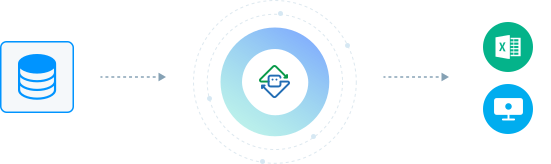
The most powerful Indian business automation setups combine Zoho RPA, Zoho Creator, and Zoho Flow together. Here is a real example of how the three tools work as one automated system.
Real Example: Automated Vendor Invoice Processing for a Manufacturing Company
Step 1 — RPA
Zoho RPA watches the invoice email inbox. When a new email with PDF attachment arrives, it saves the PDF to a processing folder.
Step 2 — RPA IDP
Zoho RPA’s Intelligent Document Processing reads the PDF, extracts: vendor name, invoice number, invoice date, line items, and total amount — even from scanned or imperfectly aligned documents.
Step 3 — Flow
Zoho Flow receives the extracted data from RPA and sends it to two places simultaneously: Zoho Books (creates a Bill record) and the Zoho Creator vendor management app.
Step 4 — Creator
The Zoho Creator app shows the invoice in a pending approval queue. The accounts manager opens the Creator app on mobile, reviews the extracted data against the PDF, and clicks Approve. The Creator workflow automatically marks the Zoho Books Bill as approved and creates a payment reminder task.
Step 5 — RPA
On the payment due date, Zoho RPA reads approved bills from Zoho Books, opens the banking portal, pre-fills the payment form with vendor bank details, and alerts the accounts team to make the final payment click — keeping human oversight on the financial transaction.
Result: A process that took 45 minutes per invoice and 4 people now takes 5 minutes of human review time. 50 invoices/month = 33 hours saved monthly.
8. Seven Questions to Ask Before Starting Any Zoho RPA Automation
Q1
“Is this task genuinely repetitive — does the same sequence of steps happen at least 3-4 times per week?”
RPA delivers maximum value on high-frequency repetitive tasks. A task done once a week generates 52 automation runs per year. A task done daily generates 260 runs. Tasks done once a quarter or ad-hoc are often not worth the setup time — the threshold is roughly 3+ times per week or 15+ times per month before RPA investment makes sense economically.
Q2
“Does the task involve the same source of data and the same destination every time — or does it change?”
RPA works best on structured, predictable workflows. If the source website changes its layout every few months, the RPA flow will break and need reconfiguration. If the data format varies significantly between instances, RPA extraction becomes unreliable. Start with tasks where the source (same website, same app, same file format) and destination are consistent every single time.
Q3
“Does the task require human judgment at any point — or is it purely mechanical?”
Pure mechanical tasks (copy this data from here to there, format this file in this way, send this email with this data) are perfect for RPA. Tasks that require judgment (“is this expense reasonable?”, “does this vendor look legitimate?”) need to keep a human in the loop — use RPA to prepare and present the decision, not to make it. Adding an approval step in Zoho Creator for judgment-requiring decisions is the right architecture.
Q4
“How many of our 500 monthly executions will this task consume — and do we have headroom for future flows?”
500 executions/month is the Standard plan limit. Before building multiple flows, calculate total monthly execution count. A daily flow uses ~22 executions/month. An hourly flow uses ~720 executions/month. Most Indian SMBs with 5-10 automation flows consume 100-400 executions/month, leaving comfortable headroom. Flows that need to run every hour should be evaluated carefully — a few high-frequency flows can consume the entire 500 allocation.
Q5
“Is the software we want to automate web-based or desktop-based — and does it have two-factor authentication?”
Web-based software automation is generally more stable than desktop app automation. Two-factor authentication (2FA) on the source website creates a major complication for automated login flows — if the government portal or banking website sends an OTP to a mobile phone, the RPA bot cannot enter it automatically without human intervention at that step. Assess whether the target website or application requires OTP/2FA before committing to an automated login flow.
Q6
“Is this task an RPA problem (automating existing software) or a Creator problem (building a new workflow system)?”
Choosing the wrong tool leads to poor results. Use the decision framework from Section 1: if the task is automating something you already do manually on existing software — RPA. If the workflow does not exist in any software yet and needs a custom form, database, approval system, and mobile app — Creator. Using RPA to build data entry forms (it cannot) or Creator to scrape websites (it is not designed for this) are common mismatches.
Q7
“Who will maintain the automation when the source website or application changes its interface?”
Web automation flows break when the target website redesigns its interface — a button moves, a form field changes its ID, or a page adds a new step. Desktop automation is more stable but still affected by software updates. Before deploying, identify who in the business will be responsible for monitoring the flows and reconfiguring broken steps. This is typically a 30-minute fix when it happens, but it requires someone with basic Zoho RPA access and the time to investigate. A certified Zoho RPA partner can provide a flow maintenance retainer for businesses without internal capacity.
Related Guides from Codroid Labs:
9. Industry-Specific Zoho RPA + Creator Use Cases for India
Trading and Distribution
RPA: Auto-download IndiaMart leads, process purchase orders from email, update stock levels in Tally from Excel. Creator: Custom order management portal, dealer territory assignment, claim reimbursement workflow.
Manufacturing
RPA: Auto-generate daily production MIS from plant software, vendor invoice PDF extraction, EPFO ECR challan download. Creator: Quality control checklist app, raw material procurement workflow, contractor attendance management.
CA / Accounting Firms
RPA: Monthly GST portal data download for all clients, income tax portal compliance status check, auto-fill GSTR-3B from Tally data. Creator: Client document management portal, compliance calendar tracker, engagement letter approval workflow.
Healthcare and Clinics
RPA: Insurance TPA claim status check on portal, lab report PDF extraction and filing, pharmacy stock report download. Creator: Patient registration app, doctor schedule management, pharmacy requisition workflow.
Certified Zoho RPA + Creator Partner — India
Start Automating — First Flow Built in One Day
Codroid Labs is a certified Zoho implementation partner in India. We identify your highest-value automation opportunities, build your first Zoho RPA flows, design custom Creator apps, and train your team to manage automations independently — all at fixed INR pricing.
Free 60-minute automation assessment. All India cities. Hindi and English support. Remote and on-site available.
10. Zoho RPA + Creator Low-Code — 8 Questions Answered
What is Zoho RPA and how is it different from Zoho Creator?
Zoho RPA automates repetitive tasks on existing software — it mimics human actions on screen (clicking buttons, filling forms, copying data, downloading files) without needing any API access to the target software. Zoho Creator builds custom business applications from scratch using drag-and-drop and simple logic — for workflows that no existing software covers. Use Zoho RPA for automating what you already do manually. Use Zoho Creator for building new custom apps your business needs.
What is Zoho RPA pricing in India for 2026?
Zoho RPA has a single Standard plan in India (verified from official plan comparison document, April 2026): ₹2,640/organisation/month on annual billing, or ₹2,940/organisation/month on monthly billing. The plan includes 500 RPA flow executions per month, unlimited flows, 90-day history, Windows, Mac, and Linux agent support, and all automation features — web, Excel, PDF, OCR, IDP, files/folders, Windows automation. All features are included in one plan. Verify current pricing at zoho.com/rpa/pricing.
Can a non-technical person build Zoho RPA automations?
Yes. Zoho RPA uses a drag-and-drop canvas where you connect action blocks (Open Browser, Click, Extract Text, Send Mail) without writing any code. The builder includes a live interactive recording mode — you perform the task in a browser or desktop app and Zoho RPA records your actions into a replayable flow. A person with no technical background can build a working web automation flow in 30-60 minutes for straightforward tasks. Complex multi-branch flows with error handling benefit from implementation partner guidance.
Can Zoho RPA work with government portals like GST, MCA, or EPFO?
Yes, for portals that do not require OTP-based two-factor authentication at login. Zoho RPA can log into the GST portal using static credentials, navigate to reports, and download them automatically. Portals requiring mobile OTP for every login session cannot be automated at the login step — the OTP requires human intervention. Some government portals offer API access for registered software (like Zoho Books with the GST e-invoicing API) — for those, the API method is more reliable than RPA-based automation.
What happens when 500 executions per month is not enough?
If your automation needs exceed 500 executions per month, Zoho RPA offers additional execution packs that can be added to the Standard plan. For businesses approaching the limit, the priority should first be to audit which flows are running most frequently and whether any can be consolidated. A certified Zoho RPA partner reviews execution usage and recommends whether additional packs or flow consolidation is the more cost-effective solution for your specific volume.
Official Resources — Zoho RPA and Zoho Creator India
- Zoho RPA Pricing — Standard Plan India 2026
- Zoho RPA Features — All Automation Capabilities
- Zoho Creator Pricing — Low-Code App Builder India
- Zoho Books India GST — Works with Zoho RPA and Creator
- Zoho Flow — Connect RPA and Creator with Zoho Apps
- Book Free Assessment — Codroid Labs Zoho RPA + Creator Partner