


Beginner Guide · Updated October 2026
Zoho Deluge Scripting for Beginners in India: Syntax, 7 Examples and Limits
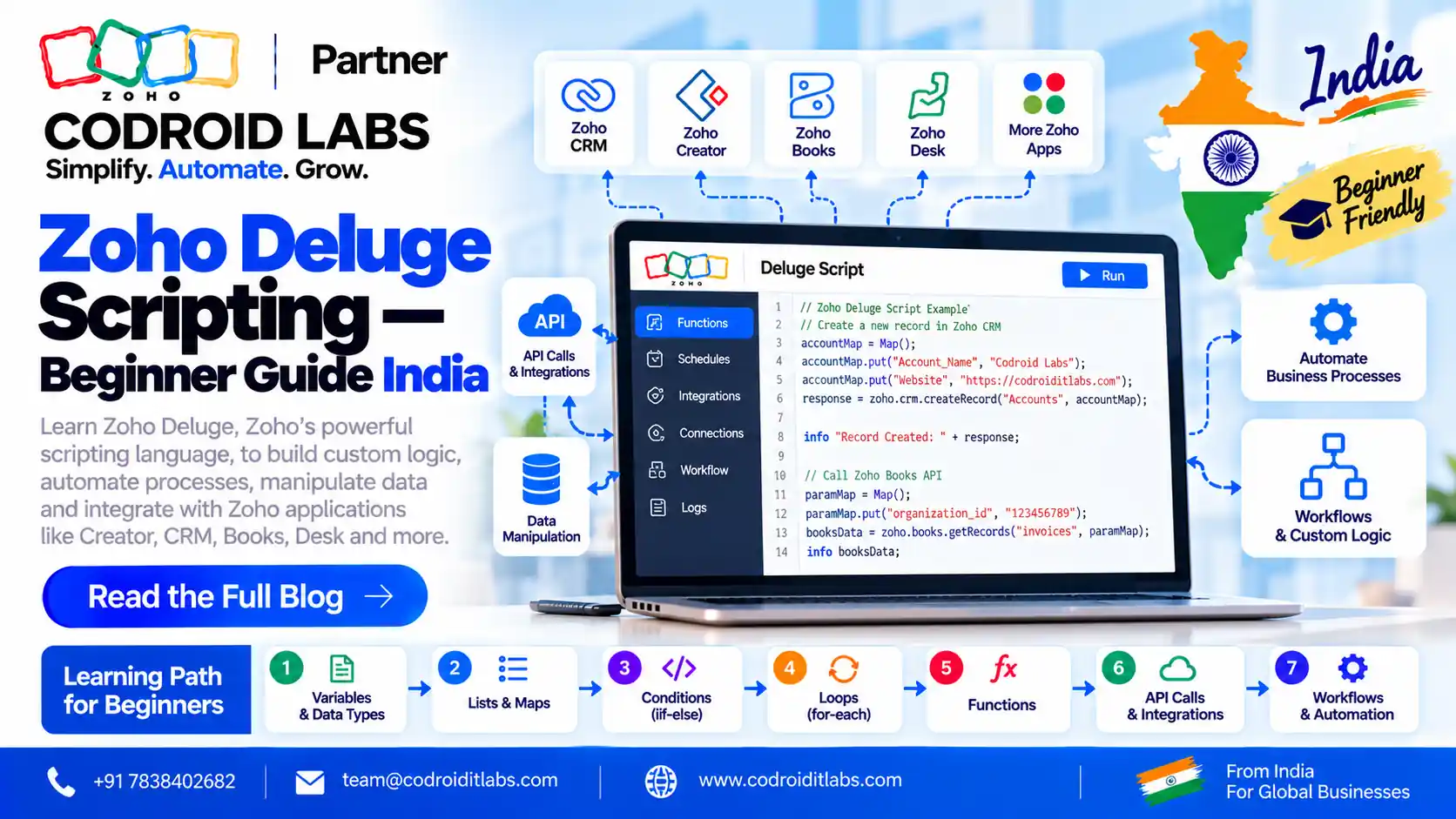
Zoho deluge scripting is how you add your own logic to Zoho apps when clicks are not enough. This guide teaches the basics in plain English: where Deluge runs, the syntax you need, seven small scripts you can paste and test, the limits that matter and the errors you will meet first.
Updated: 7 October 2026
Reviewed against: Zoho Deluge help, Zoho CRM Functions docs, Zoho CRM and Creator pricing
From: Codroid Labs, Zoho Partner, New Delhi
Reviewed against: Zoho Deluge help, Zoho CRM Functions docs, Zoho CRM and Creator pricing
From: Codroid Labs, Zoho Partner, New Delhi
Short answer
Deluge is Zoho's own scripting language. You write it inside Zoho CRM functions, Creator workflows, Books and Desk functions. Start with variables, maps, lists, if and for each, test with info in the Deluge tryout or a CRM standalone function, then move to zoho.crm tasks, invokeurl and sendmail.
7
Beginner scripts to test
200,000
Lines executed per CRM function run
30 sec
CRM workflow function timeout
₹480
Creator Standard, per user/month, billed annually
What Is Zoho Deluge Scripting?
Zoho describes Deluge (Data Enriched Language for the Universal Grid Environment) as an online scripting language built into Zoho services. Its official introduction gives a simple example: drag-and-drop can collect data in a form, but sending an email on submit, fetching data or updating another app needs a script.
That is the gap zoho deluge scripting fills. You do not install anything. You write code in a browser editor inside the Zoho app, save it and attach it to a trigger such as a workflow rule, a button or a schedule.
For an Indian beginner, the good news is that Deluge reads almost like English. There are no classes, no package managers and no servers to set up. If you can write an Excel formula, you can learn deluge zoho style in a few weeks of steady practice.
Where Zoho Deluge Scripting Runs
Deluge is not a separate product you buy. It lives inside the apps you already use. These are the places checked on official Zoho pages:
| Zoho app | Where you write Deluge | Typical trigger |
|---|---|---|
| Zoho CRM | Functions (Setup > Developer Hub) | Workflow, Blueprint, approval, button, related list, validation rule, schedule, REST API |
| Zoho Creator | Workflows on forms, reports and schedules | Form submit, field input, scheduled date, approval, payment, report action |
| Zoho Books | Functions under Settings > Automation > Workflow Actions | Workflow rule, for example when an invoice becomes overdue |
| Zoho Desk | Custom functions in automation | Workflow rules on tickets |
| Any Deluge editor | Deluge tryout playground | Manual run for practice |
Note one rule from Zoho's Functions limits page: in Zoho CRM, Functions have full access in Enterprise, CRM Plus, Ultimate and Zoho One. Standard and Professional can use Functions only through Extensions. Plan your edition before you plan your Deluge work.
Deluge also has integration tasks for other apps. For example, zoho.books.createRecord creates records in Zoho Books from a Creator form.
Zoho Deluge Scripting Syntax Basics for Beginners
In zoho deluge scripting, every statement ends with a semicolon. Text goes in double quotes. Comments start with two slashes. Blocks sit inside curly braces. That is most of the grammar.
Variables and data types
You do not declare a type. Deluge infers it from the value. Zoho's variables and data types pages list Text, Number, Decimal, Boolean, Date-Time, List, Key-Value (map) and File, among others.
Lists and maps
A list is an ordered collection, created with List() or curly braces. A map stores key-value pairs, created with Map(). Most zoho.crm tasks take a map and return a map, so learn maps first.
Conditions and loops
Deluge has if, else if and else, plus a one-line conditional if. Zoho's conditional statements page shows both. For loops, Deluge uses for each element on a list. Deluge has no while loop, so you loop over lists or records instead.
| Concept | Deluge form | Remember |
|---|---|---|
| Text | name = “Asha”; | Double quotes |
| Number / Decimal | qty = 3; price = 499.50; | No type keyword |
| Boolean | isPaid = false; | true or false |
| List | cities = List(); or {“Delhi”,”Pune”} | Index starts at 0 |
| Map | lead = Map(); lead.put(“Last_Name”,”Rao”); | Keys are field API names in CRM |
| If | if(x > 5) { … } else { … } | Braces for each block |
| Loop | for each c in cities { … } | Each run counts towards limits |
Zoho Deluge Scripting Tasks: zoho.crm, invokeurl, info and sendmail
Four building blocks cover most beginner zoho deluge scripting work:
- zoho.crm tasks: getRecordById, updateRecord, createRecord and searchRecords read and write CRM records using module and field API names. Each run is one API call against your plan's limit.
- invokeurl: the invokeUrl task calls any REST API with url, type, headers, parameters, body and an optional connection for OAuth.
- info: the info statement prints a value while the script runs. In CRM it shows in the console and in execution logs.
- sendmail: the sendmail task needs from, to, subject and message. The from address must be zoho.adminuserid, zoho.loginuserid or a verified email address.
Syntax for the four CRM tasks, as written in Zoho's help:
| Task | Syntax |
|---|---|
| Get one record | <var> = zoho.crm.getRecordById(<module>, <record_ID>); |
| Update a record | <var> = zoho.crm.updateRecord(<module>, <record_ID>, <map>); |
| Create a record | <var> = zoho.crm.createRecord(<module>, <map>); |
| Search records | <var> = zoho.crm.searchRecords(<module>, “(Field:equals:value)”); |
Options and connection parameters are optional for each task. Use a connection when you call the task from outside Zoho CRM, for example from Creator.
7 Zoho Deluge Scripting Examples for Beginners
Run examples 1 to 3 in the Deluge tryout. Run 4 to 7 inside a Zoho CRM function, where leadId, email and similar values come in as function arguments. Replace field API names with the ones in your own CRM.
1. Variables and a calculation
Example 1: variables
customerName = "Asha Traders";
qty = 3;
price = 499.50;
total = qty * price;
info "Total for " + customerName + ": " + total;
2. A list and a for each loop
Example 2: lists and loops
cities = List();
cities.add("Delhi");
cities.add("Pune");
cities.addAll({"Chennai","Kochi"});
for each city in cities
{
	info "Branch: " + city;
}
info "Total branches: " + cities.size();
3. A map and an if, else if, else check
Example 3: maps and conditions
deal = Map();
deal.put("Deal_Name","Annual AMC");
deal.put("Amount",250000);
amount = deal.get("Amount");
if(amount >= 500000)
{
	info "Large deal";
}
else if(amount >= 100000)
{
	info "Medium deal";
}
else
{
	info "Small deal";
}
4. Read a lead and update it
Example 4: zoho.crm.getRecordById and updateRecord
// leadId is a function argument mapped to the Lead ID
leadData = zoho.crm.getRecordById("Leads", leadId);
city = leadData.get("City");
updateMap = Map();
if(city == null)
{
	updateMap.put("Description","City missing: please confirm on call");
}
else
{
	updateMap.put("Description","Follow-up city: " + city);
}
resp = zoho.crm.updateRecord("Leads", leadId, updateMap);
info resp;
5. Search before you create (no duplicates)
Example 5: zoho.crm.searchRecords and createRecord
// email and lastName are function arguments
found = zoho.crm.searchRecords("Contacts", "(Email:equals:" + email + ")");
if(found.size() == 0)
{
	contact = Map();
	contact.put("Last_Name", lastName);
	contact.put("Email", email);
	created = zoho.crm.createRecord("Contacts", contact);
	info "Created contact: " + created.get("id");
}
else
{
	info "Contact already exists: " + found.get(0).get("id");
}
6. Call an external API with invokeurl
Example 6: invokeurl GET request
// Replace the URL with a real endpoint you are allowed to call
params = Map();
params.put("pincode","110001");
resp = invokeurl
[
	url :"https://api.example.com/v1/lookup"
	type :GET
	parameters:params
];
info resp;
7. Alert the team with sendmail
Example 7: sendmail
// leadName and amount are function arguments
if(amount >= 500000)
{
	sendmail
	[
		from :zoho.adminuserid
		to :"sales@yourcompany.in"
		subject :"High-value lead: " + leadName
		message :"Please call " + leadName + " today. Expected value: Rs " + amount
	]
}
These deluge script examples stay small on purpose. Once they work, see our Deluge scripts for CRM workflows and auto-convert leads script for longer, real-world functions.
Zoho Deluge Scripting Limits You Must Know
In zoho deluge scripting, limits decide whether a script runs in testing but fails in production. These come from Zoho's CRM Functions limits and quotas and the general Deluge limitations page:
| Limit | Value | Source |
|---|---|---|
| Lines executed per CRM function run | 200,000 | CRM Functions |
| Response size returned by a CRM function | 10 MB | CRM Functions |
| Timeout: button, related list, validation rule, REST API | 10 seconds | CRM Functions |
| Timeout: workflow, Blueprint, approval | 30 seconds | CRM Functions |
| Timeout: schedule | 15 minutes | CRM Functions |
| Credits: Enterprise / Zoho One | 20,000 + 500 per user licence + add-ons, up to 400,000 per 24 hours | CRM Functions |
| Credits: CRM Plus / Ultimate | 20,000 + 1,000 per user licence + add-ons | CRM Functions |
| Statements per function (general Deluge) | 5,000 | Deluge limitations |
| Function calls within one function | 75 | Deluge limitations |
| sendmail per user per day (general Deluge) | 500 | Deluge limitations |
| invokeUrl response size | 5 MB | Deluge limitations |
| sendmail attachment size | 15 MB | Deluge limitations |
Two warnings. First, Zoho notes the general Deluge limits page may not be fully accurate and is being updated, so check the service you use. Second, a statement inside a loop counts each time it runs. A loop over 1,000 records with five statements is 5,000 executions, not five.
Debugging Zoho Deluge Scripting: Common Errors
Debugging zoho deluge scripting starts with info. Print each variable before you use it, then run. Zoho's CRM standalone quickstart shows info output in the console during testing and in execution logs when a workflow, button or schedule runs the function. The editor also saves revisions, so you can roll back.
These messages come from Zoho's Deluge error messages page:
| Error message (shortened) | Usual cause | Fix |
|---|---|---|
| Improper Statement Error… missing ‘;’ | Missing semicolon or unfinished line | Add ; at the end of each statement |
| Variable ‘<variable>’ is not defined | Typo, or used before assigning | Assign it first; check spelling |
| Expecting ‘}’ but found ‘<EOF>’ | Unclosed block | Match every { with } |
| Given index … is greater than the list size | Reading a list item that does not exist | Check size() before get() |
| Null value occurred while performing … operation | A field was empty | Test for null before maths or text joins |
| ‘TEXT’ can not be cast to ‘[BIGINT]’ | Text passed where a number is needed | Convert with toLong() or toNumber() |
| ‘FROM’ message is missing for sendmail task | sendmail without from | Add from :zoho.adminuserid |
| Invalid module name for the function … | Wrong module API name | Use the API name, for example Leads |
| Error in performing the Operation / : Divide by zero error | Dividing by 0 | Check the divisor first |
One more beginner trap in Deluge: field API names are case sensitive. “last_name” is not “Last_Name”. Copy names from the CRM API names list rather than typing them.
Zoho Deluge Scripting Learning Path for India
A practical four-week plan for students, freshers and admins who want to learn deluge zoho without a paid course:
- Week 1: syntax. Use the Deluge tryout. Write examples 1 to 3. Practise text, numbers, lists, maps, if and for each.
- Week 2: CRM functions. Sign up for a Zoho CRM trial, follow the standalone function quickstart and run examples 4 and 5 against test leads.
- Week 3: automation. Attach a function to a workflow rule and a button. Read the timeout table above and watch execution logs.
- Week 4: integrations. Practise invokeurl with a connection, then sendmail. Build one small Creator app with a form workflow.
- Next: study common Zoho Deluge scripts and when to use Zoho Flow vs custom Deluge.
Tip for Indian learners: practise with Indian data from day one. Use rupee amounts, PIN codes, GSTIN text fields and Indian phone formats. Real data shows real edge cases, such as empty fields and number formatting, much faster than toy data.
Zoho CRM and Creator Pricing in INR (October 2026)
You can practise for free, but production zoho deluge scripting needs a paid edition. Prices below exclude GST and come from the Zoho CRM pricing page and Zoho Creator pricing page. USD is approximate, at about ₹96.3 per dollar.
| Edition (per user/month) | Billed annually | Billed monthly | Deluge note |
|---|---|---|---|
| Zoho CRM Standard | ₹800 (approx. US$8.31) | ₹1,300 | Functions via Extensions only |
| Zoho CRM Professional | ₹1,400 (approx. US$14.54) | ₹2,100 | Functions via Extensions only |
| Zoho CRM Enterprise | ₹2,400 (approx. US$24.92) | ₹3,000 | Full Functions access |
| Zoho CRM Ultimate | ₹2,600 (approx. US$27.00) | ₹3,200 | Full Functions access |
| Zoho Creator Standard | ₹480 (approx. US$4.98) | ₹720 | Per user |
| Zoho Creator Professional | ₹1,200 (approx. US$12.46) | ₹1,800 | Per user |
| Zoho Creator Enterprise | ₹1,500 (approx. US$15.58) | ₹2,220 | Per user |
If you mainly want to build apps, Creator is the cheapest way to write Deluge daily. If your work is CRM automation, Enterprise is the first edition with full Functions access. See our Zoho CRM pricing in India guide for edition detail.
When to Get Help from a Zoho Partner
Learning zoho deluge scripting yourself is the right move for small scripts. For functions that touch payments, GST data or many modules, a review saves rework. Codroid Labs is a Zoho Partner in New Delhi that writes and reviews Deluge for CRM, Creator and Books. Read about hiring a Zoho developer for custom Deluge, call +91 7838402682 or email team@codroiditlabs.com.
Book a Free ConsultationTry Zoho CRM Free
Quick Answers
Is zoho deluge scripting hard?
No. It is readable, has no setup and suits beginners.
Where do I practise?
The free Deluge tryout, then a Zoho CRM or Creator trial.
Which CRM edition?
Enterprise or above for full Functions access.
How do I debug?
Use info and check the console and execution logs.
Zoho Deluge Scripting FAQs
What is zoho deluge scripting used for?
Adding custom logic to Zoho apps: updating records, calling APIs, sending emails and automating workflows in CRM, Creator, Books and Desk.
Is there a free zoho deluge tutorial for beginners?
Yes. Zoho's Deluge help, the Deluge tryout and the CRM standalone function quickstart are free to use.
Can I write Deluge in Zoho CRM Standard?
Zoho says Standard and Professional can access Functions only through Extensions. Full access starts at Enterprise.
How long does it take to learn deluge zoho?
With daily practice, most beginners learn enough zoho deluge scripting to write simple CRM functions in about four weeks.
What is the timeout for a CRM workflow function?
30 seconds for workflow, Blueprint and approval functions; 15 minutes for schedules.
Why does my sendmail fail?
The from address must be zoho.adminuserid, zoho.loginuserid or a verified email, and from, to, subject and message are all needed.
Do I need coding experience for deluge script examples?
No. Basic logic is enough. Start with variables, maps and if, then move to CRM tasks.
Related guides
Stuck on a Deluge function?
Book a free consultation and get your script reviewed by a Zoho Partner.
References (official Zoho pages, checked 7 October 2026)
- Introduction to Deluge
- Data types
- Create map
- For each element
- Conditional statements
- Info
- Send mail
- invokeUrl
- zoho.crm.getRecordById
- zoho.crm.searchRecords
- Deluge limitations
- Deluge error messages
- CRM Functions limits and quotas
- CRM standalone function quickstart
- Zoho Books functions
- Zoho CRM pricing
- Zoho Creator pricing