


Introduction: The Billion-Dollar Shift to Zoho Mail
Zoho Mail Setup is no longer just a technical preference; it is a strategic move for professionals reclaiming their data sovereignty. While Gmail relies on an ad-supported model that treats your business data as a product to be scanned, Zoho offers a secure, ad-free sanctuary.
Executing a Zoho Mail Setup is the single most effective way to professionalize your brand while ditching the security liabilities of “free” email providers. Known as the premier “Indian alternative to Gmail,” Zoho serves as a professional command center for millions of high-growth enterprises globally.
Table of Contents
- Zoho Mail vs. Gmail: The Professional Edge
- Zoho Mail Pricing: The $4,800 Annual Advantage
- Step-by-Step Zoho Mail Setup for Business
- The Migration Guide: Moving from Gmail to Zoho
- Advanced Features: Operating Your Business Ecosystem
- Potential Disadvantages: The Honest Review
- Frequently Asked Questions (FAQ)
Zoho Mail vs. Gmail: The Professional Edge
The fundamental difference between these platforms lies in their business models. Gmail’s ad-supported scanning is a massive security liability for proprietary business data, whereas Zoho’s model is built on end-to-end encryption and total user privacy.
Feature Comparison: Why Specialists are Switching
| Feature | Gmail (Google Workspace) | Zoho Mail |
| Privacy | Ad-supported data scanning | 100% Ad-free & Encrypted |
| Storage | 15GB (Shared across all apps) | 5GB (Dedicated solely to Email) |
| Attachment Limit | 25MB (Requires Drive links) | Up to 1GB (Directly in email) |
| Security | Standard 2FA | “Secure Pass” (Self-destructing) |
| Admin Panel | Complex “Nightmare” Interface | Intuitive Two-Click Simplicity |
| Support | Ticket-based (often slow) | Responsive, friendly Human Agents |
Strategic Branding
Unlike Google Workspace, which forces paid tiers for custom domains, Zoho allows startups to create a professional address (e.g., ceo@yourbrand.com) for free for up to five users. This gives small teams a million-dollar image without the upfront overhead.
Zoho Mail Pricing: The $4,800 Annual Advantage
For a 50-person company, choosing Zoho over Google Workspace can result in $4,800 in annual savings. This is a massive win for budget-conscious leaders who want premium features without the “Google Tax.”
- Forever Free Plan: Perfect for startups, offering 5 users, 5GB of storage/user, and a 25MB attachment limit.
- Mail Lite ($1/user): Includes multiple domain hosting, 5GB storage, and a 250MB attachment limit.
- Mail Premium ($4/user): The power-user choice with 50GB storage, 1GB attachments, e-discovery, and backup.
- Workplace Plans: A comprehensive suite including cloud storage and meeting tools, designed to outperform Google’s ecosystem at a fraction of the cost.
Step-by-Step Zoho Mail Setup for Business
The Zoho Mail Setup process is designed for speed. Unlike Google’s admin console, which often feels like a 20-minute hunt for basic settings, Zoho’s dashboard is streamlined for the modern business owner.
Initial Sign-Up & Configuration
- Access the Platform: Visit the Zoho website or download the Zoho Mail app from the Play Store/App Store.
- Input Identity: Enter your First Name, Surname, and your Mobile Number for security verification.
- Define Your Identity: Choose a username. For Indian users, this defaults to the
@zohomail.insuffix—a mark of a truly localized professional tool. - Secure the Perimeter: Set a robust password and verify your account via the mobile OTP.
- Configure the Admin Panel: Navigate the straightforward dashboard to add your custom domain and manage user permissions in seconds.
The Migration Guide: Moving from Gmail to Zoho
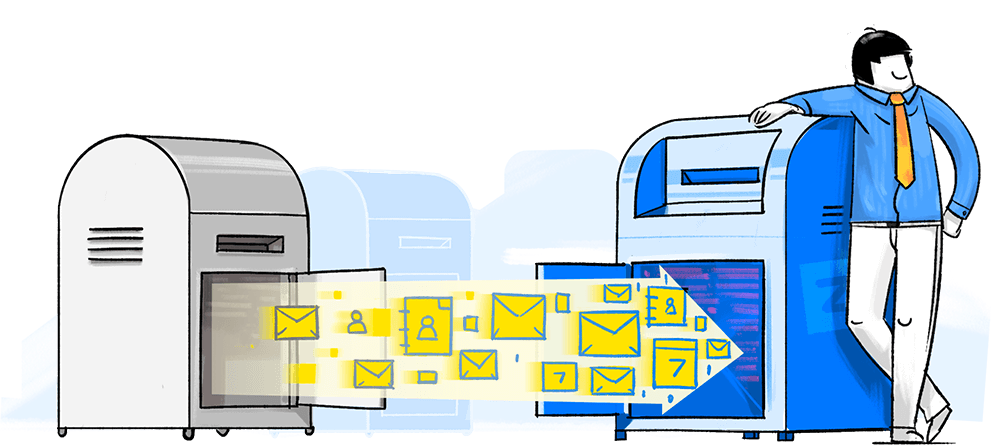
You don’t have to leave your history behind. The built-in Zoho Migration Wizard ensures a seamless transition of all your folders, contacts, and archives without requiring expensive third-party tools.
Phase 1: Preparation
Choose your plan and set your display preferences in Zoho. Ensure you have your Gmail login credentials ready to authorize the transfer.
Phase 2: The Data Handshake
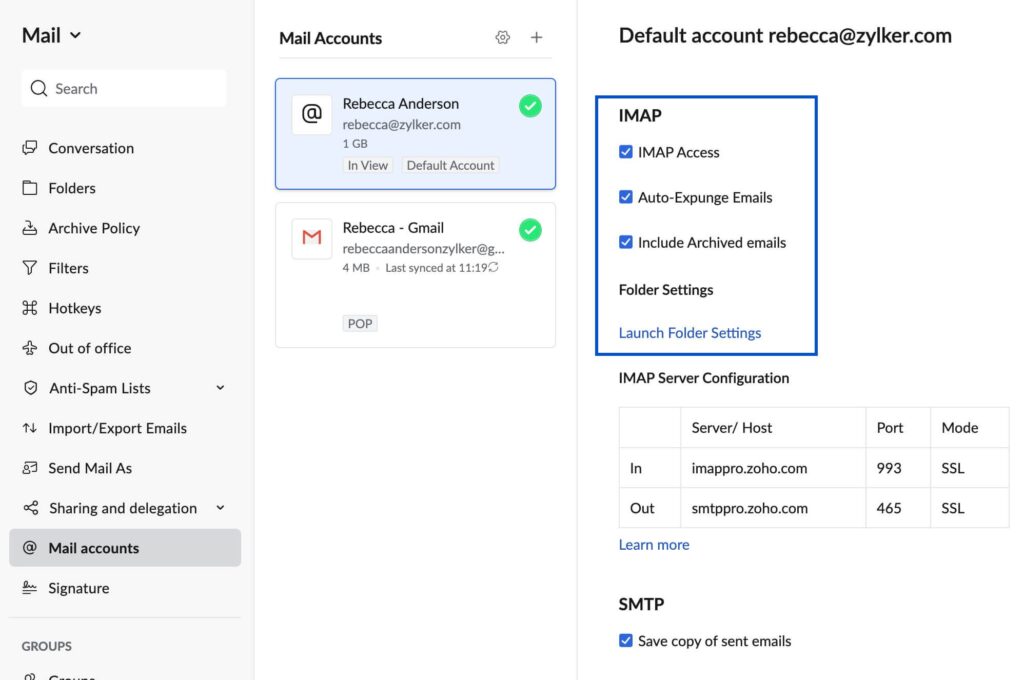
Go to your Gmail settings and Enable IMAP under the “Forwarding and POP/IMAP” tab. This opens the door for Zoho to securely retrieve your data.
Phase 3: Deployment
Launch the Zoho Migration Wizard from your new dashboard. Log in with your Gmail credentials when prompted, and the tool will automatically mirror your entire Gmail structure within Zoho.
Phase 4: Active Forwarding
Set up email forwarding in Gmail to point to your new Zoho address. This ensures that any straggling emails sent to your old address are captured instantly during the transition.
Advanced Features: Operating Your Business Ecosystem
Zoho Mail is more than an inbox; it is a “Business Operating System.”
- Streams: A social-media-style collaboration layer. Comment on emails and @mention team members to eliminate messy internal threads.
- Email Recall: While Gmail offers a 30-second “Undo,” Zoho allows you to pull back an email from a recipient’s inbox even after it’s arrived (provided it remains unread).
- Zia AI: Zoho’s assistant helps with workflow automation and lead prediction without the intrusive data-mining found in Gemini.
- Ecosystem Integration: Instant connectivity with Zoho CRM, Books, and Projects ensures your data flows where you need it most.
Potential Disadvantages: The Honest Review
No platform is perfect. To maintain professional transparency, consider these limitations discovered during deep testing:
- External Friction: Documents shared via Zoho links can occasionally be flagged by external spam filters that are overly tuned to Google/Microsoft domains.
- Productivity Limitations: Zoho Writer lacks some advanced formatting found in Word, and Zoho Sheets has shown document corruption issues in extremely complex, large-scale spreadsheets.
- Video Quality: Zoho Meeting is functional, but for high-stakes client calls, it may lack the HD consistency of Google Meet.
Frequently Asked Questions (FAQ)
Is Zoho Mail free for business? Yes. The “Forever Free” plan supports up to 5 users with custom domain hosting, making it the best entry-level choice for new companies.
How do I create a Zoho email account for my business? Simply sign up via the Zoho website, verify your identity via mobile OTP, and use the Admin Console to link your business domain.
Is Zoho Mail an Indian company? Yes. Zoho is a premier Indian technology titan that has been providing secure, private software solutions since 1996.
Can I transfer my Gmail to Zoho Mail? Absolutely. The built-in Zoho Migration Wizard handles the transfer of emails, folders, and contacts seamlessly once IMAP is enabled.
Is Zoho email IMAP or POP? Zoho supports both protocols, allowing for flexible synchronization across all your desktop and mobile devices.
Which email is best for business in India? Zoho Mail is the top choice due to its localized support, ad-free privacy model, and significant cost savings compared to Google Workspace.
Conclusion & Call to Action
Completing your Zoho Mail Setup is a high-impact strategic move. You gain a professional, ad-free workspace, reclaim your data privacy, and potentially save your organization thousands of dollars every year.
Ready to elevate your professional communication? Explore Zoho Mail Pricing Plans to start your journey, or contact us today for expert assistance with your enterprise-level migration.
- External Resource: Official Zoho Mail Pricing and Plan Comparison
Ready to Get Started on Zoho?
Let’s build your business the smart way — with Zoho and Codroid Labs by your side.
📅 Book your free consultation now