


In an era where digital privacy is a luxury, finding a secure, ad-free communication hub is vital for business success. Zoho Mail has emerged as the premier choice for professionals who demand more than just an inbox. Whether you are a solo founder looking for Zoho Mail free options or a developer diving into the Zoho Mail API documentation, this guide covers everything you need to transform your workflow.
Table of Contents
1. What is Zoho Mail?
Zoho Mail is a secure, encrypted, and ad-free business email hosting service designed to help teams collaborate effortlessly. Unlike other providers that scan your data for marketing, Zoho prioritizes user privacy. It’s not just an email service; it’s a productivity powerhouse integrated with a suite of 50+ business apps.
2. Master Your Inbox: Zoho Mail Sign Up and Login
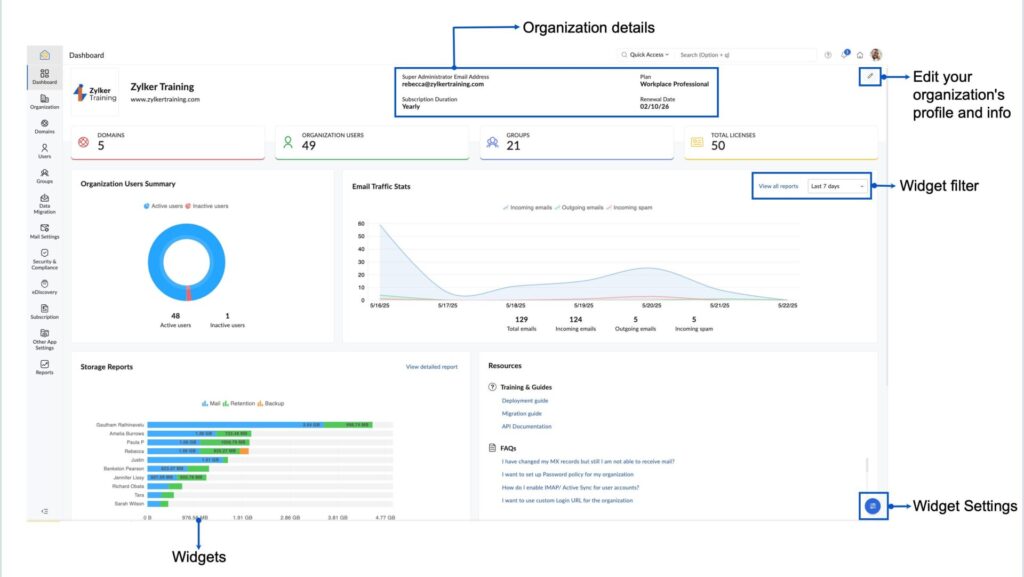
Starting your journey is simple. To create your professional identity, visit the Zoho Mail sign up page. You can choose a custom domain (e.g., name@yourcompany.com) to instantly boost your brand’s credibility.
Once registered, the Zoho Mail login portal provides a unified gateway to your emails, calendar, and contacts. For maximum security, we always recommend enabling Two-Factor Authentication (2FA) during your first session to protect your sensitive business data.
3. Is it Really Free? Zoho Mail Pricing Explained
One of the most frequent questions we receive as partners is about the Zoho Mail free plan.
- Forever Free Plan: Perfect for startups, offering 5GB per user and web access for up to five users.
- Mail Lite: A budget-friendly option for those needing POP/IMAP access and offline email.
- Premium Plan: Includes huge attachments (up to 1GB), white-labeling, and eDiscovery.
When reviewing Zoho Mail pricing, most businesses find that the “Workplace” bundles offer the best value as they include office suite tools alongside the email service.
4. For Techies: Zoho Mail API and Developer Console
If you want to automate your business, the Zoho Mail API is your best friend. It allows you to integrate email functionalities directly into your own applications, third-party software, or your internal CRM.
5. Productivity on the Go: The Zoho Mail App
Don’t be tied to your desk. The Zoho Mail app (available for iOS and Android) brings the full power of “Streams”—Zoho’s unique social-style collaboration tool—to your pocket. You can also perform a Zoho Mail download for your desktop if you prefer a dedicated application over a browser tab for your daily workflow.
6. Why We Are Proud Zoho Partners
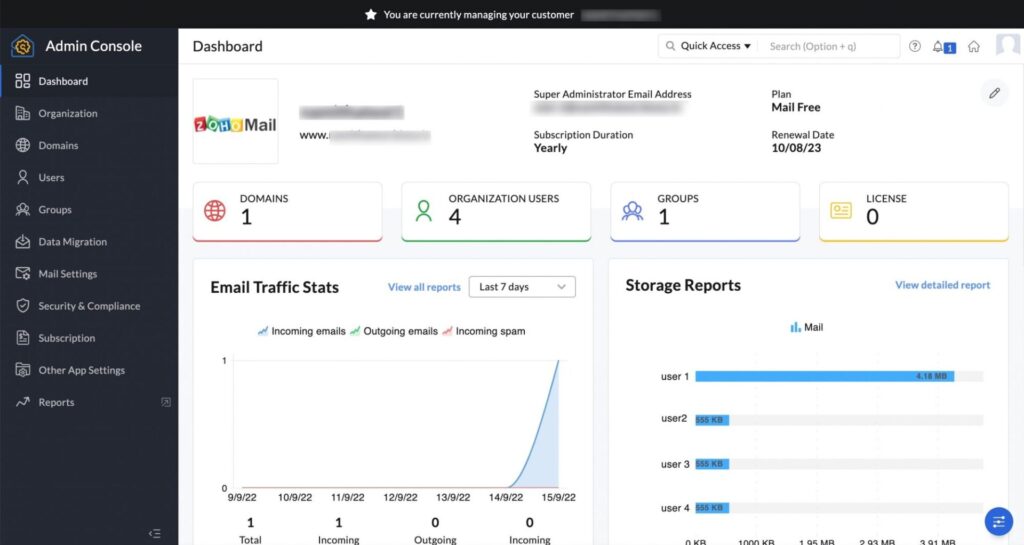
As a Zoho Partner, we have seen firsthand how switching to this ecosystem slashes IT costs and improves team morale. The integration between Zoho Mail and other tools creates a seamless flow of data that turns simple website traffic into high-value, long-term leads.
Expert Tip: Use the “Night Mode” in the web interface to reduce eye strain during long work sessions. It’s a small feature that makes a massive difference in daily user experience!
Conclusion: Should You Switch?
If you value privacy, affordability, and deep integration, the answer is a resounding yes. From the robust Zoho Mail API to the simplicity of the Zoho Mail free plan, there is a solution for every stage of business growth.
Ready to Get Started on Zoho?
Let’s build your business the smart way — with Zoho and Codroid Labs by your side.
📅 Book your free consultation now
Frequently Asked Questions
1. Can I use Zoho Mail for free with my own domain?
Yes, the Zoho Mail free plan allows you to host one domain for up to five users. Each user receives 5GB of storage. However, please note that the free plan is restricted to web access only and does not support IMAP/POP or external email clients like Outlook.
2. How do I fix a blocked Zoho Mail account?
A Zoho Mail login may be blocked for three main reasons:
Storage Limit: If you exceed your 5GB (free) or paid limit, your account is locked within 48 hours. You must delete emails or upgrade your plan to unblock it.
Inactivity: Accounts unused for 180 consecutive days are marked inactive and blocked.
Spam Policy: If your account is flagged for sending bulk or unsolicited emails, Zoho may temporarily suspend access.
3. What is the difference between Zoho Mail and Zoho Workplace?
While Zoho Mail pricing covers your email hosting, Zoho Workplace is a bundled suite. It includes Zoho Mail plus collaboration tools like WorkDrive (cloud storage), Cliq (team chat), and Writer (document editing). If you need more than just an inbox, the Workplace plan is often the better value.
4. How to create Zoho Mail account?
Sign up → verify domain → add MX records → create users → login.
5. Does the Zoho Mail app support multiple accounts?
Yes. The Zoho Mail app for iOS and Android allows you to add and switch between multiple Zoho accounts. You can also integrate other external accounts via IMAP/POP if you are on a paid plan, creating a unified mobile inbox.
6. How to create Zoho Mail?
Same as account creation: sign up + domain verification.
7. How to migrate Gmail to Zoho Mail?
Admin Console → Data Migration → Google Workspace → OAuth or IMAP.
8. Is Zoho Mail free?
Yes, but limited. Business use = paid.
9. Is Zoho Mail Indian?
Yes. Zoho is founded in India, operates globally.