


The Zoho CRM Workqueue is the ultimate solution for sales teams struggling with fragmented data across their CRM platform. In a fast-paced sales environment, tasks often live in Activities, approvals hide in various workflows, and important records are scattered across multiple modules. This fragmentation leads to missed opportunities, inefficient workflows, and decreased productivity.
By providing a centralised view for all your work, the Zoho CRM Workqueue addresses these challenges, bringing every important sales activity, approval, and follow-up right to your fingertips.
Table of Contents
1. Centralise Your Day with the Zoho CRM Workqueue
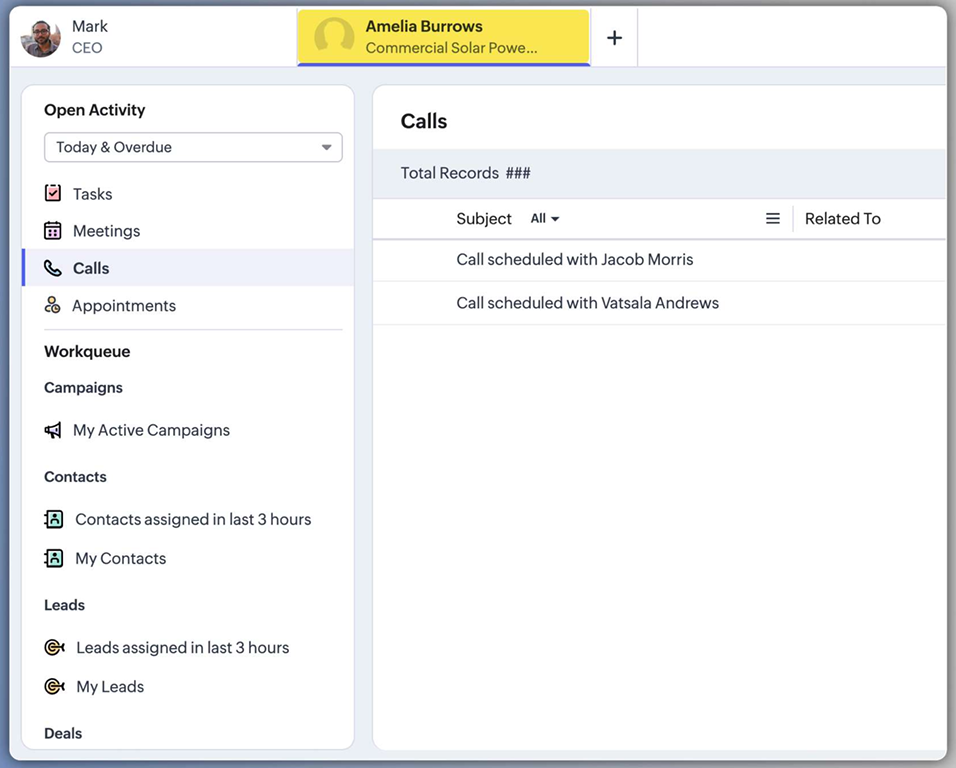
The core purpose of the Zoho CRM Workqueue is to help you manage your day more efficiently. It does this by consolidating all your critical work items across different modules into a single, customisable dashboard. Instead of switching between tabs and modules, you can now view everything from one dynamic workspace.
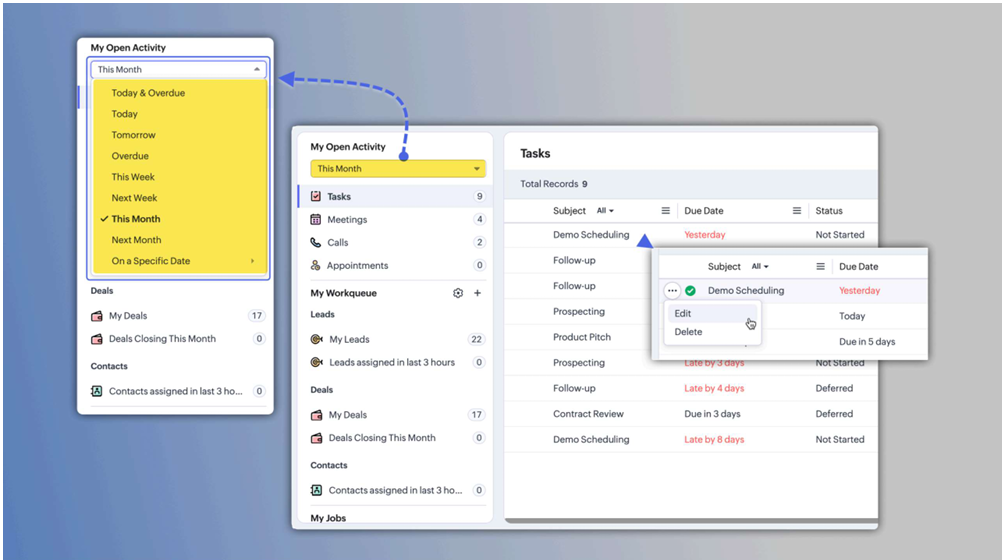
2. Master Your Tasks in “My Activities”
One of the standout features of the Zoho CRM Workqueue is the “My Activities” section. This serves as your primary task centre, allowing you to view all scheduled or overdue work with color-coded priority indicators.
- Red signals indicate overdue items.
- Green highlights upcoming activities.
You can complete tasks, edit details, and perform actions directly from this view without ever switching between modules.
3. Optimise Approvals via “My Jobs”
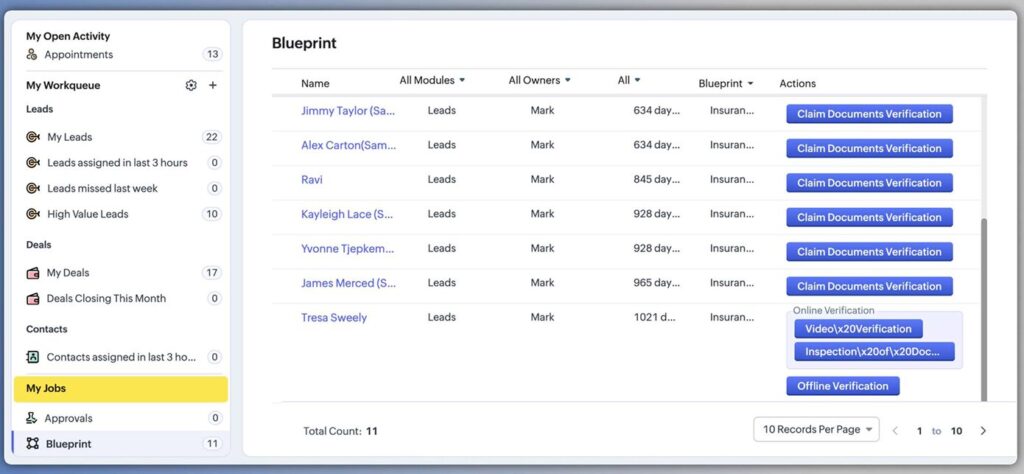
The “My Jobs” section within the Zoho CRM Workqueue streamlines your approval workflows. Powered by Zia Vision, this feature allows you to handle approval processes, review blueprints, and even validate images from one location. Whether you need to approve, delegate, or reject requests, you can do so with a single click, making decision-making faster and more efficient.
4. Unrivalled Customisation for Your Workflow
The Zoho CRM Workqueue offers the ultimate in customisation flexibility. You are not stuck with a one-size-fits-all view; instead, you can create custom views using three distinct methods:
- Import existing module views you have already created.
- Set up date-based filters, such as “Contacts created today”.
- Establish criteria-based filters, such as “Annual revenue greater than $100k”.
The system intelligently categorises these items into “My Records” for items you own and “Other User Records” for shared items under your visibility.
5. Direct Action and Record Management
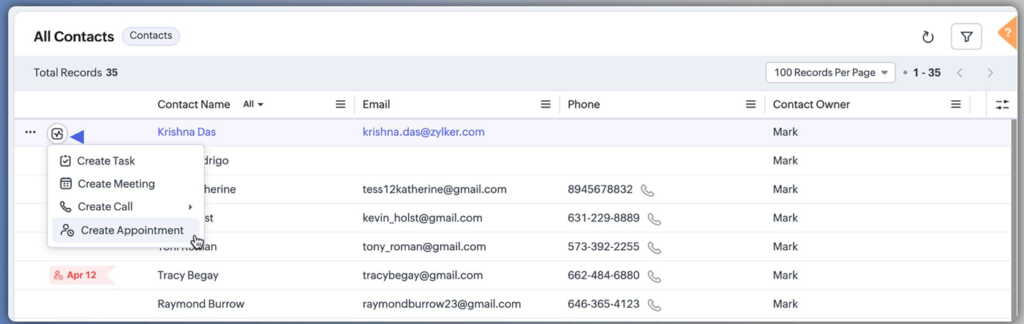
With the Zoho CRM Workqueue, you don’t just view data; you interact with it. You can create tasks, meetings, calls, or appointments directly from the workqueue using the activities button for the records. This seamless integration ensures that you can move from insight to action in seconds.
6. Gain Real-Time Team Insights
For those in leadership positions, the Zoho CRM Workqueue includes a powerful Manager View. This feature provides real-time monitoring of team members’ queues, ensuring that managers have full visibility into the workload and progress of their subordinates. It is a vital tool for maintaining team productivity and identifying bottlenecks before they become problems.
7. Global Availability for Productivity
The Zoho CRM Workqueue is currently available for all users across all Data Centres (DCs). This means that regardless of where your team is located, you can implement this major productivity boost to your CRM experience immediately.
Ready to Get Started on Zoho?
Let’s build your business the smart way — with Zoho and Codroid Labs by your side.
📅 Book your free consultation now