


Production Ops Guide · Checked 21 October 2026
Zoho CRM API Limits, Credits and Deluge Limits: What Breaks in Production and How to Build Around It
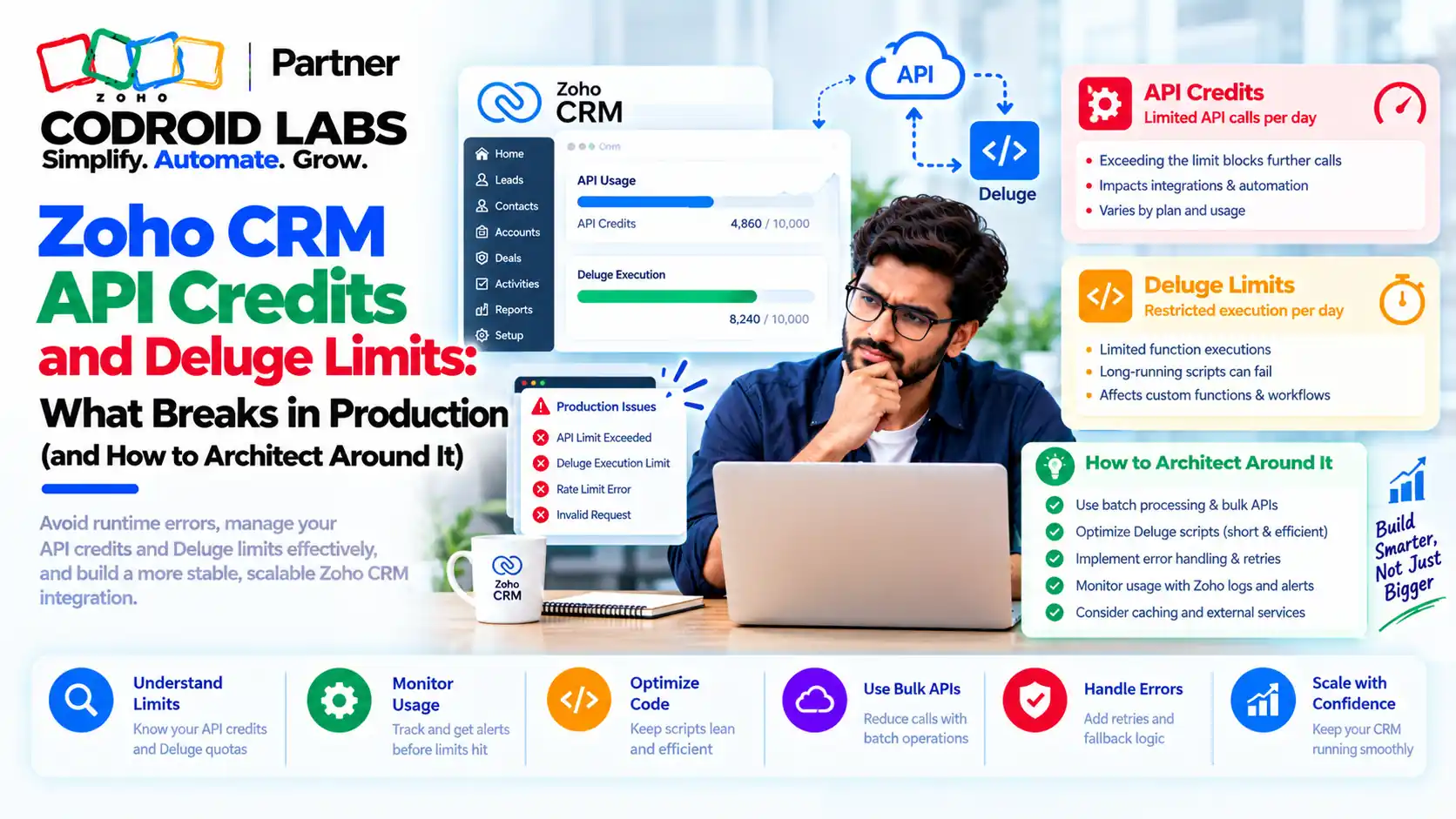
Zoho CRM API limits decide whether your integrations run quietly or stop at 3 PM with a wall of 429 errors. Here is what breaks, checked on Zoho's developer docs, and how to design around it.
Checked: 21 October 2026
Sources: Zoho CRM API v8, Functions and Deluge documentation
By: Codroid Labs, a Zoho Partner and Zoho AI Enabled Partner
Sources: Zoho CRM API v8, Functions and Deluge documentation
By: Codroid Labs, a Zoho Partner and Zoho AI Enabled Partner
Short answer
Zoho CRM gives each org a daily pool of API credits over a rolling 24 hours (Enterprise: 50,000 plus 1,000 per user licence, up to 5,000,000 with add-ons), caps how many calls run at once (5 to 25 by edition), and sets separate limits for functions, webhooks and email alerts. Most production failures come from expensive calls, polling, and functions that hit their 30-second workflow timeout. Fix them with bulk APIs, batched writes, notifications instead of polling, a queue with backoff, and scheduled functions.
What Zoho CRM API Limits Break in Production
In short: Syncs fail for four reasons: daily credits run out, too many calls run at once, a function times out, or a daily task quota is hit.
When zoho crm api limits bite, a sync that ran fine for months dies once credits pass 80 to 100 percent. A burst of order updates returns 429 errors. A workflow function that worked in testing times out on a busy afternoon.
Each of these maps to one of four separate zoho crm api limits, and it helps to keep them apart:
| Limit | Scope | Typical symptom |
|---|---|---|
| API credits | Per org, rolling 24 hours | Every API call and integration task fails until credits free up |
| Concurrency and sub-concurrency | Per org per app, at any moment | HTTP 429 TOO_MANY_REQUESTS during bursts |
| Function limits | Per function run, plus a daily function credit pool | Function terminated on timeout or line count |
| Workflow action caps | Per org per day, by edition | Webhooks or email alerts stop; the admin is notified |
Many teams treat zoho crm api limits as one number. More credits do nothing for a concurrency problem.
Zoho API Credits: Edition Limits and Cost per Call
In short: Credits are per org over a rolling 24 hours; heavy calls such as Send Mail, Bulk Write and mass actions cost far more than 1 credit.
Zoho's API limits page sets the daily pool for each edition, the first of the zoho crm api limits to plan for. Credits are counted over a rolling 24-hour window from the time of each call, and trial editions follow the same limits as the paid edition.
| Edition | Daily credits | Ceiling |
|---|---|---|
| Free | 5,000 | 5,000 |
| Standard/Starter | 50,000 + 250 per user licence + add-ons | 100,000 |
| Professional | 50,000 + 500 per user licence + add-ons | 3,000,000 |
| Enterprise/Zoho One | 50,000 + 1,000 per user licence + add-ons | 5,000,000 |
| Ultimate/CRM Plus | 50,000 + 2,000 per user licence + add-ons | Unlimited |
Example only. A 20-user Professional org gets 50,000 + (20 × 500) = 60,000 credits a day. The same team on Enterprise gets 70,000. The ceiling is only reached with paid add-on credits, which the super-admin can switch on from the API dashboard and which are billed monthly, pay as you go.
The bigger surprise in zoho crm api limits is how unevenly calls are priced. Most cost 1 credit, but not all:
| Call | Credits |
|---|---|
| Most calls, including Composite request | 1 |
| Insert, update or upsert | 1 per 10 records (max 100 records, so max 10 credits) |
| COQL query | 1 (LIMIT up to 200), 2 (up to 1,000), 3 (up to 2,000) |
| Get records with a custom view (cvid) | 3 |
| Convert Lead | 5 |
| Send Mail | 20 |
| Bulk Read initialise, Record Count, Merge, Mass Change Owner | 50 |
| Mass Convert Leads | 200 |
| Bulk Write initialise | 500 per job, whatever its outcome |
Zoho api credits are also spent by Deluge. Since integration tasks were counted towards credits, a zoho.crm.searchRecords() call inside a function costs the same as the Search Records API. A function that loops over 500 records and calls zoho.crm.updateRecord() each time spends 500 credits where one batched update call of 100 records would spend 10.
Zoho CRM Rate Limit 2026: Concurrency, Sub-Concurrency and 429s
In short: Each edition caps simultaneous calls per org per app, and a few heavy APIs share a separate cap of 10.
There is no per-minute rate limit in Zoho CRM, and this is the most misread part of zoho crm api limits. The Zoho CRM rate limit in 2026 is about simultaneous calls: you can make any number of calls a minute as long as the number active at once stays within your edition's cap.
| Edition | Concurrent calls per org per app | Concurrent integration tasks per org |
|---|---|---|
| Free | 5 | 5 |
| Standard/Starter | 10 | 10 |
| Professional | 15 | 15 |
| Enterprise/Zoho One | 20 | 20 |
| Ultimate/CRM Plus | 25 | 25 |
On top of that, a sub-concurrency cap of 10, the same on every edition, applies to the heaviest APIs: Get Records with cvid or sort_by, Convert Lead, Insert/Update/Upsert of more than 10 records, Send Mail, Search Records called from a function, the Query (COQL) API and the Composite API. Sub-concurrency does not apply to integration tasks.
When either cap or the daily credit pool is exceeded, Zoho returns HTTP 429 TOO_MANY_REQUESTS, according to its status codes page. Once you have used 50 percent of the daily credits, each response carries an X-API-CREDITS-REMAINING header. Read it in your client; it is the earliest warning of zoho crm api limits you get. For the zoho crm rate limit 2026 picture, treat 429 as a signal to slow down, not to retry at once.
Deluge Statement Limit: 5,000 or 200,000?
In short: Today's Zoho CRM functions documentation gives 200,000 executed lines per run and timeouts by category; older pages still say 5,000.
Developers often quote a “5,000 Deluge statements” limit, and others quote 200,000. Both appear on official Zoho pages, so here is how they fit together:
| Source | What it says | How to read it |
|---|---|---|
| Zoho CRM Functions: Platform Limits and Quotas | 200,000 lines executed per run; loops, branches and child functions count | The current reference for CRM functions |
| CRM help: functions in workflow rules | 5,000 lines (statements) per function call, with older daily caps | Older help article; treat as legacy |
| Deluge help: limitations | 5,000 statements per function, 75 function calls per function | General Deluge page; Zoho notes the limits on it may not be accurate |
Deluge has its own zoho crm api limits. For CRM functions, plan around today's documented limit of 200,000 executed lines. If the same script also runs in other Zoho apps, or you want a safe margin, keep heavy loops well under 5,000 executed statements and split the work. Timeouts usually bite before the deluge statement limit does:
| Function category | Timeout |
|---|---|
| Related list, button, validation rule, REST API | 10 seconds |
| Workflow, blueprint, approval | 30 seconds |
| Schedule | 15 minutes |
Other per-run and daily function limits from the same page: response size 10 MB; Send Mail 50,000 a day and Invoke URL 5,000,000 requests a day across all functions. Function credits are a separate pool: Enterprise and Zoho One get 20,000 plus 500 per user licence, up to 400,000 with add-ons; Standard and Professional can use functions only through extensions. Each Deluge function run costs one function credit, on top of any API credits its integration tasks use.
Our Deluge scripting guide for beginners covers the basics if your team is new to it.
Workflow Webhook and Email Caps
In short: Workflow webhooks and email alerts have their own daily caps by edition, separate from API credits.
Workflow actions have their own daily zoho crm api limits, separate from credits. When a cap is hit, the remaining notifications for that day are not sent and the administrator is notified.
| Edition | Webhooks per day | Workflow email notifications per day |
|---|---|---|
| Professional | 50,000, or 100 per user (lower applies) | 10,000, or 200 per user licence (lower applies) |
| Enterprise | 500,000, or 500 per user (lower applies) | 25,000, or 500 per user licence (lower applies) |
| Ultimate | 1,000,000, or 1,000 per user (lower applies) | 50,000, or 1,000 per user licence (lower applies) |
Sources: Zoho's webhooks help and the edition comparison. A rule can hold up to 6 webhooks (1 instant, 5 time-based). Example only: a 30-user Enterprise org gets 30 × 500 = 15,000 webhook calls a day, not 500,000, because the lower figure applies.
How to Detect Zoho CRM API Limits Before Users Do
In short: Watch the API dashboard, the Functions dashboard and the credits-remaining response header before users notice.
- API dashboard. Zoho's API dashboard shows used and unused credits and splits usage by application, function, module, user, IP and method. Statistics refresh with about a 15-minute delay and are kept for 30 days.
- Credits by application and function. Click a function to see which integration tasks it used and how many credits they consumed. This is where hidden Deluge spend shows up.
- Functions dashboard. The functions dashboard shows calls, failures and most credit-consuming functions for up to 30 days.
- Response header. Log
X-API-CREDITS-REMAININGin every client and alert at your own threshold. - 429 counter. Count 429 responses per hour against your zoho crm api limits. A rising count with credits left means concurrency, not credits.
Zoho also announced admin emails at 80, 90 and 100 percent of daily API usage when it began counting integration tasks. Confirm the current alert settings in your org rather than relying on them alone.
7 Architecture Fixes for Zoho CRM API Limits
In short: Read in bulk, write in batches, listen instead of polling, queue with backoff, and move heavy work to scheduled functions.
- Read in bulk. Bulk Read costs 50 credits to start and exports up to 200,000 records per job. Allow for its own cap of 10 download requests a minute, which also returns 429.
- Query with COQL, not loops. One COQL call returns up to 2,000 records for 3 credits. Paginate to 100,000 records, then continue with an
id > last_idcondition. - Write in batches. Send 100 records per insert or update call (10 credits) instead of 100 single calls. For large loads, Bulk Write accepts 25,000 records and 200 columns per CSV for 500 credits, but it does not trigger workflows.
- Listen instead of polling. Use the Notifications API or workflow webhooks. A notification channel expires after one hour by default and can be set to at most one week, so renew it on a schedule.
- Queue and back off. Put outbound calls through a queue that limits parallel workers below your edition's concurrency, and retry 429s with exponential backoff and jitter.
- Batch inside Deluge. Collect records in a list and update them in one call. Never call an integration task inside a large loop.
- Move heavy work to scheduled functions. Workflow functions have 30 seconds; scheduled functions have 15 minutes. Let the workflow flag the record and a schedule process the queue.
Caching also stretches zoho crm api limits: keep metadata such as fields, layouts and users in your middleware for a few hours instead of fetching it on every run. If you are reviewing an older org, the Zoho CRM configuration audit shows how to find functions and rules that call the API more than they need to.
When Zoho CRM API Limits Mean an Edition Upgrade
In short: Upgrade when you need functions in workflows, more concurrency or higher webhook caps, not just more credits.
Not all zoho crm api limits respond to money. Buying add-on credits fixes a credit shortage. It does not raise concurrency, webhook caps or function access. Upgrade when one of these is true:
- You need functions in workflows and you are on Standard or Professional, where functions run only through extensions.
- Bursts regularly hit the concurrency cap even after queueing.
- Webhook or email caps, not credits, are what stop your flows each day.
Our Zoho CRM Enterprise vs Professional India guide compares the two editions in rupees. For a full build, see our Zoho API integration company guide.
Get an Integration Review
Codroid Labs is a Zoho Partner and a Zoho AI Enabled Partner, recognised by Zoho after completing the AI Accelerator Series 2026. We read your API dashboard, find the calls and functions that burn credits, and redesign syncs around bulk, batching and queues. Call +91 7838402682 or email team@codroiditlabs.com.
Book an integration review callStart a Zoho CRM trial
Quick Answers
Do zoho crm api limits include a per-minute cap?
No. Zoho CRM limits concurrent calls, not calls per minute.
What does a 429 mean?
Credits used up, or a concurrency cap hit.
Do Deluge tasks use API credits?
Yes, the same as the matching API.
Workflow function timeout?
30 seconds; scheduled functions get 15 minutes.
Zoho CRM API Limits FAQs
What are the Zoho CRM API limits for Enterprise?
50,000 credits plus 1,000 per user licence a day, up to 5,000,000 with add-ons, and 20 concurrent calls per org per app.
How are Zoho API credits counted?
Over a rolling 24-hour window. Most calls cost 1 credit; heavier ones such as Send Mail (20), Bulk Read (50) and Bulk Write (500) cost more.
Is the Deluge statement limit 5,000 or 200,000?
Zoho's current CRM functions documentation gives 200,000 executed lines per run. Older help and general Deluge pages still say 5,000, so keep a margin.
Why do I get 429 errors with credits left?
You hit the edition concurrency cap or the sub-concurrency cap of 10 for heavy APIs. Queue calls and retry with backoff.
Can I raise zoho crm api limits by buying credits?
Yes. The super-admin can raise the limit from the API dashboard; extra credits are billed monthly for what you use.
Does Bulk Write trigger workflows?
No. Bulk Write does not support workflows, so plan follow-up automation separately.
How long does a notification channel last?
One hour by default, and at most one week. Renew it before it expires.
Stop finding limits in production
Bring your API dashboard and your noisiest sync. Leave with a fix list.
Related guides
Zoho references (checked 21 October 2026)
- Zoho CRM API v8: API limits
- Zoho CRM API v8: status codes
- Zoho CRM Functions: platform limits and quotas
- Zoho CRM help: functions in workflow rules
- Zoho Deluge help: limitations
- Zoho CRM help: webhooks
- Zoho CRM edition comparison
- Bulk Read API limitations
- Bulk Write API limitations
- COQL overview
- Notifications API: enable
- API dashboard
- Functions dashboard