


Zoho Creator AI Agents — the one-sentence summary: they understand natural language, automatically choose the right Deluge function, and execute multi-step workflows — but they cannot operate without predefined instructions, cannot bypass security permissions, and are not fully autonomous. They are intelligent orchestrators, not independent employees.
Zoho Creator AI Agents — AI Agents in Zoho Creator represent a significant shift from traditional low-code automation. Where standard workflow automation follows rigid predefined sequences, AI Agents interpret natural language, evaluate context, select the appropriate Deluge function, and orchestrate multi-step business processes. The most important thing to understand before adopting them: they are not fully autonomous systems. They work within predefined instructions, assigned functions, and existing security permissions. This guide covers exactly what they can do, what they cannot do yet, and how to deploy them effectively.
8 Can-Do
Verified Capabilities
6 Can’t-Yet
Current Limitations
3 Layers
Foundation, Intelligence, Access
7 Industries
With Specific Use Cases
What are AI Agents in Zoho Creator?
Zoho Creator AI Agents and Zoho Creator agentic AI — the Zoho Creator intelligent automation layer: AI Agents are intelligent virtual assistants built into Creator that combine natural language understanding with workflow orchestration. Instead of executing fixed sequences, they interpret user intent, interact with Creator application data, select the appropriate function, and complete business tasks with minimal manual steps. The Zoho Creator AI assistant works on top of your existing Creator apps and Deluge functions — it doesn’t replace your business logic, it coordinates it more intelligently.
8 things Zoho Creator AI Agents can do
01Understand natural language
The Zoho Creator natural language AI and Zoho Creator AI Agent natural language automation capability: users describe what they need in plain language — “generate today’s pending approvals,” “find overdue maintenance requests,” “summarize safety incidents from this week.” The Zoho Creator AI interprets the request without requiring menu navigation or command memorization.
02Automatically select the right Deluge function
The Zoho Creator Deluge AI and Zoho Creator AI Agent Deluge function integration: Agents don’t execute business operations directly. They choose from the Deluge functions you’ve assigned, determining which function is appropriate, when to execute it, and which parameters to pass. The Zoho Creator AI decisions happen at the selection layer — business logic stays in your Deluge functions, under your control.
03Execute multi-step workflows
The Zoho Creator AI Agent multi step workflow execution and Zoho Creator AI workflows: unlike single-action automations, AI Agents coordinate sequences — retrieve records, validate information, update multiple modules, trigger notifications, generate reports — in a single user interaction. The Zoho Creator AI tasks can span the full lifecycle of a business process.
04Access and analyze Creator application data
The Zoho Creator AI actions on application data: AI Agents can access forms, reports, workflow information, business records, and custom fields stored in Creator applications. The Zoho Creator AI Agent for data analysis and reports capability uses this data to make decisions before invoking a function — checking whether a record meets certain criteria before triggering an escalation, for example.
05Improve contextual decision-making
The Zoho Creator AI capabilities around context: rather than reacting to fixed trigger conditions, AI Agents evaluate context — detecting urgency in maintenance requests, categorizing safety incidents by type, identifying facility-related complaints, understanding resume context beyond keyword matching. The Zoho Creator AI automation becomes significantly more useful than keyword-based rule automation for ambiguous or varied inputs.
06Reduce manual workloads
The Zoho Creator AI features 2026 workload reduction: creating quotations, writing product descriptions, summarizing technical reports, classifying incidents, and processing customer requests can all be automated through AI Agent orchestration. The Zoho Creator AI skills reduce repetitive administrative time across operations teams.
07Integrate with Zoho apps and third-party services
The Zoho Creator AI integrations and Zoho Creator AI Agent external application integration: Creator AI Agents work with Zoho CRM, Books, Desk, and other Zoho applications, plus third-party services through APIs. The Zoho Creator AI Agent for record updates and workflows can update CRM records, create Books invoices, or trigger Desk tickets — all from a single Creator AI Agent interaction.
08Deploy across multiple platforms via endpoint
The Zoho Creator AI endpoint and Zoho Creator AI API deployment: each AI Agent has its own endpoint URL. The how to invoke Zoho Creator AI Agents using API approach uses this endpoint to embed the same agent across Creator applications, customer portals, mobile apps, and external API integrations. The Zoho Creator AI Agent endpoint URL setup makes a single agent available across multiple business touchpoints simultaneously.
Three-layer AI Agent architecture
The how AI Agents work in Zoho Creator and what can AI Agents automate in Zoho Creator is explained by the three-layer architecture. The Zoho Creator AI Agents for data analysis and reports capability lives in the Foundation + Intelligence interaction. The Zoho Creator AI Agents for record updates and workflows and Zoho Creator AI Agents external application integration capabilities are delivered through the Access Layer’s endpoint and API surface.
Foundation Layer
Creator forms, reports, APIs, integrations, Deluge functions, and business logic — the actual operational resources the agent can draw from.
Intelligence Layer
The AI decision engine: understands natural language, selects appropriate tools, coordinates workflows, and translates user intent into specific Deluge function calls.
Access Layer
Unique endpoint URL, mobile apps, portals, APIs, cross-application usage, monitoring and optimization — how the agent reaches users and systems.
Industry use cases
The Zoho Creator AI use cases and Zoho Creator AI Agent use cases for custom apps across seven industries:
6 things AI Agents cannot do yet
The Zoho Creator AI limitations and what AI Agents cannot do in Zoho Creator yet — the honest limitations list:
No operation without instructions
AI Agents are not independent decision-makers. They require clearly defined objectives, structured instructions, and assigned Deluge functions. The limitations of AI Agents in Zoho Creator 2026 begin here: without proper configuration, they cannot determine business processes on their own.
No business logic creation
Approval workflows, validation rules, permission structures, and compliance requirements still need developer and administrator design. The Zoho Creator AI Agent security and permissions model means the AI works within business logic, not around it.
Limited to assigned functions
An AI Agent can only invoke the Deluge functions explicitly assigned to it. It cannot create new functions or invoke unassigned ones — the Zoho Creator autonomous workflows boundary is the function assignment list.
Cannot bypass security permissions
Creator’s existing role-based permission model applies to AI Agents. The Zoho Creator AI Agent availability and access requirements are governed by Creator’s standard security model — the agent cannot access unauthorized records or override user roles.
Not fully autonomous
Unlike theoretical autonomous AI systems, Creator AI Agents require human configuration, business oversight, workflow monitoring, and continuous optimization. The Zoho Creator AI Agent rate limits and restrictions and ongoing maintenance requirements mean human governance remains essential.
Require clean, quality data
Incomplete, inconsistent, or outdated records in Creator reduce response accuracy and workflow execution quality. Data quality is a prerequisite, not something the AI Agent corrects for. The Zoho Creator AI Agents for low code application development best practice: clean your data before enabling AI orchestration.
AI Agents versus traditional workflows
The Zoho Creator AI Agents versus traditional workflows distinction for the Zoho Creator AI Modeler decision:
How to create and deploy an AI Agent
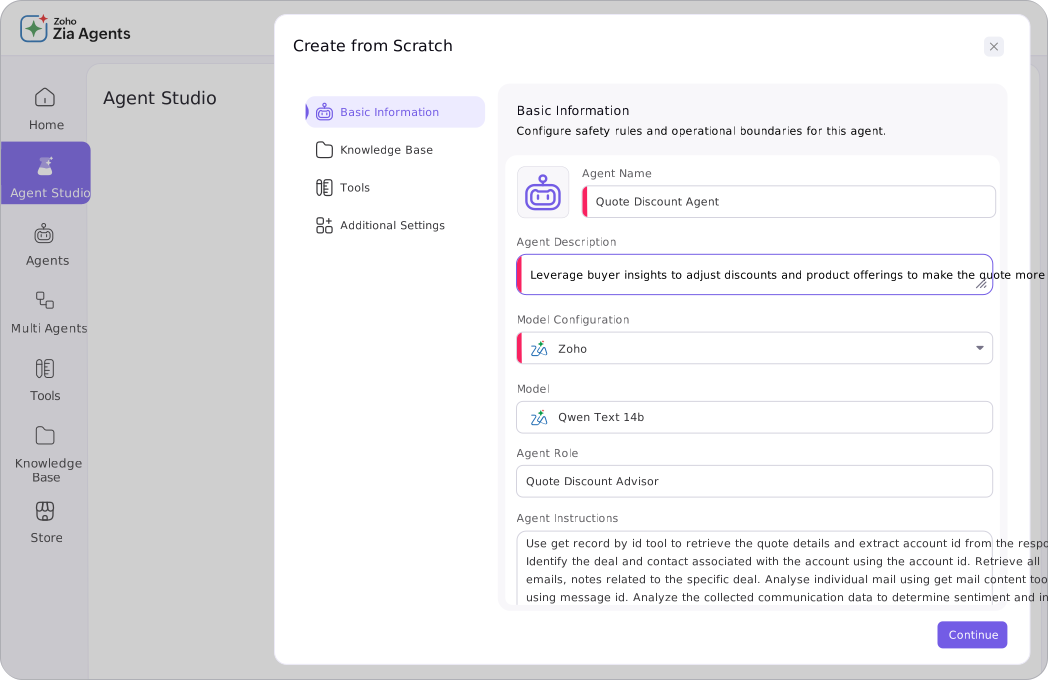
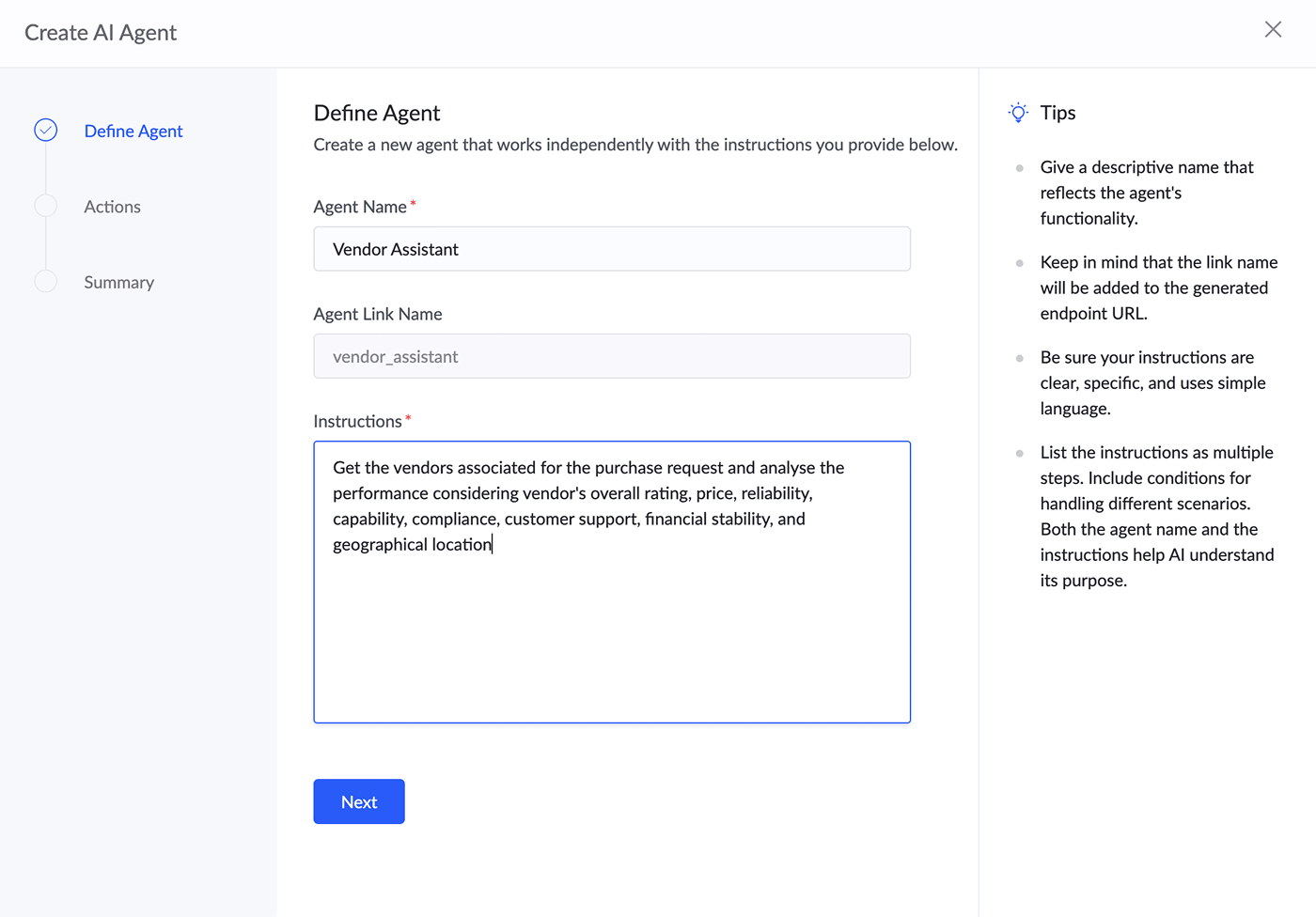
The how to create an AI Agent in Zoho Creator process involves two steps: (1) Define the agent’s purpose and instructions — what business domain it covers, what it is authorized to do, and what boundaries apply. (2) Assign Deluge functions as tools — the specific functions the agent can invoke, which determines the outer boundary of what actions it can take. After configuration, the agent is accessible via its unique endpoint URL, which enables the Zoho Creator AI Agent OpenAI BYOK support integration for organizations wanting to use their own AI model credentials. The Zoho Creator AI Agents for business process automation deployment sequence: build and test Deluge functions first, configure the agent and its instructions second, test the agent’s natural language interpretation third, then deploy via endpoint to production.
Best practices before deploying
The Zoho Creator AI Agents capabilities and limitations 2026 deployment checklist — the Zoho Creator AI Agents complete guide 2026 best practices:
Before building
- Define each agent’s role clearly — one focused agent per domain is better than one broad agent for everything
- Build and test reliable Deluge functions before enabling AI orchestration
- Clean application data — incomplete records reduce accuracy
- Apply role-based security and permissions in Creator before assigning to the agent
After deployment
- Test the agent with real business scenarios before production rollout
- Monitor usage logs and refine instructions based on observed behavior
- Use AI to assist decisions — keep human oversight on critical workflows
- Review the Zoho Creator AI Agent closed beta limitations if your use case is in a newer feature area
Codroid Labs — Certified Zoho Creator Partner — AI Agent Implementation
Zoho Creator AI Agents, AI Agents in Zoho Creator, Zoho Creator AI, Zoho Creator agentic AI, Zoho Creator AI automation, Zoho Creator AI Modeler, Zoho Creator Zia AI, Zoho Creator AI workflows, Zoho Creator AI skills, Zoho Creator AI assistant, Zoho Creator natural language AI, Zoho Creator Deluge AI, Zoho Creator AI actions, Zoho Creator AI decisions, Zoho Creator AI tasks, Zoho Creator AI integrations, Zoho Creator AI endpoint, Zoho Creator AI API, Zoho Creator AI use cases, Zoho Creator AI limitations, Zoho Creator AI capabilities, Zoho Creator AI features 2026, Zoho Creator intelligent automation, Zoho Creator autonomous workflows, Zoho Creator AI guide 2026 — Codroid Labs (GSTIN 07AAWFC0815B1ZP) is a certified Zoho Creator partner. We implement Zoho Creator AI Agents for business process automation, configure what AI Agents in Zoho Creator can and cannot do within custom applications, and deliver the Zoho Creator AI Agents complete guide 2026 implementation. Contact: +91 78384 02682, team@codroiditlabs.com.
Related Guides from Codroid Labs
Frequently asked questions
How do AI Agents work in Zoho Creator?
Full detail in the FAQ Schema above. Three-layer architecture: Foundation (Creator data and Deluge functions), Intelligence (NL understanding and function selection), Access (endpoint and deployment). Two steps to create: define instructions, assign Deluge functions.
What can AI Agents NOT do in Zoho Creator yet?
Full detail in the FAQ Schema above. Six limitations: cannot operate without predefined instructions, cannot replace business logic, limited to assigned Deluge functions only, cannot bypass security permissions, not fully autonomous, and require clean quality data to function accurately.
Build Zoho Creator AI Agents for Your Business
Deluge function design, AI Agent configuration, endpoint deployment, and cross-app integration — certified Zoho Creator partner with GSTIN invoice for 18% ITC.
Start Zoho Creator via Codroid Labs
Book Free AI Agent Consultation – +91 78384 02682