


Google Workspace to Zoho Guide 2026
INR Pricing — Save ₹7,332/User/Year
zoho.in DNS + SPF/DKIM Covered
8 Steps — Zero Email Loss
Codroid Labs — Certified Zoho Partner
INR Pricing — Save ₹7,332/User/Year
zoho.in DNS + SPF/DKIM Covered
8 Steps — Zero Email Loss
Codroid Labs — Certified Zoho Partner
Switching from Google Workspace
to Zoho Workplace:
8 Powerful Steps + India Pricing 2026
By Codroid Labs — Certified Zoho Workplace Partner India
April 2026
20 min read
zoho.in DNS Records Verified April 2026
April 2026
20 min read
zoho.in DNS Records Verified April 2026
Switching from Google Workspace to Zoho Workplace is one of the highest-ROI technology decisions an Indian SMB can make in 2026. Google Workspace Standard costs ₹864 per user per month in India. Zoho Workplace Standard costs ₹99 per user per month — a saving of ₹611 per user every month, or ₹9,180 per user per year. For a 50-person company, that is ₹4,59,000 saved annually on the exact same business capability: professional email, cloud documents, calendars, video calls, and team collaboration. This guide covers the complete 8-step process for switching from Google Workspace to Zoho Workplace — with India-specific DNS records for zoho.in servers, Gmail label migration strategy, exact SPF/DKIM configuration for Indian domain registrars like GoDaddy and BigRock, troubleshooting common migration errors, and post-migration Zoho Workplace setup for Indian teams.
1. Why Indian Businesses Are Switching from Google Workspace to Zoho Workplace in 2026
Switching from Google Workspace to Zoho Workplace has accelerated significantly in 2025-26 among Indian SMBs. Three factors are driving this shift: price, privacy, and platform depth. Google raised Workspace prices by 20% for India in 2023. Zoho, as an Indian company with data centres in India, offers substantially lower prices, stronger data sovereignty, and a deeper product ecosystem that connects email to CRM, accounting, HR, and project management in a single unified platform.
Why Indian businesses leave Google Workspace
- → Google Workspace Standard = ₹864/user/month
- → Data stored on Google US servers (not India)
- → Email is separate from CRM and accounting
- → No native WhatsApp Business API integration
- → No Tally or UPI or GST-native integrations
- → Vendor lock-in — data controlled by US company
Why Zoho Workplace wins for India
- → Zoho Workplace Standard = ₹125/user/month (83% cheaper)
- → Data centres in India — Chennai and Mumbai
- → Email + CRM + Books + People in one platform
- → Native WhatsApp Business API with DLT support
- → Tally integration, GST e-invoice, UPI banking
- → Indian company — PDPA and IT Act 2000 compliant
2. India Pricing Comparison 2026: Google Workspace vs Zoho Workplace (INR)
No other guide on switching from Google Workspace to Zoho Workplace publishes verified INR pricing. Codroid Labs publishes all current India pricing.
| Platform and Plan | INR/User/Month | Storage | Key Includes |
|---|---|---|---|
| Google Workspace Base | ₹99 | 30 GB | Gmail, Meet (100 users), Drive, Docs |
| Google Workspace Standard | ₹864 | 2 TB | Gmail, Meet (500 users), Drive, recordings |
| Google Workspace Starter | ₹270 | 5 TB | Gmail, Meet (1000 users), eDiscovery, audit |
| Zoho Mail Lite | ₹59 | 5 GB | Email only, ad-free, custom domain |
| Zoho Mail Premium | ₹199 | 50 GB | Email, Streams, eDiscovery, email backup |
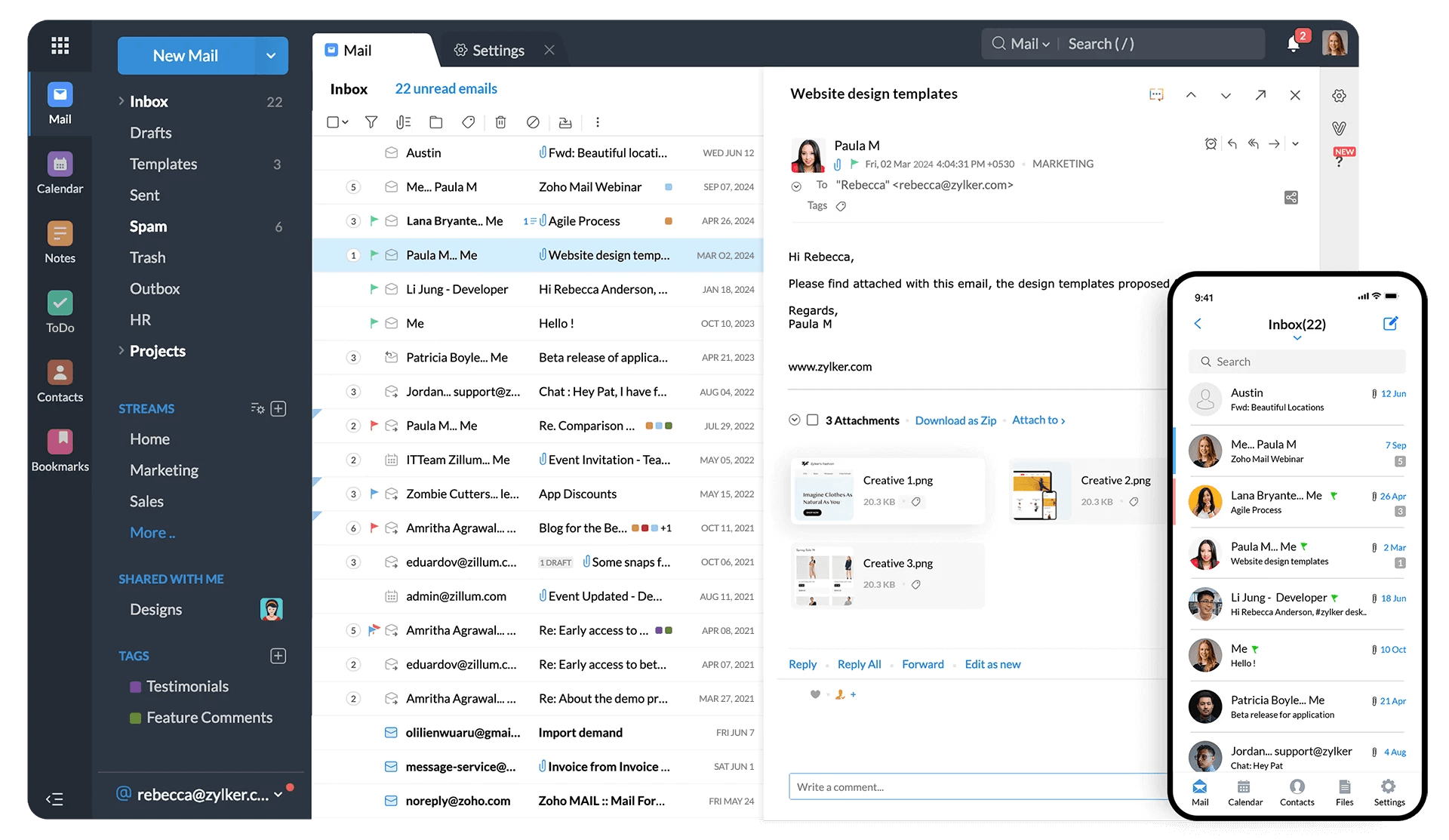
| Zoho Workplace Standard | ₹99 | 30 GB | Email + Cliq + Writer + Sheet + Show + Meeting |
| Zoho Workplace Professional | ₹399 | 100 GB | All Standard + Zoho Connect + advanced admin |
Annual Saving by Switching — Real Numbers for Indian Companies
10-User Company
₹1,09,800
saved per year
50-User Company
₹4,59,000
saved per year
200-User Company
₹18,36,000
saved per year
Savings calculated: Google Workspace Standard ₹864 vs Zoho Workplace Standard ₹99 per user/month
3. What Zoho Workplace Includes vs Google Workspace — Feature Comparison
| Feature | Google Workspace Std | Zoho Workplace Std |
|---|---|---|
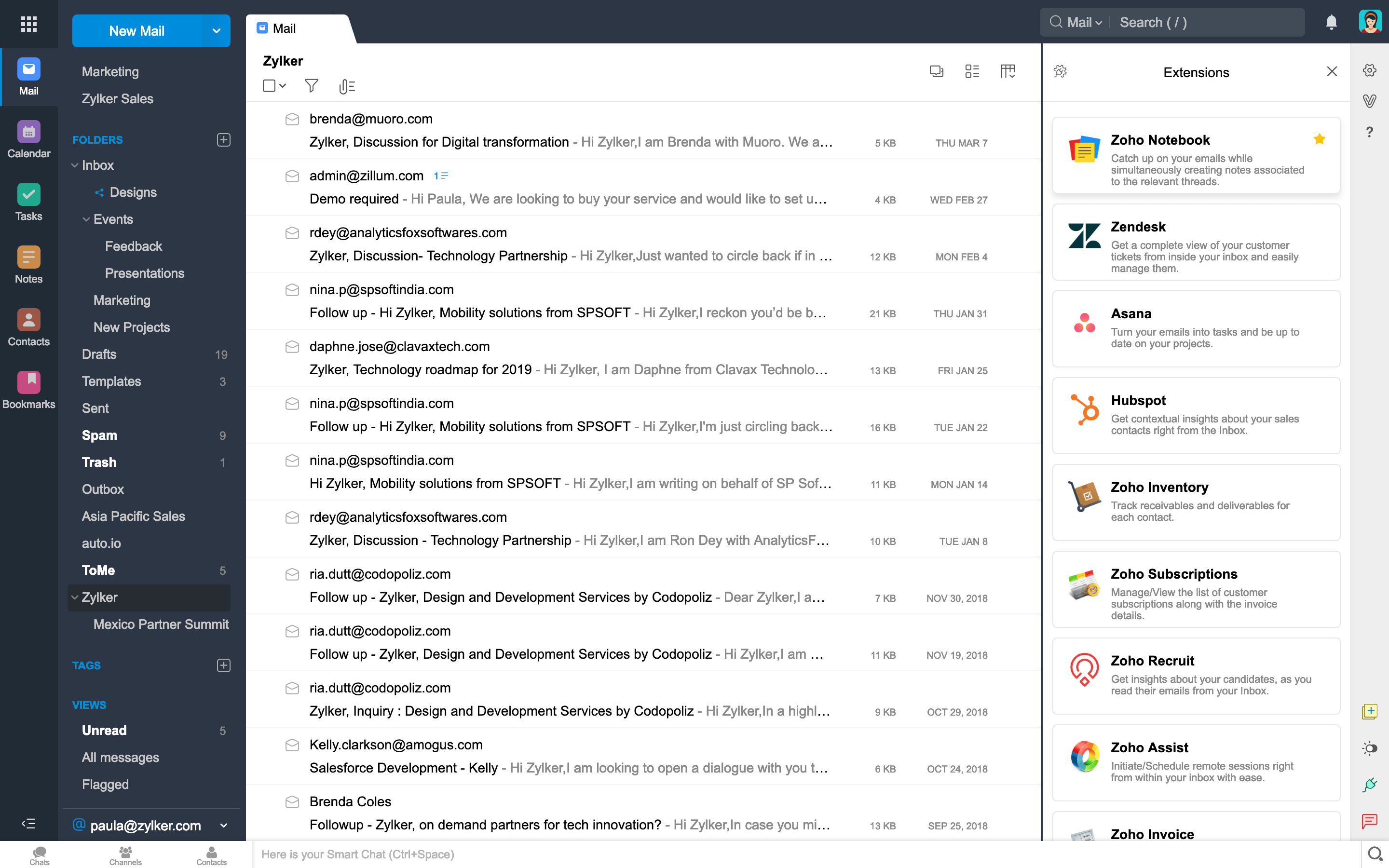
| Business Email | Gmail | Zoho Mail |
| Word Processor | Google Docs | Zoho Writer |
| Spreadsheets | Google Sheets | Zoho Sheet |
| Presentations | Google Slides | Zoho Show |
| Team Chat | Google Chat | Zoho Cliq |
| Video Calls | Google Meet | Zoho Meeting |
| File Storage | Google Drive (2 TB — Standard) | Zoho WorkDrive (30 GB) |
| CRM Integration | Third-party only | Zoho CRM — native |
| GST Accounting | Third-party only | Zoho Books — native |
| Data Centre Location | USA (Google) | India (Chennai/Mumbai) |
| Monthly Cost India | ₹864/user | ₹99/user |
4. Steps 1-3: Domain Verification and DNS Configuration for zoho.in
1
Pre-Migration Day
Domain Verification in Zoho Workplace
Sign up at workplace.zoho.com — choose India as your country. Go to Admin Panel → Domains → Add Domain. Enter your domain name. Choose TXT record verification method. Log into your domain registrar (GoDaddy, BigRock, Namecheap, or your host). Add the TXT record Zoho provides. Wait 15-30 minutes. Return to Zoho Admin Panel and click Verify. Verification succeeds when DNS propagation completes. Do not proceed to email migration until domain is verified.
2
Pre-Migration Day
Create All User Accounts in Zoho Workplace
In Zoho Admin Panel go to Users → Add User. Create every user account with the exact same email address as in Google Workspace. First name, last name, and email must match exactly — the migration tool maps users by email address. Set temporary passwords. Users will be required to change passwords on first login. For large teams (50+ users), use the bulk user import CSV upload option in Zoho Admin Panel. Do not create users one by one for large migrations.
3
Pre-Migration Day
Configure zoho.in SPF, DKIM, and DMARC Records
This is the step most guides get wrong for India. Always use zoho.in — not zoho.com — for all DNS records. Add all three records to your DNS before migrating email. The SPF and DKIM records protect your email deliverability and prevent your Zoho emails from being marked as spam after migration. See the complete DNS reference table in Section 7 of this guide for all exact record values.
5. Steps 4-6: Google Service Account Setup and Email Migration
4
Migration Day — Step 1 of 3
Google Cloud Service Account Setup
Log into Google Cloud Console using your Google Workspace Super Admin account. Create a new project. Enable the Gmail API, Google Calendar API, and Google People (Contacts) API. Create a Service Account. Enable Domain-Wide Delegation. Add OAuth scopes: gmail.readonly, calendar.readonly, contacts.readonly. Download the P12 or JSON key file — keep this file secure. Copy the Client ID from the service account. In Google Workspace Admin Console (admin.google.com) go to Security → API Controls → Domain-Wide Delegation. Add the Client ID with the three OAuth scopes above.
5
Migration Day — Step 2 of 3
Configure Zoho Mail Migration Console
In Zoho Mail Admin Console go to Data Migration → Start Migration. Give your migration a name (example: “GW-Migration-April-2026”). Select Google Workspace from the source protocol dropdown. Enter the Google Workspace Super Admin email address. Enter the Service Account email address. Upload the P12 or JSON key file downloaded in Step 4. Click Authenticate. Zoho will verify the connection to your Google Workspace. If authentication fails, check that the service account has Domain-Wide Delegation enabled and the OAuth scopes are correctly entered.
6
Migration Day — Step 3 of 3
Select Data and Handle Gmail Labels
Select data types to migrate: Emails, Contacts, Calendars. Gmail uses labels — not folders. The same email can have multiple labels in Gmail. When migrated to Zoho Mail, each label becomes a folder — so an email with 3 labels in Gmail creates 3 copies in Zoho Mail. To prevent this: use the Exclude Folder List to exclude system labels (All Mail, Starred, Important, Chats). Only migrate primary label folders. Select specific users to migrate or choose all users. Click Start Migration. Monitor progress in the Zoho Mail Admin Console dashboard.
Gmail Label Migration — The Critical Decision: Before starting migration, log into Gmail as a test user and check the labels. Exclude these labels from migration to prevent duplicate copies: All Mail, Starred, Important, Sent Mail, Drafts, Spam, Trash, Chats. Include only custom labels created by the user such as project names, client names, or category labels. This single decision can reduce migrated data volume by 40-60% and significantly speed up migration.
6. Steps 7-8: MX Record Cutover and Team Onboarding
7
After Migration Completes
MX Record Cutover — Point to zoho.in Servers
Only update MX records after email migration is verified and complete. Changing MX records before migration is complete means new emails arrive in Zoho before the old emails are migrated. Login to your domain registrar. Delete all existing Google MX records (typically aspmx.l.google.com and alt1/alt2/alt3/alt4.aspmx.l.google.com). Add the three Zoho India MX records. Lower your DNS TTL to 300 seconds (5 minutes) before making the change — this allows faster DNS propagation. After the change, test by sending an email to one of your newly migrated addresses from an external email address (Gmail personal, or another domain).
8
Post-Migration Week
Team Onboarding — Apps, Mobile, Training
Send team communication via WhatsApp group or Cliq announcing the switch. Share login URLs and temporary passwords. Install Zoho Mail mobile app on Android (Zoho Mail from Google Play) and iOS (Zoho Mail from App Store). Configure IMAP with settings from Section 8. Set up Zoho Cliq desktop app or web at cliq.zoho.in. Deliver a 60-minute training session covering: Zoho Mail interface, Zoho Cliq for team chat, Zoho WorkDrive for file sharing, Zoho Meeting for video calls. For Indian field sales teams, train on Zoho Mail mobile app in Hindi.
7. Complete India DNS Reference — All Records for zoho.in (Verified April 2026)
This is the most important section for Indian businesses switching from Google Workspace to Zoho Workplace. Every other guide uses zoho.com records — which only work for non-India accounts. India-registered Zoho accounts must use zoho.in for all DNS configuration.
Complete zoho.in DNS Records — India Accounts Only
MX Records — Email Routing
@ MX 10 mx.zoho.in
@ MX 20 mx2.zoho.in
@ MX 50 mx3.zoho.in
Remove all Google MX records before or simultaneously with adding these
SPF Record — Sender Policy Framework
@ TXT “v=spf1 include:zoho.in ~all”
If you had a Google SPF record (v=spf1 include:_spf.google.com ~all), replace it completely. Do not merge or add — replace.
DKIM Record — DomainKeys Identified Mail
zmail._domainkey TXT [copy from Zoho Mail Admin → Email Authentication → DKIM]
CRITICAL for GoDaddy and BigRock users: Enter only “zmail._domainkey” as the host name — do NOT add your domain name suffix. These registrars automatically append your domain. Entering “zmail._domainkey.yourdomain.com” creates an invalid record.
DMARC Record — Domain-Based Message Authentication
_dmarc TXT “v=DMARC1; p=quarantine; pct=100; rua=mailto:dmarc@yourdomain.com”
Start with p=none for monitoring, then move to p=quarantine after 2 weeks of verified delivery. This completes the email authentication triangle: SPF + DKIM + DMARC.
8. IMAP and SMTP Settings for zoho.in — India Server Configuration
For users who configure Zoho Mail in Outlook, Apple Mail, or a third-party email client after switching from Google Workspace to Zoho Workplace, the correct India server settings are:
| Protocol | India Server (zoho.in) | Port | Security |
|---|---|---|---|
| IMAP (Incoming) | imap.zoho.in | 993 | SSL |
| SMTP (Outgoing) | smtp.zoho.in | 465 | SSL |
| SMTP (Alternative) | smtp.zoho.in | 587 | TLS |
| POP3 (If required) | pop.zoho.in | 995 | SSL |
Never use zoho.com server addresses for India accounts. imap.zoho.com, smtp.zoho.com, and zoho.com MX records only work for accounts registered on Zoho’s global (US) infrastructure. India accounts registered at zoho.in or workplace.zoho.com with India data centre selected must always use zoho.in server addresses. Using zoho.com for India accounts results in authentication failures and email delivery errors.
9. Troubleshooting Common Issues When Switching from Google Workspace to Zoho Workplace
Issue: Migration authentication fails — “Invalid credentials” or “Domain-wide delegation not configured”
Fix: In Google Workspace Admin (admin.google.com) go to Security → API Controls → Manage Domain Wide Delegation. Verify the service account Client ID is added. Verify OAuth scopes are exactly: https://mail.google.com/, https://www.googleapis.com/auth/calendar.readonly, https://www.googleapis.com/auth/contacts.readonly. Each scope on a separate line. Re-download the JSON key file and re-upload in Zoho.
Issue: Emails not receiving after MX record change — emails still going to Google
Fix: DNS propagation takes 30 minutes to 48 hours. Check current MX records at mxtoolbox.com by entering your domain. If Google MX records still show, DNS has not propagated yet. Reduce TTL to 300 seconds (5 minutes) on MX records and wait. Verify that all Google MX records (aspmx.l.google.com and alternates) are completely deleted — not just that Zoho MX records are added.
Issue: Zoho emails going to spam in recipients’ Gmail or Outlook
Fix: SPF and DKIM are not configured or not propagated. Verify SPF TXT record exists at mxtoolbox.com SPF checker. Verify DKIM record exists at mxtoolbox.com DKIM checker using selector “zoho” and your domain. If DKIM host at GoDaddy shows incorrect — delete and re-add using only “zmail._domainkey” as host without domain suffix. Allow 4-24 hours for spam reputation to improve after SPF and DKIM are verified.
Issue: Gmail migration created duplicate emails in Zoho — 3-4 copies of the same email
Fix: This happens because Gmail labels caused the same email to be migrated multiple times. Stop the migration. In Zoho Mail Admin Console configure the Exclude Folder List to include: All Mail, Starred, Important, Chats, Sent Mail. Delete the duplicated emails in Zoho (use Select All in the affected folder). Re-start migration with the updated Exclude Folder List.
Related Guides from Codroid Labs
10. FAQs — Switching from Google Workspace to Zoho Workplace
How much does it cost to switch from Google Workspace to Zoho Workplace in India?
Google Workspace Standard costs ₹864 per user per month in India. Zoho Workplace Standard costs ₹99 per user per month. Switching saves ₹765 per user per month — ₹9,180 per user per year. For a 50-user Indian company, the annual saving is ₹4,59,000. Codroid Labs charges a fixed one-time implementation fee for the complete migration — contact team@codroiditlabs.com for a fixed-price INR quote based on your number of users and data volume.
Will I lose any emails when switching from Google Workspace to Zoho Workplace?
No email is lost if the migration is executed in the correct order. The Zoho Mail migration tool copies emails from Google Workspace to Zoho Mail while your domain’s MX records still point to Google. New emails continue arriving in Google during the migration. Only after migration is verified and complete are the MX records changed to zoho.in. At that point, new emails arrive in Zoho while all historical emails are already in Zoho from the migration. The key risk is changing MX records before migration is complete — which is why this guide specifically covers the correct order of steps.
What happens to Google Drive files when switching to Zoho Workplace?
Google Drive files are not migrated by the Zoho Mail migration tool — the migration tool only handles email, contacts, and calendar. Google Drive files must be downloaded and uploaded to Zoho WorkDrive manually. For large organizations (1,000+ files), Codroid Labs uses scripted batch download and upload. Individual files can be exported from Google Drive as Office formats (DOCX, XLSX, PPTX) and uploaded to Zoho WorkDrive where they open natively in Zoho Writer, Sheet, and Show. Plan 2-5 additional days for a complete Drive migration depending on file volume.
Does Zoho Workplace have a mobile app for Android and iOS?
Yes. Zoho Mail is available on Android (Google Play) and iOS (App Store) with offline access, push notifications, and full email management. Zoho Cliq (team chat) is available on both platforms. Zoho Meeting (video calls) is available on both. Zoho WorkDrive (file access) is available on both. All apps are included in the Zoho Workplace Standard plan at ₹125 per user per month — no additional app licensing required. The mobile apps work on the zoho.in India infrastructure.
Can I keep using Outlook with Zoho Mail after switching from Google Workspace?
Yes. Zoho Mail supports Outlook via IMAP and SMTP. After switching, configure Outlook with: Incoming server imap.zoho.in port 993 SSL, and Outgoing server smtp.zoho.in port 465 SSL. Authentication uses your Zoho Mail email address and password. If your organization has Two-Factor Authentication enabled in Zoho, you must generate an app-specific password in Zoho Mail settings for Outlook to authenticate. The Zoho Mail Outlook plugin is also available for deeper integration including calendar and contact sync.
Official Resources — Zoho Workplace Migration
-
↗
Zoho Mail Official — Google Workspace Migration Help Documentation -
↗
Zoho Workplace — Official Google Workspace Transition Guide -
↗
Zoho Mail — SPF, DKIM, and DMARC Configuration Guide -
↗
Zoho Workplace India — Sign Up and Pricing -
↗
Book Free Consultation — Codroid Labs Zoho Workplace Migration India