



Zoho One features are the secret weapon of the world’s most efficient SMEs. After helping hundreds of companies implement this “Operating System for Business,” I’ve noticed a pattern: 90% of users stick to the basics—Zoho CRM, Books, and maybe Mail. But Zoho One offers over 45 applications, and the real magic lies in the tools you aren’t using.
If you are looking for a Zoho One features list that goes beyond the obvious, you have found it. In 2026, staying competitive means leveraging automation, AI, and unified data. Whether you are curious about Zoho One security features or the latest Zoho One automation features, this guide will reveal the 10 most powerful, underutilized tools that are already included in your license.
Table of Contents
1. The Log360 Cloud (360 Logo) Strategy
If you see the “360” branding in your security suite, you are looking at Log360 Cloud. This is an enterprise-grade SIEM (Security Information and Event Management) solution now integrated into Zoho One. It offers a 360-degree view of your network security, allowing you to monitor logs, detect threats in real-time, and ensure you stay compliant with global data standards. It’s the ultimate “insurance policy” for your digital assets.
2. Zoho Flow: The “Glue” of Your Business
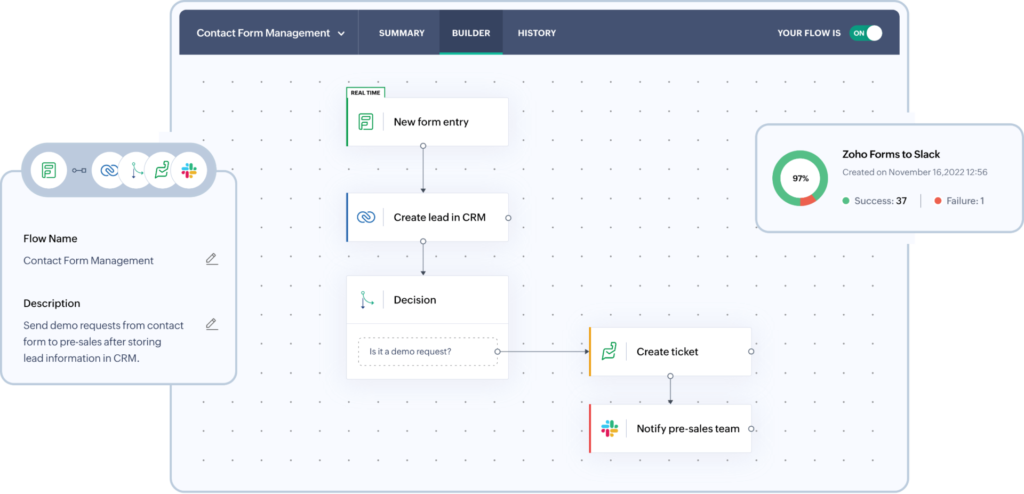
Many users ask about Zoho One integration features, thinking they need expensive developers to connect their apps. Enter Zoho Flow.
Zoho Flow is a no-code integration platform included in your suite. It allows you to create complex workflows between Zoho apps and third-party software. For example, you can build a flow where a “Closed Won” deal in Zoho CRM automatically triggers a project in Zoho Projects and sends a Slack message to your team. It is one of the most powerful Zoho One automation features available.
3. Zoho DataPrep: Clean Data, Better Decisions
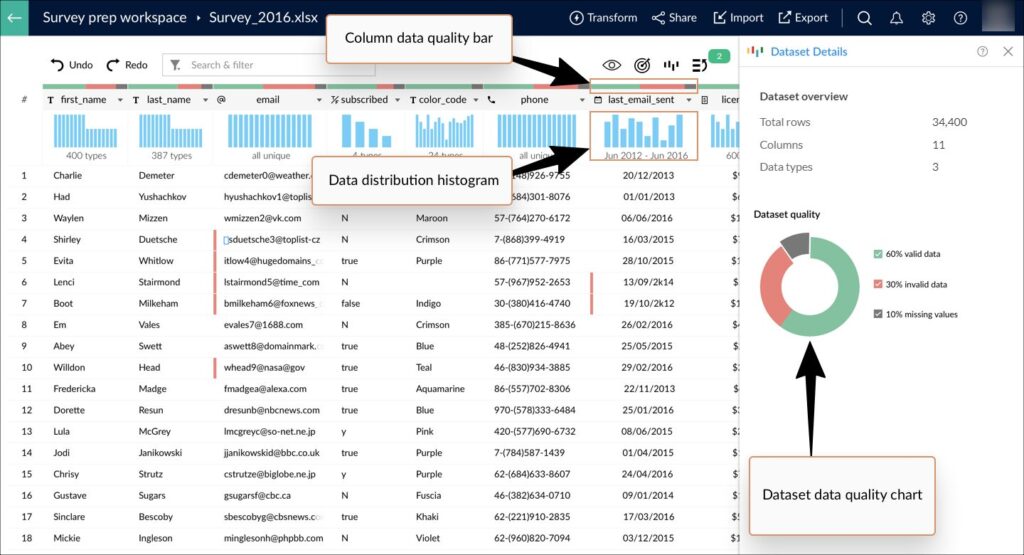
Bad data kills businesses. Zoho One includes a tool specifically designed to fight this: Zoho DataPrep.
Often ignored in the Zoho One features comparison, DataPrep connects to your data sources (like CRM or Analytics) and uses AI to clean, deduplicate, and format your information. If you are preparing for a migration or building a complex report, DataPrep is indispensable. It transforms messy spreadsheets into pristine data sets ready for Zoho One business features like BI and forecasting.
4. Zoho Lens: Augmented Reality Support

Did you know your Zoho One trial features likely included an Augmented Reality tool? Zoho Lens is a hidden gem for field service and support teams.
It allows your technicians to use a customer’s smartphone camera to “see” a problem remotely. They can draw on the screen in 3D to guide the customer through a repair. For industries like manufacturing, IT, or HVAC, this is one of the most futuristic Zoho One features that you are already paying for but probably not using.
5. The Unified Zoho One Dashboard
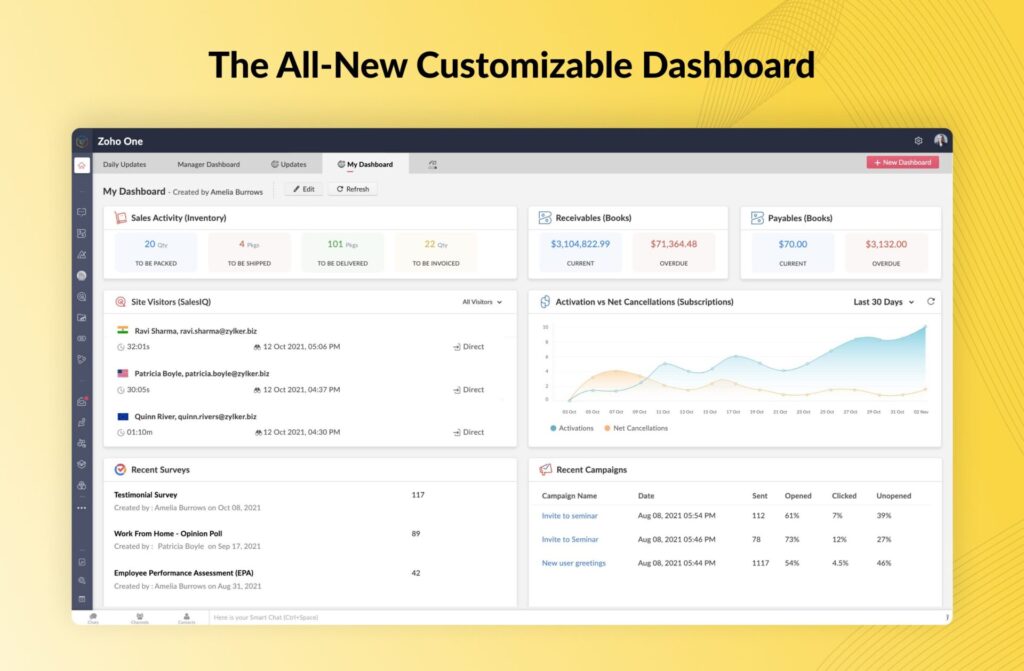
The Zoho One dashboard is your mission control. In 2026, the updated UI allows you to build custom “Spaces” and widgets that pull data from across the entire suite. Instead of opening ten tabs, you can see your sales pipeline, support tickets, and bank balance on one screen. It is the core of the Zoho One modules and features experience, providing total visibility without the clutter.
6. Zoho Bookings: The Calendly Killer
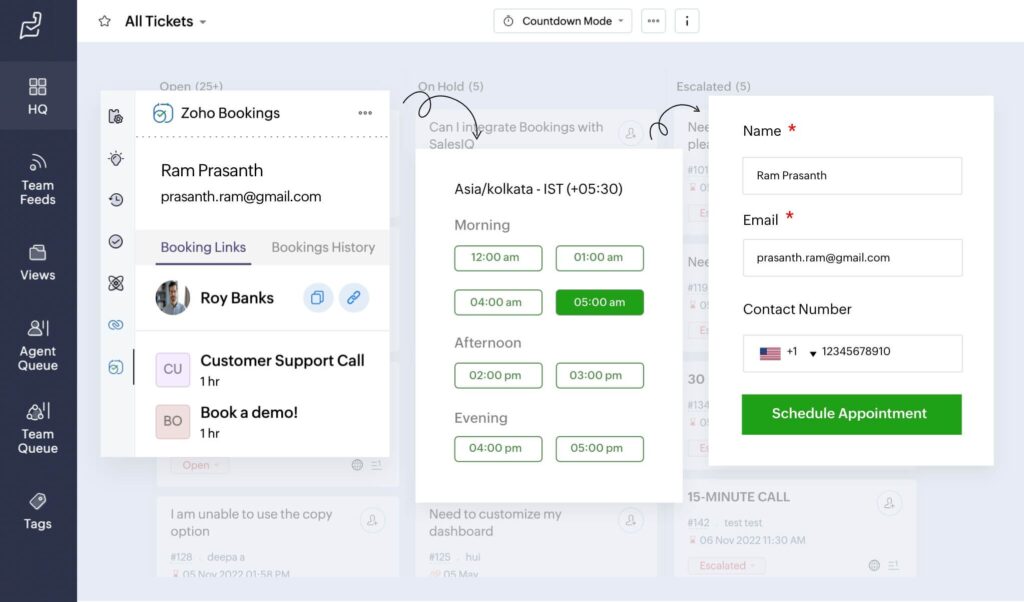
Stop paying for external scheduling software. Zoho Bookings is a robust appointment scheduler that integrates deeply with your calendar and CRM.
It offers round-robin assignment (sending leads to the next available salesperson), payment collection during booking, and automated reminders. Among all Zoho One features for small business, this provides one of the quickest wins for ROI by eliminating redundant software subscriptions.
7. Canvas Builder: Redesigning Your CRM
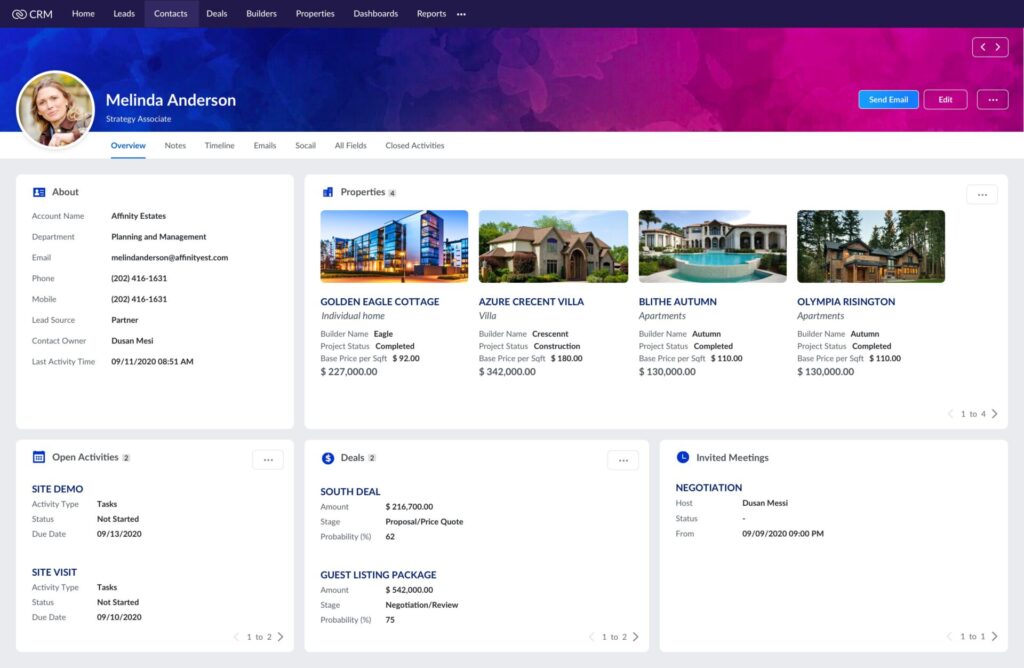
User adoption is the biggest hurdle in Zoho One crm features implementation. Canvas helps solve this by letting you redesign the CRM interface without writing code.
You can make your customer records look like a simplified dashboard, a colorful profile, or an intuitive form. By removing clutter and styling the data, you increase team morale and usage rates. It turns a boring database into a beautiful workspace.
8. Zoho Directory MDM Features
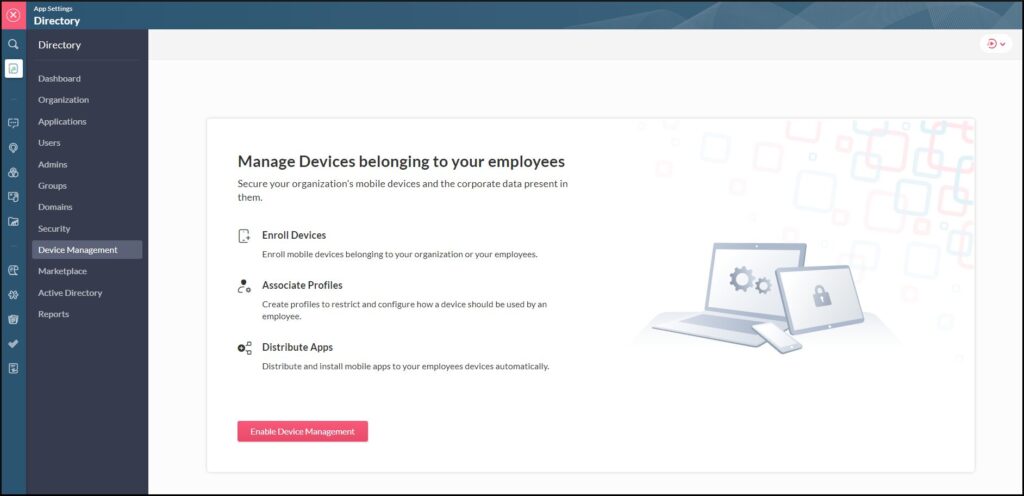
Securing your data is one thing; securing the physical devices that access it is another. The Zoho Directory MDM (Mobile Device Management) feature allows you to manage every smartphone and tablet in your company from a single dashboard. You can remotely wipe lost devices, distribute work apps automatically, and enforce strict security policies. It ensures your Zoho One security features extend beyond the cloud and onto your team’s hardware.
Most SMEs just create users in the CRM. But with Directory, you can enforce Multi-Factor Authentication (MFA), set up Single Sign-On (SSO) for third-party apps, and manage security policies from one dashboard. It brings Zoho One enterprise features to businesses of any size.
9. Zoho Backstage: Event Management Made Easy
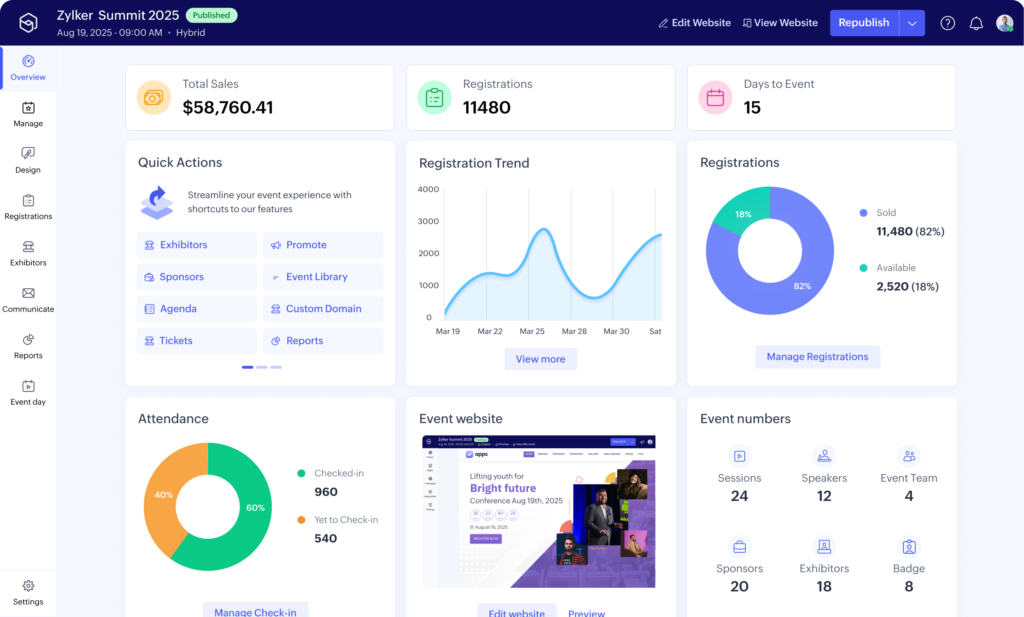
If your company hosts webinars, conferences, or networking mixers, Zoho Backstage is a must-use.
Unlike basic meeting tools, Backstage manages the entire event lifecycle: creating the landing page, selling tickets, managing speakers, and checking in attendees. It connects with Zoho One marketing features to ensure every attendee is captured as a lead in your CRM automatically.
10. Zoho WorkDrive Genie: Next-Level File Sharing
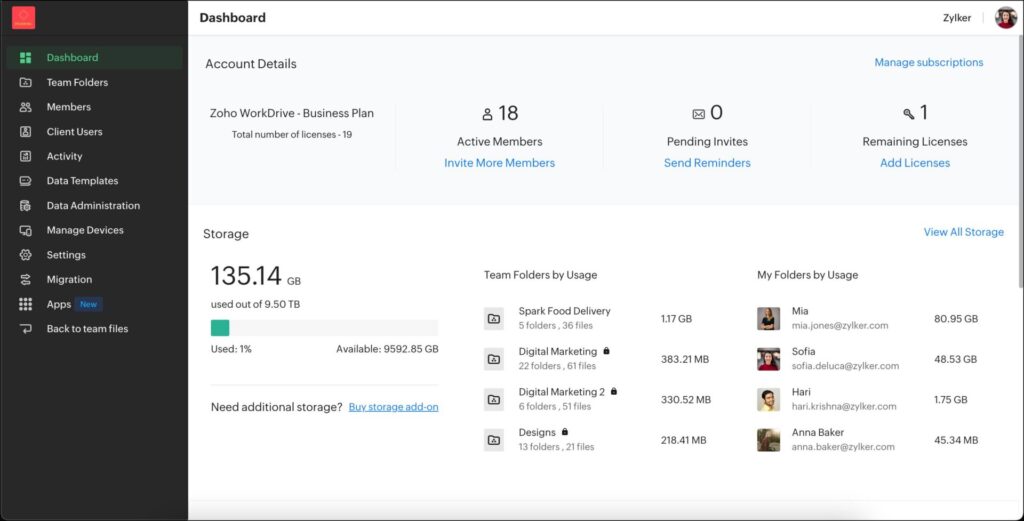
Zoho WorkDrive is more than just storage; it’s a collaboration beast. The “Genie” feature allows you to edit files stored in the cloud using your desktop applications (like Word or Excel) without downloading them.
It saves version history automatically and keeps your local hard drive light. For teams that collaborate heavily on documents, this is one of the most practical Zoho One features for daily productivity.
Conclusion: Maximize Your ROI Today
The Zoho One features list is vast, but the value comes from implementation. By activating these 10 hidden tools, you move from just “using software” to running a fully optimized digital operating system.
Whether you are looking to cut costs by replacing external apps (like Calendly or generic LMS tools) or aiming to boost revenue with better data, Zoho One has the answer.
Don’t let these features sit idle. Log in today, explore these tools, and watch your business efficiency soar.
Ready to Get Started on Zoho?
Let’s build your business the smart way — with Zoho and Codroid Labs by your side.
📅 Book your free consultation now
Frequently Asked Questions (FAQ)
This FAQ covers some of the most important and often overlooked Zoho One features, including customization, security, training, and productivity tools.
Q1: What are the most underrated Zoho One features?
The most underrated Zoho One features include Zoho Lens for remote AR support, Zoho DataPrep for data cleaning, and Zoho Flow for custom integrations. These tools often go unnoticed but provide massive operational efficiency.
Q2: Is Zoho Learn included in the Zoho One features list?
Yes, Zoho Learn is fully included. It is one of the key Zoho One business features for training and knowledge management, allowing you to save money on external LMS subscriptions.
Q3: Can I customize the look of Zoho One CRM features?
Absolutely. Using the Canvas builder, you can completely redesign the user interface of your CRM. This is one of the unique Zoho One features that sets it apart from competitors like Salesforce.
Q4: Does Zoho One include security features like MFA?
Yes, Zoho One security features are robust. Through Zoho Directory, you can enforce Multi-Factor Authentication (MFA) and manage Single Sign-On (SSO) for your entire organization, ensuring enterprise-grade protection.
Q5: Where can I find a complete Zoho One features PDF?
You can download the full Zoho One features pdf directly from the Zoho official website, or contact a certified Zoho Partner like us for a customized breakdown relevant to your industry.