


Table of Contents
1. What is a Zoho Creator Portal?
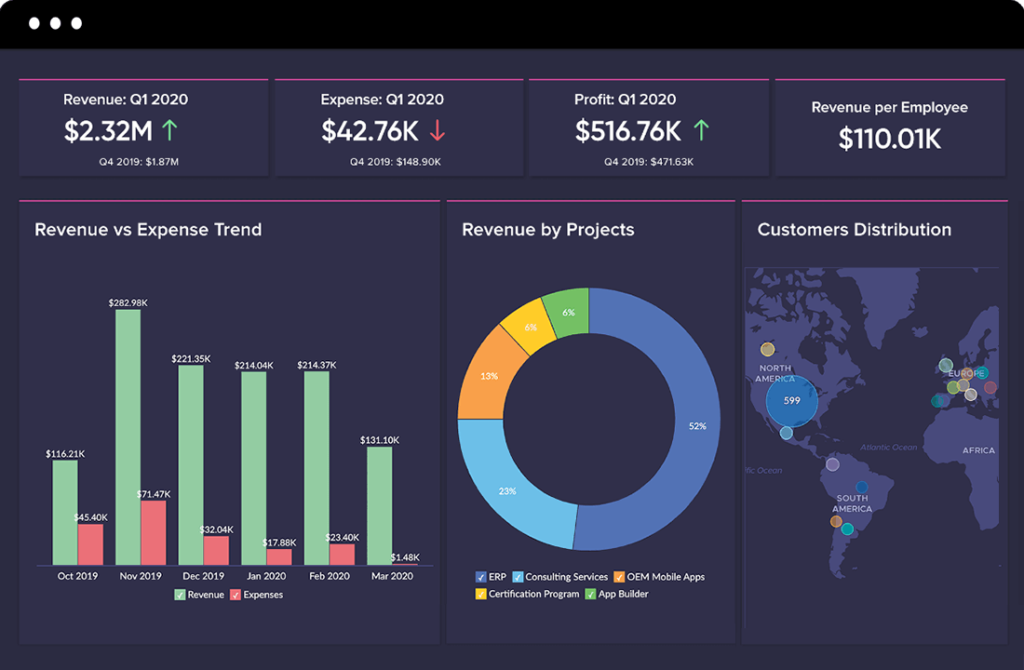
A Zoho Creator portal is a dedicated gateway that allows your customers, vendors, or partners to interact with your internal data without having full access to your back-end system. Think of it as a secure window into your business. Through a simple Zoho Creator login, your clients can submit tickets, view project progress, or pay invoices—all in a branded environment.
2. Zoho Creator Pricing and Plans: Choosing Your Foundation
Before you start building, you need to understand the Zoho Creator pricing structure. Many users ask, “is Zoho Creator free?” The answer is yes; Zoho offers a Zoho Creator login free tier for very basic apps. However, for a professional client site, you will likely look at Zoho Creator Plus or the Professional/Ultimate Zoho Creator plans.
| Plan Type | Key Benefits | Best For |
| Free Tier | Basic app building | Testing & Learning |
| Professional | Unlimited apps, BI & Analytics | Growing SMEs |
| Zoho Creator Plus | Multi-app bundling | Large Scale Integration |
3. The 7 Amazing Steps to Build Your Zoho Creator Portal
Step 1: Initial Zoho Creator Login and App Creation
Start by accessing your dashboard. Use your Zoho Creator login to enter the builder. Select “Create New Application” and choose a template or start from scratch.
Step 2: Database Design
Your Zoho Creator portal is only as good as the data it holds. Create forms to capture client information and reports to display it back to them.
Step 3: Enable the Portal Feature
Navigate to the “Users” section. Here, you will find the option to enable the Zoho Creator portal. This is a separate environment where you can manage “Customer” users rather than “Employee” users.
Step 4: Branding and UI Customization
You don’t want it to look like a generic app. Use the Zoho Creator developer tools to add your logo, brand colors, and custom CSS.
Step 5: Permission Sets
Security is vital. Ensure that when a client uses their Zoho Creator login, they only see data that belongs to them.
Step 6: Workflow Automation
This is where the magic happens. Use Deluge (Zoho’s scripting language) to send an automatic “Welcome” email the moment a client registers on your Zoho Creator portal.
Step 7: Testing and Launch
Open your portal in an incognito window. Ensure the user experience is flawless before sending out invitations.
4. Mobile Accessibility: Zoho Creator Download Options
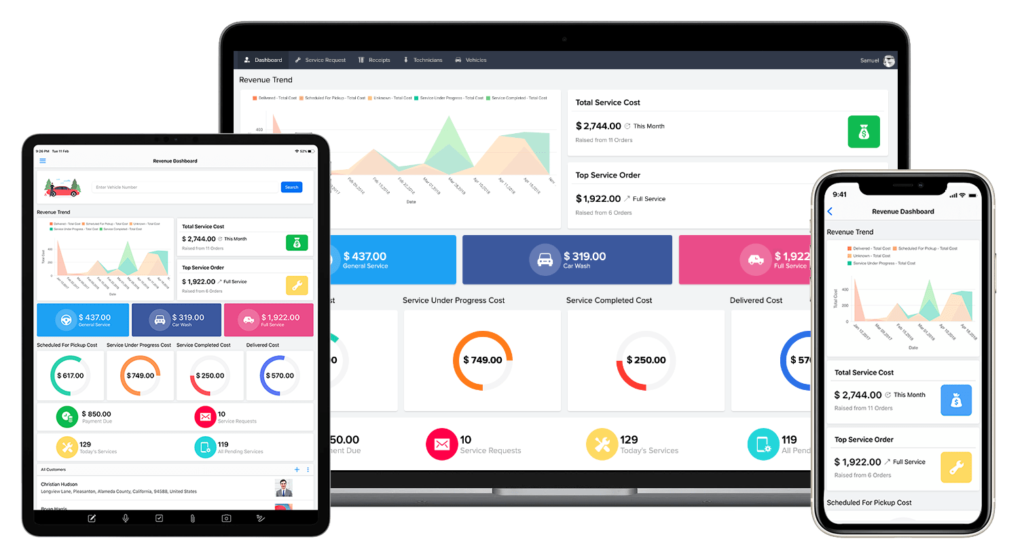
In 2026, your clients are on the go. One of the best features of this platform is the Zoho Creator download availability. Your custom portal is automatically optimized for mobile. Clients can use the Zoho Creator mobile app on iOS or Android to access their portal anytime, anywhere.
5. Advanced Customization for Zoho Creator Developers
If you need features beyond the standard drag-and-drop, you may need a Zoho Creator developer. A skilled developer can integrate your portal with external APIs, create complex dashboards, and utilize Zoho Creator Plus features to connect with the entire Zoho ecosystem.
Conclusion: Launching Your Million-Dollar Asset
Building a Zoho Creator portal isn’t just a technical task—it’s a business transformation. By providing your clients with a secure, professional, and efficient way to interact with your business, you increase trust and decrease manual overhead.
Don’t let the technicalities stop you. Whether you are using a Zoho Creator login free account to test the waters or ready to dive into Zoho Creator pricing for a full-scale rollout, the time to build is now.
Ready to Get Started on Zoho?
Let’s build your business the smart way — with Zoho and Codroid Labs by your side.
📅 Book your free consultation now
Frequently Asked Questions
Navigate the complexities of app development with our comprehensive Zoho Creator portal FAQ. Whether you are curious about Zoho Creator pricing, looking for the right Zoho Creator plans for your business, or trying to understand how a Zoho Creator developer can customize your interface, we have compiled the essential answers every SME needs in 2026. Use this quick-reference guide to troubleshoot your Zoho Creator login issues and discover if Zoho Creator is free for your specific project requirements
Q1: Is Zoho Creator free to use for building a portal? Is Zoho Creator free?
Yes, there is a Zoho Creator login free tier that allows individuals to explore the platform and build basic applications. However, to deploy a professional, multi-user Zoho Creator portal with custom branding and advanced security, you will need to upgrade to one of the paid Zoho Creator plans.
Q2: What are the current Zoho Creator pricing and plans for 2026?
The Zoho Creator pricing is structured to scale with your business. The Standard plan starts at approximately $8/user/month (billed annually), while the Professional and Enterprise plans offer more records, advanced workflows, and the highly sought-after Zoho Creator Plus features. For specific portal user add-ons, pricing typically starts at $100/month for a set block of portal users.
Q3: Can my clients access the portal via a mobile app?
Absolutely. Once you build your site, your clients can find the Zoho Creator download on the Apple App Store or Google Play Store. By using their unique Zoho Creator login, they can access your custom-built portal natively on their mobile devices, allowing them to submit data or check reports on the go.
Q4: Do I need a professional Zoho Creator developer to build a portal?
While the platform is low-code and user-friendly, hiring a Zoho Creator developer is recommended for complex integrations. A developer can help you utilize the Zoho Creator portal to its full potential by writing custom Deluge scripts for automation and ensuring your UI matches your corporate branding perfectly.