


Messaging Decision Guide · Updated 21 October 2026
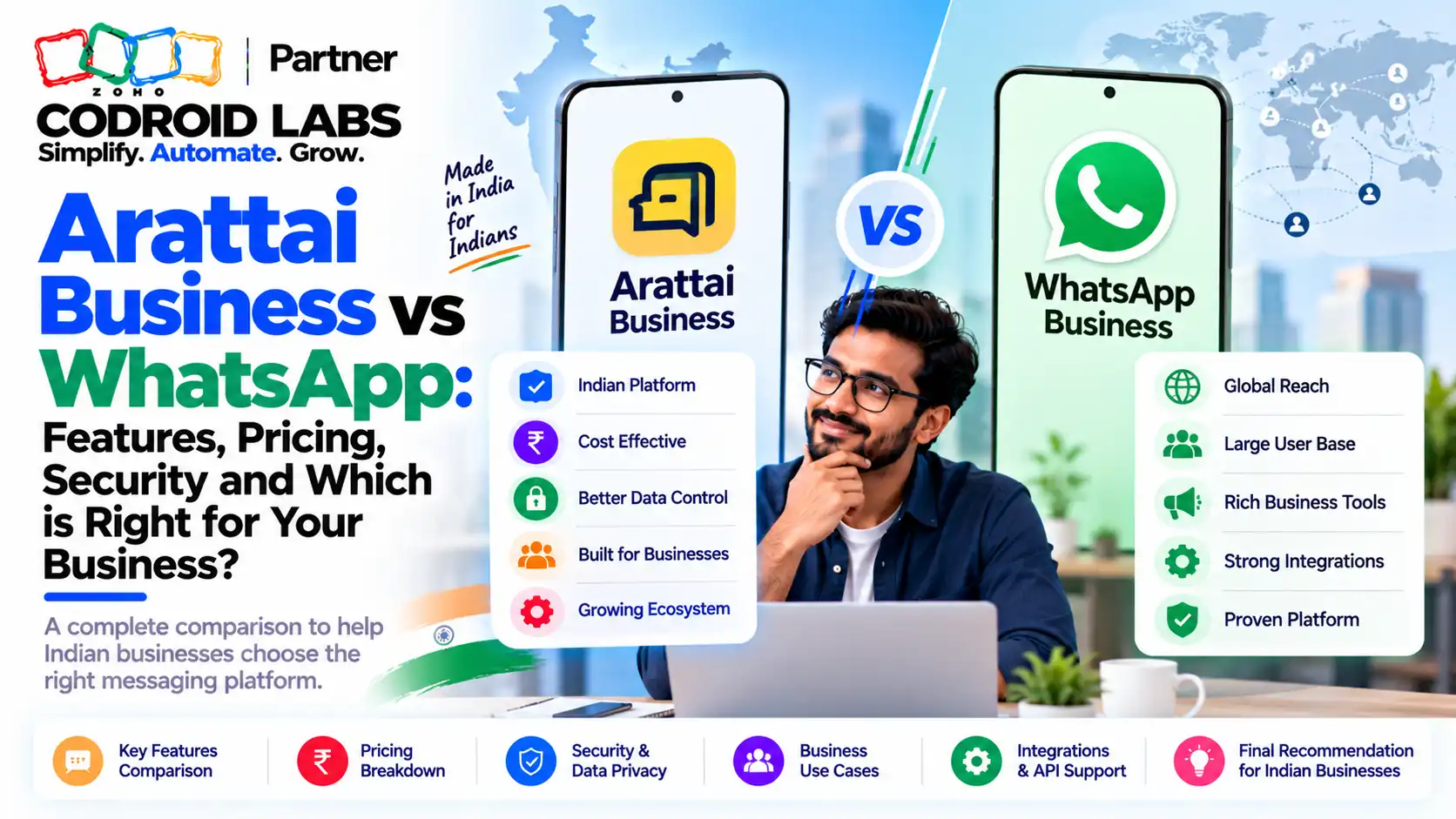
Arattai Business vs WhatsApp Zoho: Which Channel to Run in Zoho CRM and Desk in India
Arattai Business vs WhatsApp Zoho is not a choice between two chat apps; it is a decision about which customer channels your Zoho CRM and Zoho Desk should run, and in most Indian businesses the answer today is both. Here is what works natively, what does not yet, and when Arattai is the better fit.
Updated: 21 October 2026
Sources: Zoho CRM and Zoho Desk help, Arattai blog and help
By: Codroid Labs, a Zoho Partner and Zoho AI Enabled Partner
Sources: Zoho CRM and Zoho Desk help, Arattai blog and help
By: Codroid Labs, a Zoho Partner and Zoho AI Enabled Partner
Short answer
Zoho CRM now has a native Arattai channel (Standard and above, IN data centre only) next to WhatsApp, but it handles customer-initiated chats with a 48-hour reply window. Zoho Desk supports WhatsApp natively; for Arattai we found only a Zoho Flow action that posts into Arattai channels. Keep WhatsApp for reach, add Arattai where your customers or sector already use it, and keep both in one CRM record.
Why Arattai Business vs WhatsApp Zoho Is a Live Question
In short: Buyers are on WhatsApp today, Arattai now has a business platform, and Zoho CRM supports both; the decision is about channels, not apps.
Founders who follow the Make-in-India push in software keep asking the same thing. Customers message on WhatsApp today. Arattai for Business launched on 2 October 2026. Zoho CRM and Zoho Desk already run on WhatsApp in many teams. Can you move, should you move, and what breaks if you do?
A common pattern in online discussions: people like the idea of an Indian, privacy-first messenger but cannot get their contacts to switch. That matters for business messaging. A channel only works when the customer is on it. So arattai business vs whatsapp zoho is really a question of where each customer group already is, and which channel your Zoho setup supports for that group.
Arattai Business vs WhatsApp Zoho: What Arattai for Business Includes
In short: Arattai for Business has two parts: a free Business App for small teams and an API-first Business Platform for scale and integration.
| Product | Who it is for | What it does |
|---|---|---|
| Arattai Business App | Small businesses | Free app with business profile, labels, quick replies and away messages |
| Arattai Business Platform | Growing businesses, enterprises, developers | API-first messaging for volume, automation and integration with business systems |
Source: the Arattai for Business launch blog, 2 October 2026. For Zoho CRM, only the Business Platform matters: Zoho's help states that the Business App does not work with the CRM integration.
On launch day, Zoho's founder announced that the Arattai Business Platform is free for government and public services such as Railways, with integrations still being built, and that healthcare and educational institutions get a free allowance of 1 million messages a month. We did not find these terms on Arattai's own pricing or help pages as of 21 October 2026, and commercial rates for other businesses had not been published. Confirm in writing before you plan a budget around them.
Arattai Zoho CRM Integration vs WhatsApp in Zoho CRM
In short: Zoho CRM has a native Arattai channel on Standard and above in the IN data centre, alongside WhatsApp, under Business Messaging.
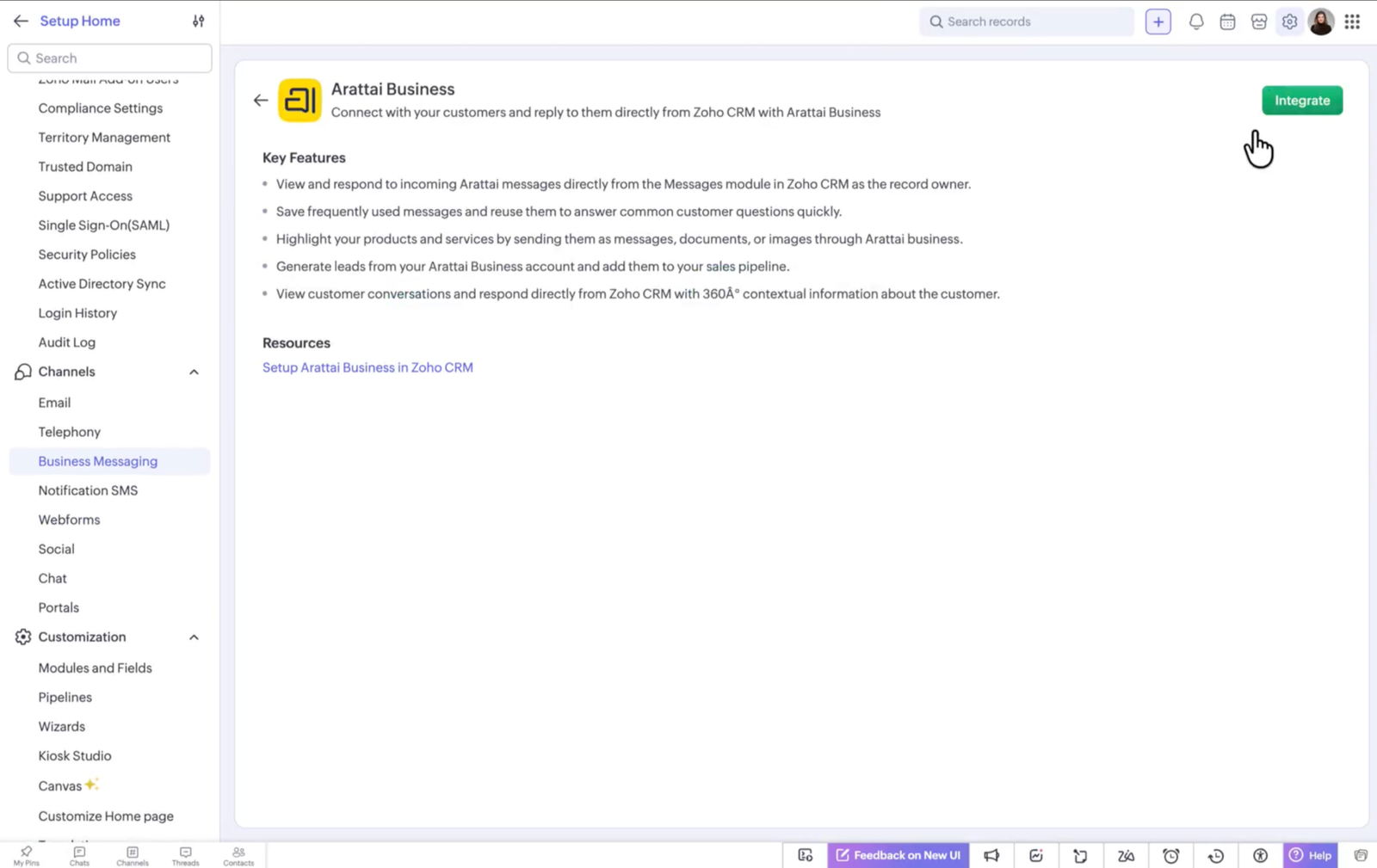
The arattai zoho crm integration is native. Zoho's help article and announcement describe it:
| Point | Arattai in Zoho CRM | WhatsApp in Zoho CRM |
|---|---|---|
| Where | Setup > Channels > Business Messaging | Setup > Channels > Business Messaging |
| Edition | Standard and above | Standard and above |
| Data centre | IN only | Several, including IN |
| Account needed | Arattai Business Platform account and a number | WhatsApp Business account, verified business, unused number |
| Who starts | Customer only; reply within 48 hours | Customer-started chats, plus approved templates for business-started messages |
| Unknown senders | Created as Lead or Contact, round robin to users, a role or a group | Mapped to a chosen module with assignment |
| Numbers | One Arattai number per CRM organisation | Per Zoho's WhatsApp setup |
| Cost to reply | Replies do not use credits (Zoho announcement) | Sending uses messaging credits |
For arattai business vs whatsapp zoho in CRM, the key point is that both channels land in the same Messages module and on the same record, so a rep sees the full history regardless of app. Replies can use predefined text, merge fields and up to five attachments.
Replace WhatsApp in Zoho Desk With Arattai?
In short: Zoho Desk has native WhatsApp through Instant Messaging; for Arattai we found only a Zoho Flow action that posts to Arattai channels.
Not today. Zoho Desk supports WhatsApp natively through Instant Messaging, which turns chats into tickets with canned replies, bots and routing. Zoho's Desk pricing page lists Instant Messaging from the Standard edition (₹800 a user a month billed annually, ₹1,300 monthly, GST 18% extra, checked 21 October 2026). WhatsApp setup needs a verified business and a WhatsApp Business account.
For Arattai, the official route we could verify is Zoho Flow: a Desk event, such as a ticket being created, posts a message into an Arattai channel. Arattai's Flow help states this action only posts to channels; direct messages and Arattai-started triggers are not available yet. That suits internal alerts, not customer support chats, which is the main arattai business vs whatsapp zoho gap in Desk. So anyone planning to replace whatsapp zoho desk with Arattai should wait for a native channel or use a custom integration.
Arattai Business vs WhatsApp Zoho: Side by Side
In short: WhatsApp reaches more of your current customers; Arattai keeps the full stack inside Zoho and India, but is customer-initiated only in CRM today.
| Factor | Arattai Business Platform | WhatsApp Business API |
|---|---|---|
| Zoho CRM | Native channel, IN data centre | Native channel |
| Zoho Desk | Flow posts to channels only | Native Instant Messaging |
| Business-started messages in CRM | Not supported today | Approved templates |
| Vendor stack | Zoho end to end | Zoho plus an external platform |
| Public price list | Not published for general businesses yet | Rates set by the platform owner |
| Customer reach | Growing | Where most customers already are |
Neither column is a winner on its own. The arattai business vs whatsapp zoho answer depends on your customers and sector.
Arattai Business vs WhatsApp Zoho: When Arattai for Business India Fits
In short: Arattai fits public services, schools, hospitals and India-only teams that want Zoho end to end; most sellers should run both.
- Government and public services: free platform access was announced, and data stays with an Indian provider.
- Schools, colleges and hospitals: the announced 1 million free messages a month suits parent, patient and student updates.
- India-only teams already on Zoho: one vendor for CRM, support and messaging, all in the IN data centre.
- Customers who already use Arattai: meet them on the app they chose.
In arattai business vs whatsapp zoho planning for traders, manufacturers and D2C brands, WhatsApp usually still carries most enquiries. Arattai for business india is best added as a second channel, not a forced switch.
Running Both Sides of Arattai Business vs WhatsApp Zoho in One Setup
In short: Use one Zoho CRM record per customer, both channels in the Messages module, and the same assignment rules for each.
- Integrate WhatsApp and Arattai under Business Messaging in Zoho CRM.
- Use the same unknown-sender rule for both: create Leads, assign by round robin or role.
- Turn on Signals for incoming messages so reps see new chats instantly.
- Add a picklist field “Preferred channel” on Contacts and fill it from the first message.
- Report on leads and deals by channel each month to see where Arattai is growing.
This keeps one customer history and lets the data, not opinion, settle arattai business vs whatsapp zoho for your business. For automation ideas, see our Zoho CRM automation guide.
Zoho Arattai Business API: Custom Integration
In short: Where no native connector exists, a custom integration with the Arattai Business Platform can fill the gap, built and tested for your case.
The Arattai Business Platform is described by Zoho as API-first. Where your use case goes beyond the native CRM channel, such as Desk tickets, outbound reminders or a school ERP, Codroid Labs can build a custom integration with the zoho arattai business api, using Zoho CRM or Desk functions and connections. We confirm what the platform supports for your account before any arattai business vs whatsapp zoho build, and we do not promise features Zoho has not released.
6 Decision Rules for Arattai Business vs WhatsApp Zoho
- Follow the customer: Keep WhatsApp where your buyers are today.
- Add Arattai in CRM first: The native CRM channel is the lowest-risk start, Standard edition and above, IN data centre.
- Keep WhatsApp in Desk: Until a native Arattai Desk channel exists, support stays on WhatsApp.
- Use the Platform, not the App: Only a Business Platform account connects to Zoho CRM.
- Get free quotas in writing: Public service and education allowances were announced; confirm terms for your organisation.
- Measure by channel: Report leads and resolution by channel before moving volume.
Help Setting Up WhatsApp and Arattai in Zoho
Codroid Labs is a Zoho Partner and a Zoho AI Enabled Partner, recognised by Zoho after completing the AI Accelerator Series 2026. We set up WhatsApp and Arattai in Zoho CRM, WhatsApp in Zoho Desk, assignment and reporting, and custom Arattai integrations where needed. Call +91 7838402682 or email team@codroiditlabs.com.
Book a WhatsApp/Arattai setup callStart a Zoho Desk trial
Quick Answers
Does Zoho CRM support Arattai?
Yes, natively, Standard and above, IN data centre.
Does Zoho Desk support Arattai chats?
Not natively today; Flow posts to channels only.
Can I message customers first on Arattai from CRM?
No, customers start the chat.
Is Arattai free for schools?
1 million free messages a month was announced for education and healthcare.
Arattai Business vs WhatsApp Zoho FAQs
In arattai business vs whatsapp zoho, should I switch fully?
Not as a full switch for most businesses. Add Arattai as a second channel in Zoho CRM and keep WhatsApp until your reports show customers moving.
How do I set up the Arattai Zoho CRM integration?
As an administrator, go to Setup > Channels > Business Messaging, open Arattai, click Details > Integrate, sign in with your Arattai Business Platform account, pick the number and set account preferences.
Does the Arattai Business App work with Zoho CRM?
No. Zoho's help says the integration works only with an Arattai Business Platform account.
Is Arattai available outside the India data centre?
The Zoho CRM Arattai channel is available in the IN data centre only.
Can Zoho Desk receive Arattai messages as tickets?
We found no native Desk channel for Arattai as of 21 October 2026. Zoho Flow can post Desk events into Arattai channels, and custom integration is possible.
What does Arattai Business cost?
The Business App is free. Free platform access for government and public services and 1 million free messages a month for healthcare and education were announced; general rates were not published when we checked.
Does replying on Arattai in Zoho CRM use credits?
Zoho's announcement says replying to customers does not consume credits.
Run WhatsApp and Arattai from one Zoho record
Bring your channels and team. Leave with a setup plan for Zoho CRM and Desk.
Related guides
Zoho and Arattai references (checked 21 October 2026)
- Zoho CRM help: Arattai integration
- Zoho CRM: Meet your customers on Arattai
- Zoho CRM help: Business Messaging
- Zoho CRM help: WhatsApp integration
- Zoho Desk help: Instant Messaging
- Zoho Desk help: WhatsApp integration
- Zoho Desk pricing
- Arattai blog: Arattai, Now for Business
- Arattai help: Zoho Flow integration
- Zoho Flow: Zoho Desk and Arattai