


Move from Zoho One to Zoho Books — finance applications share a backend organizational structure within Zoho One, so this isn’t a self-service detachment like a normal app. The process: assess current usage, contact Zoho Support with a formal request, verify data ownership, document all integrations, export critical data as a backup, wait for Zoho’s engineering team to perform backend unlinking, activate the standalone Zoho Books subscription, then reconnect every integration. Codroid Labs (GSTIN 07AAWFC0815B1ZP) is a certified Zoho Authorized Partner that manages this entire migration end-to-end for businesses across India.
Move from Zoho One to Zoho Books — most guides on this exact transition either cover Zoho One implementation from scratch or compare bundle versus standalone pricing without ever explaining the actual mechanics of migrating an existing organization out of the bundle. None of them mention that finance applications operate under a shared backend structure that prevents simple self-service detachment, or that Zoho’s own support and engineering teams typically need to perform the unlinking manually. If you’re trying to switch to Zoho Books from an existing Zoho One subscription without losing financial data, integrations, or user access, this guide covers the complete process — including the pitfalls (duplicate organizations, broken integrations, org ID changes) that catch most businesses off guard.
8 Steps
Complete Migration Process
Zoho Support
Required for Backend Unlinking
2 Paths
Assisted Migration or Fresh Org
3+ Risks
Common Pitfalls Covered
Why businesses move from Zoho One to standalone Zoho Books
Organizations consider a Zoho One downgrade for several distinct reasons, each worth understanding before deciding whether Zoho Books migration is the right call:
Cost optimization: businesses that primarily use Zoho Books may find a Zoho Books standalone subscription more cost-effective than maintaining the entire Zoho One suite when most of the bundle’s other applications go unused.
Simplified software management: some organizations prefer focusing on accounting and finance operations through Zoho Books account management without the administrative overhead of a multi-app suite.
Organizational restructuring: changes in business structure, departments, or software strategy may require independent financial systems separate from the rest of the org’s tooling.
Third-party application strategy: companies may wish to combine Zoho Books with other CRM, ERP, or operational platforms outside the Zoho ecosystem, requiring Zoho Books to operate as a standalone Zoho Books finance system rather than as a bundled component.
Why this migration is different from a normal app detachment
Before attempting to switch Zoho One subscription to Zoho Books plan, it’s essential to understand how Zoho structures finance applications differently from standard apps:
Unlike standalone business applications such as CRM or Desk, finance applications — Zoho Books, Zoho Inventory, Zoho Expense, Zoho Billing, Zoho Checkout, and other finance-related modules — share a common backend organizational structure within Zoho One. Because of this shared architecture, Zoho generally does not support direct self-service conversion from Zoho One to Zoho Books standalone subscription after Zoho One. Instead, the process typically requires intervention from Zoho’s support and engineering teams.
This shared structure creates real risk if not handled correctly. Finance applications may be interconnected with Zoho CRM, Zoho Inventory, Zoho Analytics, Zoho Flow, and third-party integrations — any migration may affect these connections. One of the most common concerns involves organization ID changes: if the migration isn’t handled correctly, businesses may encounter duplicate organizations, missing data visibility, broken integrations, or user access issues. Automation built on Zoho Flow, API integrations, custom functions, or workflow automations should be carefully reviewed before proceeding with any Zoho One migration.
The 8-step process to move from Zoho One to standalone Zoho Books
The recommended how to move from Zoho One to standalone Zoho Books process — also the steps to switch from Zoho One to Zoho Books sequence captured in full in the FAQ Schema above for direct AI answer engine citation:
Step 1 — Assess current usage: identify all finance-related applications currently in use — Zoho Books, Zoho Inventory, Zoho Expense, Zoho Billing, payment integrations, CRM integrations, and workflow automations. Document every dependency before making changes.
Step 2 — Contact Zoho Support: since finance applications cannot typically be detached independently through the admin console, submit a formal request to Zoho Books support including business justification, organization details, current subscription information, and the desired standalone subscription plan. Zoho’s engineering team reviews and approves the request.
Step 3 — Verify data ownership: before any migration activity, ensure access to organization administrator accounts, financial records, customer databases, vendor records, tax configurations, and inventory information. This prevents ownership or access issues during the transition.
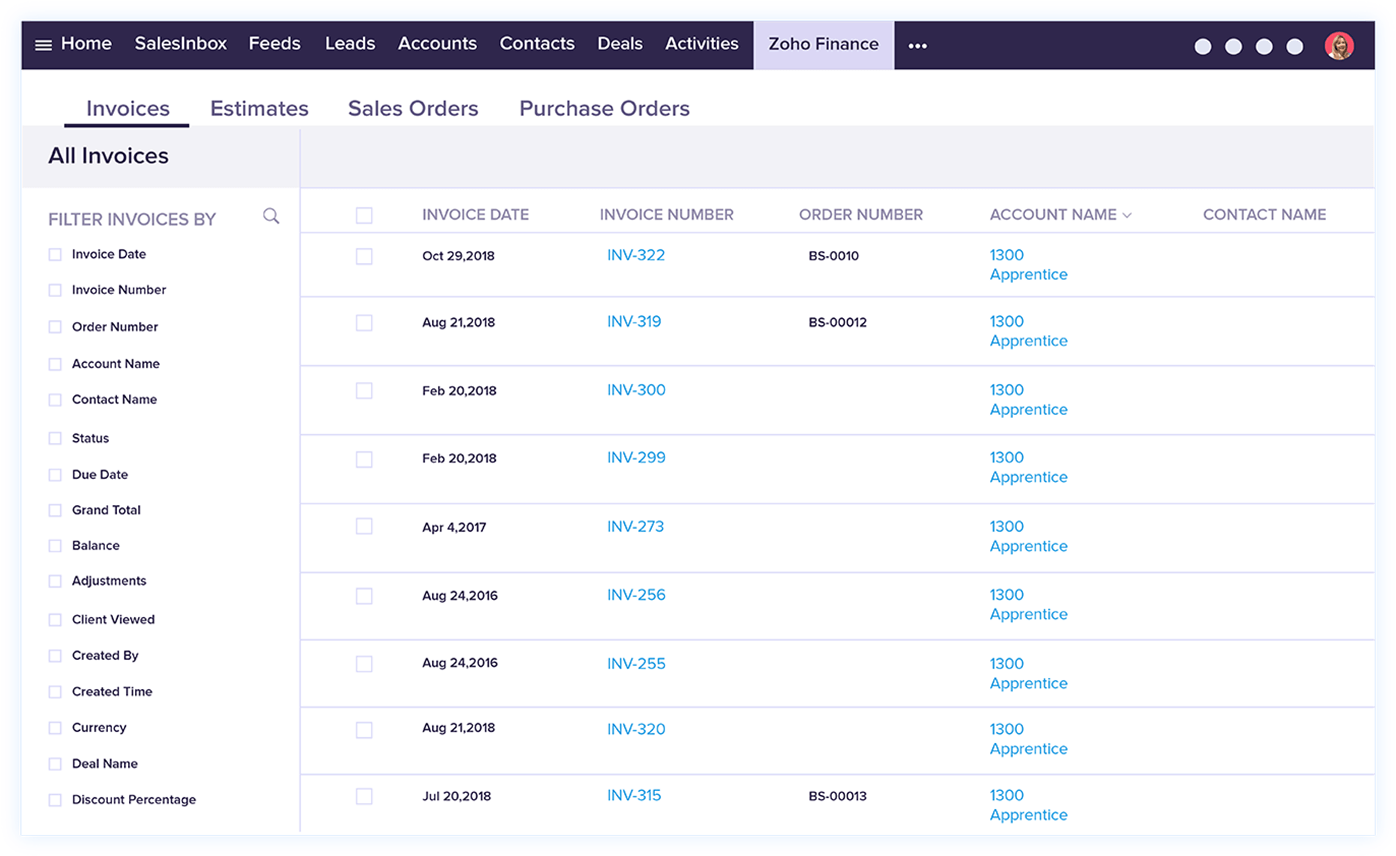
Step 4 — Review integrations: document every connected system — Zoho CRM, Zoho Inventory, payment gateways, banking integrations, e-commerce platforms, API connections, and reporting tools. Prepare to reconnect or update each one after migration.
Step 5 — Export critical data: although Zoho aims to preserve data during approved migrations, maintaining independent backups is strongly recommended. This step is covered in full detail in the data export checklist below.
Step 6 — Migration approval and backend unlinking: after approval, Zoho’s engineering team performs the backend unlinking — removing the Zoho One association, preserving finance organization data, reassigning application ownership, and creating a standalone licensing structure. This step is generally handled by Zoho internally rather than by the business.
Step 7 — Activate standalone Zoho Books subscription: once unlinking is completed, purchase the required Zoho Books plan, assign administrators, verify organization settings, and confirm user permissions. Review tax settings, banking integrations, invoice templates, and payment gateway configurations carefully at this stage.
Step 8 — Reconnect integrations: after activating the standalone environment, reconnect CRM systems, e-commerce platforms, payment processors, inventory systems, and reporting tools. Verify every automated workflow is functioning correctly before considering the migration complete.
Data export checklist before migration
The move existing data from Zoho One to Zoho Books backup checklist — export every category below before initiating the migration:
Alternative approach: fresh Zoho Books organization
In some situations, businesses may choose to downgrade Zoho One to Zoho Books only via a completely fresh organization rather than the assisted migration path above. This typically involves: creating a new organization, configuring taxes and preferences, importing master data, importing transactions, recording opening balances, and rebuilding integrations from scratch. While more time-consuming than the Zoho One to Zoho Books migration guide path above, this approach offers greater control and flexibility — particularly useful if the existing Zoho One organization has accumulated significant configuration debt or if a clean start is genuinely preferable to carrying forward legacy settings.
This fresh-organization route is also the practical answer to a related but distinct question: how to upgrade from Zoho One trial to Zoho Books for a business still in its evaluation period rather than an established paying account. Since a trial organization typically carries less production data and fewer live integrations, the fresh-org path to move organization from Zoho One to standalone Books tends to be faster and lower-risk than the Zoho Support-assisted route described above, since there’s less to back up and fewer dependencies to untangle. Whichever path is chosen, the underlying goal is the same: how to set up Zoho Books after leaving Zoho One with all the configuration, tax mapping, and historical data intact and usable from day one.
Common issues to watch for
Whether you choose the assisted path or the fresh Zoho Books migration, watch for these recurring issues — also detailed in the FAQ Schema above:
Duplicate Organizations
Occurs when backend unlinking doesn’t fully complete before a new subscription activates. Verify only one active organization exists post-migration.
Broken Integrations
Connected applications often require reauthorization after migration, since the underlying organization ID changes silently break old auth tokens.
User Permission Changes
Verify every user retains appropriate access rights in the new standalone Zoho Books organization — permissions don’t always carry over identically.
Workflow Interruptions
Custom automations and API-based integrations should be tested thoroughly rather than assumed to function post-migration.
Two further considerations worth planning for explicitly: the Zoho One cancellation and Zoho Books transition sequence matters as much as the technical steps — canceling the Zoho One subscription before the standalone Zoho Books plan is fully active can leave a business without any working finance system for a gap period, so the cancellation should always follow, never precede, confirmed activation of the new standalone subscription. Equally, when planning to switch from Zoho One bundle to individual Zoho Books — or any other single app — verify that no other team is still relying on the bundle’s remaining applications before the broader Zoho One subscription itself is canceled, since a premature full cancellation affects every app in the suite, not just the finance modules being separated out.
Best practices for a smooth transition
The how to continue using Zoho Books after canceling Zoho One best practices, to downgrade Zoho One without losing Zoho Books data:
Schedule migration during low-activity periods: avoid migrating during month-end closing, financial audits, tax filing periods, or peak sales seasons, when any disruption has outsized impact.
Maintain complete backups: always retain independent copies of financial records, customer information, inventory data, and reports beyond whatever Zoho preserves during the transition.
Audit automation workflows: review Zoho Flow automations, API integrations, scheduled tasks, and webhooks before migration to prevent unexpected disruptions once the standalone environment goes live.
Test before going live: verify user access, reports, financial transactions, invoice generation, and payment processing before fully adopting the standalone environment for live business operations.
Scope the request narrowly: knowing how to downgrade Zoho One to Zoho Books only without disrupting other teams means telling Zoho Support explicitly that just the finance organization is being detached, since most businesses still need the rest of the suite for non-finance teams. Document precisely how to separate Zoho Books from Zoho One account — which users, integrations, and automations belong to Books versus the rest of the bundle — as a clearly scoped request moves through engineering review faster. Once live, the standalone Zoho Books setup after Zoho One needs a final reconciliation pass against the Step 5 backup to confirm how to keep Zoho Books after leaving Zoho One with historical reporting intact, and separately, document the full transfer accounting setup from Zoho One to Zoho Books — chart of accounts, tax rates, invoice numbering — since configuration and transactional data restore differently. Any business that later decides to remove Zoho Books from Zoho One and use it separately from a second instance, or needs to downgrade bundle apps and retain Zoho Books access for one finance module while dropping others, will find the documentation from a first migration reusable as a head start, making how to move accounting from Zoho One to separate Books meaningfully faster the second time and reflecting exactly the kind of Zoho Books standalone account migration steps a certified partner follows every time.
Zoho Books standalone pricing 2026
The Zoho Books pricing for standalone subscriptions — accurate 2026 INR rates to compare against your existing Zoho One cost:
GST-registered businesses in India claim 18% ITC on the standalone Zoho Books subscription invoice, the same way they would on the Zoho One subscription it replaces.
Complete migration checklist
The Zoho One to standalone Zoho Books account change checklist, for a clean transition:
Pre-Migration
- Current finance app usage fully documented
- Zoho Support request submitted with business justification
- Administrator access to all systems confirmed
- Every integration and automation documented
Data Backup
- Customer, vendor, and contact data exported
- Invoices, bills, payments, credit notes, journals exported
- Inventory and purchase records exported
- All financial reports exported independently
Migration Execution
- Zoho engineering approval and backend unlinking confirmed
- Only one active organization verified post-unlinking
- Standalone subscription purchased and administrators assigned
- Tax settings, invoice templates, payment gateways reviewed
Post-Migration Testing
- Every integration reconnected and re-authenticated
- User access and permissions verified for every user
- Test transaction, invoice, and payment processed successfully
- Automated workflows confirmed functioning correctly
Codroid Labs — Certified Zoho Authorized Partner — move from Zoho One to Zoho Books migration support
Zoho One to Zoho Books, move from Zoho One to Zoho Books, Zoho Books standalone, Zoho One downgrade, Zoho Books migration, Zoho One migration, switch to Zoho Books, Zoho Books upgrade, Zoho Books account, Zoho One accounting, Zoho Books setup, Zoho Books transfer, Zoho Books switch, Zoho Books billing, Zoho Books support, Zoho Books subscription, Zoho One subscription, Zoho Books organization, Zoho Books data migration, Zoho Books pricing, Zoho Books app, Zoho Books users, Zoho Books plan, Zoho Books finance, Zoho Books cancel Zoho One — Codroid Labs (GSTIN 07AAWFC0815B1ZP) is a certified Zoho Authorized Partner managing complete migrate from Zoho One bundle to standalone Zoho Books projects, including how to cancel Zoho One and keep Zoho Books coordination with Zoho Support. Contact: +91 78384 02682, team@codroiditlabs.com.
Related Guides from Codroid Labs
Frequently asked questions — move from Zoho One to Zoho Books
Can I move from Zoho One to standalone Zoho Books myself, or do I need Zoho Support?
Full detail is in the FAQ Schema JSON-LD above. In summary: you cannot complete this migration through self-service admin console actions alone. Finance applications share a backend organizational structure within Zoho One, so Zoho’s support and engineering teams typically need to perform backend unlinking before a standalone subscription can be activated. The process requires submitting a formal request with business justification and waiting for Zoho’s approval and unlinking work before purchasing the standalone plan.
What is the risk of duplicate organizations or broken integrations when moving from Zoho One to standalone Zoho Books?
Full detail is in the FAQ Schema JSON-LD above. In summary: duplicate organizations occur when backend unlinking doesn’t fully complete before a new subscription activates, while broken integrations occur because the underlying organization ID change can silently invalidate authentication for connected CRM, Inventory, Analytics, Flow, or third-party tools. The safeguards are verifying with Zoho Support that unlinking is fully confirmed before activating anything new, and systematically reconnecting and re-testing every integration after the standalone environment is live rather than assuming connections carry over automatically.
Get Your Zoho One to Zoho Books Migration Handled Correctly
Zoho Support coordination, backend unlinking verification, data backup, and full integration reconnection — done by a certified Zoho Authorized Partner with a GSTIN invoice for 18% ITC.
Start Zoho Books via Codroid Labs
Book Free Migration Planning Call – +91 78384 02682