


The 10 common Zoho CRM mistakes that are costing you sales are not the obvious ones that show up in beginner tutorials. Indian businesses that have been on Zoho CRM for 6-18 months typically know how to create a lead and log a call. The mistakes that cost real revenue are subtler: automation rules that work individually but conflict with each other at scale, pipeline stages that sound meaningful on paper but never actually change in practice, IndiaMART and JustDial leads that arrive in a shared email inbox instead of auto-populating into CRM, and Zia AI features sitting dormant because the underlying data quality never met the threshold for pattern learning. These are the Zoho CRM mistakes that bleed revenue slowly, invisibly, and continuously.
Common Zoho CRM mistakes to avoid: this guide covers each of the 10 in the format Indian sales leaders find most actionable – the mistake, why it happens in real Indian businesses, the INR revenue impact of leaving it unfixed, and the specific Zoho CRM feature or configuration that resolves it. Zoho CRM mistakes that hurt sales performance are almost always fixable once diagnosed. The diagnostic is the hard part. After reading this guide, a Zoho CRM admin or sales director should be able to walk back to the CRM and identify which of the ten applies to their current setup within one working hour.
1 Implementing without defining the real problem first
Zoho CRM implementation mistakes begin before a single field is configured. The most common opening mistake for Indian businesses is purchasing Zoho CRM because “we know we need a CRM” and immediately starting configuration without ever answering: what specific operational problem is this CRM solving? The result is a generic setup that technically works but does not match the actual Zoho sales process the team uses the team uses. The team routes around the CRM instead of through it. Mistakes in Zoho CRM setup of this type typically produce a system where 6 months after go-live, 40-60 percent of users have logged in fewer than 10 times.
Before any configuration, map the actual sales process on paper – from first enquiry to invoice. Map every current tool, handoff, and manual step. Then configure the CRM to match that workflow, not a generic template. Zoho CRM Blueprint feature enforces stage-specific rules that match the actual process, making adoption natural rather than forced.
2 Lead vs Contact module confusion
Zoho CRM lead management mistakes often trace back to fundamental module misuse. In Zoho CRM, Lead is specifically an unqualified prospect – someone whose fit for the business has not been confirmed. Once qualified (budget confirmed, authority confirmed, need confirmed, timeline confirmed), a Lead should be converted into an Account (the company) and Contact (the person) with a Deal attached. Many Indian sales teams create new Leads for every interaction regardless of whether the person is already an Account or Contact in the system. The result: duplicate records, split communication history, and marketing emails going to the wrong module.
Define and enforce a qualification checklist as a Zoho CRM Blueprint transition requirement for converting Lead to Account/Contact/Deal. Enable the CRM’s built-in duplicate detection. Train the team to always search before creating – if the person already exists as a Contact, create a new Deal against them, not a new Lead.
3 IndiaMART and JustDial leads sitting outside the CRM
This is the single highest-revenue Zoho CRM mistakes that cost revenue for Indian B2B businesses. Most Indian manufacturing, trading, and service companies receive 30-200 leads per month from IndiaMART and JustDial. Without native integration, those leads arrive as emails in a shared Gmail inbox. Someone has to read the email, manually create a CRM lead, fill in the details, assign the lead, and trigger a follow-up. The process takes 5-15 minutes per lead and typically runs 30-90 minutes behind real-time. Zoho CRM mistakes that slow down lead follow-up do not get more damaging than this: leads responded to within 5 minutes convert at 8-10x the rate of leads touched after 30 minutes.
Zoho CRM has official integrations with both IndiaMART and JustDial available in the Zoho Marketplace. When configured, every buyer enquiry from IndiaMART or JustDial auto-creates a CRM Lead with source attribution, auto-assigns to the right sales rep based on product category or territory, and triggers an immediate automated WhatsApp or email acknowledgement to the buyer within 60 seconds. Codroid Labs configures this integration as a standard deliverable for manufacturing and trading clients.
4 Pipeline stages that never actually change
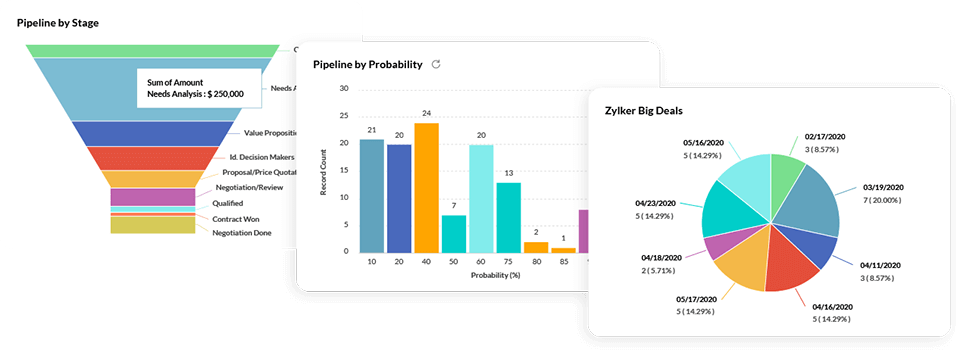
Zoho CRM sales pipeline mistakes are often invisible to management until they try to use the pipeline report to forecast revenue and discover that 65 percent of the deals are in “Proposal Sent” — including deals that were sent proposals 6 months ago and never progressed. The sales pipeline becomes a junk drawer for active, stale, and essentially-dead deals that nobody has the discipline to advance or close. This creates three problems: the manager cannot identify deals that need intervention, revenue forecasts are wildly inaccurate, and the Zia AI prediction model learns from the wrong stage distribution and produces unreliable closure probability scores.
Use Zoho CRM Blueprint to enforce stage transition rules – before a deal can move from Proposal Sent to Negotiation, the rep must confirm proposal feedback received (custom field required). For stale deals: set a workflow that automatically creates a “Review Required” task for the manager when a deal has been in the same stage for more than 14 days without activity. This surfaces stuck deals before they become invisible.
5 Automation rules that conflict with each other
Zoho CRM automation mistakes — sales automation done wrong — of this type are the most technically sophisticated mistake on this list. Indian businesses start with 5 workflow rules, then add 5 more for a new process, then another 10 as the team grows. Nobody maps the complete automation picture. The result: a new lead created from IndiaMART triggers four separate email workflows simultaneously – welcome email, product brochure, consultation booking invite, and a call task to the sales rep. The prospect receives three emails within 2 minutes of submitting an enquiry, marks the domain as spam, and the lead is permanently burned. Zoho CRM workflow mistakes like this are particularly common at the 12-18 month mark when the CRM has grown organically without strategic architecture.
Conduct a full automation audit – export all active workflow rules and map which triggers fire on which events. Identify conflicts, redundant rules, and time-gap violations. Consolidate into a master workflow architecture with documented trigger conditions, action delays, and exclusion criteria. Use Zoho CRM’s time-delay feature to space automated emails by minimum 24-hour gaps.
6 No mandatory fields – dirty data in, dirty reports out
Zoho CRM data entry mistakes accumulate silently. Without mandatory field enforcement, each sales rep makes their own data entry decisions: some capture mobile number + company name + source; others just put a name and phone. Within 6 months, 40-60 percent of CRM records have missing critical data. The CRM becomes unreliable for segmentation (cannot identify all manufacturing leads vs trading leads if the industry field is blank for 40%), for attribution (cannot calculate IndiaMART ROI if source is blank), and for Zia AI (lead scoring degrades when key behavioral and demographic fields are absent). Data quality problems in CRM are a compounding cost – they do not stay in one place.
In Zoho CRM field settings, mark Lead Source, Mobile, Company, and Industry as mandatory fields. Use validation rules for format checking (mobile number must be 10 digits). Schedule a monthly data hygiene routine using Zoho CRM’s duplicate detection and the data update workflow that flags records with empty critical fields for the assigned rep to complete within 48 hours.
7 Email not integrated – conversations invisible to the team
Zoho CRM mistakes in customer follow-up most commonly trace to missing email integration. When sales reps send emails from their personal Gmail instead of through Zoho CRM, the entire email conversation history lives in their personal inbox – invisible to their manager, invisible to colleagues covering during leave, invisible to the account manager taking over the deal. When the rep leaves the company (average Indian sales rep tenure is 18-24 months), all their prospect email history leaves with them. The new rep starts from scratch with no context. Lead management done without email integration is perpetually starting over.
Configure IMAP email integration (Settings > Channels > Email) for every Zoho CRM user. Each rep connects their business email account. All emails sent to and from CRM contacts automatically log against the record. For businesses on Zoho Workplace or Zoho One, Zoho Mail integrates natively with CRM – no IMAP configuration needed, emails sync automatically across every record.
8 Mobile CRM ignored by field sales teams
Zoho CRM mistakes for sales teams with field components: pharmaceutical MR teams, real estate site visit executives, manufacturing field sales officers, and engineering solutions reps typically spend 50-70 percent of their working day outside the office. Their CRM updates happen (if they happen at all) in a batch at the end of the day – often from memory, often incomplete. A prospect who said “follow up next Tuesday” gets that note written on a paper notepad, sometimes transferred to CRM at 7 PM on the same day. The CRM is perpetually one step behind the actual field reality. Sales tracking through a mobile-avoided CRM produces a fictional view of what the field team is actually doing.
Zoho CRM mobile app (Android/iOS) has a voice note feature – the rep can say “Follow up next Tuesday about the packaging quote” and Zoho transcribes it and creates a task. Check-in feature logs the GPS location when the rep arrives at a client site. Call logging on mobile: one tap after a call opens a quick-log screen that takes 30 seconds to complete. Reduce CRM logging to less than 1 minute per field interaction and adoption rates improve dramatically.
9 No post-go-live review – the CRM drifts
Zoho CRM mistakes for small businesses in particular: go-live is treated as the finish line rather than the starting line. The Zoho implementation is done, the training is delivered, and then the business expects the CRM to maintain itself. Six months later, the pipeline stages do not match the current sales process (which has evolved), half the automation rules are outdated (some products are discontinued), and new team members received no formal onboarding and have invented their own ways of using the system that break consistency. CRM training delivered once at implementation is forgotten by 60-70 percent of users within 30 days without reinforcement.
Structure monthly 30-minute CRM review meetings with the sales manager: review pipeline health, audit stale deals, check automation performance (which workflows had the highest execution last month, which had the most errors), identify missing data patterns, and update 1-2 workflows based on what changed. Quarterly deeper audits with a Zoho partner cover module changes, new feature adoption, and re-training sessions for new joiners. This is standard in Codroid Labs AMC engagement models.
10 Reports nobody reads because they do not answer real questions
Zoho CRM mistakes in reporting and analytics: many Indian Zoho CRM implementations have 15-25 saved reports that were built during the implementation, used twice, and now exist in the Reports section untouched. The reports were built by the implementation consultant to demonstrate capability rather than to answer the specific questions the sales leader asks every Monday morning. CRM efficiency and sales productivity require reports that answer operational questions the team actually needs: which rep has the highest lead-to-deal conversion, which lead source is producing the highest revenue, which deal stage is the biggest bottleneck, and how does this month’s pipeline compare to last month’s.
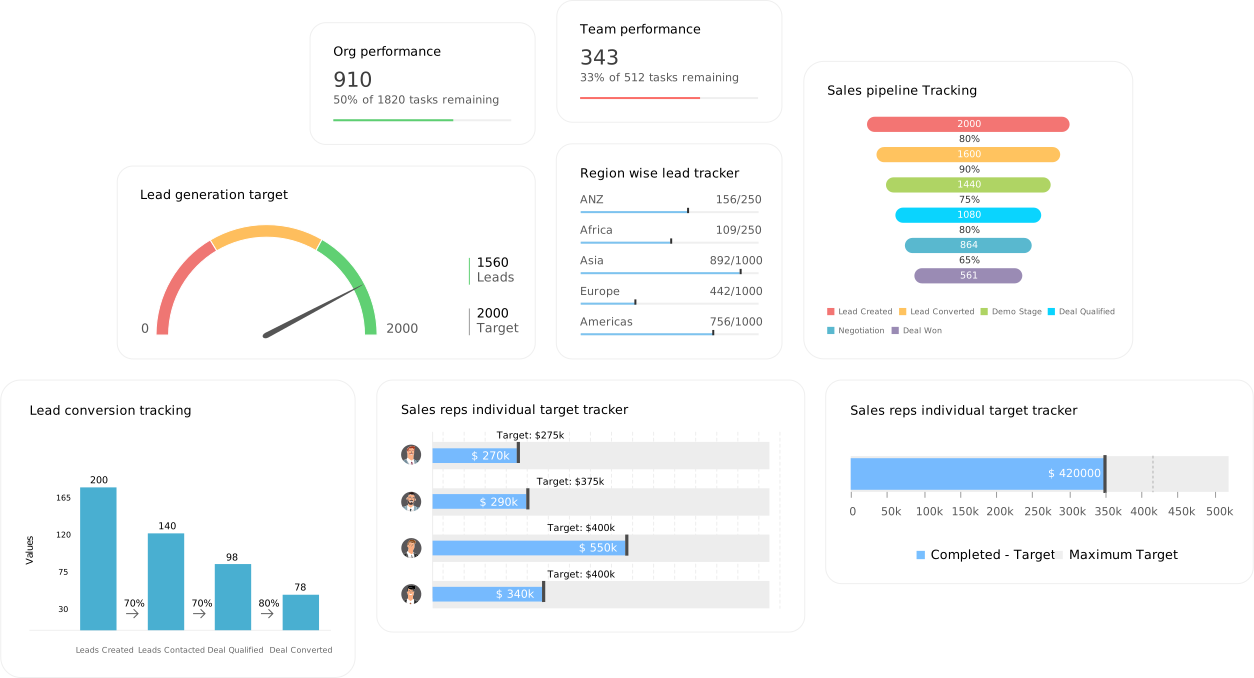
Build role-specific dashboards in Zoho Analytics (or Zoho CRM native dashboards for simpler setups) that answer exactly five operational questions per role: for the sales manager (pipeline value by stage, this-month vs last-month, rep performance, source ROI, stale deal count); for the founder/CEO (revenue trend, monthly win rate, average deal size, top rep, forecast vs actual). Five KPIs, updated daily, visible on login – this is what drives daily behaviour change.
How to audit your Zoho CRM for these mistakes
How to avoid Zoho CRM mistakes, Zoho CRM optimization tips to increase sales, and Zoho CRM best practices for sales growth — practical Zoho CRM guide audit checklist for a sales director or CRM admin to run in 90 minutes:
Zoho CRM setup guide for better sales and Zoho CRM training and optimization tips: if three or more of these audit checks fail, the CRM has accumulated enough technical debt to warrant a structured optimization engagement. The Zoho CRM best practices framework Codroid Labs uses in these engagements: fix data quality first, then automation architecture, then reporting, and finally advanced features like Zia AI. Zoho CRM optimization tips to increase sales start with the foundation — a CRM that cannot pass basic data quality checks cannot produce reliable Zia predictions or meaningful analytics regardless of how many advanced features are enabled.
How Codroid Labs fixes these Zoho CRM mistakes
Codroid Labs is a certified Zoho Authorized Partner (GSTIN 07AAWFC0815B1ZP, Green Park New Delhi) that has audited and optimised Zoho CRM deployments across manufacturing, real estate, trading, pharma, education, and professional services businesses in India. The CRM Audit engagement covers all 10 mistakes in a 2-3 hour structured review with a prioritised remediation plan delivered within 5 business days. Zoho CRM errors that reduce conversions, Zoho CRM mistakes for small businesses, and common CRM mistakes costing sales are all documented with INR impact estimates so the business can prioritise fixes by revenue recovery potential.
How Zoho CRM mistakes affect business growth and how to recover: contact +91 78384 02682 or team@codroiditlabs.com. Free 45-minute discovery call to run through the audit checklist above and identify the highest-impact fixes for the specific CRM setup.
Related Guides from Codroid Labs
Frequently asked questions
How do Zoho CRM mistakes affect sales performance for Indian small businesses?
How Zoho CRM mistakes affect business growth for Indian SMEs specifically: the impact concentrates in three areas. Lead leakage (enquiries that arrive but do not enter the pipeline), follow-up failure (leads that enter the pipeline but receive no timely action), and forecast blindness (management cannot see which deals need intervention). Sales mistakes in CRM systems for small Indian businesses often start with the IndiaMART/JustDial integration gap — for businesses in manufacturing, trading, and services, these two platforms generate 40-70% of leads. Without CRM integration, speed-to-lead is a manual problem. Indian buyers on IndiaMART typically send 5-10 enquiries simultaneously. The supplier that responds first wins disproportionately. A business responding in 60 seconds because IndiaMART auto-creates a CRM lead and triggers an immediate WhatsApp competes in a fundamentally different category from the business responding in 4 hours because someone noticed the email.
What are the most common Zoho CRM mistakes made when scaling from 5 to 20 users?
Common Zoho CRM mistakes to avoid when scaling team size: the transition from 5 to 20 users exposes every structural gap in the initial implementation. Mistakes that were manageable with 5 people who all sit in one room become critical when 20 people are in different cities. The five most common scaling-phase mistakes: (1) Role-based access not configured – all 20 users see all 300+ leads, which creates confusion and data security issues; (2) Lead assignment rules not defined – new leads from all sources pile up in the admin’s queue instead of routing to the right rep automatically; (3) Duplicate records proliferate because each of the 20 reps creates records without checking if the contact already exists; (4) Email template library never built – every rep writes their own follow-up email from scratch, creating inconsistent brand communication; (5) No territory management – deals get double-claimed or fall through the gap between two reps who both assumed the other was handling it. Zoho CRM errors that reduce conversions at scale are structural problems that require architectural solutions, not training.
How long does it take to fix Zoho CRM mistakes and see revenue improvement?
Zoho CRM optimization tips to increase sales timelines vary by mistake type. Quick wins (2-4 weeks): IndiaMART/JustDial integration (immediate speed-to-lead improvement visible in week 1), mandatory field enforcement (data quality improvement visible in 30 days), mobile CRM adoption drive (field team logging frequency improves within 2 weeks with proper training). Medium-term fixes (4-8 weeks): pipeline stage discipline (takes 4-6 weeks of consistent manager reinforcement to become habit), email integration and template deployment (3-4 weeks for full team rollout). Structural fixes (8-16 weeks): automation rule audit and rebuild (complex interactions take time to unravel safely), reporting and dashboard rebuild (discovering what questions management actually needs answered takes iteration). Revenue improvement visibility: for the IndiaMART integration specifically, improvement in lead response time and conversion rates is typically visible within 30-45 days. For pipeline and reporting fixes, the impact shows in the revenue variance between month 3 and month 6 post-fix. Zoho CRM best practices for sales growth have a compounding nature – each fix makes the next fix more effective because the data quality improves.
Stop Losing Sales to Fixable Zoho CRM Mistakes
Free CRM audit from a certified Zoho Authorized Partner – all 10 mistakes checked, INR impact calculated, prioritised remediation plan delivered. Codroid Labs, Green Park New Delhi, GSTIN invoice, pan-India delivery.
Upgrade Your Zoho CRM via Codroid Labs
Book Free CRM Audit Call – +91 78384 02682