


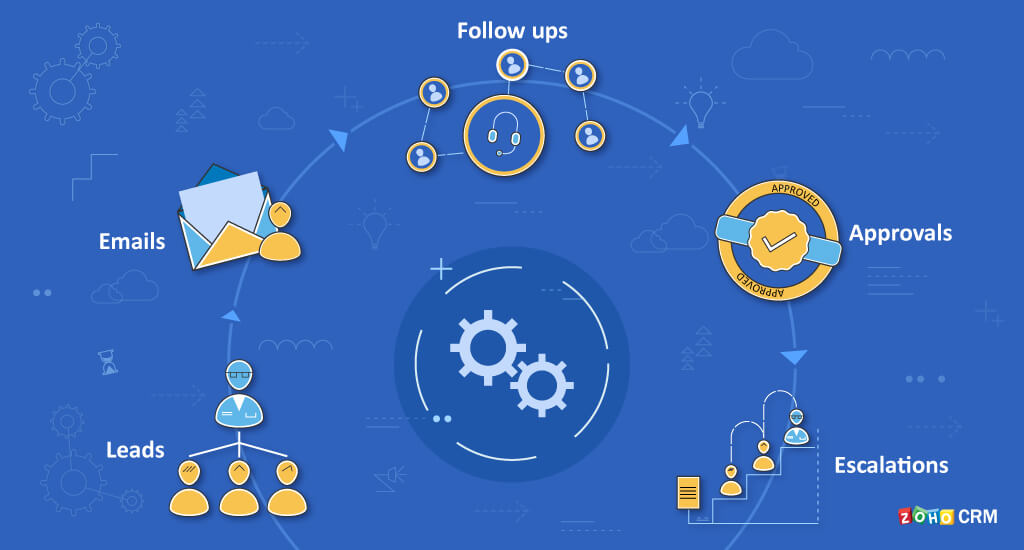
Zoho CRM workflow automation examples for businesses — every Indian business that has used Zoho CRM for more than three months has reached the same realisation: the platform is only as powerful as the automations configured inside it. A Zoho CRM without workflow automation is an expensive digital Rolodex — it stores contacts but does nothing with them. A Zoho CRM with properly configured workflow automation responds to leads in 30 seconds, follows up in 2 days, escalates in 48 hours, sends invoices on deal closure, and renews clients at 90/60/30 day intervals — all without human intervention.
Zoho CRM workflow automation examples — this guide provides 10 proven, copy-ready automation workflows with exact trigger, condition, and action configuration. Each example includes the business problem it solves, the setup path inside Zoho CRM, and the measurable outcome. These are not generic descriptions — they are the actual workflow configurations that Codroid Labs deploys for Indian businesses across IT, manufacturing, real estate, healthcare, and agency sectors.
Workflow 1 — Automated Lead Assignment
How to automate lead assignment in Zoho CRM, lead assignment, lead automation, sales automation for faster response, and Zoho CRM workflow rules examples for businesses — the highest-impact workflow for Indian businesses, particularly those receiving leads from multiple sources (IndiaMART, website, Google Ads, JustDial). Without automation, leads sit unassigned for hours. With this workflow, every lead is assigned within 60 seconds:
Workflow 1 — Lead Assignment Configuration:
Module: Leads | Trigger: On Record Create
Condition: Lead Source = IndiaMART OR Website OR Google Ads
Instant Action 1: Assign Owner — Assignment Rule by Territory (North India → Rep A, South India → Rep B)
Instant Action 2: Send Email — “Welcome to [Company Name], [Lead Name]. Our team will contact you within 2 hours.”
Instant Action 3: Create Task — “Call [Lead Name] within 30 minutes” assigned to Owner, due in 30 minutes
Scheduled Action (2 hours): If Call logged = No → Send Notification to Sales Manager
Module: Leads | Trigger: On Record Create
Condition: Lead Source = IndiaMART OR Website OR Google Ads
Instant Action 1: Assign Owner — Assignment Rule by Territory (North India → Rep A, South India → Rep B)
Instant Action 2: Send Email — “Welcome to [Company Name], [Lead Name]. Our team will contact you within 2 hours.”
Instant Action 3: Create Task — “Call [Lead Name] within 30 minutes” assigned to Owner, due in 30 minutes
Scheduled Action (2 hours): If Call logged = No → Send Notification to Sales Manager
Zoho CRM automation for sales process — this single workflow reduces average lead response time from 4-6 hours (manual) to under 2 minutes. Process automation impact: for a business receiving 50 leads per day, the time saving is 3-4 hours of daily admin work eliminated, plus the conversion improvement from faster response. Zoho triggers for lead assignment can use round-robin distribution (leads assigned to reps in rotation), criteria-based assignment (by lead source, industry, or geography), or a combination.
Workflow 2 — Email Follow-Up Sequence
Email automation, Follow-up automation, Zoho CRM email automation examples, Zoho CRM workflow templates for lead follow-up, and Zoho CRM lead nurturing automation examples — the multi-touch email sequence that runs on autopilot for every new lead:
Day 0 (Immediate)
Trigger: Lead created. Action: Welcome email with company overview + case study. Task: Call within 30 minutes.
Trigger: Lead created. Action: Welcome email with company overview + case study. Task: Call within 30 minutes.
Day 2 (Scheduled)
Condition: If Lead Status is still New (no meeting booked). Action: Follow-up email “Following up on your enquiry” with product video link.
Condition: If Lead Status is still New (no meeting booked). Action: Follow-up email “Following up on your enquiry” with product video link.
Day 5 (Scheduled)
Condition: If Lead Status is still New. Action: Email with customer testimonial + limited-time offer. Task for rep: “Second call attempt”.
Condition: If Lead Status is still New. Action: Email with customer testimonial + limited-time offer. Task for rep: “Second call attempt”.
Day 12 (Scheduled)
Condition: If Lead Status is still New. Action: Final outreach email “Last chance” + manager notification. If no response → Mark Lead as Unqualified and archive.
Condition: If Lead Status is still New. Action: Final outreach email “Last chance” + manager notification. If no response → Mark Lead as Unqualified and archive.
Zoho CRM workflow examples for customer follow-up — this 4-touch automated sequence handles 80% of the follow-up communication that sales reps previously forgot or delayed. Workflow templates in Zoho CRM allow saving this sequence as a reusable template applied to any new lead source. CRM templates: Codroid Labs maintains pre-built templates for common Indian lead sources (IndiaMART, JustDial, 99acres, website contact form).
Workflow 3 — Deal Stage Automation
Deal automation, Zoho CRM deal stage automation examples, Pipeline automation, and Zoho CRM event triggered workflow examples — five deal stage transitions, each triggering a different automated action:
Workflow 4 — Blueprint Process Enforcement
Zoho blueprints, Zoho CRM blueprint automation examples, and Zoho CRM workflow automation best practices — Blueprint is the process enforcement layer that workflow rules cannot provide. While workflow rules automate actions, Blueprint prevents the wrong actions. A deal cannot move to “Proposal Sent” unless specific requirements are met:
Blueprint — Proposal Sent Stage Transition Requirements:
Before transition to “Proposal Sent” is allowed:
[ ] Discovery Call Notes field: required, minimum 100 characters
[ ] Proposal Document: required attachment (PDF only)
[ ] Expected Close Date: required date field
[ ] Deal Value: required — must be > Rs.0
Before transition to “Proposal Sent” is allowed:
[ ] Discovery Call Notes field: required, minimum 100 characters
[ ] Proposal Document: required attachment (PDF only)
[ ] Expected Close Date: required date field
[ ] Deal Value: required — must be > Rs.0
On transition (automatic actions):
→ Email to prospect: “Your proposal is ready — please find attached.”
→ Task to rep: “Follow up in 3 days if no response”
→ Notification to manager for deals > Rs.2 lakh
Zoho CRM automation examples for better productivity — Blueprint requires Zoho CRM Enterprise (Rs 2400/user/month). The ROI is measurable: businesses using Blueprint report 60-80% improvement in CRM data completeness because the system physically prevents record advancement without required information. Zoho CRM workflow examples for managers: managers get accurate pipeline reports because every deal has the required fields completed at every stage.
Workflow 5 — Approval Process Automation
Zoho workflow rules for approvals and Process automation, Zoho CRM notification workflow examples, and Zoho notifications — approval workflows prevent unauthorized discounts, contract modifications, and exception pricing without proper review. Configuration:
Trigger Condition
Module: Deals. Trigger: On Record Edit. Condition: Discount Percentage field > 15%.
Module: Deals. Trigger: On Record Edit. Condition: Discount Percentage field > 15%.
Automatic Actions
Lock Deal record from further editing. Submit for approval to Sales Director. Email notification to Sales Director with deal details and discount amount.
Lock Deal record from further editing. Submit for approval to Sales Director. Email notification to Sales Director with deal details and discount amount.
On Approval
Unlock Deal record. Email to rep: “Your discount request for [Deal Name] has been approved.” Approval event logged in Deal activity history.
Unlock Deal record. Email to rep: “Your discount request for [Deal Name] has been approved.” Approval event logged in Deal activity history.
On Rejection
Email to rep: “Discount request rejected — maximum approved: [X]%. Revise and resubmit.” Deal discount field reverted to original value.
Email to rep: “Discount request rejected — maximum approved: [X]%. Revise and resubmit.” Deal discount field reverted to original value.
Workflow 6 — Invoice and Deal Closure Automation
Zoho CRM workflow examples for business growth and Zoho integration for billing — when a Deal is marked Closed Won, the following automated sequence fires without any manual action from the sales team:
Closed Won → Automated Actions (fires in this order):
1. Zoho Books: Invoice auto-generated from Deal line items with correct GST (IGST/CGST/SGST by client state)
2. Email to client: “Thank you for choosing [Company]. Please find your invoice attached.” + Payment link
3. Task created: “Onboard [Client Name]” assigned to Customer Success, due in 2 business days
4. Zoho Cliq notification to Finance channel: “New deal closed: [Deal Name], Rs.[Amount], Invoice #[X] generated”
5. Scheduled action — Day 5: If invoice unpaid → Payment reminder email to client
6. Scheduled action — Day 10: If invoice unpaid → Payment follow-up task to Account Manager
1. Zoho Books: Invoice auto-generated from Deal line items with correct GST (IGST/CGST/SGST by client state)
2. Email to client: “Thank you for choosing [Company]. Please find your invoice attached.” + Payment link
3. Task created: “Onboard [Client Name]” assigned to Customer Success, due in 2 business days
4. Zoho Cliq notification to Finance channel: “New deal closed: [Deal Name], Rs.[Amount], Invoice #[X] generated”
5. Scheduled action — Day 5: If invoice unpaid → Payment reminder email to client
6. Scheduled action — Day 10: If invoice unpaid → Payment follow-up task to Account Manager
Workflow 7 — Subscription Renewal Reminders
Zoho CRM workflow examples for recurring tasks, customer automation, and Zoho CRM workflow automation examples for businesses running on subscriptions or AMC contracts — date-triggered renewal automation:
90 Days Before Expiry
Trigger: Contract End Date minus 90 days. Action: Task to Account Manager “Begin renewal discussion with [Client]”. Email to client: “Your subscription renews in 90 days.”
Trigger: Contract End Date minus 90 days. Action: Task to Account Manager “Begin renewal discussion with [Client]”. Email to client: “Your subscription renews in 90 days.”
60 Days Before Expiry
Condition: Contract Status = Active AND No renewal deal created. Action: Create Renewal Deal. Email: “Renewal proposal attached.” Manager notification.
Condition: Contract Status = Active AND No renewal deal created. Action: Create Renewal Deal. Email: “Renewal proposal attached.” Manager notification.
30 Days Before Expiry
Condition: Renewal Deal Status = Not Closed. Action: Email “Final 30 days — renew now for continuity of service.” Escalate to director if deal value > Rs.5 lakh.
Condition: Renewal Deal Status = Not Closed. Action: Email “Final 30 days — renew now for continuity of service.” Escalate to director if deal value > Rs.5 lakh.
7 Days Before Expiry
Condition: Still not renewed. Action: Urgent email to client + manager call task flagged URGENT. Field in CRM updated: “At Risk of Churn = Yes”.
Condition: Still not renewed. Action: Urgent email to client + manager call task flagged URGENT. Field in CRM updated: “At Risk of Churn = Yes”.
Workflow 8 — Customer Retention Automation
Zoho CRM workflow examples for customer retention and Customer automation for post-sale lifecycle management:
30-Day Post-Purchase NPS
Trigger: 30 days after Deal Closed Won date. Action: Email NPS survey. If score 0-6 (detractor) → manager alert + immediate follow-up task. If score 9-10 → referral request email.
Trigger: 30 days after Deal Closed Won date. Action: Email NPS survey. If score 0-6 (detractor) → manager alert + immediate follow-up task. If score 9-10 → referral request email.
90-Day Re-engagement
Trigger: Last Activity Date = 90 days ago (no call, email, or meeting logged). Action: Re-engagement email with new feature or offer. Task to Account Manager: “Check in with [Client]”.
Trigger: Last Activity Date = 90 days ago (no call, email, or meeting logged). Action: Re-engagement email with new feature or offer. Task to Account Manager: “Check in with [Client]”.
Birthday/Anniversary
Trigger: Contact Birthday field or Contract Start Date anniversary. Action: Personalised email. Simple, memorable, costs nothing to automate — high retention impact.
Trigger: Contact Birthday field or Contract Start Date anniversary. Action: Personalised email. Simple, memorable, costs nothing to automate — high retention impact.
Upsell Trigger
Trigger: Customer’s deal value has been static for 12 months. Action: Task to Account Manager: “Review upsell opportunity for [Client].” Email with relevant upgrade information.
Trigger: Customer’s deal value has been static for 12 months. Action: Task to Account Manager: “Review upsell opportunity for [Client].” Email with relevant upgrade information.

Workflow 9 — Zoho Flow Cross-App Automation
Zoho Flow, Zoho Flow workflow examples for CRM, and Zoho CRM workflow examples for business growth — Zoho Flow connects Zoho CRM to 1,000+ external applications with no-code automation:
Workflow 10 — Service Business Escalation Automation
Zoho CRM workflow examples for service businesses, CRM alerts, and Zoho CRM task automation workflow examples — for IT support, maintenance, and managed service providers, SLA-based escalation automation:
Service Escalation Workflow — 3-Tier SLA:
Trigger: Support ticket created in Zoho Desk, synced to Zoho CRM case
Tier 1 (0-2 hours): Auto-assign to L1 support engineer based on ticket category
Scheduled Action — 2 hours: If ticket Status = Open (not In Progress) → escalate to Team Lead + CRM alert
Scheduled Action — 4 hours: If ticket Status = Open or In Progress → escalate to Service Manager + client update email
Scheduled Action — 8 hours: If ticket Status ≠ Resolved → escalate to Director + client apology email with SLA breach acknowledgement
On Resolution: Customer satisfaction survey email auto-sent → low rating triggers CRM alert to Account Manager
Trigger: Support ticket created in Zoho Desk, synced to Zoho CRM case
Tier 1 (0-2 hours): Auto-assign to L1 support engineer based on ticket category
Scheduled Action — 2 hours: If ticket Status = Open (not In Progress) → escalate to Team Lead + CRM alert
Scheduled Action — 4 hours: If ticket Status = Open or In Progress → escalate to Service Manager + client update email
Scheduled Action — 8 hours: If ticket Status ≠ Resolved → escalate to Director + client apology email with SLA breach acknowledgement
On Resolution: Customer satisfaction survey email auto-sent → low rating triggers CRM alert to Account Manager
Zoho CRM Workflow Automation Best Practices
Zoho CRM workflow automation best practices, Zoho CRM workflow templates for business automation, and Zoho reporting for monitoring automation health:
✓Start with the highest-pain workflow first — lead assignment and invoice generation on deal closure deliver the fastest ROI. Automate these before anything else.
✓Test every workflow on dummy records before going live. A misconfigured workflow sending 500 wrong emails in 10 minutes is a real risk in production.
✓Monitor workflow execution logs monthly — Zoho CRM shows how many times each workflow fired and any execution errors. Zero executions means the trigger condition is never met.
✓Avoid duplicate workflows for the same trigger — two rules firing on Lead Creation can send duplicate emails. Audit existing rules before adding new ones.
✓Use conditions generously — a workflow without conditions fires on every record. Add conditions to limit firing to records where the automation adds value.
✓Decommission manual alternatives — if you automate follow-up emails, remove the manual follow-up reminder from the team process. Parallel processes create duplication.

More Guides from Codroid Labs
Frequently Asked Questions
How many workflow automations can I set up in Zoho CRM?
Zoho CRM workflow limits by plan: Standard (Rs 800/user/month) — 5 active rules per module; Professional (Rs 1400/user/month) — unlimited active rules per module; Enterprise (Rs 2400/user/month) — unlimited rules plus Blueprint, custom functions, and Zia AI triggers; Ultimate (Rs 2600/user/month) — everything in Enterprise plus enhanced analytics. For most Indian SMBs, best Zoho CRM workflow examples for sales teams require 15-25 active workflow rules across Leads, Deals, and Contacts modules — well within Professional plan limits. If you are on Standard plan and hitting the 5-rule limit per module, upgrading to Professional resolves it immediately.
Can Zoho CRM workflow automation send WhatsApp messages?
Zoho CRM automation examples for small business including WhatsApp: native Zoho CRM workflow rules send emails, create tasks, and send Zoho notifications — they do not natively send WhatsApp messages. To send WhatsApp via Zoho CRM workflow, use Zoho Flow to connect Zoho CRM to the WhatsApp Business API. When a workflow triggers (e.g., new lead created), Zoho Flow picks up the trigger and sends a WhatsApp message via the API. Alternatively, if you have Zoho Books WhatsApp integration configured, invoice and payment reminder messages can be sent via WhatsApp directly from the Books workflow. Event automation for WhatsApp in Zoho CRM is best handled through the Zoho Flow layer rather than native workflow rules.
What is the first workflow automation I should set up in Zoho CRM?
Zoho CRM automation examples for small business — priority order for first automation setup: (1) Lead assignment workflow — immediately eliminates the most costly delay (leads sitting unassigned for hours). Setup time: 15 minutes. (2) Closed Won invoice automation — eliminates manual invoice creation on deal closure. Setup time: 30 minutes (requires Zoho Books connection). (3) Renewal reminder sequence — 90/60/30/7 day triggers on contract expiry dates. Zoho tasks and automated emails combined. Setup time: 45 minutes. These three workflows alone cover 80% of the automation ROI for most Indian service and sales businesses. All three are available from Zoho CRM Standard (Rs 800/user/month) — no Enterprise plan required for these specific workflows.
Set Up All 10 Workflows — Codroid Labs Implements It
Lead assignment, email sequences, deal stage automation, Blueprint, approval workflows, invoice generation, renewal reminders, retention, Zoho Flow, and escalation automation. Certified Zoho partner. GSTIN invoice. Hindi + English.
Start Zoho CRM via Codroid Labs
Book Free Workflow Automation Audit