


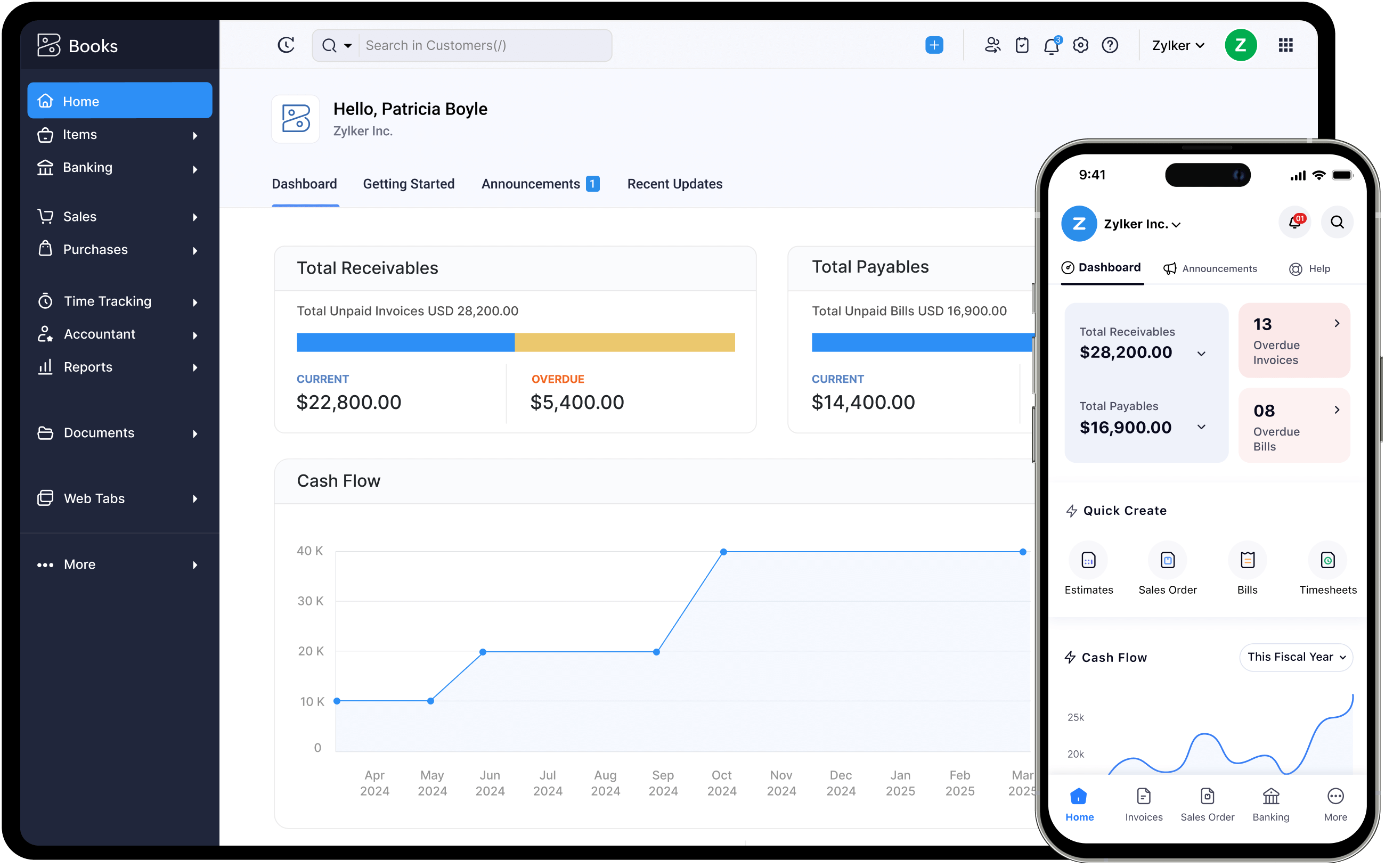
The top features of Zoho Books make it the most comprehensive cloud accounting platform available to Indian businesses in 2026 — combining full GST compliance, automated financial operations, bank reconciliation, client collaboration, and deep integration with the Zoho ecosystem into a single subscription. Understanding the best features of Zoho Books and which to configure first is the difference between a business that saves 10 hours per week on accounting and one that pays for software they barely use.
Zoho Books is not generic accounting software localised for India after the fact — it is built with Indian compliance requirements at its core. GST e-invoicing with direct IRN generation, GSTR-1/3B/9 filing via GSP integration, e-way bills, TDS tracking, and multi-GSTIN management are native features, not add-ons. For Indian SMBs, startups, freelancers, and growing enterprises, this means the accounting platform handles regulatory compliance while you focus on running the business.
This guide covers the 15 most valuable Zoho Books key features — the ones that have the highest impact on operational efficiency for Indian businesses. Each section explains what the feature does, how Indian businesses use it, and which plan unlocks it. Codroid Labs as a certified Zoho Books implementation partner India offering Zoho Books implementation services India and Zoho Books implementation for small business India has configured these features across 200+ Indian businesses across manufacturing, IT services, retail, healthcare, and professional services.
Zoho Books Pricing India — April 2026 (Annual, Excl. 18% GST)
| Plan | Price/Month | Best For |
|---|---|---|
| Free | Rs.0 | Very small businesses, 1,000 invoices/year limit |
| Standard | Rs.749/org | Freelancers, early-stage startups |
| Professional | Rs.1,499/org | SMBs needing GST e-invoicing + purchase orders |
| Premium | Rs.2,999/org | Growing businesses, vendor portal, custom domain |
| Elite | Rs.4,999/org | Retail businesses, advanced inventory |
| Ultimate | Rs.7,999/org | Enterprises, unlimited users, Zoho Analytics |
Top Feature 1-3 — GST Compliance — Zoho Books for Indian GST Compliance
The most important of all top features of Zoho Books for Indian businesses is full GST compliance. Zoho Books is a registered Zoho Books GST setup India platform and GST Suvidha Provider (GSP), meaning it has direct integration with the GSTN portal for filing returns without third-party tools.
1
GST E-Invoicing with IRN Generation
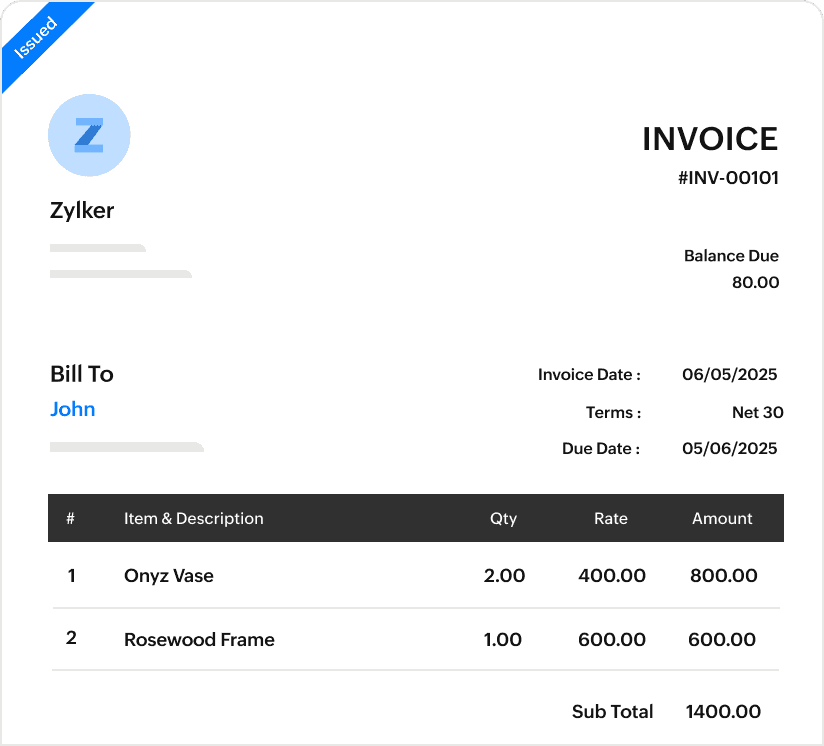
Generate GST-compliant e-invoices with IRN (Invoice Reference Number) and QR code directly from Zoho Books. Push invoices to the IRP (Invoice Registration Portal) individually or in bulk with one click. Mandatory for businesses with annual turnover above Rs.5 crore. Zoho Books for Indian GST compliance handles this automatically — no separate e-invoicing software required.
2
Direct GSTR-1, GSTR-3B, and GSTR-9 Filing
File GSTR-1, GSTR-3B, and annual GSTR-9 returns directly from Zoho Books to the GSTN portal without downloading data or using a separate filing tool. Zoho Books auto-prepares return data from transactions, highlights mismatches, and submits via the GSP connection. Automatic GST calculation applies the correct rate (0%, 5%, 12%, 18%, 28%) to every transaction based on HSN/SAC codes.
3
IMS — Invoice Management System and ITC Claims
The Invoice Management System (IMS) in Zoho Books allows businesses to accept, reject, or mark inbound invoices as pending for ITC claims. This ensures Input Tax Credit is claimed only for valid, reconciled purchase invoices. E-way bills and delivery challans are generated within the same workflow — critical for businesses with inter-state goods movement or multi-location operations.
4
Multi-GSTIN and Multi-State Compliance
Businesses with operations across multiple states — each requiring separate GSTIN registration — can manage all GSTINs from a single Zoho Books account. Place of supply is tagged automatically based on the customer or vendor state, ensuring IGST vs CGST/SGST split is always correct. For Zoho Books GST and compliance setup and Zoho Books customization for small business, Codroid Labs handles multi-GSTIN configuration as part of implementation.
Top Feature 5-6 — Automated Invoicing for Indian Businesses
Zoho Books features for Indian businesses in invoicing go well beyond creating a PDF and sending an email. The invoicing module handles the complete quote-to-cash workflow: quote creation, sales order generation, invoice dispatch, payment reminder automation, and online payment collection — all in one system.
5
Recurring Invoicing and Automated Reminders
Zoho Books features for freelancers and subscription-based businesses: set up recurring invoices for monthly retainer clients that generate and send automatically on schedule. Automatic payment reminders are sent at configured intervals (7 days before due, on due date, 7 days overdue) without manual intervention. For Zoho Books features for service businesses, this eliminates the manual billing cycle entirely for recurring engagements.
6
Online Payment Collection and Progress Invoicing
Accept online payments through Razorpay, Paytm, and other Indian payment gateways directly from Zoho Books invoices. Clients click “Pay Now” on the invoice email and complete payment without leaving the document. Progress invoicing allows partial billing against a quote — ideal for project-based businesses that bill at milestones. Zoho Books features for accountants also include multi-level invoice approval workflows before dispatch.
Top Feature 7 — Bank Reconciliation and Bank Feeds
Bank reconciliation is consistently rated as one of the most time-saving of the Zoho Books main features by Indian businesses. Manual bank reconciliation — downloading statements, matching against the ledger in Excel, identifying discrepancies — is a 2-4 hour process per month for most SMBs. Zoho Books reduces it to minutes.
Indian Banks with Zoho Books Bank Feeds Support
HDFC Bank
ICICI Bank
Kotak Mahindra Bank
Standard Chartered
Yes Bank
Axis Bank
State Bank of India
IndusInd Bank
RBL Bank
Bank feeds automatically import daily transactions from connected accounts into Zoho Books. Bank Rules categorise incoming and outgoing transactions automatically — a rule can tag all payments to a specific vendor under the correct expense account, or classify all UPI receipts under “Online Sales.” Auto-matching pairs imported bank transactions with the corresponding invoice payment or expense already recorded in Zoho Books. Unmatched transactions are highlighted for manual review. The entire reconciliation for most Indian businesses completes in under 15 minutes monthly.
Top Features 8-9 — Client Portal and Vendor Portal
Zoho Books features for small business — the client portal and vendor portal — key Zoho Books advantages for small business and Zoho Books for small business implementation — are among the most underutilised yet highest-impact features. Both eliminate the back-and-forth communication that consumes significant time in accounts receivable and payable processes.
Client Portal — Customer Self-Service
- Clients log in to view all invoices and payment history
- Approve or reject quotes directly without email
- Make online payments through integrated payment gateways
- Download invoices and statements for their own records
- Comment on specific invoices to clarify disputes
- Branded with your company logo and colours
Vendor Portal — Supplier Collaboration
- Vendors receive and acknowledge purchase orders
- Upload invoices directly for bill creation in Zoho Books
- Track payment status without calling your accounts team
- View payment history and communicate in real-time
- Reduces accounts payable query calls by 60-80%
- Available from Premium plan onwards
Top Feature 10 — Workflow Automation for Accounting
Zoho Books top accounting features include a full workflow automation engine that creates “if this happens, then do that” rules for accounting operations. This is the feature that converts Zoho Books from accounting software into an automated accounting system.
Practical Workflow Automation Examples for Indian Businesses
Invoice overdue: Auto-send WhatsApp or email reminder to client + alert accounts manager
Expense above threshold: Flag for approval before payment, notify CFO via email
Payment received: Notify sales team, auto-create thank-you email to customer
New vendor bill created: Route to purchase manager for 3-way matching approval
Monthly close: Auto-generate P&L report and email to management on 1st of every month
Recurring expense: Auto-record monthly SaaS subscriptions to correct expense account
Top Features 11-12 — Inventory and E-Commerce
Zoho Books features for retail business and Zoho Books features for e-commerce include a built-in inventory module that tracks stock levels, sets reorder points, manages multiple warehouses, and syncs with e-commerce channels. For retail and distribution businesses, this eliminates the need for separate inventory software.
Inventory Management (Elite Plan)
Track stock levels per item and per warehouse. Set reorder points with automatic purchase order generation when stock dips below threshold. Create composite items for manufacturing BOM tracking. Price lists for different customer segments. Shipment and package tracking linked to sales orders.
E-Commerce Integration
Sync inventory across Amazon, Shopify, Etsy, eBay, and Zoho Commerce. When an item sells on Amazon, Zoho Books automatically updates stock levels. Invoices are created automatically from e-commerce orders. This is the key Zoho Books features for e-commerce capability that eliminates manual order-to-invoice processing.
Top Feature 13 — Financial Reports and Zoho Analytics Integration
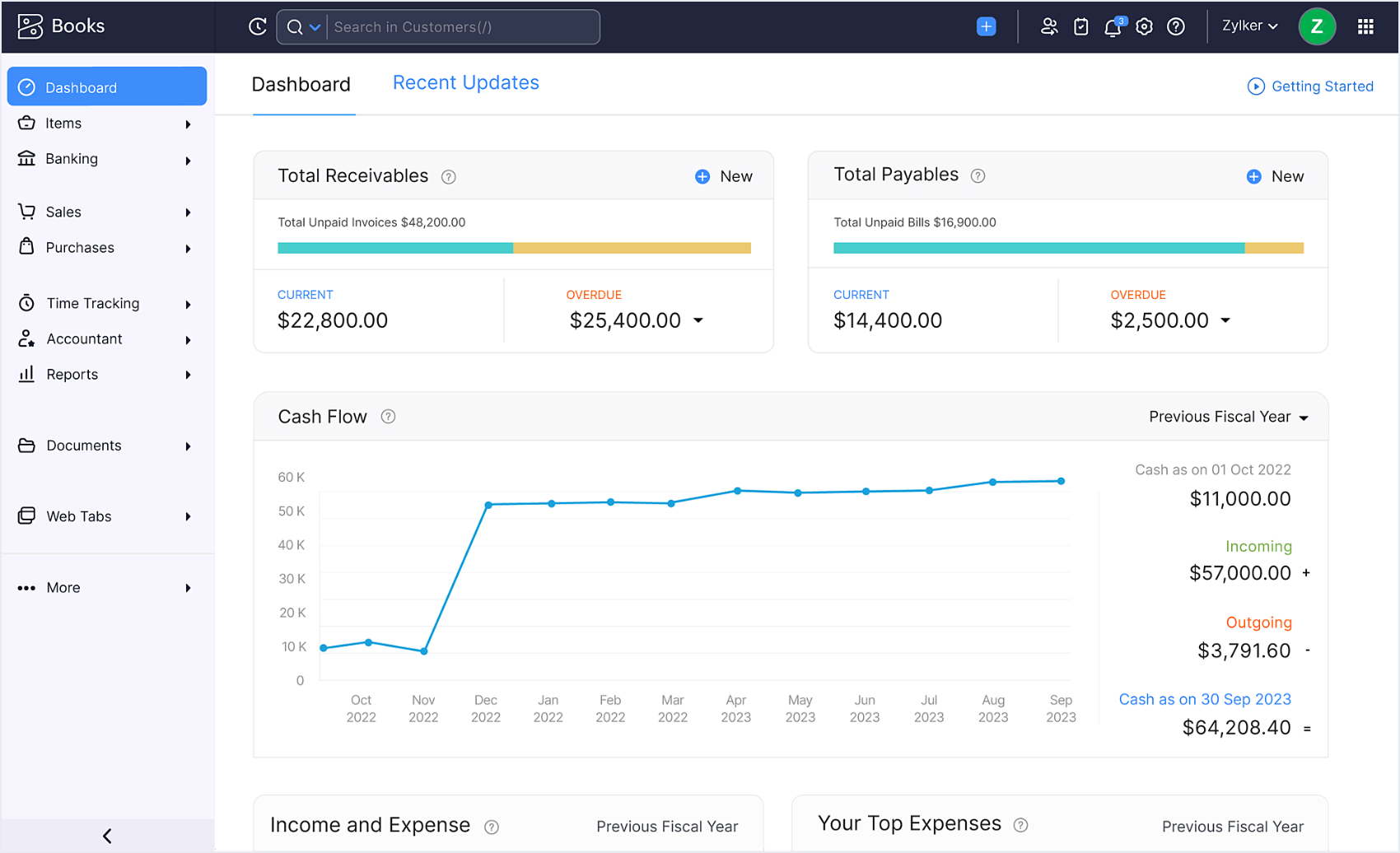
Zoho Books features for startups and growing businesses include 70+ built-in financial reports — profit and loss, balance sheet, cash flow statement, aged receivables, aged payables, inventory valuation, and tax summaries — all available in real time without manual preparation. Reporting tags allow divisional analysis: track revenue and expenses by department, product line, or location from a single Zoho Books account.
Zoho Books integrates with Zoho Analytics for advanced BI: create custom cross-functional dashboards that combine financial data from Zoho Books with sales pipeline data from Zoho CRM, project data from Zoho Projects, and HR data from Zoho People. This is the Zoho Books benefits for startups most cited by founders — financial visibility that previously required a CFO can now be configured in an afternoon.
Top Features 14-15 — Zoho CRM and Zoho Inventory Integration
Zoho Books integration with Zoho CRM and Zoho Books integration with Zoho Inventory are the two integrations that transform Zoho Books from an accounting tool into a unified business operations platform.
Zoho Books + Zoho CRM
- Deal closed in CRM auto-creates invoice in Books
- Customer records sync bidirectionally
- Payment status in Books updates CRM deal
- Sales team sees invoice payment status in CRM
- Eliminates double entry between sales and finance
- Combined revenue reporting across CRM + Books
Zoho Books + Zoho Inventory
- Stock levels update in real-time across both platforms
- Sales orders in Inventory auto-invoice in Books
- Inventory valuation syncs with Books balance sheet
- Multi-warehouse stock tracked with financial impact
- Purchase orders in Books trigger stock receipts in Inventory
- Combined financial + operational reporting
Zoho Books vs Tally vs QuickBooks vs Xero — Feature Comparison
The Zoho Books vs Tally features, Zoho Books vs QuickBooks features, and Zoho Books vs Xero for small business comparisons each reveal different trade-offs for Indian businesses.
More Guides from Codroid Labs
Set Up Zoho Books for Your Indian Business with Codroid Labs
Certified Zoho Books implementation partner India — GST e-invoicing setup, bank reconciliation configuration, CRM integration, customised chart of accounts, workflow automation, Tally migration, and training for your accountants. GSTIN invoice for ITC recovery.
Start Free Zoho Books Trial
Book Free Zoho Books Setup Consultation
Frequently Asked Questions — Top Features of Zoho Books
What are the top features of Zoho Books for Indian businesses?
The top features of Zoho Books for Indian businesses are GST e-invoicing with IRN generation, direct GSTR-1/3B/9 filing via GSP integration, automated invoicing with payment reminders, bank reconciliation with Indian bank feeds, client portal for online payment collection, workflow automation for approval processes, inventory management for retail, and native integration with Zoho CRM and Zoho Inventory.
How much does Zoho Books cost in India in 2026?
Zoho Books features review 2026 pricing: Free plan (1 user, 1,000 invoices/year). Standard Rs.749/org/month. Professional Rs.1,499/org/month (recommended for GST e-invoicing). Premium Rs.2,999/org/month. Elite Rs.4,999/org/month. Ultimate Rs.7,999/org/month. All prices annual billing excluding 18% GST. Purchased through Codroid Labs as Zoho Books implementation partner India includes GST invoice for ITC recovery and professional implementation support.
Is Zoho Books good for startups and freelancers in India?
Zoho Books benefits for startups and Zoho Books features for freelancers are strong at the Free and Standard plan levels. Startups get professional invoicing, basic GST compliance, bank reconciliation, expense tracking, and financial reporting. Freelancers get recurring invoicing, time tracking, project billing, and the client portal for self-service invoice viewing. The free plan with 1,000 invoices per year is genuinely functional for early-stage businesses and solo consultants.
Does Zoho Books work for chartered accountants?
Zoho Books implementation for chartered accountants — yes. Zoho Practice (included with Zoho Books) allows CAs to manage multiple client organisations from a single dashboard. Each client has their own Zoho Books environment; the CA can switch between clients, view all books, run reports, and handle GST filing across the entire client portfolio. Zoho Books training for accountants from Codroid Labs covers chart of accounts setup, GST workflows, bank reconciliation, and audit trail features.
How do I set up Zoho Books for my Indian business?
Zoho Books setup services India and Zoho Books for small business accounting setup: Codroid Labs as certified Zoho Books setup consultant India handles complete implementation including GST configuration, chart of accounts setup, bank account connection, opening balances migration from Tally or Excel, workflow automation setup, team user creation with role-based access, and accountant training. Contact team@codroiditlabs.com or +91 78384 02682 for a fixed-price implementation quote.