



The moment you unlock Zoho One, you are presented with a truly overwhelming arsenal: over 45 powerful, interconnected business applications. It’s like being handed the keys to a digital city—but where do you start? Which streets should you drive down first?
If you’re a small business owner, you don’t need all 45 apps running simultaneously. You need a simple, powerful foundation. You need the Small Business Starter Pack: Which Zoho One Apps You Should Use immediately to build your core operational systems.
As a seasoned Zoho Partner who has helped hundreds of small businesses navigate this journey, I know the crucial four apps that deliver 90% of your early growth and efficiency. Forget the noise. Focus on this strategic four-app core.
Table of Contents
The Starter Pack Philosophy: Focus on the Core
The biggest mistake new Zoho One users make is trying to activate everything at once. This leads to confusion, messy data, and frustrated teams.
The successful strategy is to implement the “Core Four” apps that directly manage your cash flow, customer relationships, communication, and financial health. These apps form the true Small Business Starter Pack: Which Zoho One Apps You Should know intimately.
Once these four are set up and running smoothly, you can integrate the auxiliary tools (like Inventory, People, or Social) seamlessly.
1. The Foundation App: Zoho CRM (The Revenue Engine)
The moment you purchase Zoho One, this is the first application you should log into and configure. Why? Because the heart of every small business is its customer, and the Small Business Starter Pack: Which Zoho One Apps You Should have is worthless without a relationship manager.
Why CRM is First:
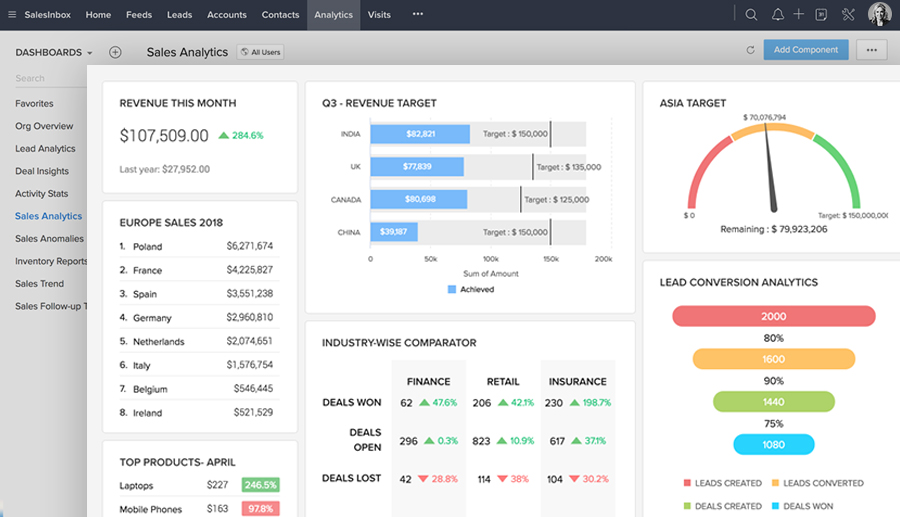
- Centralized Data: Zoho CRM is the “Golden Record.” Every lead, contact, and deal flows through here. It is the core master data source for every other app you eventually activate.
- Sales Process: It gives your team a standardized, repeatable process for capturing leads, tracking conversations, and closing deals.
- Instant Integration: Setting up CRM first means when you later activate Zoho Books or Zoho Desk, they automatically synchronize with your customer list.
Pro Tip: Don’t skip customization! Rename the modules and fields to match your business terminology before you input your first contact.
2. The Financial App: Zoho Books (The Money Manager)
If the CRM is your revenue engine, Zoho Books is the dashboard that tells you if that engine is running profitably. For the Small Business Starter Pack: Which Zoho One Apps You Should buy and configure next, Books is mandatory.
Key Early Wins with Books:
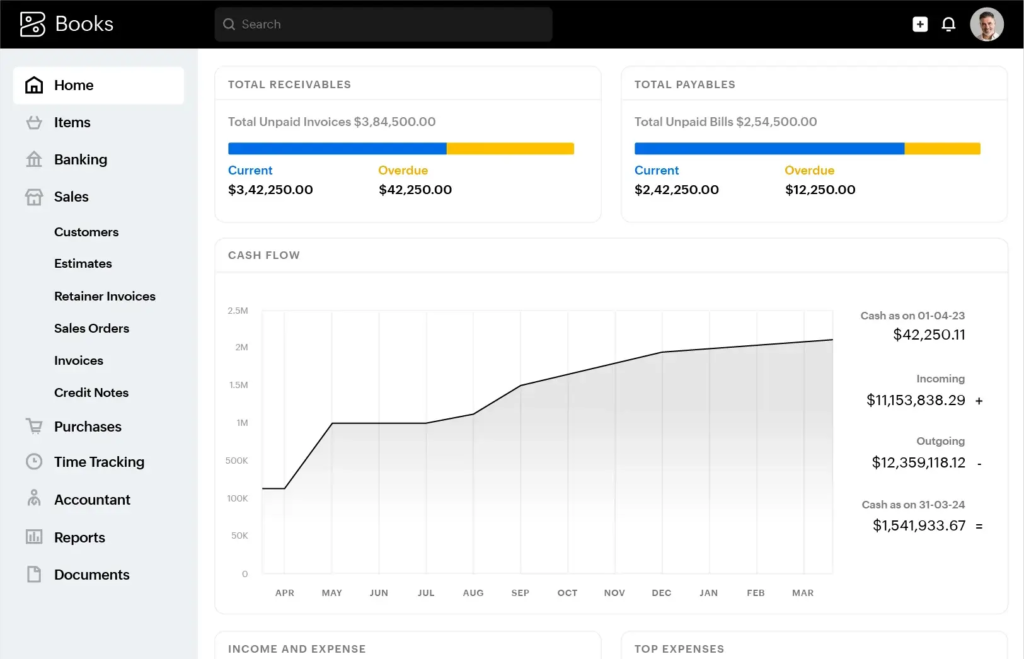
- Professional Invoicing: Stop using spreadsheets. Create branded invoices, send automatic payment reminders, and look instantly professional.
- Bank Reconciliation: Connect your bank accounts to automate expense tracking and reconcile transactions quickly.
- CRM Synergy: When a sale is closed in Zoho CRM, you can generate an invoice in Zoho Books with a single click—no re-entry of data required.
This connection eliminates the major efficiency bottleneck that plagues most growing companies.
3. The Communication App: Zoho Mail/Cliq (The Team Hub)
While you might already use Outlook or Gmail, activating Zoho Mail and Cliq is a vital part of your Small Business Starter Pack. This is where your team’s internal and external communication becomes secure and integrated.
The Power of Internal Integration:
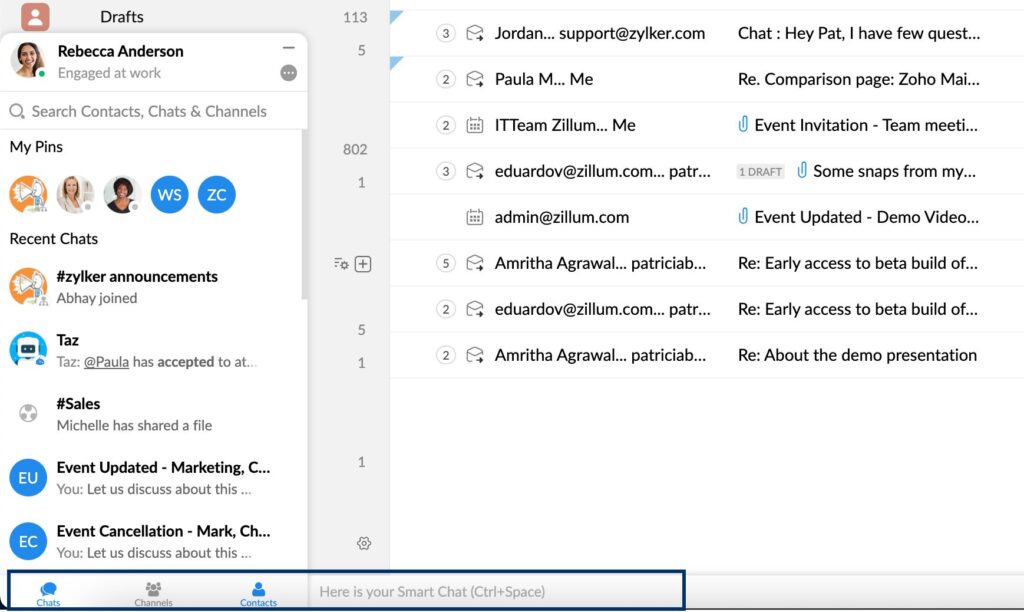
- Zoho Mail: Provides professional email hosting (
yourname@yourcompany.com) that is instantly linked to your CRM. You can view a customer’s entire history (deals, tickets, projects) right next to their email. - Zoho Cliq: Replaces Slack or internal text chains. It allows you to create channels for specific projects or customers and integrate alerts directly from CRM or Books (e.g., “New Lead Assigned” or “Invoice Paid”).
By unifying these communications, you ensure that every team member is working from the same context, which significantly boosts team velocity.
4. The Support App: Zoho Desk (The Customer Keeper)
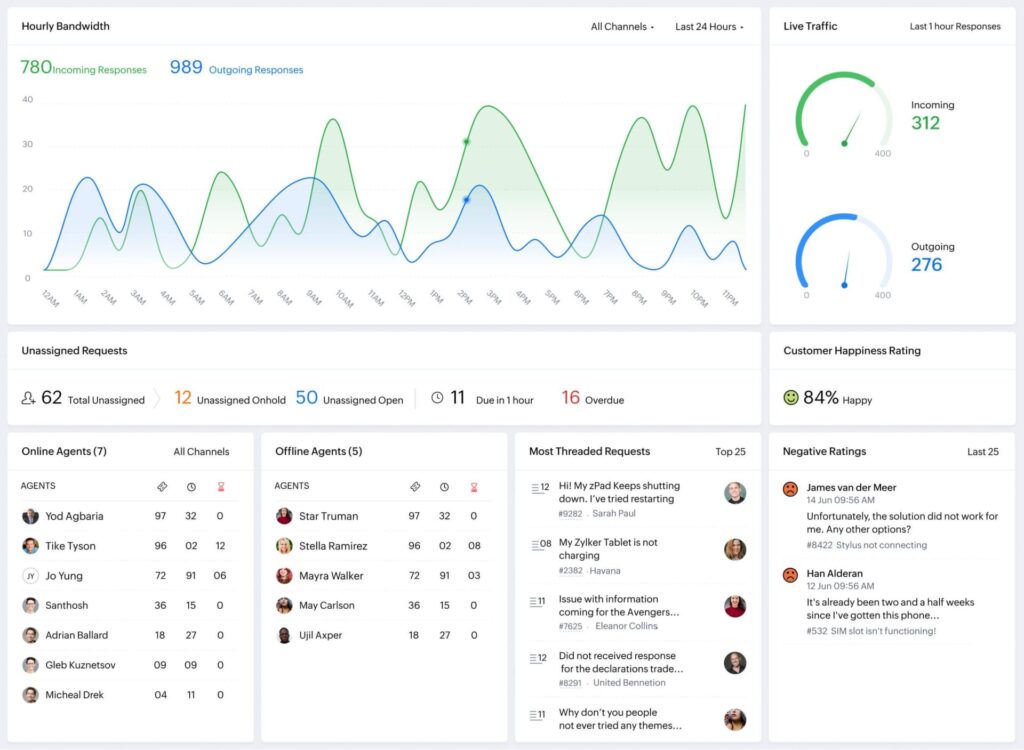
Even if you are a small team, customer service must be streamlined from day one. Zoho Desk is the essential Small Business Starter Pack: Which Zoho One Apps You Should download and set up as your single source for support tickets.
Why Desk is Essential Early On:
- Ticket Central: All customer inquiries (email, social, web forms) automatically convert into support tickets. This ensures nothing gets lost in an email inbox.
- Customer Context: Thanks to the connection with Zoho CRM, your support agent instantly sees the customer’s purchase history and status, eliminating the frustrating, “What was your name again?” interaction.
- Self-Service: You can start building a small knowledge base, empowering customers to find answers themselves, freeing up your team’s time.
Next Steps: Expanding Your Small Business Starter Pack
Once your core four apps are humming, it’s time to strategically expand. This is the Small Business Starter Pack: Which Zoho One Apps You Should use next phase:
| Operational Area | Next App to Activate | Why It Matters |
| Project Management | Zoho Projects | Automate project creation from a closed deal in CRM. |
| Document/File Storage | Zoho WorkDrive | Secure, integrated cloud file management for your whole team. |
| HR/Onboarding | Zoho People | Centralize employee data, time-off requests, and performance records. |
| Inventory/Retail | Zoho Inventory | Critical for any business that manages physical products or stock. |
The true power of Zoho One is not the quantity of apps, but the quality of their seamless interconnection. By starting with the strategic Core Four, you ensure a simple, powerful, and scalable foundation.
Ready to stop managing software and start growing your business? Let’s build your optimized Zoho One foundation.
Contact us today to ensure your Zoho One setup is configured for maximum growth from day one!
Ready to Get Started on Zoho?
Let’s build your business the smart way — with Zoho and Codroid Labs by your side.
📅 Book your free consultation now
Q1: Which four Zoho One apps are considered the essential “Small Business Starter Pack” to use first?
Based on achieving immediate operational efficiency and maximum early ROI, the four essential apps are: 1. Zoho CRM (for managing all customer relationships and sales), 2. Zoho Books (for invoicing, expense tracking, and financial health), 3. Zoho Mail/Cliq (for unified team communication and professional email), and 4. Zoho Desk (for systematizing customer support and ticketing)
Q2: Why should I start with Zoho CRM first instead of Zoho Books or Mail?
You should start with Zoho CRM because it serves as the “Golden Record” of your business—the central database for all customer and lead data. Setting up the CRM first ensures that when you later activate Zoho Books (for invoicing) or Zoho Desk (for support), they instantly synchronize with a clean, accurate customer list, eliminating the need to import or reconcile data across applications later.
Q3: The article mentions Zoho Books. Is it better than QuickBooks or other standalone accounting apps for the Small Business Starter Pack?
Zoho Books is highly recommended in the Zoho One Starter Pack primarily because of its native integration with Zoho CRM. While external apps like QuickBooks are powerful, they require third-party integration bridges (which can break or cost extra) to communicate with your CRM. Zoho Books connects instantly, allowing for seamless, one-click invoicing from closed deals within the CRM, which is critical for early efficiency.
Q4: I only have one or two employees. Should I still use the Small Business Starter Pack apps like Zoho Desk?
Yes. Even with one or two employees, using Zoho Desk from the start helps you avoid the “email inbox chaos” trap. By turning every customer inquiry into a tracked ticket, you ensure no request is lost, your response times are measured, and you provide a professional, consistent customer experience. This system is crucial for scalable growth.