


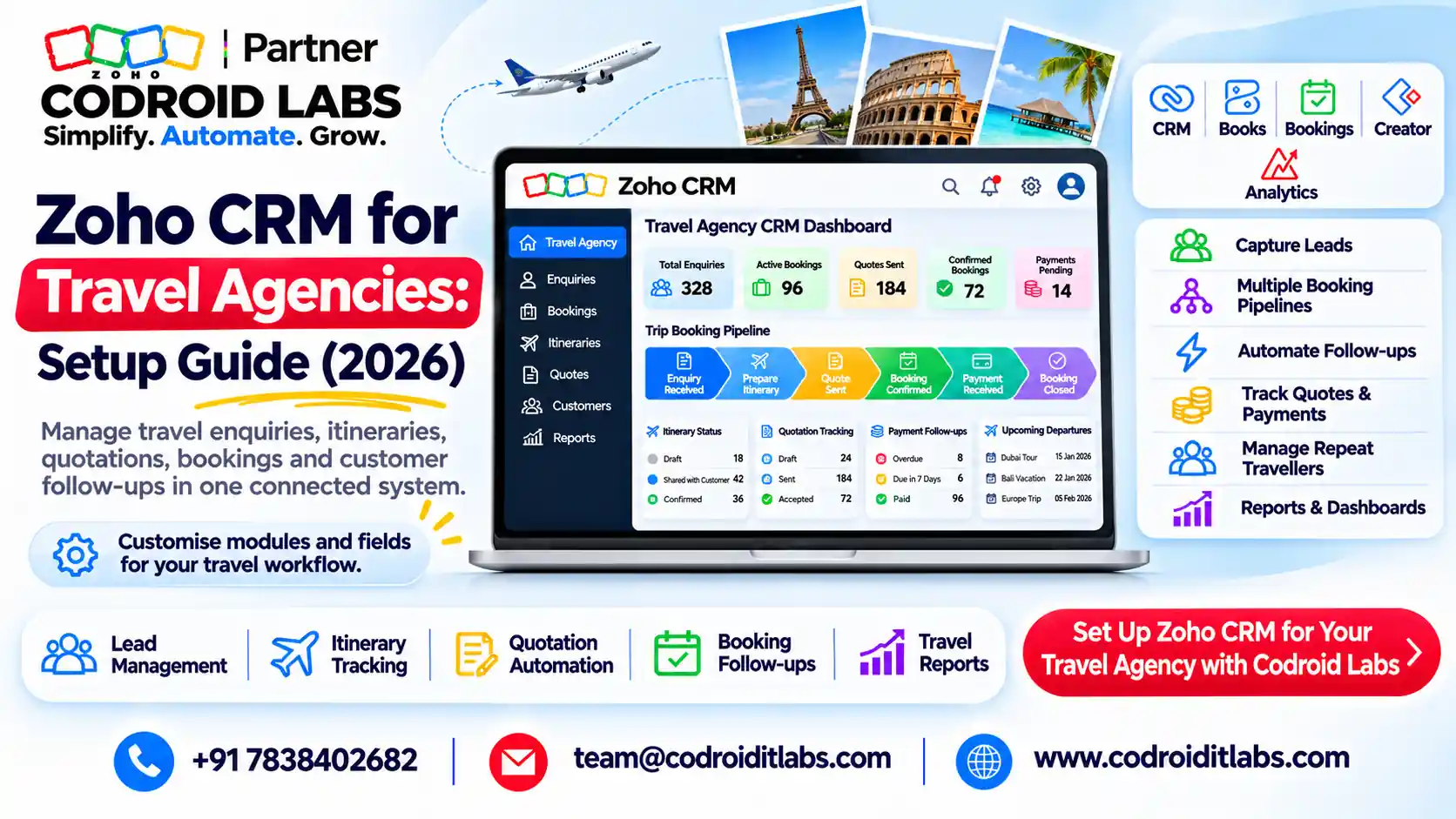
Setup Guide · Travel Agencies and Tour Operators · 2026
Zoho CRM for Travel Agency Teams: Setup Guide (2026)
Zoho CRM for travel agency setups works when every enquiry becomes a trip record with its travellers, quote, payments and follow-ups attached.
This step-by-step guide is written for Indian agencies and tour operators, and works for agencies elsewhere too. Features and INR prices were checked on official Zoho pages in November 2026.

Short answer
Capture leads from webforms, Meta lead ads (through Zoho LeadChain) and chat. Add Travellers, Trips, Itineraries and Suppliers modules. Run a six-stage pipeline from enquiry to feedback, and let date-based workflows send payment, pre-trip, feedback and passport reminders.
Raise GST invoices in Zoho Books and run repeat-trip campaigns in Zoho Campaigns. Zoho CRM Professional is ₹1,400 per user per month billed annually, plus taxes, as checked November 2026.
Why a Travel Agency CRM Beats Chats and Sheets
In short: Zoho CRM for travel agency teams keeps enquiries, travellers, trips, quotes and follow-ups in one record instead of chats and sheets.
Before Zoho CRM for travel agency work starts, owners describe the same leaks: enquiries lost in chat threads, quotes revised five times with no history, balance payments chased by memory, and passports found expired a week before departure.
A travel agency CRM or crm for tour operators fixes this by tying each enquiry to a traveller, a trip, a quote and a set of dated follow-ups.
Zoho CRM for travel agency use adds custom modules and date-based automation, so the system works for you rather than the other way round.
Step 1: Choose the Zoho CRM Edition for Your Travel Agency
In short: Professional suits most agencies: 25 custom modules, 3 Blueprints and unlimited email templates at ₹1,400 per user per month, billed annually.
Zoho's edition comparison sets the limits that matter for a crm for travel agents. Figures below are from that page, as checked November 2026.
| Feature | Standard | Professional | Enterprise |
|---|---|---|---|
| Price (per user/month, billed annually) | ₹800 | ₹1,400 | ₹2,400 |
| Custom modules | 10 | 25 | 200 |
| Webforms per module | 5 | 10 | 20 |
| Workflow rules per module | 30 (15 active) | 80 (40 active) | 125 (75 active) |
| Email templates | 100 | Unlimited | Unlimited |
| Blueprints | None | 3 | 50 |
| Approval processes | None | None | 10 per module |
For Zoho CRM for travel agency use, note that the free edition covers up to 3 users but has no custom modules, so it cannot hold a Trips module. Most agencies choose Professional for Blueprint and unlimited templates. See our Zoho CRM pricing India guide.
Step 2: Lead Capture for Zoho CRM for Travel Agency Teams
In short: Use CRM webforms for the website, Zoho LeadChain for Meta lead ads and Zoho SalesIQ for website chat.
- Website enquiry form: Zoho's webforms guide says webforms push website visitor details into CRM and work for Leads, Contacts and custom modules. Set an auto-reply email template and an assignment rule before you publish.
- Meta lead ads: Zoho LeadChain syncs Meta lead ads into Zoho CRM and needs a paid CRM edition. Zoho's LeadChain setup guide covers field mapping. Our Zoho CRM Facebook lead ads post compares the routes.
- Website chat: Zoho SalesIQ is listed among apps for Zoho CRM and adds live chat and chatbots to your site.
- WhatsApp: many Indian travellers prefer it. See our Zoho CRM WhatsApp integration guide.
In any Zoho CRM for travel agency setup, add a required Lead Source picklist (website, Meta ad, chat, referral, walk-in) on every form. This one field powers the source report in Step 8.
Step 3: Custom Modules and Fields for a Travel Agency CRM
In short: Add Travellers, Trips, Itineraries and Suppliers modules, with passport and visa expiry as date fields.
A zoho crm travel build needs four modules linked by lookups. Contacts stay as the paying customer, and each traveller in a group gets a Traveller record.
| Module | Key fields | Why |
|---|---|---|
| Travellers | Name, date of birth, passport number, passport expiry (date), visa country, visa expiry (date), meal and seat preference, anniversary date | Documents and reminders per person |
| Trips (Bookings) | Customer (lookup), destination, start date, end date, adults, children, budget, quote value, amount received, balance due date, stage | One record per booking |
| Itineraries | Trip (lookup), day number, city, hotel, transfers, activities, notes | Day-wise plan for the quote and pre-trip email |
| Suppliers | Supplier type (hotel, transport, guide, activity), city, contact, payment terms | Who to book and pay |
Passport numbers are personal data. Collect only what the booking needs, restrict who can view and export these records, and agree a deletion period with your team.
Standard allows 10 custom modules and Professional 25, so these four fit either edition. A Zoho developer can add a button that copies a Trip into a new quote.
Step 4: Pipeline From Enquiry to Feedback
In short: Six stages: enquiry, qualified, quote sent, booked, travelling and feedback, with Blueprint enforcing the key steps.
Enquiry
Webform, ad, chat
→
Qualified
Dates and budget
→
Quote Sent
Itinerary and price
Booked
Advance received
→
Travelling
Trip in progress
→
Feedback
Review and repeat
Put these stages on the Trips module, the heart of Zoho CRM for travel agency pipelines. Zoho's Blueprint guide explains how each transition can require fields, so a Trip cannot move to Booked until the advance amount and supplier confirmations are filled in.
Add a Lost stage with a required reason (price, dates, chose another agency, no response). In Zoho CRM for travel agency reporting, lost reasons often teach more than wins.
Step 5: Itinerary Templates, Quotes and Zoho Books Invoices
In short: Send itinerary emails from CRM templates and raise quotes and invoices in Zoho Books through the Zoho Finance module.
In Zoho CRM for travel agency setups, build an itinerary email template that pulls trip fields (destination, dates, travellers) into a branded layout. Zoho CRM Standard allows 100 email templates and Professional unlimited.
For prices and tax, connect Zoho Books. Zoho's Zoho Finance integration guide explains raising estimates, sales orders and invoices from inside CRM, with records kept in Books.
Taxes on travel services depend on what you sell and how you bill it. Set up the tax rates in Zoho Books with your chartered accountant rather than copying a template. Our GST in Zoho Books guide covers the basics.
Zoho CRM for travel agency billing ends in Books. Deposits, balance payments and supplier bills are covered in depth in our Zoho CRM and Books travel guide.
Step 6: Workflow Templates for Zoho CRM for Travel Agency Use
In short: Date-based workflow rules send payment reminders, pre-trip notes, feedback requests and passport expiry alerts automatically.
Zoho's workflow rules help says rules can run when a record is created or edited, or on a date field's value, recurring monthly or yearly. Scheduled actions then fire after a set delay. The timings below are Example only.
| Workflow | Trigger | Actions (Example only timing) |
|---|---|---|
| New lead response | Lead created from any source | Assign owner, send acknowledgement email, create call task due today |
| Quote follow-up | Trip stage = Quote Sent | Task to call after 2 days; reminder email after 4 days |
| Payment reminder | Balance due date | Email the customer 7 days before and 1 day before; alert the owner if unpaid |
| Pre-trip pack | Trip start date | Email documents checklist and itinerary 3 days before |
| Welcome home and feedback | Trip end date | Feedback email 2 days after; move stage to Feedback |
| Passport expiry | Traveller passport expiry | Alert the agent and email the traveller 6 months before |
| Visa expiry | Traveller visa expiry | Task for the agent 30 days before |
| Anniversary and birthday | Anniversary date, recurring yearly | Greeting email and a task to suggest a trip |
Before you switch on Zoho CRM for travel agency workflows, check counts against your edition. Standard allows 15 active rules per module and Professional 40, which is ample for this set.
Step 7: Repeat Trips and Anniversary Campaigns in Zoho Campaigns
In short: Sync traveller lists to Zoho Campaigns for repeat trips, festive offers and anniversary greetings.
CRM mass email has daily limits (250 a day on Standard, 500 on Professional, per the comparison page). For seasonal offers, use Zoho Campaigns, which lists CRM integration on its pricing page.
- Segments: past travellers by destination type, family or honeymoon, and last trip date.
- Seasonal: summer holidays, festive breaks and long weekends, sent well before peak booking.
- Anniversary: a yearly CRM workflow on the anniversary date tags the contact, and the campaign sends the offer.
- Win-back: customers with no trip in 18 months (Example only).
Repeat trips are where Zoho CRM for travel agency setups earn back their cost. More ideas in our Zoho Campaigns 2026 guide.
Step 8: Dashboards for a Travel Agency CRM
In short: Track enquiries by source, quote-to-booking rate, balance due and repeat travellers on CRM dashboards.
Custom dashboards are included from Standard upward, so every Zoho CRM for travel agency account can track the numbers that matter. Start with five charts and review them weekly in your Zoho CRM for travel agency account.
| Dashboard chart | Built from | Question it answers |
|---|---|---|
| Enquiries by source | Leads, Lead Source | Which channel brings trips? |
| Quote-to-booking rate | Trips by stage | Are quotes converting? |
| Balance due this week | Trips, balance due date | Who must pay now? |
| Departures in next 14 days | Trips, start date | Are documents ready? |
| Repeat travellers | Contacts with more than one Trip | Is loyalty growing? |
Zoho CRM for Travel Agency Pricing in INR
In short: A 5-user agency on CRM Professional plus Books Standard starts near ₹93,000 a year before GST (Example only).
Zoho CRM for travel agency costs depend on users and add-ons. Prices below are from official Zoho pages, checked November 2026, before GST or local taxes.
| Product | Plan | Price | Source |
|---|---|---|---|
| Zoho CRM | Free | Up to 3 users | CRM comparison |
| Zoho CRM | Standard / Professional | ₹800 / ₹1,400 per user per month, billed annually | CRM comparison |
| Zoho LeadChain | Free / Standard | 50 syncs a month free; ₹250 a month for 500 syncs, billed annually | LeadChain pricing |
| Zoho SalesIQ | Free / Basic | Free for 3 operators; ₹350 per operator per month, billed annually | SalesIQ pricing |
| Zoho Campaigns | Free / Standard | Free up to 2,000 contacts; Standard from ₹180 a month for 500 contacts, billed annually | Campaigns pricing |
| Zoho Books | Standard | ₹749 per organisation per month, billed annually | Books pricing |
Example only: 5 users on CRM Professional (₹84,000), Books Standard (₹8,988) and LeadChain Standard (₹3,000) come to about ₹95,988 a year before GST.
Step 9: Zoho CRM for Travel Agency Setup Checklist
In short: Work through nine steps in order, testing each with a dummy trip before going live.
| # | Task | Done when |
|---|---|---|
| 1 | Pick edition and add users, roles and profiles | Each agent sees only their records |
| 2 | Create Travellers, Trips, Itineraries and Suppliers modules | Lookups link all four |
| 3 | Build the Trips pipeline and Blueprint | Dummy trip moves Enquiry to Feedback |
| 4 | Publish webforms; connect LeadChain and chat | Test leads arrive with correct source |
| 5 | Create itinerary and quote templates | Sample quote emailed to yourself |
| 6 | Connect Zoho Books through Zoho Finance | Test estimate and invoice raised from CRM |
| 7 | Switch on the eight workflow templates | Dated test records trigger each one |
| 8 | Import past customers and travellers | No duplicates; expiry dates filled |
| 9 | Build dashboards and train the team | Weekly review uses the dashboard |
Test Zoho CRM for travel agency workflows with dummy trips first, and avoid the common traps in our Zoho implementation mistakes guide. Agencies handling visas can borrow ideas from our Zoho CRM for immigration consultants setup.
How Codroid Labs Sets Up Zoho CRM for Travel Agency Teams
Codroid Labs is a Zoho Partner and a Zoho AI Enabled Partner, recognised by Zoho after the AI Accelerator Series 2026. Codroid Labs sells Zoho licences and provides implementation, customisation, migration and AMC support.
Based in New Delhi, we set up Zoho CRM for travel agency teams across India remotely and with clients abroad remotely. Setup scope and price are quoted after a free discovery call. See our Zoho CRM implementation services.
Call +91 7838402682, email team@codroiditlabs.com or book a call.
Quick Answers
Which edition fits a travel agency?
Professional, for 25 custom modules, 3 Blueprints and unlimited email templates.
Can Zoho CRM remind about passport expiry?
Yes, with a workflow rule on a passport expiry date field.
How do Meta lead ads reach CRM?
Through Zoho LeadChain, which has a free plan with 50 syncs a month.
Where do invoices go?
Zoho Books, raised from CRM through the Zoho Finance module.
Zoho CRM for Travel Agency FAQs
Is Zoho CRM good for travel agencies?
Yes, when you add Trips and Travellers modules and date-based workflows. Out of the box it is a general sales CRM.
Can the free edition work for a small agency?
Only for basic lead tracking. It has no custom modules, so Trips and Travellers need a paid edition.
Can one Trip hold several travellers?
Yes. Give each Traveller record a lookup to the Trip, and the Trip shows all its travellers in a related list.
Can customers get WhatsApp reminders?
Zoho CRM has a WhatsApp business messaging integration. Our WhatsApp guide covers setup and costs.
Does Zoho CRM handle GST on tour packages?
Raise invoices in Zoho Books and set tax rates with your chartered accountant.
Can we import our old customer list?
Yes. Clean duplicates first and map passport and anniversary dates to date fields.
Will it work for an agency outside India?
Yes. The modules and workflows are the same; prices and taxes vary by country.
How long does setup take?
It depends on modules, data and integrations. We confirm a timeline after a free discovery call.
Set up Zoho CRM for your travel agency
Book a call. We map your enquiries, trips and follow-ups, then propose a setup plan.
Related guides