


Zoho Creator app deployment — the 10-point sequence: validate architecture for scalability then review permissions per role (not just admin) then secure sensitive data then optimise Deluge scripts with realistic data volumes then test failure scenarios not just happy paths then review UX then test on target devices then verify APIs under failure conditions then select deployment model then establish backup and rollback before go-live. Production failures most often occur in checks 2, 4, 5, and 8.
Zoho Creator app deployment — a successful Zoho Creator app deployment is not simply about whether the application works in development. It is about whether the application is secure, scalable, maintainable, user-friendly and operationally ready for production. The biggest production failures in Zoho Creator apps are almost never in the core functionality — they are in permissions that weren’t tested with the right roles, Deluge scripts that slow down under realistic data volume, integrations that handle success but break on API errors, and rollback procedures that don’t exist when something goes wrong. This is the complete 10-point Zoho Creator pre-deployment checklist to prevent exactly those failures.
10 Checks
Pre-Deployment
4 Critical
Highest Failure Risk
6 Mistakes
Most Common
1 Checklist
10-Minute Go-Live Gate
1Validate Zoho Creator app architecture
The Zoho Creator app architecture review — before Zoho Creator app deployment, the data model must be evaluated not just for current requirements but for future scale. The architecture review covers: forms and reports are logically organised, relationships between data are correctly designed, field names and naming conventions are consistent across the entire application, unnecessary fields, forms, reports and workflows have been removed, and the structure can accommodate future business requirements. The scalability pointer: don’t design for today’s data volume. An architecture that works correctly with 1,000 records may become unmaintainable when the application grows to 50,000. Review field structure, relationship depth, and query patterns before deployment — not after a performance complaint from production users.
2Review user roles and permissions — test every role
The most under-tested area in Zoho Creator pre-deployment: security. Review roles, permission sets, form permissions, report permissions, portal permissions, record-level access, and administrative access. The critical principle — users should have only the access they actually need. A field employee may need to create and update service requests but should not access financial reports or administrative configuration. The testing rule: test the application using each user role separately, not only with an administrator account. Permissions that work for an admin routinely break for regular users, customer portal users, and vendor users — because development is almost always done under admin credentials. The pre-deployment access question to ask: if this user’s account is compromised, what information could they access? That question surfaces permission problems invisible during development.
3Protect sensitive business data
The Zoho Creator app deployment data security review: identify sensitive information stored in the application and verify that appropriate security controls are applied. The sensitive data categories requiring specific verification: customer personal and contact information, employee records, financial data and transaction amounts, identification details, confidential documents and attachments, and API credentials used within the application. The Zoho Creator security principle: data encryption and controlled access are not post-deployment enhancements — they are pre-deployment requirements. Deploying a business application with customer financial data and incorrectly scoped access controls is a compliance risk from the moment the first production user logs in.
4Optimise Deluge scripts for production data volume
The Zoho Creator Deluge script review — a working script is not necessarily an efficient script. Review Deluge code for: unnecessary loops that iterate the full dataset for single lookups, repeated database queries that fetch the same records multiple times in one function, duplicate functions implementing the same logic in different workflows, excessive API calls per transaction, large record-processing operations without pagination, unused variables, and poorly structured conditional logic. The optimisation principle: create modular and reusable functions instead of repeating logic across workflows. Instead of implementing the same customer-validation logic in five separate workflows, create one reusable function and call it wherever required. The testing rule that most teams skip: test Deluge scripts with realistic production data volumes, not just two or three sample records. A script that completes in 0.2 seconds with 5 records may time out with 5,000.
5Test every workflow and automation — including failure scenarios
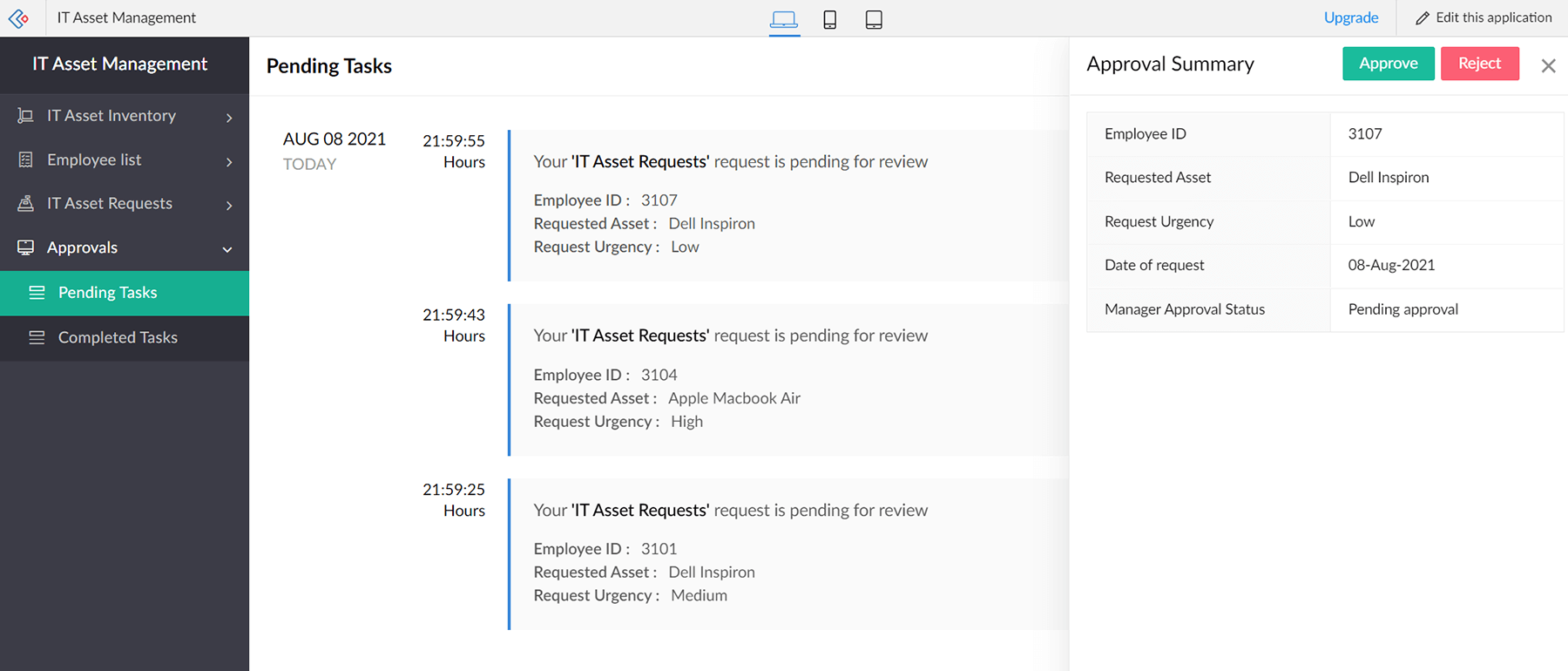
The Zoho Creator app deployment workflow testing requirement: test the complete business process from beginning to end. Example: Customer Request → Assignment → Processing → Approval → Completion → Notification. Verify workflow triggers, scheduled functions, notifications, approvals, Deluge functions, integrations, status changes, and error handling. The critical addition most teams miss — also test negative scenarios:
Failure scenarios to test before go-live
- Mandatory field value missing
- External API returns an error response
- Approval step rejected by approver
- User attempts action without permission
- Scheduled function fails to execute
- Duplicate record creation attempted
Happy-path scenarios to test
- Complete record creation to closure
- Multi-step approval with all conditions met
- External API success and data sync
- Notification delivery to correct recipients
- Report generation with full dataset
- Mobile form submission end-to-end
Production failures occur most frequently in the failure scenarios — not the happy path. Testing only what works correctly leaves the application fragile for the exception cases that occur daily in real business operations.
6Review user experience before users see it
A technically correct Zoho Creator app can still fail if users find it difficult to operate. The UX review covers: form layout and field ordering, label clarity, navigation between forms and reports, report filter usability, search functionality, dashboard layout, mobile experience, and accessibility. Avoid placing too many fields or reports on a single screen. The UX test question: can a user who has never seen this application answer “what do I need to do next?” without navigating through unnecessary screens? If not, the layout needs revision before deployment exposes the friction to all users simultaneously. Test the application with someone who was not involved in building it and observe where they hesitate — those hesitation points identify UX problems that documentation cannot fix.
7Test mobile and cross-device behaviour
Zoho Creator applications can be deployed across web and mobile environments — test on the devices your users actually use. Mobile testing covers: forms, buttons, reports, dashboards, navigation, file uploads, camera-based functionality, and screen responsiveness. The form-layout pointer: a form that works on a desktop may require a completely different layout for field employees using smartphones with smaller screens and variable connectivity. The Zoho Creator Progressive Web App capability allows applications to provide a more responsive mobile experience — evaluate whether the PWA deployment model suits your use case before finalising the deployment approach. Test on actual target devices, not just browser developer tools that simulate mobile viewports.
8Verify integrations — test failure responses, not just success
If the Zoho Creator app connects with other systems, test every integration point independently and as part of the complete workflow. Integration points commonly include: Zoho CRM, Zoho Books, external REST APIs, payment systems, ERP systems, email services, webhooks, and custom integrations. The integration test example: Creator Record → API Request → External System → Response → Creator Update → User Notification. Test the full chain in both directions — and test what happens when the external system returns an error, a timeout, or an unexpected response. The most dangerous assumption in Zoho Creator pre-deployment: “the API worked during development, so it will work in production.” API authentication tokens expire, rate limits apply differently in production, and external systems behave differently with production-scale request volumes.
9Decide the Zoho Creator app deployment model
The Zoho Creator app deployment strategy decision — made before go-live, not after. Zoho Creator supports multiple deployment approaches:
The four deployment decision questions: Who uses the app? Where do they use it? How should updates be distributed? Does the application require custom branding? The right deployment model simplifies ongoing application management — the wrong one creates update distribution, access control, or branding problems immediately after launch.
10Prepare backup, monitoring and rollback before go-live
Zoho Creator app deployment is the beginning of the production lifecycle — not the end of the development lifecycle. Before the application goes live, establish: backup procedures, change-management procedures, error monitoring configuration, user support process, recovery procedures, update distribution procedures, and rollback strategy. The production workflow: Development → Testing → User Acceptance Testing → Backup → Production Deployment → Monitoring. Avoid making major changes directly in the live application. Use a development or staging environment, test the change, then deploy to production through a controlled process. The rollback strategy question that must be answered before go-live: if a production deployment causes a critical issue, how do you restore the previous working version and how long does it take?
The 10-minute go-live checklist
Before clicking Deploy on the Zoho Creator app, run through this 10-question gate:
Any “Fail” in the table is a go-live blocker — not a post-launch item. Production failures in checks 2, 4, 5, and 8 are the most common and the most expensive to fix after users have already encountered them.
6 common Zoho Creator deployment mistakes
Mistake 1: Testing only as admin
Permissions that work under administrator credentials routinely fail for regular users, portal users, and role-restricted employees. Test every role separately before deployment.
Mistake 2: Testing only the happy path
Production failures occur most often in exception scenarios: missing mandatory fields, API errors, rejected approvals, permission denials. Test every failure scenario before deployment.
Mistake 3: Deluge tested with sample records only
A script that runs in 0.2 seconds with 5 records may time out with 5,000. Always test Deluge performance with realistic production data volumes before the application goes live.
Mistake 4: Treating deployment as the final step
Deployment starts the production lifecycle — monitoring, error handling, change management, and rollback procedures must exist before go-live, not after a production incident exposes their absence.
Mistake 5: Testing API success but not API failure
An integration that handles a successful API response but crashes on an error response is fragile. Test failed responses, timeouts, and unexpected response formats before deployment.
Mistake 6: Designing for today’s data volume
An architecture that works at 1,000 records may break at 50,000. Review field structure, relationships, and query patterns for future scale before the data model reaches production.
Codroid Labs — Certified Zoho Creator Partner — App Development and Deployment
Codroid Labs (GSTIN 07AAWFC0815B1ZP) is a certified Zoho Authorized Partner specialising in Zoho Creator application development, pre-deployment validation, and production-ready deployment. We apply this 10-point checklist to every Creator application before go-live — architecture review, role-based permission testing, Deluge optimisation, workflow failure testing, integration verification, and rollback planning. We issue GSTIN invoices enabling 18% ITC recovery. Contact: +91 78384 02682, team@codroiditlabs.com.
Related Guides from Codroid Labs
Frequently asked questions
What should I check before deploying a Zoho Creator app?
10 checks: architecture scalability, role-based permissions, sensitive data protection, Deluge script performance at volume, workflow failure scenarios, UX with non-developer users, mobile on real devices, API failure responses, deployment model selection, and backup/rollback procedures. Full detail in FAQ Schema above.
What are the most common Zoho Creator deployment mistakes?
6 most common: testing only as admin, testing only happy path, testing Deluge with sample not production data, treating deployment as the end not the beginning, testing API success but not failure, and designing only for current data volume. Full detail in FAQ Schema above.
Deploy Your Zoho Creator App With Zero Production Surprises
10-point pre-deployment validation, role-based permission testing, Deluge optimisation, API failure testing, and rollback planning — certified Zoho Creator partner with GSTIN invoice for 18% ITC.
Start Zoho Creator via Codroid Labs
Book Free Creator Deployment Consultation – +91 78384 02682