


Imagine typing “Create a GST invoice for Tata Consultancy Services for software consulting — ₹2,50,000 for March 2026” and watching Claude AI build the complete invoice in your Zoho Books account in 4 seconds. No form filling. No dropdown navigation. No manual entry. That is exactly what the Zoho Books Claude AI MCP integration enables today — and most Indian Zoho users do not know it exists yet. MCP (Model Context Protocol) is Anthropic’s open standard that lets Claude connect directly to external tools including Zoho’s own official MCP servers. This guide covers the complete step-by-step setup, the exact configuration files, the natural language commands that replace hours of manual accounting work, and 10 real business automation scenarios you can deploy within 30 minutes of reading this.
The Zoho Books Claude AI MCP integration is not a concept or a prototype — Zoho has published an official MCP server at a production endpoint. This guide is the most complete walkthrough available for connecting Claude AI to Zoho Books in 2026, written by a certified Zoho partner who has implemented this setup for live businesses.
Written by Codroid Labs — Certified Zoho Partner | April 2026 | 18 min read
Zoho + Claude AI Integration Expert
What Changes When Claude AI Connects to Zoho Books via MCP
Before MCP
- Open Zoho Books → Navigate menus
- Click New Invoice → Fill 12 fields
- Add line items manually
- Select GST rate from dropdown
- Calculate totals → Preview → Save
- Average time: 4-8 minutes per invoice
After Zoho Books Claude AI MCP
- Type the invoice details in plain English
- Claude calls Zoho Books MCP server
- Invoice created with correct GST automatically
- Confirmation with invoice number returned
- Ask follow-up: “Send it to the client”
- Average time: 15-30 seconds per invoice
Table of Contents
- What Is MCP and Why Does It Matter?
- Zoho’s Official MCP Servers — Books and CRM
- Prerequisites — What You Need Before Setup
- Step 1 — Generate Zoho Books OAuth Credentials
- Step 2 — Configure MCP in Claude Desktop
- Step 3 — Configure MCP in Claude Code (CLI)
- Step 4 — Test with Real Zoho Books Commands
- 10 Powerful Use Cases — Natural Language Accounting
- Bonus — Also Connect Zoho CRM via MCP
- Troubleshooting — Common Connection Errors
1. What Is MCP and Why Does It Change Everything for Zoho Users?
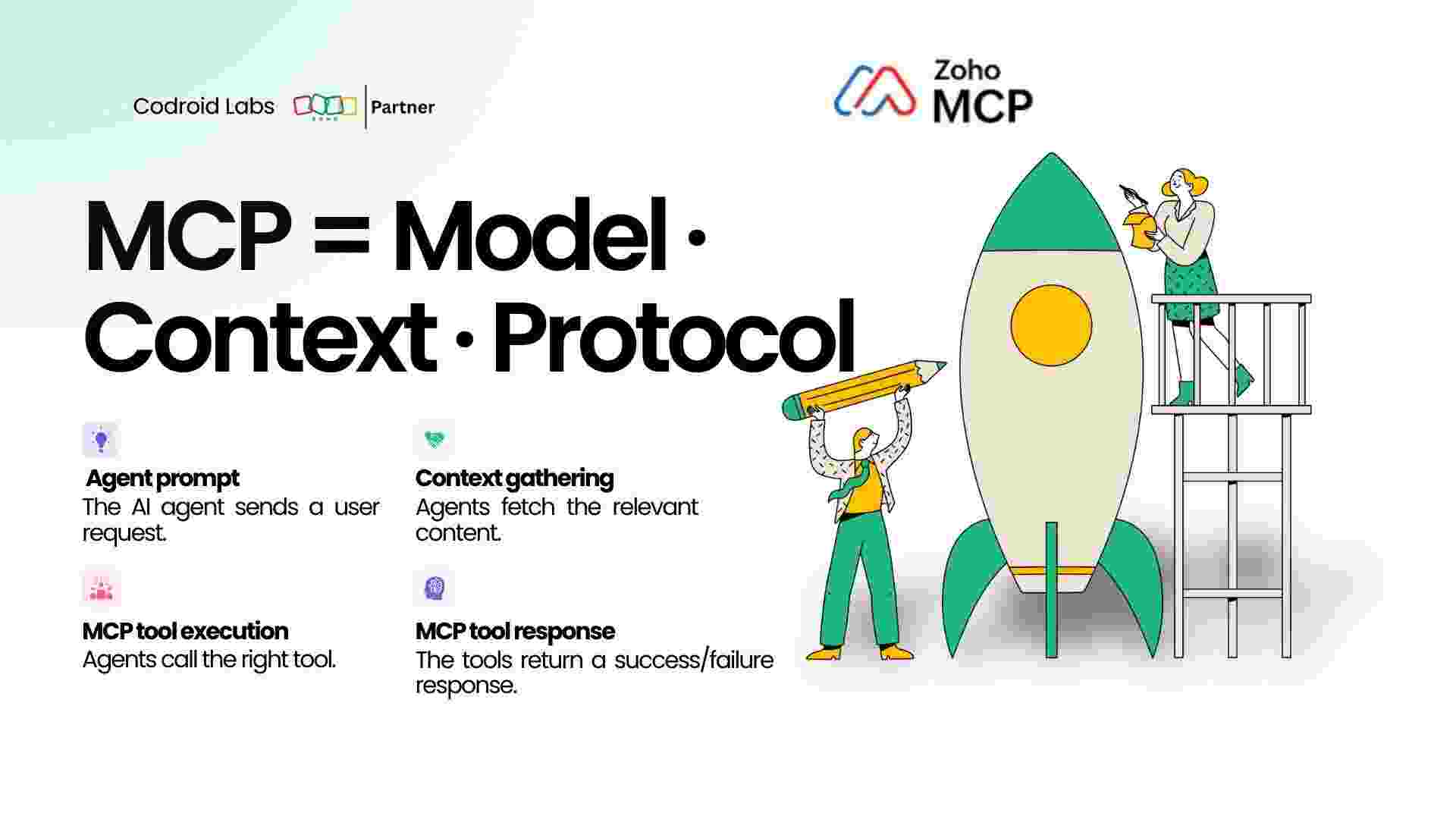
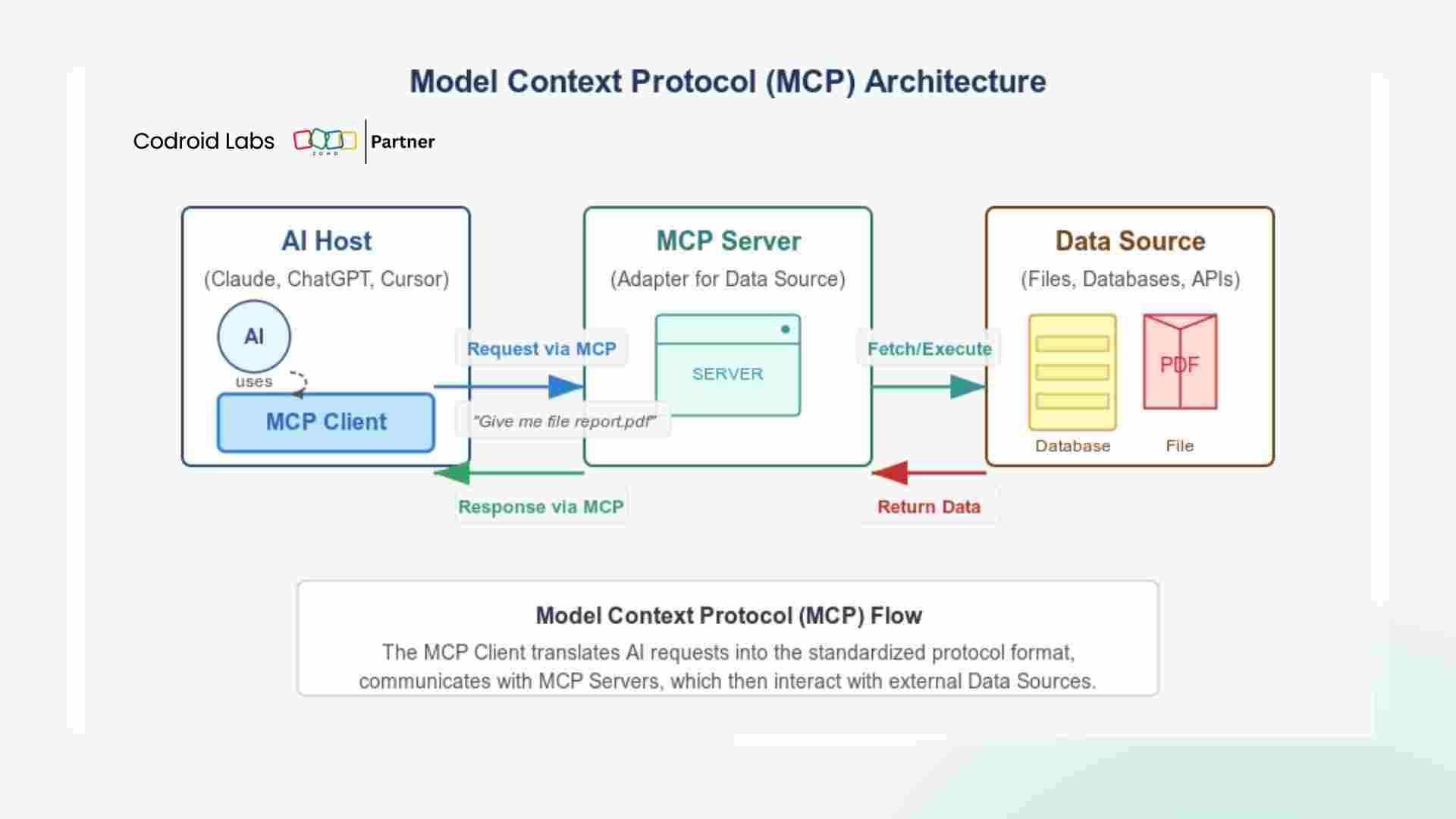
MCP — Model Context Protocol — is an open standard created by Anthropic that defines a universal protocol for connecting AI models like Claude to external tools, databases, APIs, and services. Think of it as a standardised USB-C port for AI: instead of building a custom connector for every tool, MCP creates one protocol that any AI-compatible tool can use.
Before MCP, connecting an AI model to your accounting software required significant development work: custom API wrappers, manual authentication handling, response parsing, and error management. With MCP, the tool (Zoho Books) exposes its functionality through a standard MCP server, and Claude connects to it using a simple configuration file. The developer work is eliminated — any user can connect Claude to Zoho Books in under 30 minutes.
Claude AI
The Brain
Understands natural language, decides which tool to call, formats the response
MCP
The Bridge
Standard protocol that connects Claude to any MCP-compatible tool securely
Zoho Books
The Tool
Exposes invoicing, contacts, reports as MCP tools Claude can call
Why this is different from Zapier or Zoho Flow: Zapier and Zoho Flow require you to define fixed trigger-action workflows in advance. The Zoho Books Claude AI MCP integration lets Claude make dynamic decisions — if you say “find all invoices over 60 days old and draft payment reminder emails for each one,” Claude plans the multi-step process, calls the right Zoho Books tools in the right order, and completes the task — without any pre-defined workflow setup.
2. Zoho’s Official MCP Servers — Books and CRM
Zoho has built and published official MCP servers for multiple products. These are production-ready, officially maintained servers — not third-party or community projects. They use Zoho’s standard OAuth 2.0 authentication, Zoho’s own API infrastructure, and respect Zoho’s data residency and security policies.
Zoho Books MCP Server
Official — Production Ready
https://claude-zohobooks.zohomcp.com/mcp
Available MCP Tools:
- list_invoices, create_invoice, get_invoice
- list_contacts, create_contact, get_contact
- list_bills, create_bill
- list_expenses, create_expense
- get_profit_loss, get_balance_sheet
- list_items, get_organization_details
Zoho CRM MCP Server
Official — Production Ready
https://claude-zohocrm.zohomcp.com/mcp
Available MCP Tools:
- search_records, get_record, create_record
- update_record, delete_record
- list_modules, get_fields
- create_lead, update_deal_stage
- get_contacts, search_leads
- execute_coql_query (Zoho’s query language)
3. Prerequisites — What You Need Before Setup
Before configuring the Zoho Books Claude AI MCP integration, confirm you have all of the following. Missing any one of these will prevent the connection from working.
Zoho-Side Requirements
- Active Zoho Books account (any paid plan)
- Admin or Super Admin access to Zoho Books
- Access to Zoho Books Developer Space (Settings)
- Organisation ID from Zoho Books (visible in Settings)
Claude-Side Requirements
- Claude Desktop app — Mac or Windows
- OR Claude Code (CLI) installed
- Claude Pro or Max subscription (for extended tool use)
- Text editor access to config JSON file
India Zoho users note: Your Zoho Books account is likely on the India data centre (zoho.in). The OAuth token endpoint for India accounts is
https://accounts.zoho.in/oauth/v2/token — not accounts.zoho.com. Using the wrong endpoint is the most common setup failure for Indian users.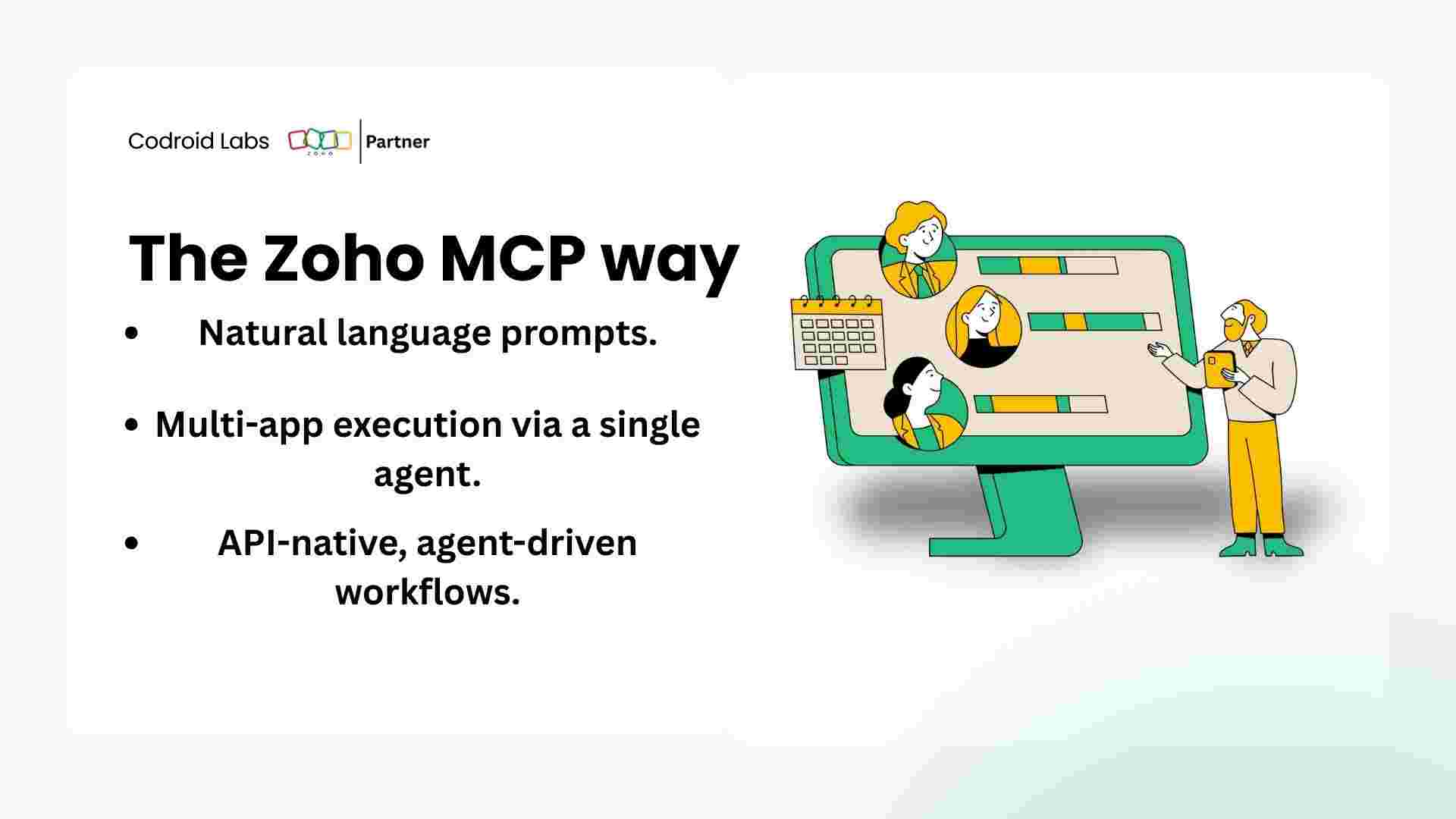
4. Step 1 — Generate Zoho Books OAuth Credentials
The Zoho Books MCP server uses OAuth 2.0 for authentication. You need to generate an access token and refresh token that Claude will use to authenticate every Zoho Books API call. This is a one-time setup.
Step 1A — Create a Self Client in Zoho API Console
Navigate to Zoho’s API console — for India accounts: api-console.zoho.in. For global accounts: api-console.zoho.com. Sign in with your Zoho Books account. Click Get Started or Add Client. Select Self Client as the client type. Self Client is designed for trusted applications running on your own machine — exactly the use case for Claude MCP integration.
Step 1B — Generate Authorization Code with Required Scopes
Inside your newly created Self Client, click the Generate Code tab. In the Scope field, paste the following scopes — these grant Claude access to read and write Zoho Books data:
Required Scopes — Paste This Exactly
ZohoBooks.invoices.ALL,ZohoBooks.contacts.ALL,
ZohoBooks.bills.ALL,ZohoBooks.expenses.ALL,
ZohoBooks.settings.READ,ZohoBooks.reports.READ,
ZohoBooks.items.ALL,ZohoBooks.banking.ALL
Set the Time Duration to 10 minutes. Add a description like “Claude MCP Integration”. Click Create. Copy the Authorization Code displayed immediately — it expires in 10 minutes.
Step 1C — Exchange Authorization Code for Access and Refresh Tokens
Use the following API call to exchange your authorization code for an access token and refresh token. Replace the placeholders with your actual values from the Self Client page and the code you just generated:
Token Exchange — cURL Command
curl -X POST \
‘https://accounts.zoho.in/oauth/v2/token’ \
# Use accounts.zoho.com for global accounts
-d ‘grant_type=authorization_code’ \
-d ‘client_id=YOUR_CLIENT_ID’ \
-d ‘client_secret=YOUR_CLIENT_SECRET’ \
-d ‘code=YOUR_AUTHORIZATION_CODE’ \
-d ‘redirect_uri=https://zohoapis.com’
The response will include access_token (valid 1 hour) and refresh_token (long-lived). Save both. The access token is used in the MCP configuration. When it expires, the MCP server uses the refresh token to get a new access token automatically if you configure it correctly.
Expected Token Response
{
“access_token”: “1000.xxxxxxxxxxxxxxxx.xxxxxxxxxxxxxxxx”,
“refresh_token”: “1000.xxxxxxxxxxxxxxxx.xxxxxxxxxxxxxxxx”,
“token_type”: “Bearer”,
“expires_in”: 3600
}
5. Step 2 — Configure Zoho Books MCP in Claude Desktop
Claude Desktop is the most user-friendly way to use the Zoho Books Claude AI MCP integration. Configuration involves editing a single JSON file — the Claude Desktop config file. No command line skills required.
Locate the Claude Desktop Config File
The config file location depends on your operating system:
Config File Locations
# Mac:
~/Library/Application Support/Claude/claude_desktop_config.json
# Windows:
%APPDATA%\Claude\claude_desktop_config.json
You can also access it from Claude Desktop: Mac → Claude menu → Settings → Developer → Edit Config. Windows → File → Settings → Developer → Edit Config.
Add the Zoho Books MCP Server Configuration
Open the config file in any text editor. Add the Zoho Books MCP server to the mcpServers section. If the file is empty or does not exist, create it with the full structure below:
claude_desktop_config.json — Complete Configuration
{
“mcpServers”: {
“zoho-books”: {
“type”: “url”,
“url”: “https://claude-zohobooks.zohomcp.com/mcp”,
“headers”: {
“Authorization”: “Bearer YOUR_ZOHO_ACCESS_TOKEN”
}
}
}
}
Replace YOUR_ZOHO_ACCESS_TOKEN with the access_token value from Step 1C. Save the file.
Restart Claude Desktop and Verify
Completely quit Claude Desktop (not just close the window — use Quit from the menu). Reopen Claude Desktop. Look for the hammer icon (Tools) in the bottom-left of the chat window. Click it to see connected MCP servers. You should see zoho-books listed with a green Connected status. If it shows an error, see the Troubleshooting section.
Token refresh tip: Zoho access tokens expire after 1 hour. For a persistent setup, configure the Zoho Books MCP with your refresh token instead. The Zoho Books MCP server will automatically use the refresh token to obtain new access tokens. Check the Zoho MCP server documentation at zoho.com/books for refresh token configuration syntax as it may be updated.
6. Step 3 — Configure Zoho Books MCP in Claude Code (CLI)
Claude Code is Anthropic’s command-line tool for developers — it runs in your terminal and is ideal for automating Zoho Books operations in scripts, CI/CD pipelines, or batch processing scenarios. Adding the Zoho Books Claude AI MCP server to Claude Code takes a single command.
Install Claude Code (If Not Already Installed)
Install Claude Code via npm
npm install -g @anthropic-ai/claude-code
# Verify installation
claude –version
Requires Node.js 18 or above. Claude Code requires a Claude API key or Anthropic account to authenticate. Run claude and follow the login prompts on first use.
Add Zoho Books MCP Server to Claude Code
Add MCP Server — Single Command
claude mcp add zoho-books \
–transport http \
–url https://claude-zohobooks.zohomcp.com/mcp \
–header “Authorization: Bearer YOUR_ACCESS_TOKEN”
Verify the MCP server was added:
claude mcp list
# Expected output:
zoho-books: https://claude-zohobooks.zohomcp.com/mcp [connected]
# Expected output:
zoho-books: https://claude-zohobooks.zohomcp.com/mcp [connected]
Use Claude Code with Zoho Books Non-Interactively
Once the MCP server is configured, you can run Claude Code commands that use Zoho Books in scripts and automations:
Example — Non-Interactive Claude Code Command
claude -p “List all unpaid invoices in Zoho Books that are more than 30 days overdue and format the output as a CSV table with columns: Customer, Invoice Number, Amount, Due Date, Days Overdue”
This runs Claude with the Zoho Books MCP tools available, executes the task, and outputs the result to your terminal. Pipe the output to a file, email it, or use it in a shell script — making it ideal for scheduled financial reporting.
7. Step 4 — Test With Real Zoho Books Commands
After setup, test the Zoho Books Claude AI MCP connection with progressively complex commands. Here are real conversation examples showing what Claude does with each command.
You → Claude
Show me my Zoho Books organisation details and confirm the connection is working
Claude → Zoho Books MCP
Connected to your Zoho Books organisation successfully. Organisation: Codroid Labs Private Limited | Organisation ID: 737XXXXXX | Plan: Zoho Books Professional | Currency: INR (Indian Rupee) | Fiscal Year: April to March | GST Registration Number: 07AABCC1234F1Z5 | Tax basis: Accrual. The Zoho Books Claude AI MCP connection is working correctly.
You → Claude
Create a GST invoice for Infosys Limited for 3 months of Zoho CRM implementation consulting at ₹85,000 per month. Apply 18% GST. Set payment terms to Net 30.
Claude → Zoho Books MCP
Invoice created successfully in Zoho Books.
Invoice Number: INV-001234
Customer: Infosys Limited
Date: 02 April 2026
Due Date: 02 May 2026 (Net 30)
Line Item: Zoho CRM Implementation Consulting (3 months × ₹85,000)
Subtotal: ₹2,55,000
CGST 9%: ₹22,950 | SGST 9%: ₹22,950
Total: ₹3,00,900
Status: Draft. Want me to mark it as Sent and email it to the contact on file for Infosys Limited?
You → Claude
What are my total outstanding receivables right now and which 3 customers owe the most?
Claude → Zoho Books MCP
Total Outstanding Receivables: ₹14,72,300
Top 3 customers by outstanding amount:
1. Wipro Technologies — ₹3,85,000 (2 invoices, oldest due 15 March 2026)
2. HCL Technologies — ₹2,90,000 (1 invoice, due 28 March 2026)
3. Tech Mahindra — ₹1,95,300 (3 invoices, oldest due 20 February 2026 — 41 days overdue)
Tech Mahindra has the most overdue invoice at 41 days. Want me to draft a payment reminder for all three?
8. 10 Powerful Use Cases — Natural Language Accounting with Zoho Books Claude AI MCP
These are 10 real-world automation scenarios where the Zoho Books Claude AI MCP integration saves hours of manual work each month. Each scenario shows the exact command and what Claude does with it.
Use Case 1 — Bulk Invoice Creation
Command: “Create monthly retainer invoices for all 12 active clients in my contact list. Each gets an invoice for ₹30,000 with 18% GST. Set due date to end of this month.”
Time saved: 90 minutes → 45 seconds
Use Case 2 — Overdue Payment Follow-Up
Command: “Find all invoices overdue by more than 15 days. Draft a polite but firm payment reminder for each customer including the invoice number, amount, and days overdue.”
Time saved: 2 hours → 2 minutes
Use Case 3 — Monthly P&L Summary
Command: “Give me a plain-English summary of last month’s P&L from Zoho Books. Highlight the top 3 revenue sources and top 3 expense categories. Compare to the previous month.”
Time saved: 30 minutes → 30 seconds
Use Case 4 — Expense Batch Recording
Command: “Record 8 travel expenses from this week: Cab to airport ₹850, Flight Mumbai-Bangalore ₹6,200, Hotel 2 nights ₹8,400, Conference registration ₹12,000. Category: Business Travel, paid by company card.”
Time saved: 25 minutes → 45 seconds
Use Case 5 — Client Statement Generation
Command: “Pull the complete transaction history for Tata Consultancy Services from Zoho Books for FY 2025-26. List all invoices, payments received, and current outstanding balance.”
Time saved: 20 minutes → 20 seconds
Use Case 6 — GST Report Extraction
Command: “Get the GSTR-1 summary for March 2026 from Zoho Books. Show total taxable value, total CGST, SGST, IGST, and number of invoices. Format it for CA review.”
Time saved: 15 minutes → 15 seconds
Use Case 7 — Recurring Invoice Audit
Command: “List all recurring invoices in Zoho Books. Tell me which ones have not been sent in the last 35 days — they may have failed to trigger automatically.”
Time saved: 20 minutes → 30 seconds
Use Case 8 — New Client Onboarding
Command: “Create a new contact in Zoho Books: Meesho Pvt Ltd, GSTIN 29AABCM1234A1Z1, billing address Bangalore 560001, primary email accounts@meesho.com, payment terms Net 15.”
Time saved: 10 minutes → 15 seconds
Use Case 9 — Cash Flow Forecast Question
Command: “Based on my Zoho Books data, what is my expected cash inflow in April 2026 from invoices due this month? What bills are due this month on the payables side? What’s my projected net cash position?”
Time saved: 40 minutes → 1 minute
Use Case 10 — Year-End Report for Board
Command: “Summarise FY 2025-26 financial performance from Zoho Books in bullet points suitable for a board presentation: total revenue, gross profit, net profit, top 5 clients by revenue, collection efficiency ratio.”
Time saved: 3 hours → 2 minutes
9. Bonus — Also Connect Zoho CRM to Claude via MCP
Zoho has also published an official MCP server for Zoho CRM. Adding both Zoho Books and Zoho CRM to Claude creates a powerful cross-system assistant — you can ask Claude to “find all deals closed in Q4 FY26 in Zoho CRM and create invoices in Zoho Books for each closed deal.” Claude will query CRM for the deal data and use Zoho Books to create the corresponding invoices — crossing the integration that even Zoho Flow would require a pre-built workflow for.
Add Zoho CRM MCP to claude_desktop_config.json
{
“mcpServers”: {
“zoho-books”: {
“type”: “url”,
“url”: “https://claude-zohobooks.zohomcp.com/mcp”,
“headers”: {
“Authorization”: “Bearer YOUR_ZOHO_BOOKS_TOKEN”
}
},
“zoho-crm”: {
“type”: “url”,
“url”: “https://claude-zohocrm.zohomcp.com/mcp”,
“headers”: {
“Authorization”: “Bearer YOUR_ZOHO_CRM_TOKEN”
}
}
}
}
CRM + Books Cross-App Command Example
Find all deals in Zoho CRM that were closed Won in March 2026 but don’t yet have a corresponding invoice in Zoho Books. List them with deal value and client name.
Claude queries Zoho CRM for closed deals in March 2026, then checks Zoho Books for matching invoices, and returns only the gaps — deals with no invoice — ready for your review. This cross-app query that previously required custom development now runs in natural language in under 30 seconds.
10. Troubleshooting — Common Zoho Books MCP Connection Errors
Error: “401 Unauthorized” when Claude connects to Zoho Books MCP
Cause: Your Zoho access token has expired (tokens expire after 1 hour) or the token was copied incorrectly. Fix: Generate a new access token by making a refresh token request to https://accounts.zoho.in/oauth/v2/token with your refresh_token, client_id, and client_secret. Update the token value in claude_desktop_config.json and restart Claude Desktop. For a permanent solution, ask your Zoho developer to set up an automated token refresh endpoint so Claude always has a valid token.
Error: “Cannot connect to MCP server” — server shows offline in Claude Desktop
Cause 1 — JSON syntax error: An incorrectly formatted claude_desktop_config.json prevents Claude from loading any MCP servers. Validate your JSON at jsonlint.com before saving. Cause 2 — Firewall or network: Corporate firewalls may block connections to claude-zohobooks.zohomcp.com. Test by opening the URL in a browser — if it asks for authentication, the URL is reachable. If it times out, contact your IT team to whitelist the domain. Cause 3 — Claude Desktop not fully restarted: Ensure Claude Desktop is completely quit (not just the window closed) before reopening.
Error: “Insufficient scope” — Claude can see invoices but cannot create them
Your OAuth token was generated with read-only scopes rather than the full ALL scopes needed for write operations. Regenerate your authorization code from the Zoho API Console Self Client with the full scope list from Step 1B including ZohoBooks.invoices.ALL (not ZohoBooks.invoices.READ). Exchange the new code for a new token set and update your config.
India Zoho users: “Organisation not found” error in Zoho Books MCP responses
Indian Zoho Books accounts require the organisation ID to be passed with MCP requests. Get your Zoho Books Organisation ID from: Zoho Books → Settings → Organisation Profile → Organisation ID (a 9-10 digit number). Some Zoho Books MCP tools require this as a parameter when called. When Claude uses the MCP tools, it will ask you for the Organisation ID on first use — provide it once and Claude will use it for subsequent calls in the same session.
Related Guides from Codroid Labs — Zoho + AI Integration:
Certified Zoho Partner — India
Need Help Setting Up Zoho Books Claude AI MCP for Your Business?
Codroid Labs sets up the complete Zoho Books and Zoho CRM MCP integration with Claude AI for Indian businesses — OAuth configuration, Claude Desktop or Claude Code setup, custom prompts for your workflows, and training your team on natural language accounting commands.
Delhi NCR, Mumbai, Bangalore, Ahmedabad, Surat. Remote setup available India-wide. Hindi or English.
FAQs — Zoho Books Claude AI MCP Integration 2026
What is MCP and how does it work with Zoho Books?
MCP (Model Context Protocol) is Anthropic’s open standard for connecting Claude AI to external tools and services. Zoho has built an official MCP server for Zoho Books at https://claude-zohobooks.zohomcp.com/mcp. When you configure this server in Claude Desktop or Claude Code with your Zoho OAuth token, Claude can call Zoho Books tools — creating invoices, reading contacts, generating reports — directly from natural language commands. No coding required after the one-time OAuth setup.
Is Zoho Books MCP free to use?
The Zoho Books MCP server itself has no additional cost beyond your Zoho Books subscription. You need an active Zoho Books paid plan to use the MCP integration. On the Claude side, MCP tool use is available on Claude Pro (claude.ai/pro) and Claude Max plans — free plan users have limited tool use. Claude Code requires a separate API usage cost billed per token. Overall the Zoho Books Claude AI MCP setup has no new subscription cost beyond your existing Zoho Books and Claude subscriptions.
Can I use the Zoho Books Claude AI MCP integration on my phone?
As of April 2026, the MCP configuration in Claude is available in Claude Desktop (Mac and Windows) and Claude Code (CLI). The Claude mobile app (iOS and Android) does not yet support user-configured MCP servers. For mobile-based Zoho Books AI interaction, you can use Claude.ai on mobile browsers with pre-configured prompts, though without direct MCP tool access. Desktop use (Claude Desktop or Claude Code) provides the full Zoho Books Claude AI MCP experience with real-time data access and write operations.
Is my Zoho Books financial data safe when connected to Claude via MCP?
Yes. The Zoho Books MCP connection uses Zoho’s standard OAuth 2.0 authentication — the same security standard used by all Zoho product integrations. Your Zoho Books data is transmitted from Zoho’s MCP server to Claude using HTTPS encryption. Claude does not persistently store your Zoho Books data — it processes the data for the current conversation and does not retain financial records between sessions. Your OAuth token grants Claude only the specific scopes you configured (invoices, contacts, reports) — not full account access. Anthropic’s privacy policy governs how conversation data is handled on Claude’s side.
Can Claude create e-invoices with IRN through Zoho Books MCP?
If your Zoho Books account is configured with IRP e-invoicing (which is automatic for businesses above ₹5 crore turnover in India), invoices created through Claude via the Zoho Books MCP server will go through the same e-invoicing workflow as manually created invoices. Zoho Books automatically generates the IRN (Invoice Reference Number) and QR code for eligible invoices through its standard e-invoicing integration — this is handled by Zoho Books after Claude creates the invoice record, not by Claude or the MCP layer directly.
Official Resources — Zoho Books Claude AI MCP
- Zoho Books Official Website — Pricing and Features
- Zoho API Console India — Generate OAuth Credentials
- Zoho Self Client Guide — OAuth for MCP Integration
- Anthropic MCP Announcement — Model Context Protocol
- MCP Official Documentation — Protocol Specification
- Book Free Consultation — Codroid Labs Zoho Books AI Setup