



Choosing an email provider is a high-stakes architectural decision. For a business, the wrong choice isn’t just a minor inconvenience—it’s a silent killer of operational efficiency and data sovereignty. As an SEO strategist who has built million-dollar digital infrastructures, I’ve seen companies lose thousands in productivity due to cluttered ecosystems and hidden costs. The billion-dollar question for 2026 is:
Is Zoho Mail better than Gmail?
The Strategic Verdict: Yes, for professional organizations and privacy-conscious entrepreneurs, Zoho Mail is the superior choice. While Gmail dominates the casual market with its AI-driven convenience, Zoho offers an ad-free environment, professional custom domains for free, and a “Mix and Match” pricing model that can save a 50-person company over $4,800 annually. However, the switch requires understanding specific trade-offs in external collaboration and video quality.
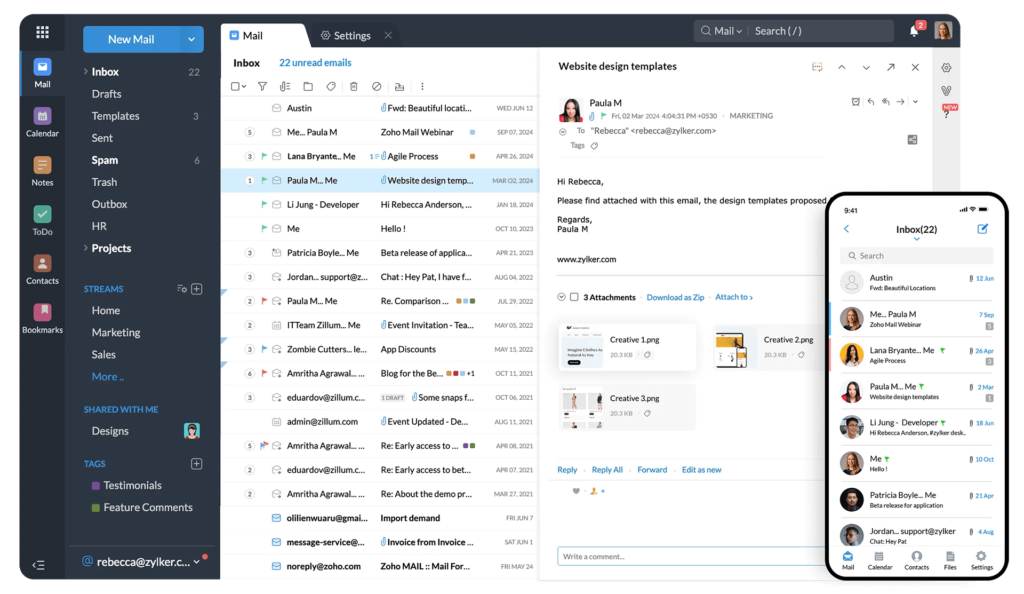
Table of Contents
1. Brand Identity & Data Sovereignty: Who is Zoho?
Zoho is a privately owned Indian multinational, founded by Sridhar Vembu in 1996. Headquartered in Chennai, Zoho has matured into a global powerhouse with 100 million users. Unlike Silicon Valley giants, Zoho has no investor pressure to harvest user data, as they are not beholden to public markets or an ad-centric business model.
For businesses focused on data sovereignty, Zoho represents a shift toward hosting data in Indian-hosted centers, offering a robust alternative to Western tech overreach. Their private ownership allows them to prioritize long-term stability and user privacy over quarterly ad-revenue targets.

2. Head-to-Head Comparison: Is Zoho Mail Better Than Gmail?
When we audit these platforms, the differences in management philosophy become clear. Zoho treats your inbox as a professional tool; Gmail treats it as a data entry point for their ecosystem.
| Feature | Gmail (Google Workspace) | Zoho Mail (Professional) |
|---|---|---|
| Free Storage | 15GB (Shared with Drive/Photos) | 5GB (Dedicated solely to Email) |
| Ad Presence | Scans data for targeted ads | 100% Ad-Free environment |
| Custom Domain | Paid only ($6+/mo) | Forever Free (Up to 5 users) |
| Attachment Limit | 25MB (forced Drive links) | Up to 1GB (On Premium) |
| External Collaboration | Seamless (Industry standard) | Friction Point (Links may hit spam) |
| Video Meetings | High-quality (Google Meet) | Choppy/Inconsistent (Zoho Meeting) |
3. Feature Deep-Dive: Culture Shifts vs. Feature Creep
Zoho Mail is more than an inbox; it is a unified command center. While Gmail relies on external integrations that pile up your monthly bill, Zoho bakes core tools directly into its interface.
- Internal Communication (Streams): This is a culture shift, not just a feature. Streams creates a social-media-style interaction layer that reduces internal email volume by 30-40%. By @mentioning team members on email threads, you eliminate the “CC-hell” that plagues Gmail users.
- Integrated Productivity: From a single tab, you access Zoho Writer, Sheet, and Show. These integrate directly with Zoho CRM and Projects, allowing you to pull data into proposals without switching applications.
- The Tidy Interface: Gmail users often suffer from “browser clutter” with 15 tabs open. Zoho keeps Tasks, Notes, Contacts, and Bookmarks in a side-panel that never leaves your screen.
4. Security Analysis: Is Zoho Safer than Gmail?
Privacy is the primary battleground. Google’s ecosystem is built on data analysis. While they claim not to use Workspace data for ads, they still scan content for “service improvement.”
How safe is Zoho email? Zoho is enterprise-grade. It offers SSL/TLS transit encryption and AES 256-bit encryption for data at rest. Critically, it provides S/MIME and OpenPGP for paid users—professional-grade encryption that ensures even Zoho cannot read your messages.
Strategist’s Note on Privacy: To maintain absolute transparency, Zoho’s global policy does mention sharing de-identified data with “marketing and advertising partners” for Zoho’s own services. While far more private than Google, users should know that “absolute privacy” is rare. However, Zoho’s lack of an ad-based business model makes it the clear winner for data confidentiality.
5. Pricing Strategy: Maximizing ROI through Flexibility
The most significant architectural advantage of Zoho is the “Mix and Match” strategy. Google Workspace forces a “per-user” flat rate. Zoho allows you to give an admin the “Professional” tier while keeping support staff on “Mail Lite.”
- Forever Free Plan: 5 users, 5GB storage, and a custom domain for $0. This is the best value in the market for startups.
- Mail Lite ($1/user/month): Ideal for general staff. 5GB or 10GB options with multiple domain hosting.
- Mail Premium ($4/user/month): Features 50GB storage, 1GB attachments, white labeling, and Email Recall—a life-saver for professional errors.
- Workplace Professional ($3-6/user/month): The full suite including Zoho Meeting and WorkDrive.
The $4,800 Savings: By mixing plans for a 50-person company, businesses save roughly $4,800 annually compared to the mandatory $12/user fee of Google Workspace Business Standard.
6. The Migration Path: One-Click Simplicity
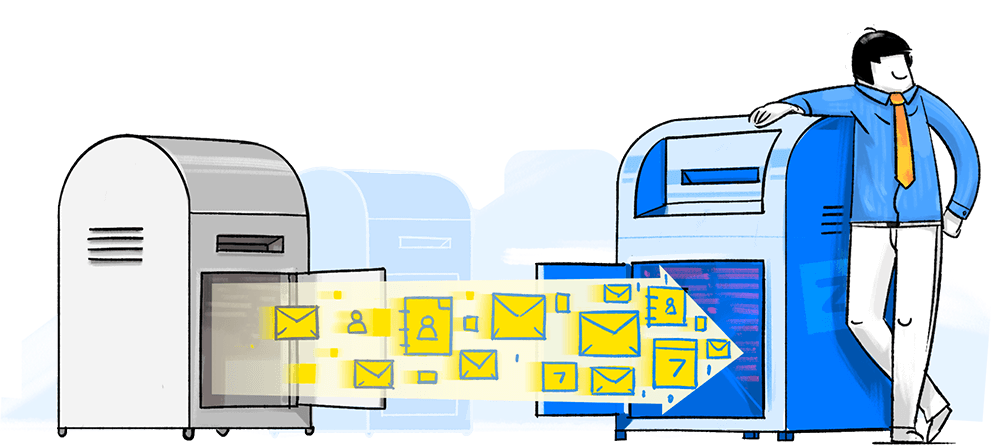
Many stay with Gmail due to “migration friction.” Zoho has eliminated this with their Migration Wizard. This tool provides a near-one-click solution to pull your entire Gmail archive, folders, and contacts into Zoho without data loss.
The 5-Step Process:
- Verify Domain: Proof of ownership via TXT/MX records in your DNS provider.
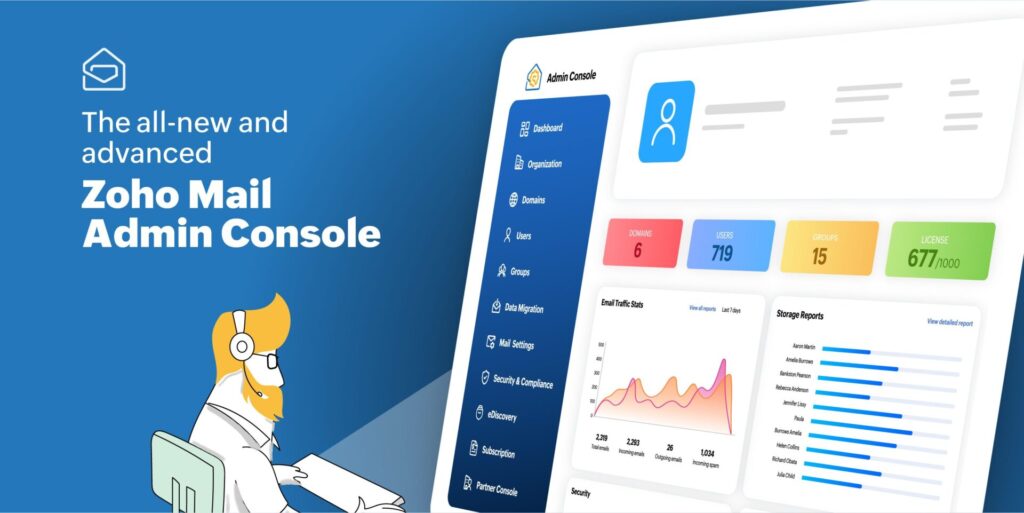
- Add Users: Use the admin console to invite team members or create accounts.
- DNS Mapping: Configure SPF and DKIM to ensure 100% deliverability.
- The Wizard: Run the Migration Wizard via IMAP to sync existing data.
- Enable Forwarding: Keep your old Gmail active for a transition period to ensure no missed leads.
7. The Final Verdict: Gmail vs. Zoho vs. Outlook
The “better” provider is the one that matches your specific business maturity.
- Choose Gmail if: You are a casual user, deeply dependent on the Google Android/Maps ecosystem, or require the world’s most advanced AI-driven spam filtering.
- Choose Zoho Mail if: You are a professional or small business owner seeking high ROI, value data sovereignty, need a custom domain on a budget, and want an ad-free environment.
- Is Zoho Mail better than Outlook? For cost-effective agility and a clean UI, yes. Outlook is only superior for enterprises requiring deep, legacy Microsoft 365/Excel integration.
Frequently Asked Questions (FAQ)
Is Zoho replacing Google?
For business operations, Zoho is the leading challenger. With 55+ integrated apps and 100 million users, it is a dominant alternative to Google Workspace for organizations that want to control their data and costs.
What is the best free email account?
For a personal account, Gmail is the standard. But for business email with a custom domain, Zoho’s “Forever Free” plan is the undisputed winner, as Google and Microsoft no longer offer free custom domain hosting.
Is there a problem with Zoho Mail?
Expertise requires honesty. Zoho has three main drawbacks:
- Video Quality: Zoho Meeting is prone to audio/video lag compared to Google Meet.
- Document Corruption: Very complex Zoho Sheets can occasionally experience corruption or loading loops.
- External Friction: Because Google is the “standard,” Zoho links shared externally are occasionally flagged as spam by aggressive Gmail/Outlook filters.
Can I use Zoho Mail on my phone?
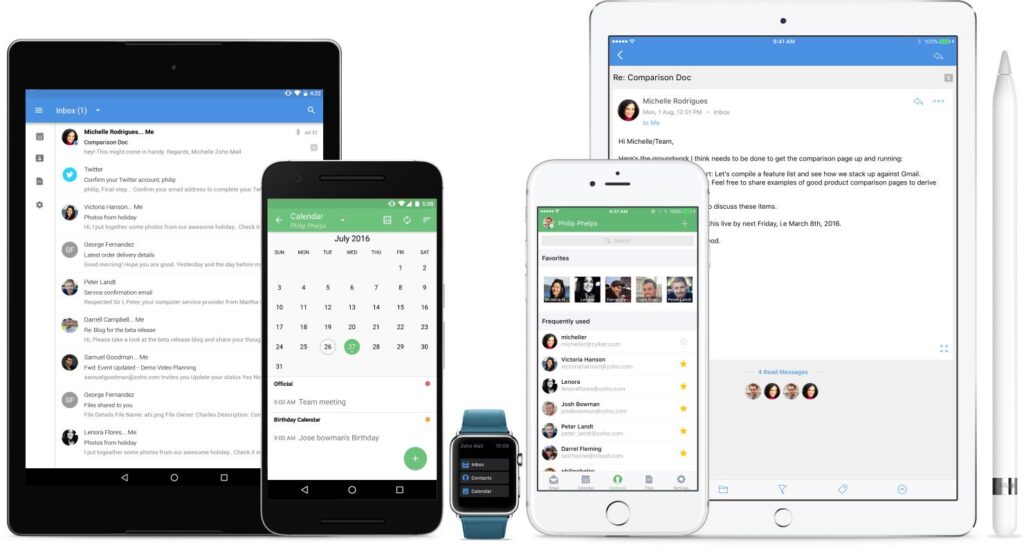
Yes. Zoho provides high-quality mobile apps for iOS and Android, including a dedicated Admin App that allows you to manage users and reset passwords on the go.
Ready to Get Started on Zoho?
Let’s build your business the smart way — with Zoho and Codroid Labs by your side.
📅 Book your free consultation now